
Successful Remote Working Succinctly®

CHAPTER 1
Introduction
I proposed this book in the summer of 2020, while I was writing Beyond Public Speaking for Geeks Succinctly.
At the beginning of 2020, the world changed, due to a pandemic disease that impacted all sectors, required social distancing, and forced a lot of companies to adopt remote working for most of their workforce.
Working from home during a pandemic is hard
Most people started working from home in 2020 because they were forced to, and they had to deal with children staying at home all day, since most schools were closed or teaching virtual lessons. In other cases, different family members were suddenly home together—fighting for network bandwidth, room availability for meetings, and quiet time. Not an ideal way to work and live.
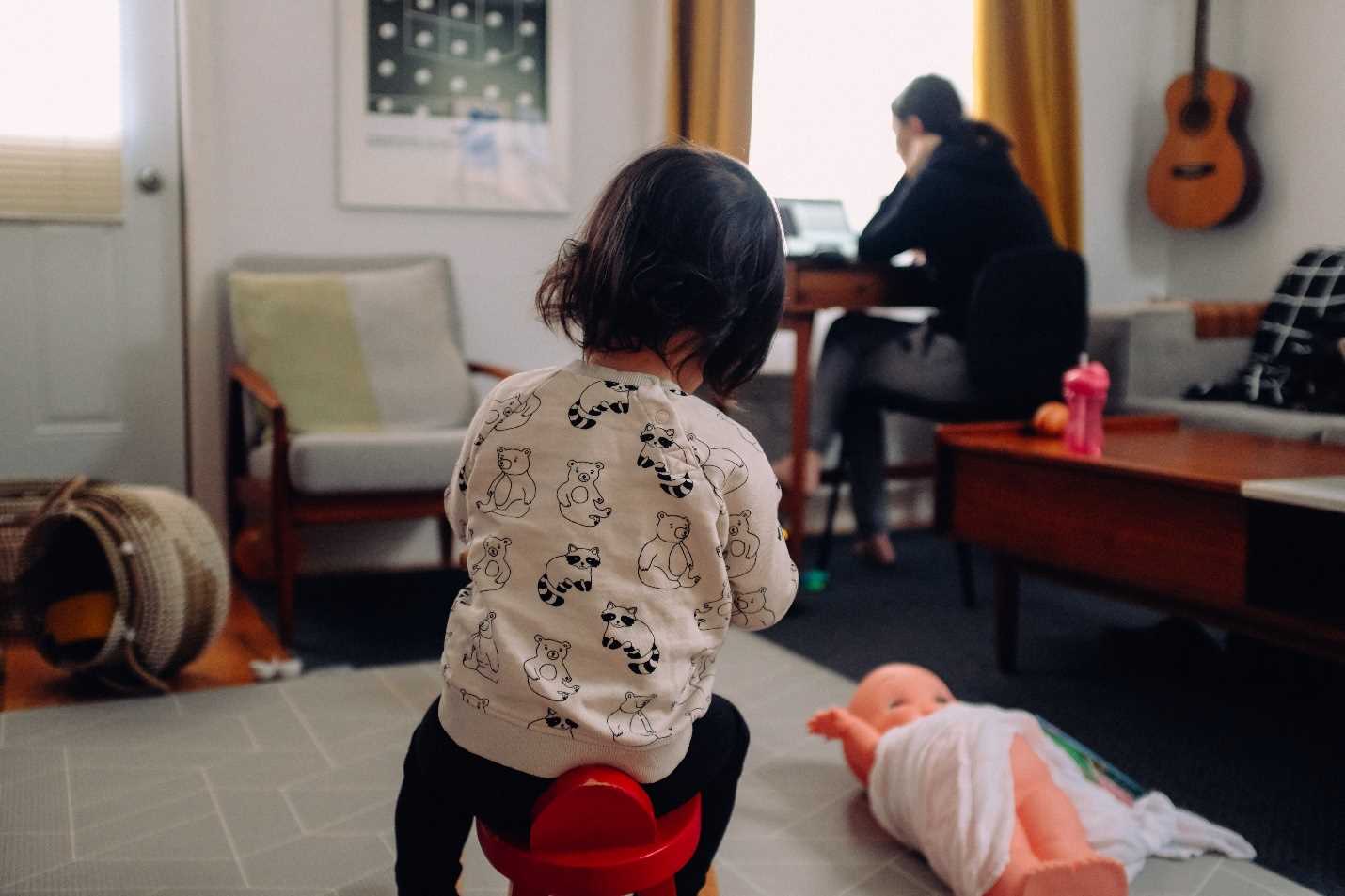
Figure 1: A mom working from home near her daughter. Photo by Charles Deluvio on Unsplash.
“Real” remote working
Remote working can be a wonderful experience; it is changing our way of living, and many people around the world (including the author) were doing it years before the pandemic, and will continue to do it afterwards.
One of the greatest benefits of remote working is that most people are able to choose what to do, where to do it, and when to do it; their work allows for independence, and is measured by objectives, and not by hours worked.
When children are home, and assuming there’s another caretaker, a remote worker could go to a café, a co-working space, or to the office, or they could simply decide to spend time with their children and work later in the day.
Note: Working from home is a special case of remote working, but it’s not the only one. You can remote-work from a bar, a coworking space, a hotel room, or a public library, for example.
Benefits and drawbacks of working remotely
There are many benefits of working remotely, including:
- Less commute time
- More time to be productive, with higher productivity (that in many cases can exhaust people if not handled correctly)
- More time with family, or to be used for sports and other hobbies
- Better work-life balance—if you can effectively manage personal and work time
- Ability to hire new talent without needing to relocate
- Fewer restrictions on dress code for most workers
- Ability to work from everywhere in the country, or in some cases in the world.
- Money savings (for companies, and sometimes also for employees)
- Less sickness (not only Covid-19, but also the normal flu or other communicable diseases)
- Potential for people with disabilities to perform better in an environment that is under their control
There are also many drawbacks: some specific to working from home, and some related to all remote workers.
Drawbacks of working remotely include:
- Missing networking opportunities, especially for younger or new people
- Less innovation due to limited networking and increased silos inside companies
- Less (self) motivation
- Solitude, apathy, burn-out, and depression
- Not having a dedicated space, or having to rent one, full-time or temporarily
- Not having the right furniture, hardware, or lighting
- Connection costs and network performance, especially when using mobile connections or working from places with free Wi-Fi
- Virtual meeting proliferation—even worse than with physical meetings
- Virtual harassment, body shaming, discrimination, mansplaining and other problematic behaviors
Specific drawbacks of working from home include:
- No clear separation between work and personal time, which can lead to the risk of working 24/7
- Distractions caused by children or housemates
- Bandwidth limitations due to multiple virtual meetings at the same time (work or school-related) and other network heavy applications, like streaming and gaming
- Distractions or inability to work due to noisy neighbors
We’ll see how to work around most of these issues in the next chapters.
Note: A decade of advancements makes remote work possible for a great number of companies and employees. Companies now have better infrastructures to allow remote access or are storing data in the cloud, which allows access from anywhere.
Note: There are many other advantages and drawbacks that are more related to society in general. For example, when too many people are working from home, most restaurants and bars near city centers or office locations will suffer. On the other side, people working remotely can provide a boost for other parts of the city, or to the countryside; instead of commuting to the big centers, they can spend more money nearby. Only time will tell what the impacts on society at large will be.
People are tired of remote working
As you’ll probably remember, at the beginning of 2021, LinkedIn and other social networks were full of posts about people wanting to come back to offices. That lead to the proliferation of a lot of fake polls that used the topic of remote working to artificially increase engagement for the poster using reactions, instead of traditional polls.
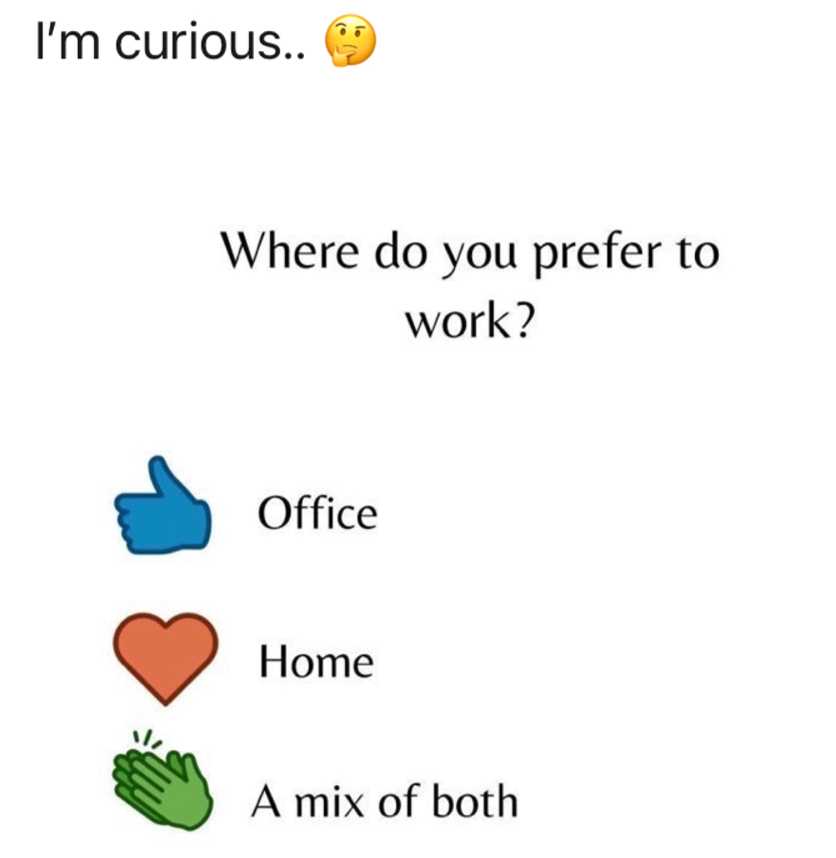
Figure 2: A fake “poll” that used reactions to increase engagement using the hot topic of working from home.
Those polls had a peak of success because people were tired of being forced to work from home, especially if they didn’t have the right environment.
As I’ve already said, working remotely (especially from home) during a pandemic is difficult, and it’s not the same as it was before the pandemic—and it’s (probably) not the same as it will be after the pandemic.
Note: During 2020 and 2021, I saw many people craving to come back to offices or to in-person meetings with customers. Then, when they were forced to return to the office, or when they started traveling extensively, after a few days they were missing the good parts of working remotely. For most workers, the future will be a mixture of both worlds.
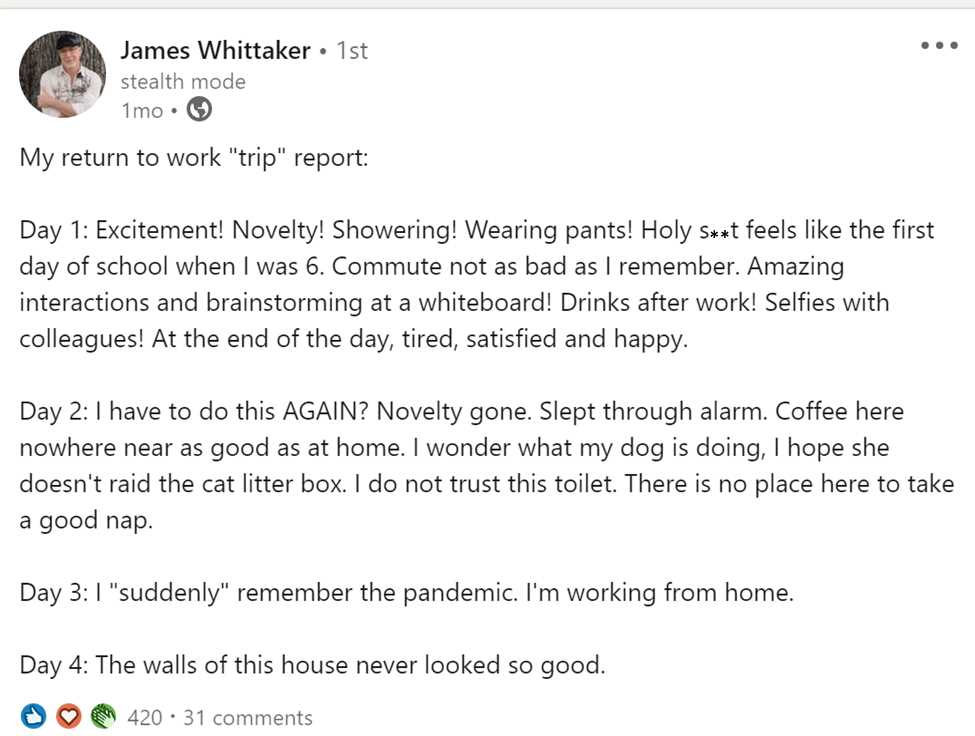
Figure 3: James Whittaker post on LinkedIn about going back to work. James is one of my favorite speakers, a brilliant author, and a former colleague I’ve always admired.
During 2021 there were also many articles about big and small companies announcing that they will reduce remote working possibilities after the pandemic (while most of the time they were only announcing the reopening of physical offices), so people waited anxiously to return to the “previous normal.” Most of these articles backfired, and many companies had to reverse their policies or clarify their communication around the topic.
What kind of remote work will be covered in this book?
Working remotely isn’t for everybody. Not every profession could be done remotely. Not every task could be done remotely.
Before the pandemic, there were many jobs that people thought were impossible to do remotely—then the pandemic changed everything, and people found new ways to do what seemed impossible in many cases.
In this book we’ll mostly talk about jobs that can be done using a computer, a phone, an internet connection, or something similar.
Of course, some techniques described in this book also apply to other kinds of remote jobs, but the focus will be on information-technology-enabled jobs. I’ll start by discussing one of the most important things that should be immediately put in place when enabling people to work remotely: security.
What about remote learning?
Remote learning is a “special kind” of remote working because it involves using the same equipment (computer, internet connection, webcam, and so on) used by remote workers. Chapter 2 and Chapter 6, which discuss this topic, will be perfect companions for students, too.
Information security
In theory, security for remote workers is much better now, compared to many years ago. VPN systems are usually more transparent and faster; cloud storage and applications have better security and can be accessed from anywhere; and authentication is usually less intrusive, using MFA (Multi-Factor Authentication) techniques and devices. Passwordless authentication systems are becoming available to improve security while easing the life of remote workers.
But security is still a nightmare for companies and, sometimes, employees. BYOD (bring your own devices) policies and corporate devices running outside the corporate perimeter can be targets for attacks that could go undetected for months.
During 2020 and 2021, due to the rise of the number of people working from home, cyberattacks surged, and many companies suffered as a result. Since nobody was prepared for the disruption caused by the pandemic, organizations needed to enable people to work from home, sometimes with their own devices, using new tools to collaborate remotely. It’s clear that in some cases security was traded for speed, and criminals proliferated.
Note: One main cause of security problems is the mixed use of devices (company owned or personal devices) with both personal and work applications. Android Work Profile and Apple User Enrollment can solve many of the security problems by physically separating personal data and apps from corporate ones, but sometimes the user experience is frustrating for advanced users.
Note: Another source of problems arises from letting housemates use work devices for their own activities, like surfing the internet and gaming. The problem is even worse when those activities are performed using the work account and not a guest or limited account. If you cannot use a different account, you can mitigate the problem using a browser’s profile settings, and creating a new profile for the other users. The security problem is not solved, but at least the password manager, browsing history, and other sensitive information are not immediately accessible.
Always assume you’ve been breached
If you’re responsible for keeping corporate devices secure, the best way to do it is to always assume that you’ve been breached already, and that devices are not secure by default. This is one of the pillars of the zero trust security model, and is a big change from previous security architectures where corporate devices inside the company’s firewall were considered secure by default.
In the past, many corporate devices relied on domain accounts, VPNs, smart cards, security policies, and similar technologies to trust a device and a user, and, once trusted, give that device and user unlimited access to corporate resources.
With zero trust in mind, every resource access should be reviewed and evaluated, and sometimes, additional proof like two-factor authentication and other mechanisms should be used. Corporate and “bring your own” devices should have mandatory security systems in place before being able to connect to company resources, and if the device is in an unknown state, it’s better to deny access.
Educate your users
Some attacks rely on security vulnerabilities, but most attacks involve the active participation of the user, like phishing emails that turn users to malicious websites, and ransomware attacks where personal and corporate data are encrypted, and a ransom has to be paid to regain access.
It’s important to educate your users. So often the malicious attacks that survive malware protection can be mitigated by savvy users.
You can direct your users to security guides from Apple, Google, Microsoft, and many other security-related websites from hardware and software manufacturers.
Test your users
Like in normal education, sometimes it’s good to test what a “student” has learned during the course.
For security issues, you can send test emails mimicking real issues and capturing users’ responses. It can seem unethical, but in many cases, it is the only way to understand how many employees can recognize a threat, and how many will still do the wrong thing after security training.
Work is not a place, it is an activity
When I began working remotely most of the time, I stopped saying “Tomorrow I’ll go to work”; I started saying “Tomorrow I’ll work from …” followed by “the customer site,” “the office,” “home,” “the hotel room,” and so on.
The language you use changes the reality you live.
How remote work will evolve
I don’t know what will happen when the pandemic ends—if most people will come to the office permanently, or if they’ll work from home permanently. Even big companies changed ideas many times about remote work policies, limiting and then increasing employees’ ability to do it. Other companies are doing the opposite—first allowing remote work, and then requiring employees to return to their offices.
The future will probably be like the past for most people who were used to working from home (or working remotely in general) before the pandemic: do BOTH. Go to the office or to a customer site; when necessary, work remotely.
You can call it hybrid work, flexible work, blended work, or whatever—the reality is that a lot of people would like to have the benefits of both models. There are situations where meeting people face to face can dramatically improve interactions and results, but there are also the needs of mothers, fathers, and people who hate commuting.
We need better remote offices; we need to adapt our work style to the challenges of a mixed environment; we need better managers; and we need ways to solve typical problems. We also need to prepare new generations for all the implications of remote working. Schools and universities should innovate their curriculum to prepare the future generation of (remote) workers.
In the next chapters, we’ll dive deeper into many of these topics!


- 1800+ high-performance UI components.
- Includes popular controls such as Grid, Chart, Scheduler, and more.
- 24x5 unlimited support by developers.