
ReSharper Succinctly®

CHAPTER 11
ReSharper Version 9
Anyone who develops software knows that things don't stand still for anyone, and ReSharper is no exception.
While writing this book, I regularly consulted and acted on feedback from the company who made the product, JetBrains, to make sure that anything I include in this book is technically accurate and reflects ReSharper in the best possible way.
During this time, I've been made aware that Version 9 is now on the horizon, and by the time this book actually reaches you, there is a very good chance that V9 will be the stable released version. I've therefore decided to add an extra chapter to the book covering some of the more important changes to come about in ReSharper 9.
In general, a lot of what I've already documented in the book will continue to work as is, or in a very similar manner to how it does in the current version. The changes documented in this chapter are based on my access to the JetBrains Early Access Program, and while I was originally going to rewrite the appropriate parts in the book to cover the new version, I felt that it was a better strategy to try and keep good coverage of both versions, and to help readers with the transition from v8 to v9.
The new installer
One of the biggest surprises is the new installation process. In the new version, the installer does not just install R#, it now serves as a central platform to install many products by JetBrains. It also allows you to see at a glance on the first screen which development products you have, and where they will be installed.
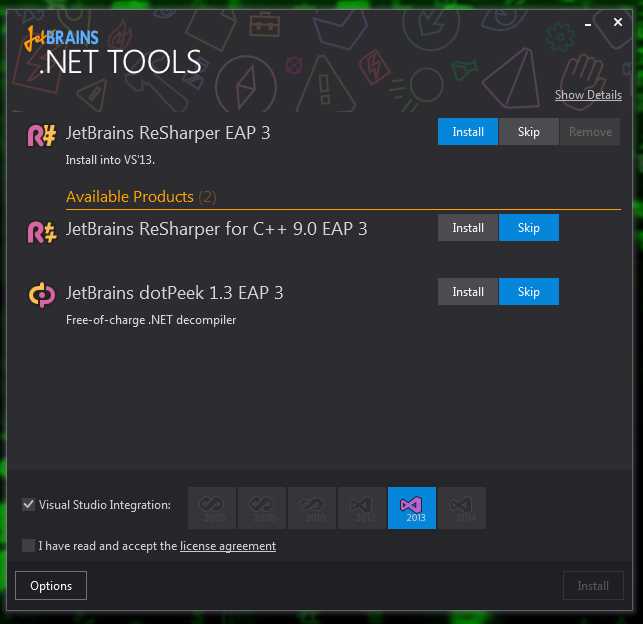
- The new R# V9 installer
Once you click the install buttons and icons to make your appropriate choices, you’re ready to click the main Install button. Note that R# v9 now includes first class support for C++ as a standalone product, rather than as an integration to the overall system.

- R# v9 installer ready to go
If you have older versions of the products you’re installing, everything will be automatically uninstalled for you.
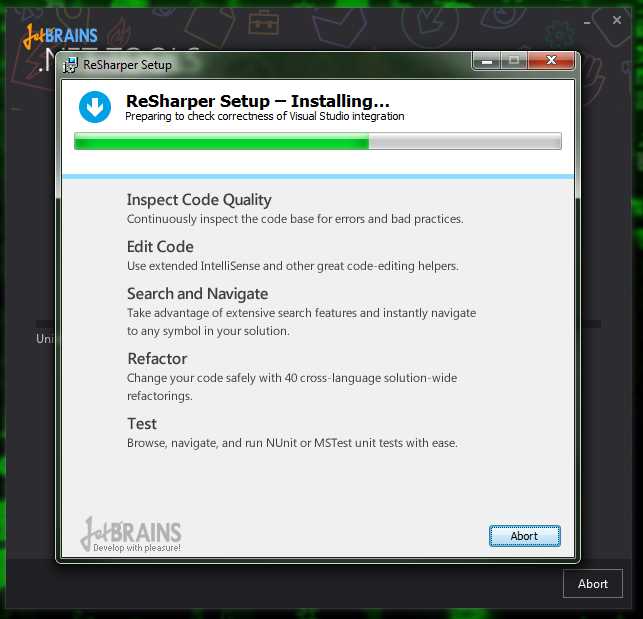
- New installer uninstalling old products
The new installer will then work its way through your installation choices.


- The new installer
One good thing about the new installer is that it will examine your Visual Studio environment while installing, and inform you at the end of any general errors it finds.
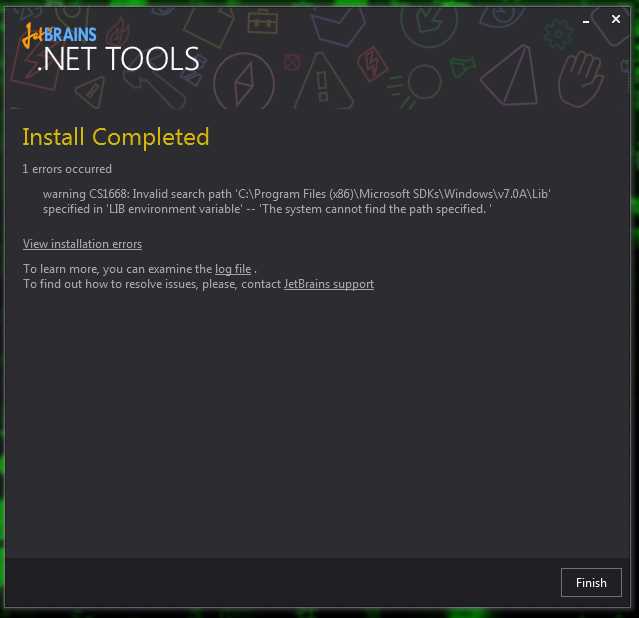
- Installer finished, and it found some problems you might be interested in
After you finish installing and re-run Visual Studio for the first time, you may find that you need to re-license your products. You will also find that in addition to needing a new license to move from v8 to v9, you will also have to license individual JetBrains products separately.
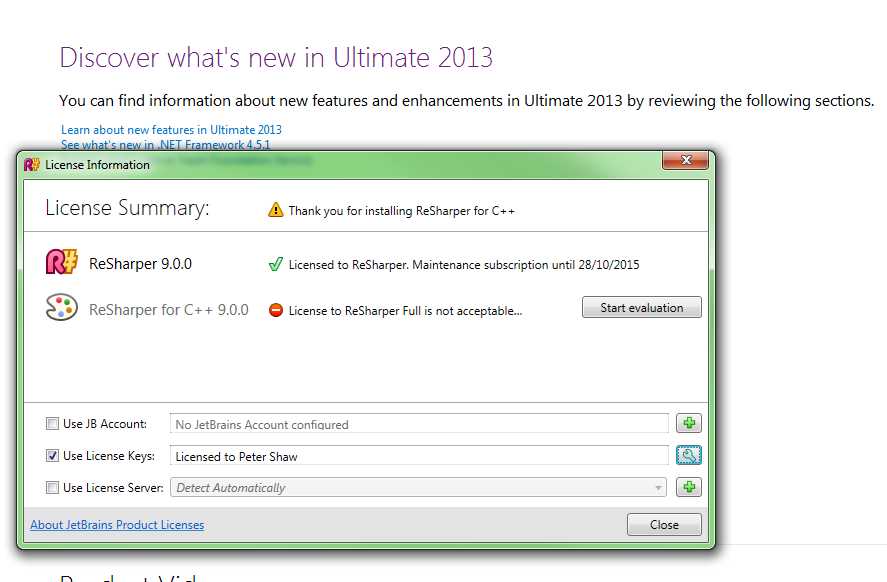
- New license options
In my case, I have a standalone license that only covers R#, and not R# for C++.
If R# has any problems running, then any issues, exceptions, or other problems are recorded in the Exceptions Manager.
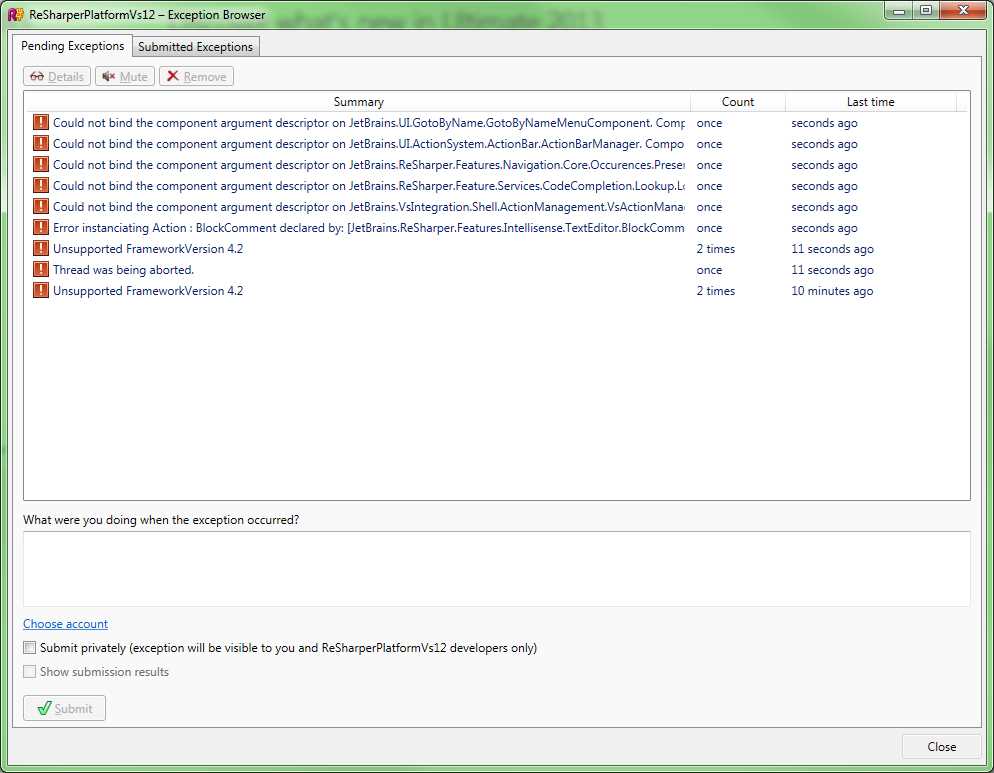
- R# v9 Exceptions Manager
If you have the dialog in Figure 187 hidden, you'll also see a notification in the Visual Studio status bar that something is wrong:
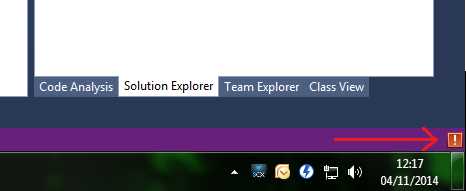
- Status warning showing that R# had some issues
You can select entries in the dialog box in figure 187, then submit them directly (with or without account information) to the JetBrains development team, who will then respond to them to make the product better.
If you’re running the EAP versions, submitting errors like this is vitally important, because it helps improve the product prior to general release.
Once your exceptions have been submitted for review, you should get a dialog box like the following to confirm the submission status:
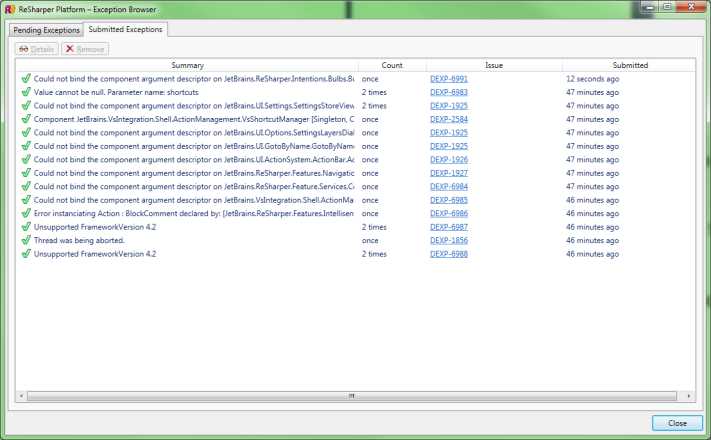
- R# Exceptions, submission status
Changes to the R# Options
There's been a whole raft of new additions to the R# options dialog box, including the ability to now search in the options, rather than having to know where something is.
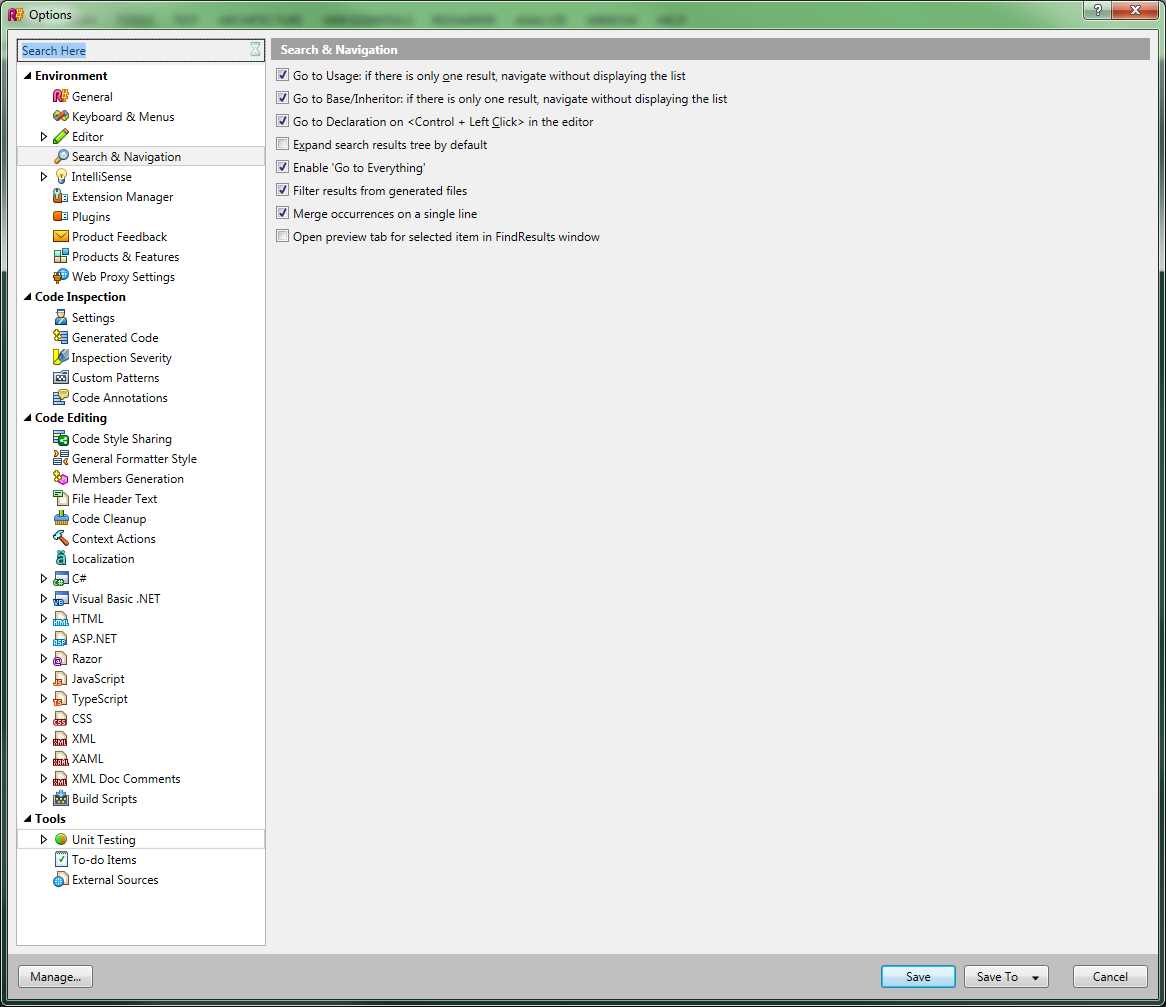
- The R# v9 Options dialog box
As you can see in Figure 190, there's now a real-time search box above the options tree on the left-hand side. For demo purposes I've typed in “Search Here,” and you can see that R# has presented me with the most likely options it believes I'm looking for.
There are also new changes to the global options that allow you to enable and disable single specific feature groups.
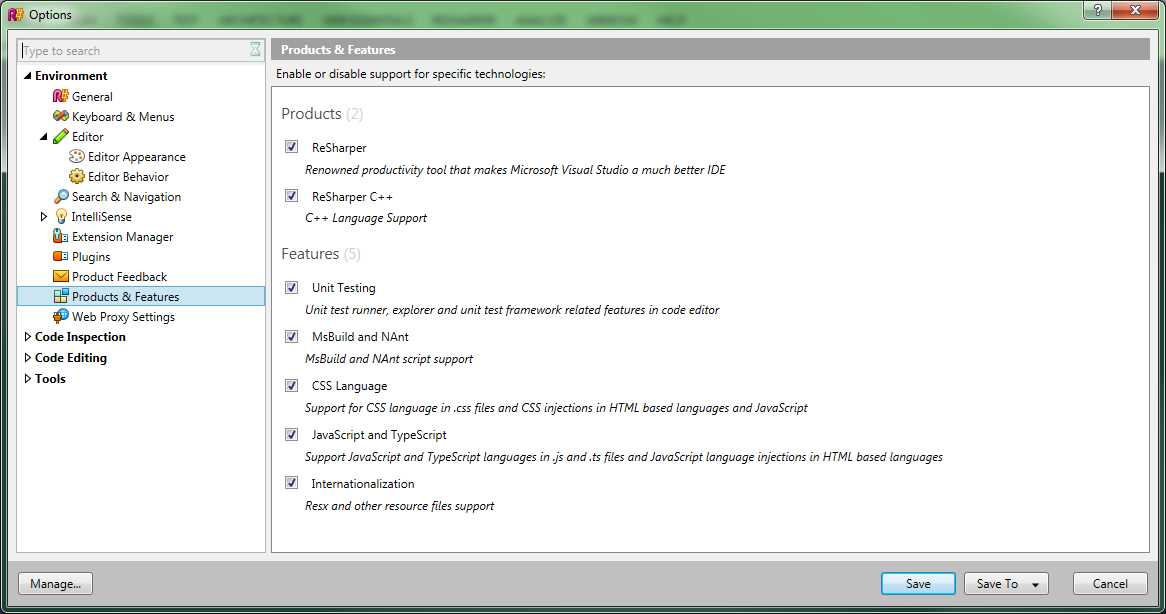
- Options for enabling, disabling specific feature groups
In previous versions of R#, if you had an issue with Razor templates for example, you would have to disable R# entirely while you worked on your Razor code, then re-enable it again when finished. With the new modular options, you can disable specific modules, allowing you to better fine-tune your R# experience.
As well as the options mentioned here, there are also a staggering amount of new code formatting options, code style checks, and other new inspections.
New Keyboard Shortcuts
The master Alt+Enter key can now also be used to search for and go directly to an action that R# has available. If you activate the master key on a line that has no current inspection infringements, you'll get the action search pop-up window:

- R# v9 Action Search pop-up window
This pop-up window can be used to provide hints and searches on R#'s top-level menus and tools, and R# will actually suggest tools you might want to run on the current line that could help you perform a task that you'd never even thought of.
It's a bit like running tools on an already great bit of code, and finding out that R# has already looked at the way you work, and figured out that you might want to perform similar operations to those already performed elsewhere.
Where possible, you'll also get quick access directly to top-level menus, directly from the Alt+Enter keyboard combination, if choosing that menu would be an applicable option on the current line where your cursor is located.
Other improvements
One new feature that the team is currently working on is called Navigate to Exposing APIs. This new navigation tool will search through any API (local or remote) that your project has access to. This search can be performed for a specific type of object, allowing you the possibility of taking an object under interface control and finding which methods can be used to consume and produce those specific object types.
If you have a need to return a specific type of object, then this new navigation feature can save you hours of analysis in third-party libraries trying to find that all-elusive method that you need to complete a month's worth of work.
The architecture tools have also been massively expanded. The new dependency diagram format will show you at a glance what levels of dependency inner objects have on outer objects:
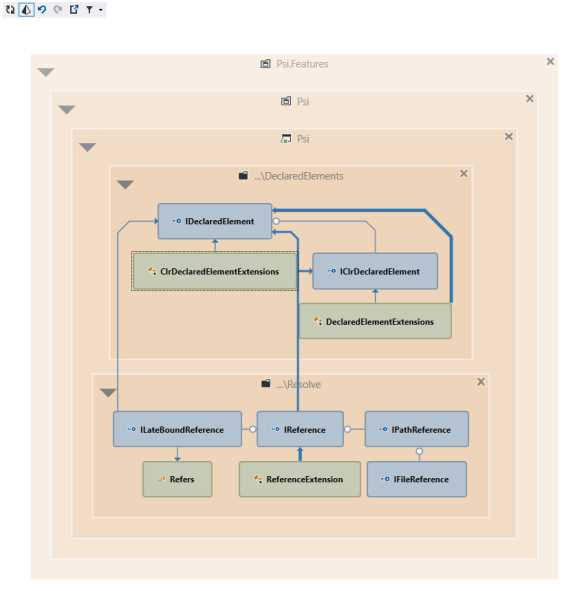
- R# v9's new dependency layer architecture diagram
The Navigate menu now has some serious power, allowing you to get from one place in your code to any other place with minimum of effort.
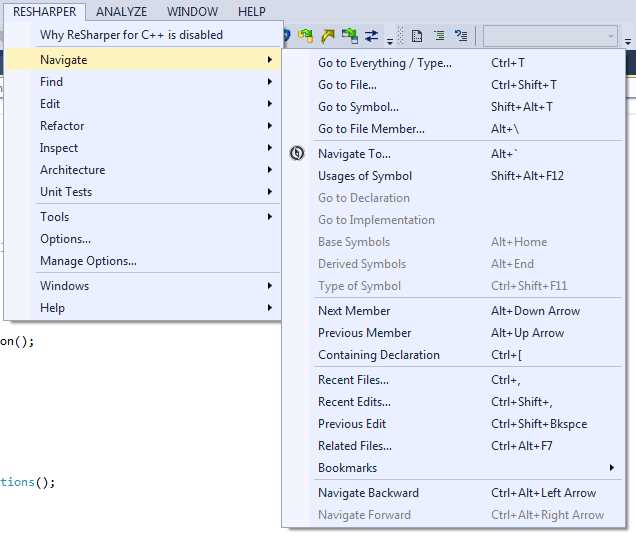
- R# v9 Navigate menu
The Find and Replace options now support regular expression-based searches over your entire solution:
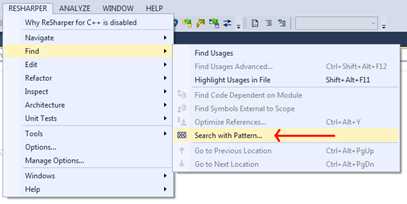
- R# v9 now supports Regex pattern-based searches
Some of the features are still in development, and so can't be demonstrated fully in this one chapter, but it’s clear that JetBrains is continuing to innovate and improve on the ReSharper product line.


- 1800+ high-performance UI components.
- Includes popular controls such as Grid, Chart, Scheduler, and more.
- 24x5 unlimited support by developers.