
Real-World .NET MAUI Succinctly®

CHAPTER 9
Displaying Lottie Animations with SkiaSharp
Animated images and illustrations are an important way to enrich the look and feel of mobile applications and make them more appealing. In my daily work, I use animated illustrations connected to user interactions to provide educational content.
In the last few years, an interesting animation format has become extremely popular among designers and developers, produced by the famous Adobe After Effects design suite. This format is not actually a proprietary one; rather, it is JSON. Put succinctly, Adobe After Effects can produce files in a specialized JSON format containing the design for animated illustrations.
In order to render these JSON animations, several libraries exist, but the most important is called Lottie, and it is generally offered by Airbnb. However, for .NET MAUI, a Lottie implementation exists in the SkiaSharp graphic library, and it allows you to play with beautiful, animated JSON illustrations in your mobile apps. This is the topic of this chapter.
.NET MAUI and Lottie
For the next example, create a new .NET MAUI project, remove the unnecessary code from the MainPage.xaml and MainPage.xaml.cs files, and open the NuGet Package Manager user interface. The NuGet package you need to install is called SkiaSharp.Extended.UI.Maui, as demonstrated in Figure 27.
At the time of this writing, this package is not yet shipped to production, so I need to check the Include prerelease checkbox. Remember that SkiaSharp is also maintained by Microsoft, so a production release should be available soon.
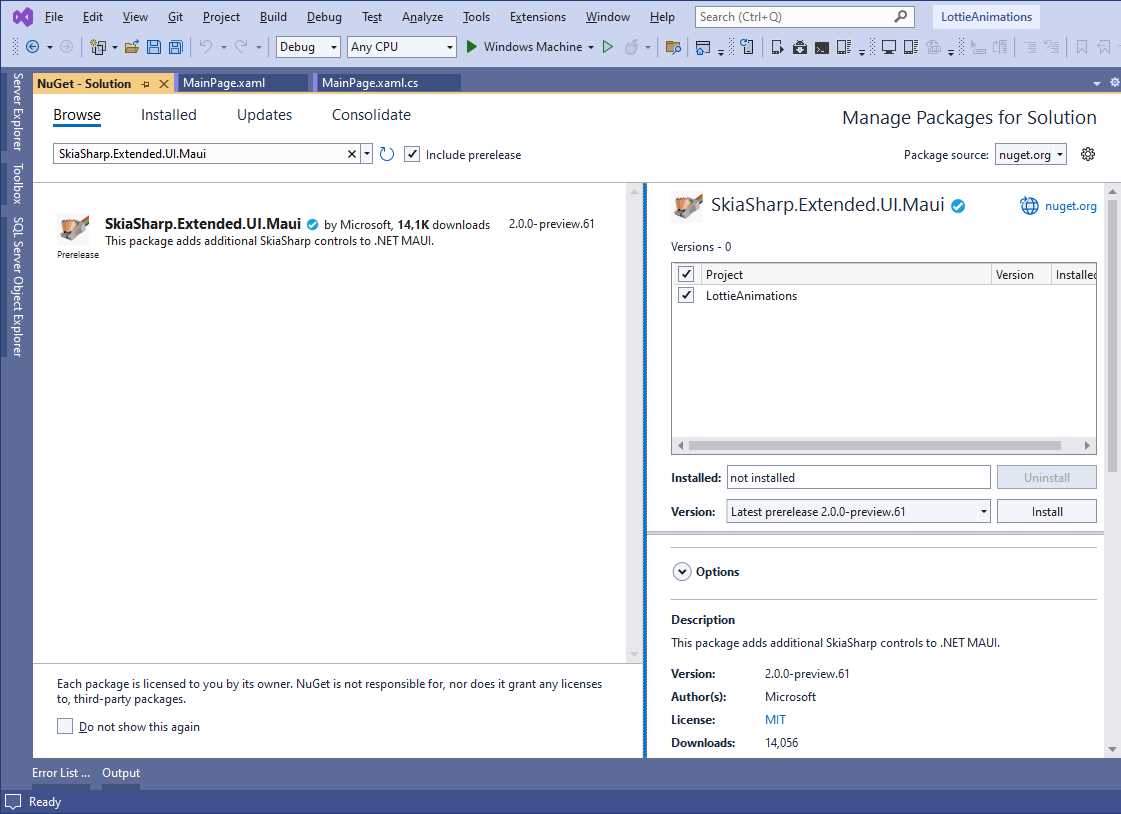
Figure 27: Installing the SkiaSharp NuGet package
As you will see shortly, the library offers a specific view that is very easy to use, but before using it, you need some sample animations.
Adding Lottie animations to the project
The way your app consumes Lottie animations depends on the source of the animations themselves. If your team has designers that produce Lottie JSON files, you will add such files to the Resources\Raw subfolder of the .NET MAUI project. If Lottie animations are instead hosted on a web server, either public or private, the animation can be simply consumed, passing its URI to the Lottie view.
A very nice and popular source for Lottie animation is the Lottiefiles.com website. On this site, you can find both free and paid animations, illustrations, icons, and much more. For the current example, I will use the JSON animation included in the Lottie library repository, which is already included inside the companion code for your convenience.
Note: The JSON for Lottie animations can be very long and certainly complex. The goal of this chapter is not to explain how it is structured, so it is left to you for further studies.
You are certainly free to use a different animation, in which case you will decide how to consume it based on what you learn in the next sections.
Displaying Lottie animations
The SkiaSharp library provides a new view called SKLottieView. Before you can use it in your XAML, you need to add the following XML namespace declaration at the ContentPage level:
xmlns:skia="clr-namespace:SkiaSharp.Extended.UI.Controls;assembly=SkiaSharp.Extended.UI"
In its simplest form, the SKLottieView can be declared as follows:
<skia:SKLottieView HorizontalOptions="FillAndExpand"
Source="lottielogo.json"
RepeatCount="3" RepeatMode="Restart"
VerticalOptions="FillAndExpand" />
The Source property specifies the animation file, which can be local or remote. In this example, the animation will restart (RepeatMode) three times (RepeatCount). The RepeatMode attribute can be also set with Reverse, whereas RepeatCount can be assigned with -1 if you want the animation to be played just once.
If you run the sample app, you will see the Lottie animation being played on your device. Figure 28 shows a static frame of the animation, but it will be actually played when running.
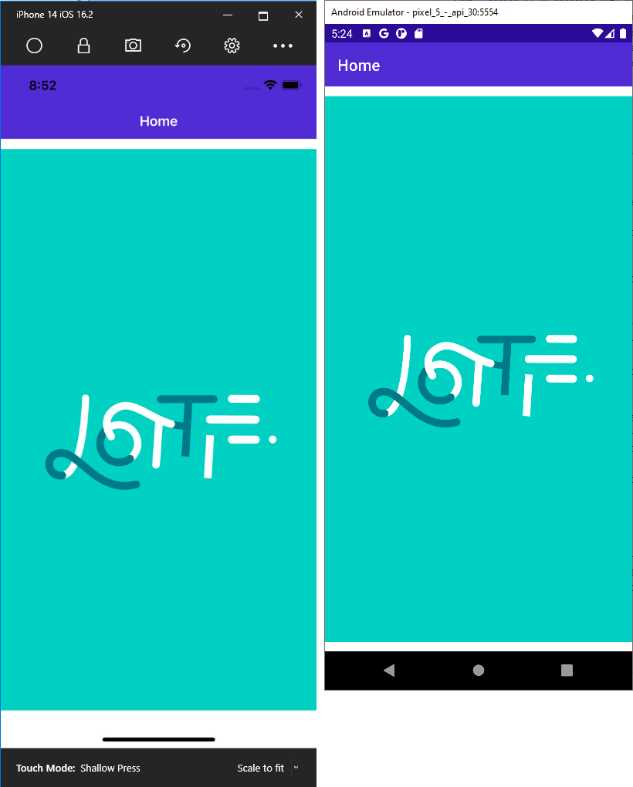
Figure 28: Lottie animation running in .NET MAUI
The SKLottieView object also exposes the following events:
· AnimationLoaded, raised when the animation has been loaded by the SKLottieView.
· AnimationFailed, raised when loading or playing the application fails.
Especially when your animations are loaded from a web resource via URI, failures in loading the animation can happen and the AnimationFailed event will be raised. Think of connectivity issues, or an animation that is not compatible with the After Effects JSON structure.
Finally, you can control the animation with the IsAnimationEnabled property. When true, the animation will be played, and it will be stopped when false.
Chapter summary
Lottie is a library from Airbnb that allows for rendering Adobe After Effects animations, created in a specialized JSON format. An implementation for .NET MAUI is provided by the SkiaSharp library and offers the SKLottieView control, which makes it easy to show animations with a basic implementation. Lottie animations are certainly an important addition to make mobile apps more beautiful, but they are not the only pieces of content your app might display. An important part is made up of documents, which is discussed in the next chapter.


- An ever-growing .NET MAUI control suite with rich feature sets.
- DataGrid, Charts, ListView, Scheduler, and more.
- Active community and dedicated support.
- Phone, tablet, and desktop support.