
Prism 4 Succinctly®

CHAPTER 4
The Prism 4 Virtual Calculator
Now that we have a basic starting point for building Prism 4 solutions, we'll start to progressively look at Prism 4 in greater detail. To do this, we'll use a demonstration solution, The Virtual Calculator. Figure 8 shows the solution's logo top shell form.
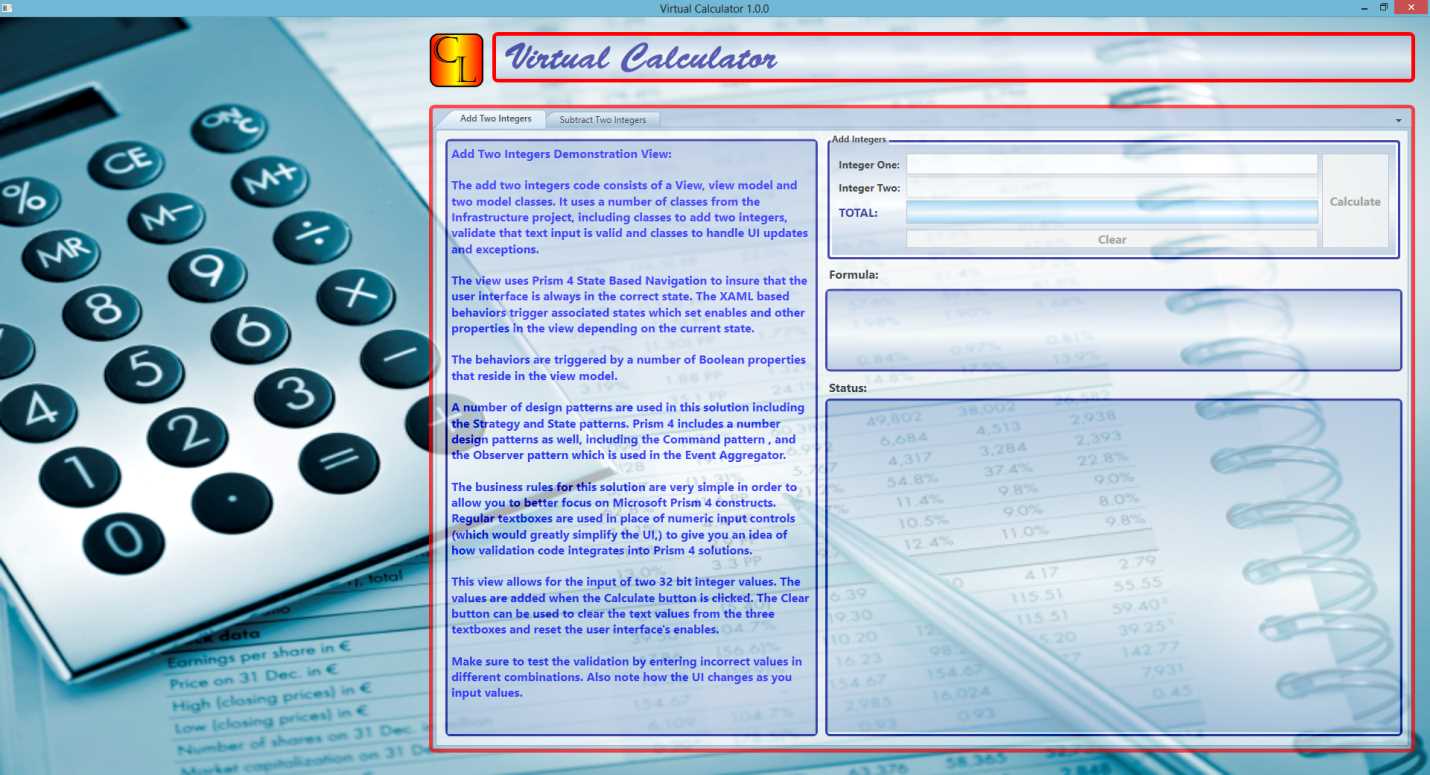
- The Virtual Calculator Logo Top Shell Form
The Virtual Calculator Specifications:
The Virtual Calculator is a WPF solution that uses the Microsoft Prism 4 framework. The solution is designed to allow users to either add or subtract two numbers.
I have kept the business rules simple so that we can focus on the WPF and Prism 4 constructs in the solution.
The Virtual Calculator solution consists of two shell forms that can be interchanged by setting an integer value (ShellSelector) in the bootstrapper class. The difference between the two forms is the logo placement. Figure 9 shows an example of the logo bottom shell form.
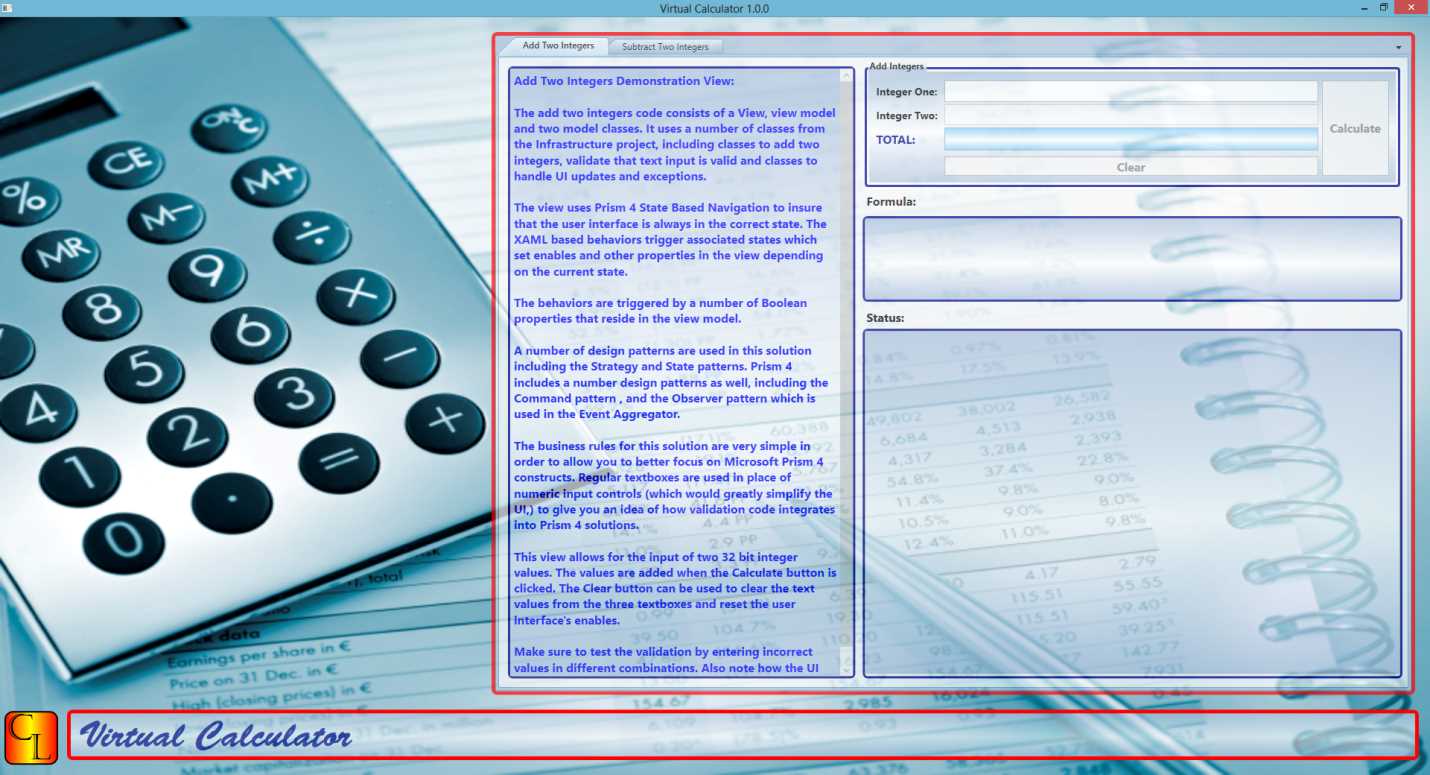
- The Virtual Calculator Logo Bottom Shell Form
The solution uses three Microsoft Prism 4 modules.
- The Application Logo Module
- The Company Logo Module
- The Math Module
There are also three other projects in the solution.
- The Main Project
- The Infrastructure Project
- The Unit Test Project
The Application Logo Module is used to show the Virtual Calculator's application logo graphic. It is the graphic with the red border and "Virtual Calculator" text.
The Company Logo Module is used to show the Virtual Calculator's company logo animated graphic. It is the graphic with the red and yellow background and "CL" text. The "CL", stands for Company Logo in this case.
The Math Module is used to show the Virtual Calculator's two tabs, the Add Two Integers and Subtract Two Integers tabs. This module also enforces the solution's business rules. This includes data input validation, updates to the User Interface (UI) and the code needed to add and subtract.
The Main Project is the startup project for the solution. It is where most of the initialization is carried out and is also where the shell forms are located. The bootstrapper and main configuration file also resides in this project.
The Infrastructure Project is unique in the solution as it is the only project that is referenced in all of the other projects. This is our global project that provides services to each of the other five projects in the solution. This project is used to provide both Business and User Interface services to the Virtual Calculator.
In Prism 4 solutions that use relational or other kinds of persistent data, the infrastructure project can be used to access and modify the data.
It is also where Prism 4 global commands and event aggregator code resides. These Prism 4 design patterns can be used to communicate between modules in a loosely coupled manner.
We'll go into more detail about all of these projects in chapter 13.
The Unit Test Project is where Unit and Integration tests reside for all of the other projects in the solution. The NUnit framework was used to create the unit tests for this solution.
I won't be going into detail about unit testing in this book but some unit test examples are included in the solution. See chapter 2 if you need to download NUnit.
These six projects provide the functionally needed to generate the user interfaces and enforce the business rules in the Virtual Calculator solution. The next chapters will explain the code that was used to create this solution and give you some insights into Microsoft WPF based Prism 4 solutions.


- 1800+ high-performance UI components.
- Includes popular controls such as Grid, Chart, Scheduler, and more.
- 24x5 unlimited support by developers.