
PHP Succinctly®

CHAPTER 3
PHP Basics
Script: The basic concept of PHP
What is a script?
A script in PHP is a text file saved with the .php extension that contains pure PHP programming code, or PHP programming code embedded into HTML. The .php extension is necessary in the filename so that the file can be recognized by the PHP engine as a functional script.
Every PHP script has the following syntax.
Code Listing 2: PHP Scripts Syntax
<?php /* PHP code goes here */ ?> |
We can embed PHP code into HTML. In this case, the syntax for the script is the same as the code displayed in the previous code listing, but it is inside HTML statements. The following code shows an example of PHP embedded into HTML.
Code Listing 3: PHP Embedded into HTML
<html> <head></head> <body> Hello, today is <?php echo date("l F jS \of Y"); ?> </body> </html> |
Script samples
The ever-present Hello World
To say “Hello World” using PHP, we’re going to create a file named helloworld.php and save it into our website root folder. The code for this file is displayed in the following sample.
Code Listing 4: Hello World Sample
<?php echo 'Hello World from PHP'; ?> |
Now, if we enter http://127.0.0.1/helloworld.php in the address bar of our web browser, we should see something like the following figure.
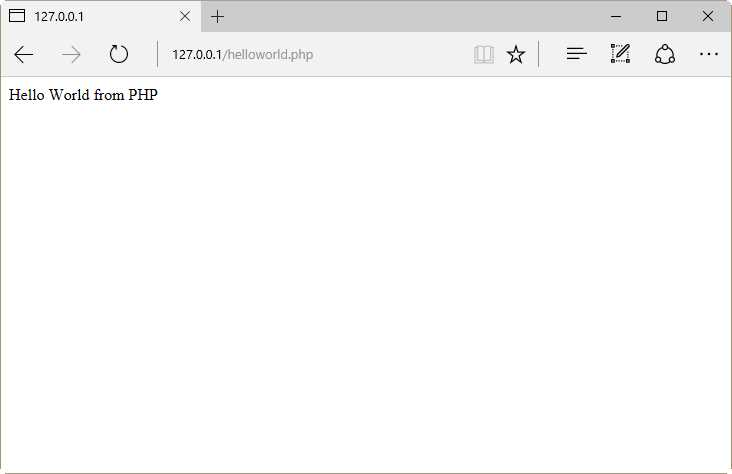
Figure 23: Hello World Sample Output
Displaying current date
The following sample displays the current date using pure PHP code. You should save the file as currentdate.php.
Code Listing 5: Displaying Current Date
<?php echo 'Hello, today is '; echo date("l F jS \of Y"); ?> |
Again, typing http://127.0.0.1/currentdate.php in the address bar of the web browser, you should see something like the following figure.
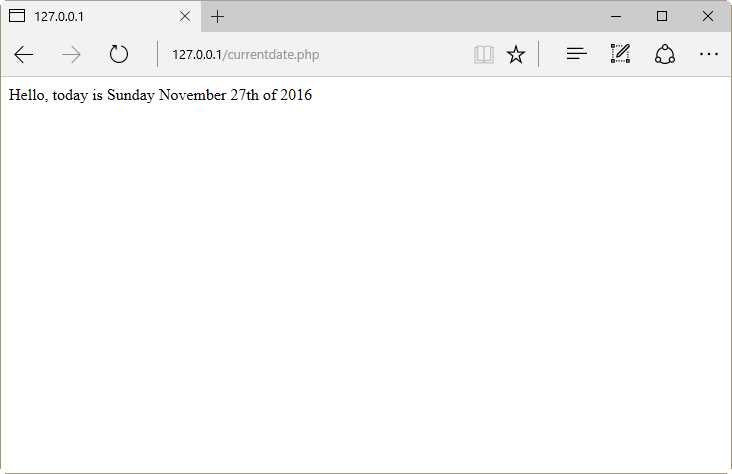
Figure 24: Output for Displaying Current Date Sample
Calling HTML from PHP sample
As explained in Chapter 1, PHP is able to call HTML code. The following code sample demonstrates this feature.
Code Listing 6: HTML Called from PHP
<?php echo "<html>\n<head>\n<title>Calling HTML from PHP</title>\n</head>\n<body>\n<h1>Hello, calling HTML from PHP!</h1>\n</body>\n</html>"; ?> |
At this point, the echo statement has appeared in all the samples. This statement sends the content of the string placed beside it to the standard output device. For a web server, the standard output device sends the response for a request to the calling client (usually a web browser).
In the previous sample, the echo statement sends to the calling client the HTML code necessary to display “Hello, calling HTML from PHP!” in a web browser. To test this sample, we should save the code in a file named callinghtml.php. Then, from the address bar of the web browser, we will type http://127.0.0.1/callinghtml.php, and the output displayed will look like the following figure.
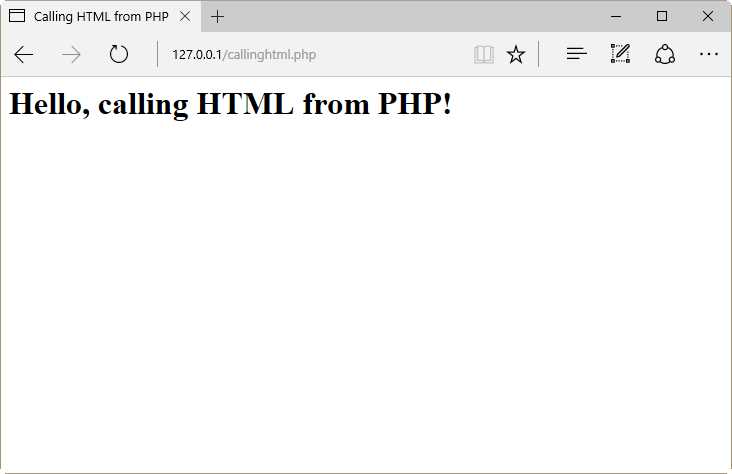
Figure 25: Calling HTML from a PHP Script
If we want to know which response was sent to the browser, we should press the F12 key to get the following code in the DOM Explorer.
Code Listing 7: PHP Response Sent to the Browser
<html> <head> <title>Calling HTML from PHP</title> </head> <body> <h1>Hello, calling HTML from PHP!</h1> </body> </html> |
The DOM Explorer is displayed in the following figure.
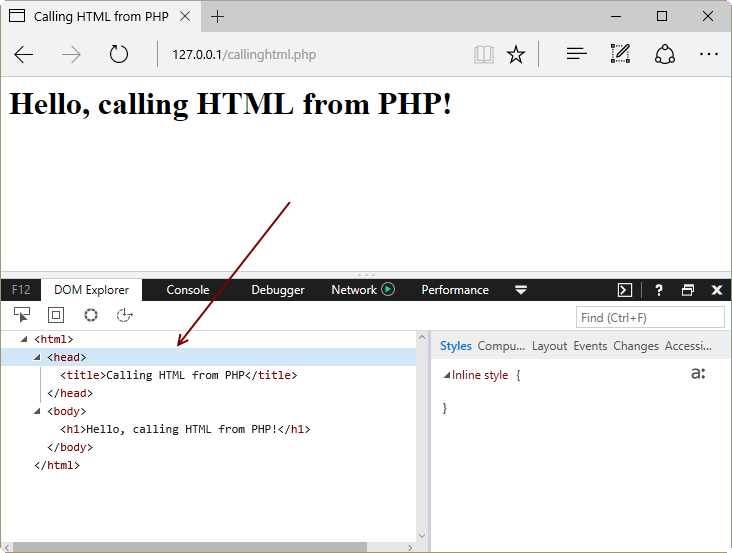
Figure 26: The DOM Explorer Displaying the PHP Response
As shown in Figure 26, the sample PHP script sent pure HTML code as a response for the request made by the web browser.
Variables
As in most programming languages, the main way to store data in a PHP program is by using variables. A variable is an identifier that can hold data dynamically, meaning that data stored in variables can change according to the program needs during the execution flow.
Declaring and using variables in PHP
Variable declaration, and the use of these variables in PHP, should comply with the following requisites.
- All variable names are denoted with a leading dollar sign ($).
- Variable names must begin with a letter or underscore character.
- Characters like +, -, %, (, ), ., and & cannot be employed.
- Variables can be declared before assignment, but this is not absolutely necessary.
- Variables do not have intrinsic types; a variable cannot know in advance whether it will be used to store a number or a string.
- Converting variables from one type to another is performed automatically.
- Variable assignment is performed with the = operator, placing the variable on the left side and the expression to be evaluated on the right.
- The value of a variable is the value of its most recent assignment.
Variable types
The following table summarizes the data types available in PHP.
Table 2: PHP Data Types
Data Type | Description |
|---|---|
Integer | Whole numbers with no decimal point |
Double | Floating point numbers such as 1.31313 or 34.5 |
Boolean | A type with two possible values, either true or false |
NULL | The NULL value |
String | Sequences of characters like ‘Hello World’ or ‘Last Name’ |
Array | A named and indexed collection of values |
Object | Instances of programmer-defined classes that package both attributes (values) and methods (functions), specific to the class |
Resource | Special data types that hold references to resources external to PHP, such as database connections |
The following code sample shows a series of declared variables, each storing a value that corresponds to one the data types described in the previous table.
Code Listing 8: Declaring Variables in PHP
$var_double = 3 + 0.14159; $var_integer = 4; $var_string = "This is a PHP variable"; $var_array = array("An array element","Other element"); $var_boolean = TRUE; $var_null = NULL; |
Variable scopes
The scope of a variable can be defined as the range of availability that variable has, starting from the program in which the variable is declared. So, in this context, we can have the following kind of scopes.
- Local variable – A variable that can be referenced in the declaring program only. Once this program finishes its execution, all local variables are destroyed.
- Global variable – A variable that can be accessed in any part of the executed thread, starting at the program in which the variable is declared. In order for PHP to recognize a variable as global, the prefix GLOBAL must be declared before the name of the variable. All global variables are destroyed when the executed thread finishes.
- Function parameter – A variable declared after a function name and inside parentheses. The scope of function parameters is the function itself.
- Static variable – A variable declared inside a function, with the word STATIC before its name. Unlike function parameters, a static variable keeps its value when the function exits, and that value will be held when the function is called again.
The following sample code shows how the different scopes work.
Code Listing 9: Variable Scopes
<?php //Local variables $samplevar = 10; function sumvars() { $a = 5; $b = 3; $samplevar = $a + $b; //$samplevar is local variable inside this function echo "\$samplevar inside this function is $samplevar. <br />"; } sumvars(); echo "\$samplevar outside the previous function is $samplevar. <br />"; //Function parameters function phpfunction($parameter1,$parameter2) { return ($parameter1 * $parameter2); } $funcval = phpfunction(6,3); echo "Return value from phpfunction() is $funcval <br />"; //Global variables $globalvar = 55; function dividevalue() { GLOBAL $globalvar; $globalvar/= 11; echo "Division result $globalvar <br />"; } dividevalue(); //Static variables function countingsheeps() { STATIC $sheepnumber = 0; $sheepnumber++; echo "Sheep number $sheepnumber <br />"; } countingsheeps(); countingsheeps(); countingsheeps(); countingsheeps(); countingsheeps(); ?> |
If we copy the previous code in a file named varscopesample.php in the website root folder (C:\Inetpub\wwwroot), and type http://127.0.0.1/varscopesamle.php in the address bar of the web browser, the following output should be displayed.
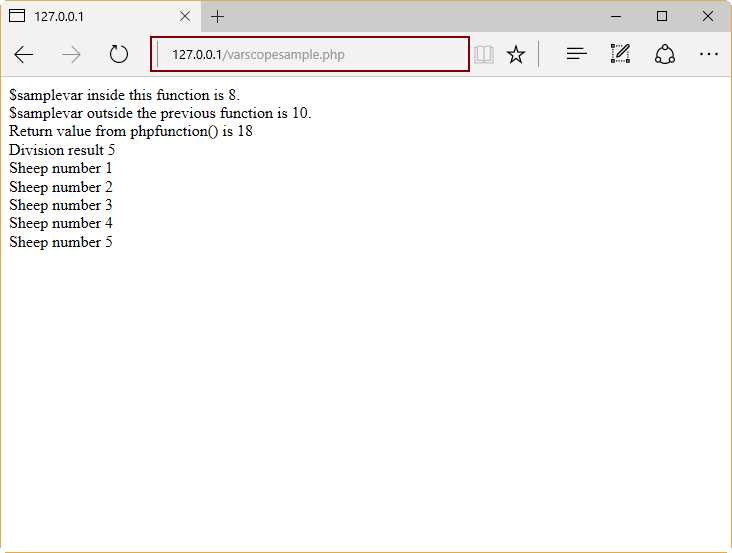
Figure 27: Variables Scope Sample Results
Predefined variables
There is a series of variables that are available to any script running. Also, PHP provides a set of predefined arrays containing variables from the environment, the web server, and user input. These arrays are called superglobals. The following table summarizes the superglobals.
Table 3: PHP Superglobals Summary
PHP Superglobals | |
|---|---|
$GLOBALS | This array contains a reference to every global variable in the script. The name of every global variable is a key of this array. |
$_SERVER | This array contains information about the web server environment, such as headers, paths, and script locations. Since these values are created by the web server being used, some of them could not exist in some environments. |
$_GET | This array contains associations to all variables passed to the script via the HTTP GET method. |
$_POST | This array contains associations to all variables passed to the script via the HTTP POST method. |
$_FILES | This array contains associations to all items uploaded to the script via the HTTP POST method. |
$_COOKIE | This array contains associations to all variables passed to the script via HTTP cookies. |
$_REQUEST | This array contains associations to the contents of $_GET, $_POST, and $_COOKIE. |
$_SESSION | This array contains associations to all session variables available to the script. |
$_PHP_SELF | A string containing the script file name in which this variable is used. |
$php_errormsg | A string variable containing the last error message generated by PHP. The $php_errormsg variable is not a true superglobal object, but it's closely related. |
The following code shows some examples of predefined variables.
Code Listing 10: Predefined Variables Sample
<?php /* $GLOBALS example*/ $apptitle = "Application title"; //This is a global variable function locals() { $apptitle = "Local application title"; echo "\$apptitle value at global scope: " . $GLOBALS["apptitle"] . "<br />"; echo "\$apptitle value at local scope: " . $apptitle . "<br />"; }
locals();
/* $_SERVER example */ echo $_SERVER['PHP_SELF'] . "<br />"; //Script filename relative to the website root echo $_SERVER['SERVER_NAME'] . "<br />"; //Server name or Server IP Address echo $_SERVER['REMOTE_ADDR'] . "<br />"; //The IP address of the client computer echo $_SERVER['REMOTE_HOST'] . "<br />"; //The host name or IP address of the client computer
?> |
Note: A detailed sample for all superglobals is beyond the scope of this book.
Assuming the previous sample is saved in a file named predefinedvariables.php, if we type http://127.0.0.1/predefinedvariables.php into the address bar of the web browser, we should get the following output.
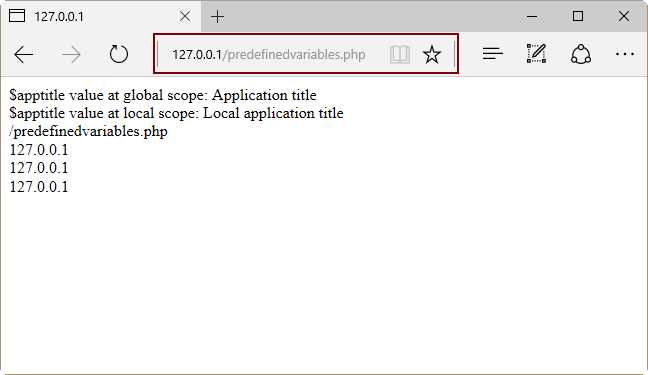
Figure 28: Superglobals Sample Output
Constants
A constant is an identifier that holds a simple value. This value cannot change during the execution of the script.
Naming constants
Constants are case-sensitive by default. A good practice in PHP dictates that constant names should always be uppercase. Constant names can start with a letter or underscores.
Defining constants
In PHP, all constants are defined by the define() function. To retrieve the value of a constant, we have to specify its name. We can also use the constant() function to read a constant value. Unlike with variables, we don’t need to use the dollar ($) sign at the beginning of the constant name.
The following code sample shows how to define and read constant values.
Code Listing 11: Constants Sample
<?php define("WEBPAGEWIDTH", 100);
echo WEBPAGEWIDTH; //Retrieving constant value using its name directly echo constant("WEBPAGEWIDTH"); //Retrieving constant value with constant() function ?> |
Operators
An operator is a symbol that is used to perform a process into an expression. This process is also known as an operation.
Code Listing 12: Operators Sample
$total = $subtotal + $tax; |
In this code sample, $subtotal + $tax is an expression. The process to be performed in this expression is to add the value of the $subtotal variable to the value of the $tax variable. This process is represented by the plus (+) sign, and this sign is called an operator. The $subtotal and $tax variables are called operands.
PHP supports some types of operators, which are explained in the following sections.
Arithmetic operators
The following table summarizes the use of arithmetic operators, which are used to perform arithmetic operations.
Table 4: PHP Arithmetic Operators Summary
Operator | Description |
|---|---|
+ | Adds the values of two operands |
- | Subtracts the value of the second operant from the first one |
* | Multiplies two operands |
/ | Divides a numerator operand (placed at the left) by a de-numerator operand (placed at the right) |
% | Gets the remainder of an integer division between two operands |
++ | Increases the value of an integer operator by 1 |
-- | Decreases the value of an integer operator by 1 |
Note: Technically, ++ and -- can also be considered assignment operators.
Comparison operators
As suggested by their type name, comparison operators are used to check whether or not a criteria between two operands is met. If the operands adhere to the checked criteria, the result returned by the comparison operation will be the true Boolean value. Otherwise, a false Boolean value will be returned. These operators are summarized in the following table.
Table 5: PHP Comparison Operators Summary
Operator | Description |
|---|---|
== | Checks if the value of two operands are equal |
!= | Checks if the value of the operand placed at the left is not equal to the value of the operand placed at the right |
> | Checks if the value of the operand placed at the left is greater than the value of the operand placed at the right |
< | Checks if the value of the operand placed at the left is less than the value of the operand placed at the right |
>= | Checks if the value of the operand placed at the left is greater than or equal to the value of the operand placed at the right |
<= | Checks if the value of the operand placed at the left is less than or equal to the value of the operand placed at the right |
Logical operators
These operators are used to perform logical operations between two operands. A logical operation is a process that returns either true or false, depending on the logical state (true or false) of two operands. These operators are summarized in the following table.
Table 6: Logical Operators Summary
Operator | Description |
|---|---|
and | Logical AND. Returns true if both operands are true. |
or | Logical OR. Returns true if any of the two operands is true. |
xor | Returns true if any of the two operands are true, but not both. |
&& | Logical AND. Returns true if both operands are true. |
|| | Logical OR. Returns true if any of the two operands is true. |
! | Logical NOT. Reverses the logical state of its operand; if the operand is true, it becomes false, and vice versa. |
Assignment operators
These operators are used to store a value into an operand. In this case, the value to store is placed at the right side, and the operand that will receive the value is placed at the left. The following table summarizes these operators.
Table 7: Assignment Operators Summary
Operator | Description |
|---|---|
= | The simple assignment operator. Stores values from the right side to the left-side operand. |
+= | Add and assign operator. Adds the value of the operand placed at the right side to the value of the operand placed at the left, then assigns the result to the left operand. |
-= | Subtract and assign operator. Subtracts the value of the operand placed at the right side from the value of the operand placed at the left, then assigns the result to the left operand. |
*= | Multiply and assign operator. Multiplies the value of the operand placed at the right side by the value of the operand placed at the left, then assigns the result to the left operand. |
/= | Divide and assign operator. Divides the value of the operand placed at the left side by the value of the operand placed at the right, then assigns the result to the left operand. |
%/ | Modulus and assign operator. Divides the value of the operand placed at the left side by the value of the operand placed at the right, then assigns the remainder to the left operand. |
Conditional operator
The conditional operator (expressed as ? :) performs an inline decision-making process. It evaluates the logical state of an expression placed at the left side of the ? sign, and then executes one of two given expressions, both separated by the : sign. If the logical state of the expression is true, the expression placed at the left side of the : sign is executed; otherwise, the right-side expression is performed. The following code sample illustrates this.
Code Listing 13: Conditional Operator Code Sample
$total = $subtotal + $tax; $discount = $total < 150 ? $total*0.15 : $total*0.20; /* $discount receives a value depending of $total value. If $total is less than 150, then $discount receives the result of multiplying $total by 0.15. Otherwise, the result of multiplying $total by 0.20 is assigned to $discount */ |
Precedence of operators in PHP
Operator precedence is the order in which a certain kind of operation (defined by the operator itself) is performed within an expression. Let’s consider the following code sample.
Code Listing 14: An Expression Sample to Explain Operator Precedence
$tax = $subtotal - $discount * $taxrate; |
This expression will perform three kind of operations: subtraction, multiplication, and assignment. The important thing to find out here is the order in which the computer will execute the operations. This depends on the operators’ precedence.
To get a better understanding of operator precedence, we should classify the operators into the following categories.
- Unary operators: Operators that precede a single operand
- Binary operators: Operators that take two operands
- Ternary operators: Operators that take three operands and evaluate either the second or the third operand, depending on the value of the first one
- Assignment operators: Operators that assign a value to an operand
Taking these categories into account, the following table dictates the order in which operators are executed within an expression, from top to bottom.
Table 8: Operator Precedence Table
Associativity | Operator | Additional Information |
|---|---|---|
non-associative | clone new | clone and new |
left | [ | array() |
right | ** | arithmetic |
right | ++ -- ~ (int) (float) (string) (array) (object) (bool) @ | types and increment/decrement |
non-associative | instanceof | types |
right | ! | logical |
left | * / % | arithmetic |
left | + - . | arithmetic and string |
left | << >> | |
non-associative | < <= > >= | |
non-associative | == != === !== <> <=> | |
left | & | bitwise and references |
left | ^ | |
left | | | |
left | && | |
left | || | |
right | ?? | |
left | ? : | |
right | = += -= *= **= /= .= %= &= |= ^= <<= >>= | |
left | and | |
left | xor | |
left | or |
Now, if we review Code Listing 14, the computer will first multiply $discount by $taxrate (multiplicative operators are placed first in precedence), and then will subtract the result of the operation from $subtotal.
Strings
A string is a sequence of characters, like “Welcome to PHP Succinctly e-book samples”, that can be assigned to a variable or processed directly by a PHP statement.
The following code sample illustrates the use of strings.
Code Listing 15: Using Strings
<?php
$salutation = "Good morning"; echo $salutation . ", today is " . date("l F jS \of Y") . "<br />";
?> |
Note that there are two different uses of strings: a string assigned to a variable, and a string processed directly by a PHP statement (echo in this case). The dot employed in the expression that follows the echo statement is known as a concatenate operator, and is used to join the contents of two strings, evaluating them from left to right.
A string may be delimited either by single (‘) or double (“) quotes, but there’s a big difference in how the strings are treated, depending on the delimiter employed. Strings delimited with single quotes are treated literally, while double-quoted strings re"place variables with their values in case a string contains variable names within it. Also, double-quoted strings interpret certain character sequences that begin with the backslash (\), also known as escape-sequence replacements. These sequences are summarized in the following table.
Table 9: Escape Sequence Replacements Summary
Escape Sequence | Replacement |
|---|---|
\n | Replaced with the newline character |
\r | Replaced with the carriage-return character |
\t | Replaced with the tab character |
\$ | Replaced with the dollar sign itself. This avoids the interpretation of the dollar sign as the variable name starting character. |
\" | Replaced by a single double-quote |
\' | Replaced by a single quote |
\\ | Replaced by a backslash |
The following code shows a bit about string treatment.
Code Listing 16: String Treatment According to Its Delimiters
<?php $somevariable = "Hello"; $literalstring = 'The $somevariable will not print its contents';
print($literalstring); print("<br />");
$literalstring = "$somevariable will print its contents"; echo $literalstring; ?> |
As shown in the previous sample, when the variable name appears in the single-quoted string, it is treated literally as a part of the string itself. But, when the same variable name is placed into the double-quoted string, it is replaced with its own contents when the string is printed.
Arrays
We can define an array as a data structure intended to hold one or more values of similar type. That is, if we need to store 50 different strings, we can use one array to place them instead of declaring 50 string variables. We can create the following kinds of arrays in PHP:
- Numeric arrays – Arrays with a numeric index, the values of which are accessed and stored in linear order
- Associative arrays – Arrays with strings as indexes. The values stored in them are associated with key values instead of linear index order
- Multidimensional arrays – Arrays that contain one or more arrays and their values are accessed using multiple indices
Arrays can be created using the array() function, or by declaring the name of the variable that will store the array, followed by its index enclosed in brackets. The following code sample shows how to create an array.
Code Listing 17: Arrays in PHP
<?php /* First method to create array. */ $intnumbers = array( 1, 2, 3, 4, 5);
/* We iterate the array */ foreach( $intnumbers as $value ) { echo "Array member value is $value <br />"; } /* Second method to create array. */ $letternumbers[0] = "one"; $letternumbers[1] = "two"; $letternumbers[2] = "three"; $letternumbers[3] = "four"; $letternumbers[4] = "five"; foreach( $letternumbers as $value ) { echo "Array member value is $value <br />"; } ?> |
We just saw how to create a numeric array. Now, let’s see how to create an associative array.
Code Listing 18: Associative Arrays
<?php $intnumbers = array("one" => 1,"two" => 2,"three" => 3,"four" => 4,"five" => 5);
/* We iterate the array */ foreach( $intnumbers as $k => $value ) { echo "$k => $value <br />"; } ?> |
Decision making
PHP provides a set of keywords to take a course of action based on a condition. If the condition is met, some statements are executed; otherwise, the script could do nothing or execute another group of different statements.
If elseif … else
The if statement executes some code if a certain condition is met. If it doesn’t, execution jumps to the elseif clause and evaluates the expression placed after it. When the expression after the elseif clause evaluates to true, the code placed within that clause is executed. If the expression evaluates to false, the code within the else clause is performed.
Let’s take a look at the following code sample.
Code Listing 19: Use of if elseif ... else Statement
<?php date_default_timezone_set("Etc/GMT+7"); $hour = date('H'); if ($hour >=0 && $hour < 12) echo "Good Morning!"; elseif ($hour >= 12 and $hour < 19) echo "Good afternoon!"; else echo "Good Evening!"; ?> |
The previous code displays a greeting message depending on the hour of the day, which is stored in the $hour variable. The if elseif … else statement evaluates the $hour variable starting with the condition placed after the if statement. If the condition is met, the greeting message within the statement is printed. Otherwise, the condition after the elseif statement is now evaluated. Again, if this condition is fulfilled, the greeting message within elseif is printed. If not, the greeting message within the else statement is printed. Then, the execution ends.
Note: We can omit the elseif statement in order to get two-way decision-making.
Switch statement
The switch statement allows us to execute a block of code depending on a comparison of an expression, which is placed within parentheses after the statement declaration, and a series of values placed in each one of them in a separate case clause. Every case clause has an associated a block of code. This code will be executed when the expression linked to the switch statement equals to the value placed in that case clause. The following sample illustrates the use of this statement.
Code Listing 20: Using Switch Statement
<?php date_default_timezone_set("Etc/GMT+7"); $hour = date('H'); $dow = date("D");
if ($hour >=0 && $hour < 12) $greeting = "Good Morning!"; elseif ($hour >= 12 and $hour < 19) $greeting = "Good afternoon!"; else $greeting = "Good Evening!"; switch ($dow){ case "Mon": echo $greeting . ", today is Monday"; break; case "Tue": echo $greeting . ", today is Tuesday"; break; case "Wed": echo $greeting . ", today is Wednesday"; break; case "Thu": echo $greeting . ", today is Thursday"; break; case "Fri": echo $greeting . ", today is Friday"; break; case "Sat": echo $greeting . ", today is Saturday"; break; case "Sun": echo $greeting . ", today is Sunday"; break; default: echo $greeting . "What day is this?"; } ?> |
In this code sample, the switch statement is employed to display the name of the day-of-week along with the greeting message. First, we call the date(‘D’) function, which stores an abbreviated version of day-of-week name in the $dow variable. Then, we use switch to execute the echo statement with the corresponding full day-of-week name, depending on the value stored in the $dow variable.
Loops
A loop statement allows you to execute the same code block repeatedly, either while a certain condition is met, a specific number of times, or until a series of elements from a data structure have been all iterated. PHP supports the following loop statements:
- for – Loops through a code block a specified number of times
- while – Loops through a code block while a certain condition is met
- do … while – Loops through a code block once, and repeats the execution as long as the condition stablished is true
- foreach – Loops through a code block as many times as elements exist in an array
The following code snippets explain the syntax for each of the previous loop statements.
Code Listing 21: for Statement Syntax
for(initializer=initial value; condition; increment) { //code to be executed } /* The initializer is used as a counter of the number of times the code block will be executed. The condition is an expression which can be evaluated either true or false, and in this case this condition establishes the final value the initializer can take, before the loop ends. The increment is a value which will be added to or subtracted from the initializer, in order to keep the initializer from going beyond the final value established in the condition, making the loop end. */ //Example. for( $iteration = 0;$iteration <= 10;$iteration++) { echo "$iteration"; } |
Code Listing 22: while Statement Syntax
while(condition) { //code to be executed } /* Condition is an expression which evaluates either true or false. When it evaluates to false, the loop ends. */ //Example. $sheepnumber = 0; while ($sheepnumber < 11) { echo "Sheep number $sheepnumber"; $sheepnumber++; } |
Code Listing 23: do ... while Statement Syntax
do { //code to be executed } while(condition) /* The code block within curly brackets is executed once. After that, condition is evaluated. Condition is an expression which evaluates either true or false. When it evaluates to false, the loop ends. */ //Example. $sheepnumber = 1; do { echo "Sheep number $sheepnumber"; $sheepnumber++; } while ($sheepnumber < 11); $totalsheeps = $sheepnumber – 1; echo "We count only $sheepnumber sheeps"; |
Code Listing 24: foreach Statement Syntax
foreach (arrayname as value) { //Code to be executed } /* The code block within curly brackets is executed as many times as there are elements in the array that is evaluated. */ //Example. $sheepsarray = array(1,2,3,4,5,6,7,8); foreach($sheepsarray as $value) { echo "Sheep number $value <br/>"; } |
Continue and break special keywords
There are two special keywords that can be used within a loop: break and continue.
- The break keyword terminates the execution of a loop prematurely.
- The continue keyword halts the execution of a loop and starts a new iteration.
Let’s look at the following code sample.
Code Listing 25: Break and Continue Sample
<?php $subtotal = 3.5; while (true) { $taxrate = rand(0,10); if ($taxrate == 10) break; if ($taxrate == 0) continue; $taxvalue = $subtotal*($taxrate/100); echo "Tax to be payed $taxvalue <br />"; } ?> |
This code shows the execution of a while loop indefinitely (the condition established is always true). The mechanism used to end this loop is the break keyword. This keyword is executed only if the variable $taxrate takes a value of 10. If not, the execution of code continues, and if the $taxrate variable evaluates to 0, and the loop halts and starts a new iteration, so the echo statement is not executed.
Chapter summary
This chapter covered the basics of PHP, starting with the concept of a script. A script in PHP is a text file that contains pure PHP programming code, or PHP programming code embedded into HTML, and is executed in the web server.
As in most programming languages, the main way to store data in a PHP program is by using variables, which are identifiers intended to hold data dynamically, meaning the data stored in variables can change during the execution flow.
Variables in PHP are declared by denoting their names with a leading dollar sign ($), and then starting with a letter or underscore. Variables can be converted from one data type to another automatically.
A variable can be known only in certain regions of a PHP script. This is known as variable scope. PHP has the following variable scopes: local, for variables that are available only in the program where they are declared; global, for variables that can be accessed in any part of the executed program; function parameters, which are variables available within the function where they’re employed; and static, which are variables declared inside functions that keep its values between every function call.
PHP also allows you to use constants. A constant is an identifier which holds a simple value and cannot be changed during the execution of the script. Constant identifier names are case-sensitive. The best practices in PHP dictate that constant names should be uppercase. Constants are defined by using the define() function.
PHP uses expressions to perform calculations. A set of symbols are used in order to perform these calculations. These symbols are called operators, and the identifiers declared between the operators are called operands. PHP has the following types of operators: arithmetic operators, which are used to perform operations with numbers; comparison operators, which are used to check if certain criteria between two operands are met; logical operators, which are employed to get a true or a false value depending on the logical state of two operands; assignment operators, which are employed to store the value of an expression into an operand; and conditional operators, which are employed to perform inline decision-making.
When an expression contains several operators, calculations are performed following a strict order, known as operator precedence. To explain this precedence, we can classify operators in the following categories: unary operators, which are operators preceding a single operand; binary operators, which take two operands; ternary operators, which take three operands, evaluating either the second or the third depending on the value of the first one; and assignment operators, which store a value into an operand.
Operator precedence is rather complicated. Common operators in an expression are executed in the following order: increment and decrement, unary, multiplicative and division, addition and subtraction, relational, equality, bitwise, ternary, assignment, logical AND, logical XOR, logical OR.
In PHP, we can use sequences of characters stored in variables or directly placed at the right of a statement. These sequences are called strings. Strings can be delimited either by single or double quotes. PHP treats strings in a different way depending on how they’re delimited. Every PHP statement is considered a single-quoted string literal. When variable names are present in a double-quoted string, PHP replaces the name of the variable with its contents.
When we need to store several values of a similar type, PHP provides us with a data structure known as an array. We can use this structure instead of declaring many variables. In PHP we have the following kind of arrays: numeric, which store values that can be accessed using a numeric index; associative, which use strings as indexes and associate them to the values stored; and multidimensional, which contain one or more arrays accessing its values using multiple indexes. An array can be created using the array() function, or by declaring a variable followed by an index enclosed in brackets.
PHP provides a set of statements to take a course of action based on a condition. These statements are known as decision-making statements, and they are: if … elseif … else, which executes a code block when the condition after the if statement is true, or the code block within the elseif statement if the condition of the if statement is false and the condition of the elseif statement is true, or it executes the code within the else statement if both conditions are false; and the switch statement, which executes a block of code depending on a comparison of equality for an expression with a series of values, each one placed after a case clause, which also contains the code to be executed if the expression value is equal to the value associated to this particular case clause.
At the end, we learned about loop statements, which allow you to execute a particular code block repeatedly, either while a certain condition is met, a specific number of times, or until a series of elements from a data structure have been all iterated. These statements are: for, which loops through a code block a specified number of times; while, which loops through a code block while a certain condition is met; do … while, which loops through a code block once, and repeats the execution as long as the condition is true; and foreach, which loops through a code block many times as elements exist in an array.
PHP provides two special keywords to be used within a loop: break, which terminates the execution of a loop prematurely; and continue, which halts the execution of statements within a loop and starts a new iteration.


- 1800+ high-performance UI components.
- Includes popular controls such as Grid, Chart, Scheduler, and more.
- 24x5 unlimited support by developers.