
Node.js Succinctly®

CHAPTER 6
String Operations
The string type represents a sequence of zero or more Unicode characters. In Node.js, string type is defined in String. This chapter will describe some basic Node.js programming for string manipulation.
Declaring String Type
You can define an object with string type in two forms.
var obj1 = new String("hello world"); var obj2 = "hello world"; |
Concatenating String
If you have a list of string data, you can concatenate it into one string.
For instance, you have a list of string data as follows:
var str1 = 'hello '; var str2 = 'world '; var str3 = 'nodejs'; |
Now you can concatenate all of the data into one variable with a string type. You can use the + operator. Here is a sample code:
console.log(str1 + str2 + str3); |
You can see a sample of program output for this code in the following image:
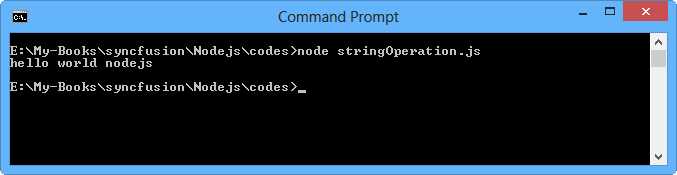
Figure 34: Program output for concatenating string
String to Numeric
Sometimes you may want to do math operations, but the input data is String type. To convert String type data into numeric, you can use parseInt() for String to Int and parseFloat() for String to Float.
Here is a sample code for string conversion manipulation:
console.log('-----parseInt-----'); console.log(parseInt('123')); console.log(parseInt('123.45')); console.log(parseInt('-123')); console.log(parseInt('0.34')); console.log(parseInt('12abc')); console.log('-----parseFloat-----'); console.log(parseFloat('123')); console.log(parseFloat('123.45')); console.log(parseFloat('-123')); console.log(parseFloat('0.34')); console.log(parseFloat('12abc')); |
If you run it, you will get a console output, shown in Figure 35.
As you see, parseInt() rounds the number. In this example, ‘123.45’ was written 123.45. If string data has non-numeric characters, for instance ‘12abc’, the parseInt() function removes non-numeric characters, so it was written as 123.

Figure 35: Program output for a string to numeric application
Numeric to String
It is easy to convert numeric to String type. You just add '' and get data with String type automatically.
var a = 123; var b = a + ''; |
Another solution, you can use toString() method.
var num = 405; var str = num.toString(); |
String Parser
If you have data, for instance, 'Berlin;Amsterdam;London;Jakarta', then you want to parse by using a character as a separator. The simple solution to parsing String uses split() with a delimiter parameter, for instance, ';'. Here is a sample code for this scenario:
var data = 'Berlin;Amsterdam;London;Jakarta'; var strs = data.split(';'); for(var index in strs){ console.log(strs[index]); } |
Run this code and you will get a response output, shown in Figure 36.
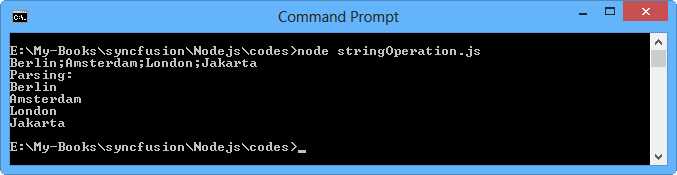
Figure 36: Parsing data using split()
Check String Data Length
How do you check the length of string data? It’s easy. You can call length from the string variable.
var str1 = 'hello world, nodejs'; console.log(str1); console.log('Total string:' + str1.length); |
The sample of program output is shown in Figure 37.
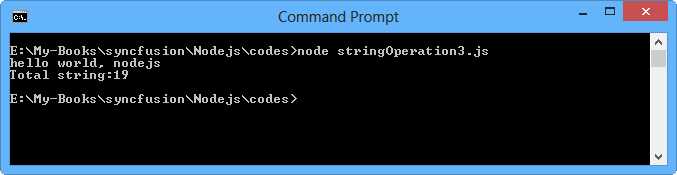
Figure 37: Getting the length of string data
Copy Data
You may copy some characters from String data. To do this, you can use the substring() and substr() functions. Here is the syntax format:
substring(first_index, last_index); substr(first_index, length); |
first_index is the index where at which extraction starts. The first character is at index 0.
last_index is the index at which extraction stops. This is optional. If omitted, it extracts the rest of the string.
length is the number of characters to extract. This is optional too. If omitted, it extracts the rest of the string.
The following is the sample code for substring() usage:
var str1 = 'hello world, nodejs'; console.log(str1.substring(2,8)); console.log(str1.substring(1,5)); console.log(str1.substring(0,6)); console.log(str1.substring(0,str1.length)); |
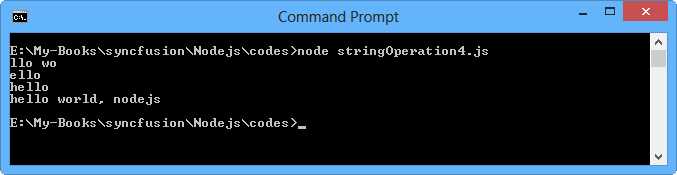
Figure 38: Program output for substring() usage
The following is the sample code for substr() usage:
var str1 = 'hello world, nodejs'; console.log(str1.substr(2,6)); console.log(str1.substr(5,4)); console.log(str1.substr(0,6)); console.log(str1.substr(0,str1.length)); |
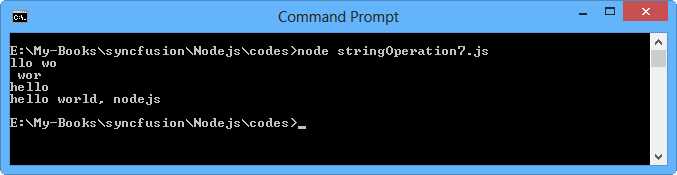
Figure 39: Program output for substr() usage
Upper and Lower-Case Characters
In some situations, you want all string data in uppercase or lowercase characters. This feature is built in the String object. The toUpperCase() function is used to make the whole string uppercase and toLowerCase() is used to make the whole string lowercase.
Here is sample code:
var str1 = 'Hello WORLD, nodejs'; console.log(str1.toUpperCase()); console.log(str1.toLowerCase()); |
Run it and you will get the output shown in Figure 40.
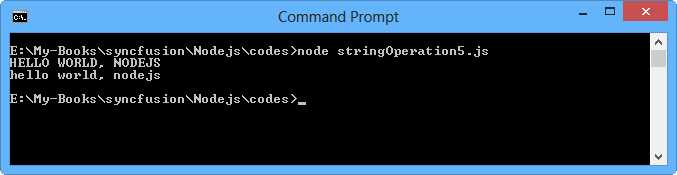
Figure 40: Program output for uppercase and lowercase applications
Getting String Index
Each character has an index number that gives its position in the string. We get the index using indexOf() and lastIndexOf(). Here is sample code for getting the index:
var str = 'Hello WORLD, nodejs'; console.log('-----indexOf-----'); console.log(str.indexOf('ello')); console.log(str.indexOf('nodejs')); console.log(str.indexOf('e')); console.log('-----lastIndexOf-----'); console.log(str.lastIndexOf('ello')); console.log(str.lastIndexOf('nodejs')); console.log(str.lastIndexOf('e')); |
Run it. The sample of the program output is shown in Figure 41.
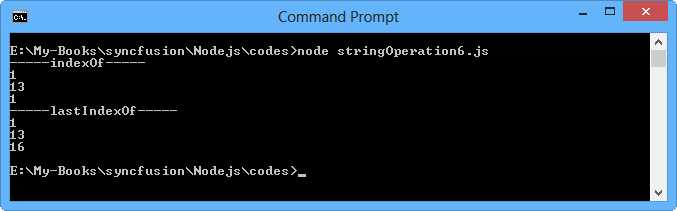
Figure 41: Indexing on String data type
What will happen if you set a value which doesn’t exist in string data?
Let’s write this code.
var str = 'Hello WORLD, nodejs'; console.log(str.indexOf('C#')); |
If you run it, you will get the value -1. It means the code didn’t find the input in the data. The program output can be shown in Figure 42.
The indexOf() and lastIndexOf() functions apply a case-sensitive method; that is, words can differ in meaning based on use of uppercase and lowercase letters.
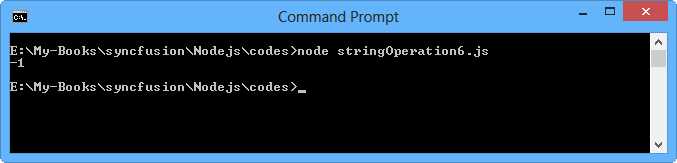
Figure 42: Getting value -1 if the program cannot the characters
Exploring Characters
You may get a character by a specific position index. The charAt() function provides this feature. The first index is 0.
var data = 'Berlin;Amsterdam;London;Jakarta'; console.log(data.charAt(0)); console.log(data.charAt(4)); console.log(data.charAt(7)); console.log(data.charAt(10)); |
Run it.
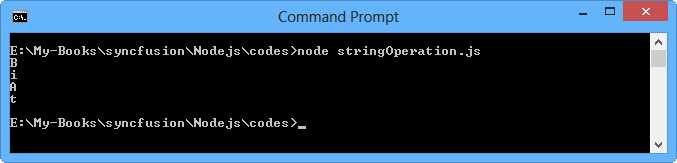
Figure 43: Program output for charAt() function usage
What will happen if you have code as follows:
var data = 'Berlin;Amsterdam;London;Jakarta'; console.log(data.charAt(100)); |
If you will get an empty character, i.e. ‘’. You can see the sample of program output in Figure 44.
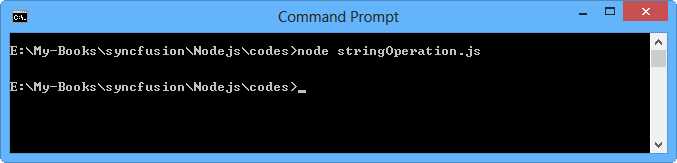
Figure 44: charAt() function generates empty character


- 1800+ high-performance UI components.
- Includes popular controls such as Grid, Chart, Scheduler, and more.
- 24x5 unlimited support by developers.