
NancyFX Succinctly®

CHAPTER 10
Responses
Following on closely from content negotiation is the Nancy Response object.
You've already seen the Response object in action in the first couple of chapters in this book, when we used it to return a simple file using AsFile:
Code Listing 40
using Nancy; namespace nancybook.modules { public class BaseRoutes : NancyModule { public BaseRoutes() { Get[@"/"] = _ => Response.AsFile("index.html", "text/html"); } } } |
AsFile can be used to return any file you have access to in the server’s file system and set its specific mime type, forcing the client to download or open the content in a specific way.
In recent versions of Chrome, for example, a PDF reader is built-in, so it's very easy to define a route module that can send PDF documents directly to the browser:
Code Listing 41
using Nancy; namespace nancybook.modules { public class BaseRoutes : NancyModule { public BaseRoutes() { Get[@"/"] = _ => Response.AsFile("myreport.pdf", "application/pdf"); } } } |
As you can see, this results in the PDF displaying in the browser:
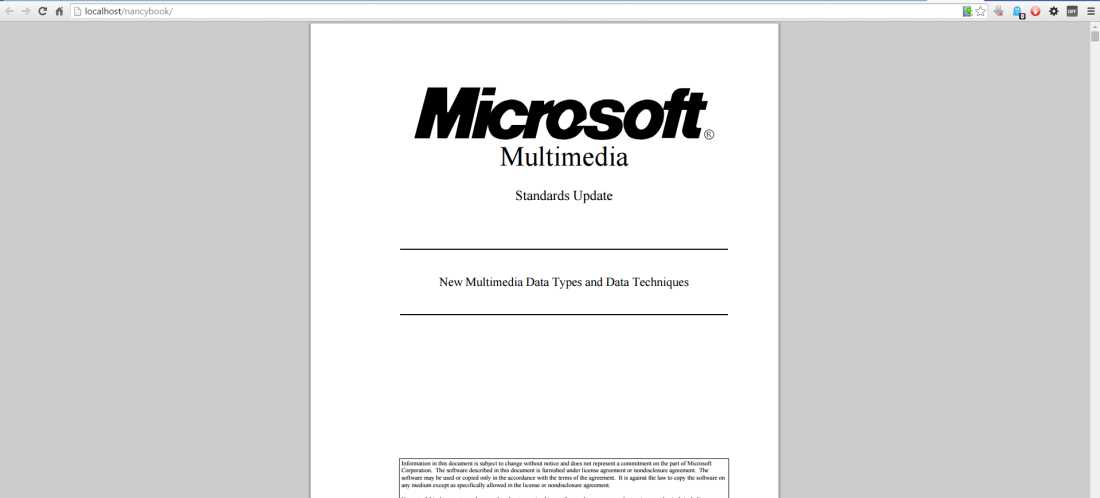
Figure 24: Our PDF report being displayed in the Chrome browser
In general, when returning files this way, you're ensuring that the end user’s browser choices are being taken into consideration. Some users might have their PCs set to open a PDF in a standalone viewer, or they might have it set to download the file to disk; by returning the file in this manner and setting the mime type correctly, you're telling the browser exactly what you’re sending and letting it decide how to handle it.
Sending files with the correct mime type is not the only thing the response object can do. If you type Response. and then pause, you'll see that IntelliSense will show the following:
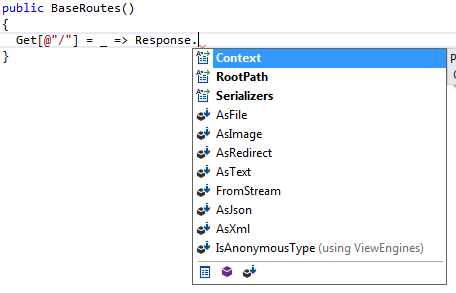
Figure 25: Response object methods as seen in IntelliSense
AsImage will take the file path passed to it and force the response to be an appropriate image type; this is basically a shortcut for using AsFile with an appropriate image mime type.
AsRedirect will redirect to another page or site; the first parameter will be either a relative or absolute URL to which the client will be sent. This method also has an optional second value, which can be one of the following enumerations:
- RedirectResponse.RedirectType.Permanent (generates response code 301)
- RedirectResponse.RedirectType.SeeOther (generates response code 303)
- RedirectResponse.RedirectType.Temporary (generates response code 307)
The default is to send a 303 response, which is essentially a temporary redirect.
AsText, AsJson, and AsXml are all shortcuts to allow the returning of pre-rendered XML. TEXT and JSON data stored on disk. This is slightly different from content negotiation as discussed in the previous chapter, as the data is not generated on the fly, but instead is grabbed from an existing file and sent with the appropriate mime type headers.
The final method, FromStream, allows you to stream a file to the browser. This is typically used when you want to send a very long file (such as an audio or video file), but want it to start being available immediately. For example, imagine you had the following audio element in an HTML page that you'd delivered to the browser:
Code Listing 42
<audio autoplay="autoplay" controls="controls"> <source src="~/mp3player/playtrack" /> </audio> |
You could very easily use the following Nancy module to play the track in a streaming fashion:
Code Listing 43
using System.IO; using System.Linq; using Nancy; namespace nancybook.modules { public class MP3Player : NancyModule { Get[@"/playtrack/{id}"] = parameters => { Stream fileStream = File.OpenRead("mymusic.mp3"); return Response.FromStream(fileStream, "audio/mp3"); }; } } } |
You can serve the file from a database stream, a memory stream, or a stream from another server. It doesn't matter where the stream comes from; Nancy will open it and begin sending it more or less in real time to the client requesting it.
You can also create a new response object, and populate the properties in it yourself. For example, let's imagine that you had your images in a database, stored as BLOB objects. You could easily send image responses from your Nancy modules using something like this:
Code Listing 44
using System.IO; using Nancy; namespace nancybook.modules { public class BaseRoutes : NancyModule { public BaseRoutes() { Get[@"/"] = _ => { Response myResponse = new Response(); byte[] contentBuffer = new byte[1000]; // do something here to load your image into the buffer Stream contentStream = new MemoryStream(contentBuffer); myResponse.ContentType = "image/jpg"; myResponse.Contents = stream => contentStream.CopyTo(stream); return myResponse; }; } } } |
You can also use the response object directly to control the HTTP response code you want to send back to the client; Nancy has an enumeration built in that provides an easy way to select the one you want:
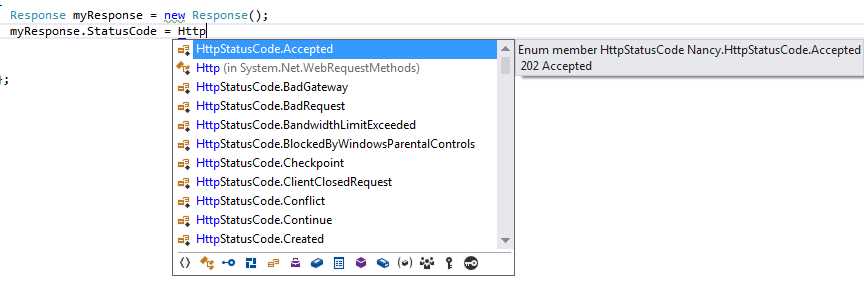
Figure 26: Response HTTP codes shown by IntelliSense
For example, you could do something like the following:
Code Listing 45
Get[@"/"] = _ => { Response myResponse = new Response(); myResponse.StatusCode = HttpStatusCode.Forbidden; myResponse.ReasonPhrase = "Server says NO!!"; return myResponse; }; |
This allows you to send your own custom 403 (Access forbidden) result code, which appears in Chrome with the following:
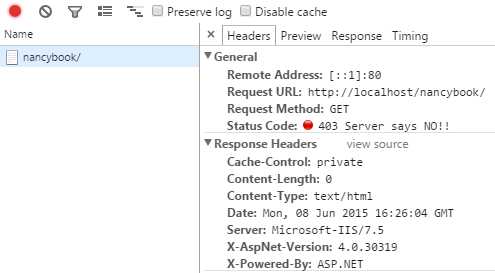
Figure 27: Our custom 403 response as seen by Chrome
Given how smart Nancy is, however, if all you want to do is return a specific status code and not set the message, then you can make things even simpler:
Code Listing 46
public BaseRoutes() { Get[@"/"] = _ => 403; } |
This will return the same 403 (Access forbidden) code that the previous example did.
Nancy will attempt to return whatever you ask it to in the most appropriate way, so if it can convert your response to an integer, it will make an assumption that the integer given is intended to be a response code.
If you respond with a string, Nancy will return that as a regular OK (Response code 200) response, returning plain text to the client.
All-in-all, Nancy's response mechanism is very smart, and like everything else in Nancy, is easily extendable too. All you need to do is derive a new class from the existing Response base class, and then you can return that from your modules as easily as anything else.
For an interesting example of where this comes in handy, see this post on Simon Cropp's blog, which discusses returning files from outside your server’s file tree.
Summary
In this chapter, you got to see how flexible Nancy's response mechanism really is. You learned that Nancy can return almost anything with relative ease from any of its routing modules. You also learned that if you can't return something easily, it's reasonably straightforward to extend the response mechanism.
In the next chapter, we’ll take a look at using Nancy’s pre-made authentication features to allow you to protect your Nancy URLs and endpoints.


- 1800+ high-performance UI components.
- Includes popular controls such as Grid, Chart, Scheduler, and more.
- 24x5 unlimited support by developers.