
NancyFX Succinctly®

CHAPTER 5
Quick Start (Using the Nancy Templates)
Before we get into the internal details of how Nancy works, I'm quickly going to introduce you to the Nancy templates available for use under Visual Studio.
It's very easy to build out the initial scaffolding and required NuGet additions just by making a few clicks, in exactly the same manner you might create an initial MVC application, or traditional Windows Forms application.
Install the templates pack
The Nancy templates come in the form of a Visual Studio extension, available from the Visual Studio online gallery. Navigate to TOOLS > Extensions and Updates in Visual Studio:
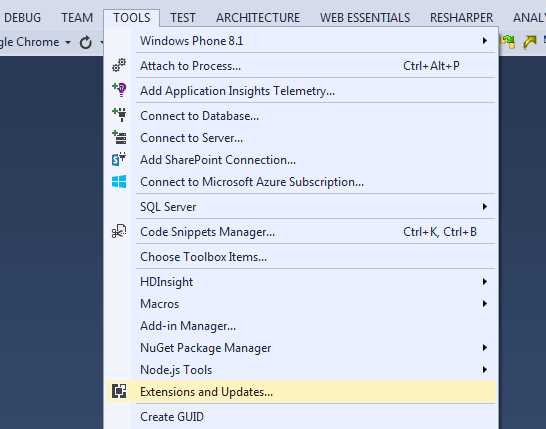
Figure 1: Tools menu required to get to extensions and updates.
This should open the Extensions and Updates dialog box:
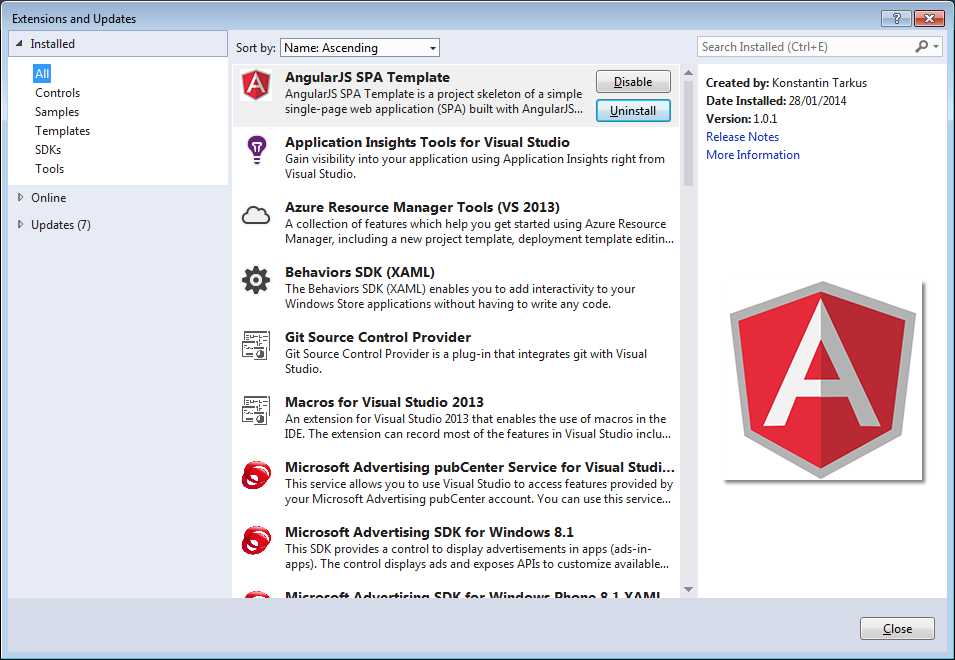
Figure 2: Extensions and Updates dialog box
Like with most of the other dialog boxes available in Visual Studio, there's a Search option in the upper-right corner.
Enter Nancy into the Search field and press return. After a few seconds, you should see the option to install the Nancy templates appear in the dialog box.
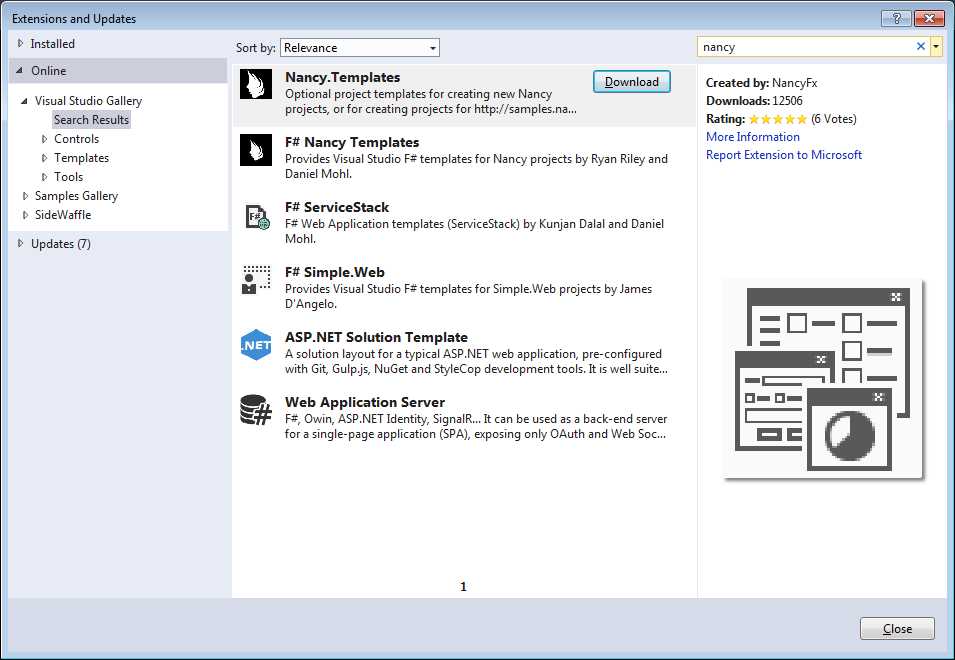
Figure 3: The Extensions and Updates dialog box showing the Nancy templates
Click Download and your default browser should then open and download the extension ready to install.
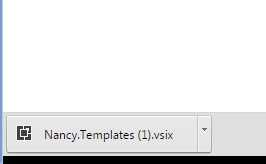
Figure 4: The Nancy templates downloaded in the browser
In my case, I'm using Chrome, so the template installer appears in the lower-left corner; this will be similar for other browsers. If you don't see it, try looking in the folder on your PC where downloads are usually saved.
Once you have the installer, the next step is to close Visual Studio and click on the installer to install the add-on. You don't always need to close down Visual Studio when installing add-ons like this, but I always find that it's usually better to do so, as it often means less problems.
If everything has gone okay so far, you should see the templates installer fire up:
Figure 5: The installer for the templates starting up
In my case, since I already have the templates installed, I'll get the initialization screen, then a message telling me it's already installed.
Unless you've installed them before, you'll get a small wizard that will guide you through the process. Just follow the wizard’s prompts, and when you restart Visual Studio, you'll find you have the templates available.
Using the templates
Depending on how your copy of Visual Studio is set up, you may or may not have a tree item on the left of your New Project dialog box, so the easiest way is usually to search by project type (just as you did previously when installing the add-on).
In the Search field in the top-right of your New Project dialog box, enter Nancy and press Return. You should get something like the following:
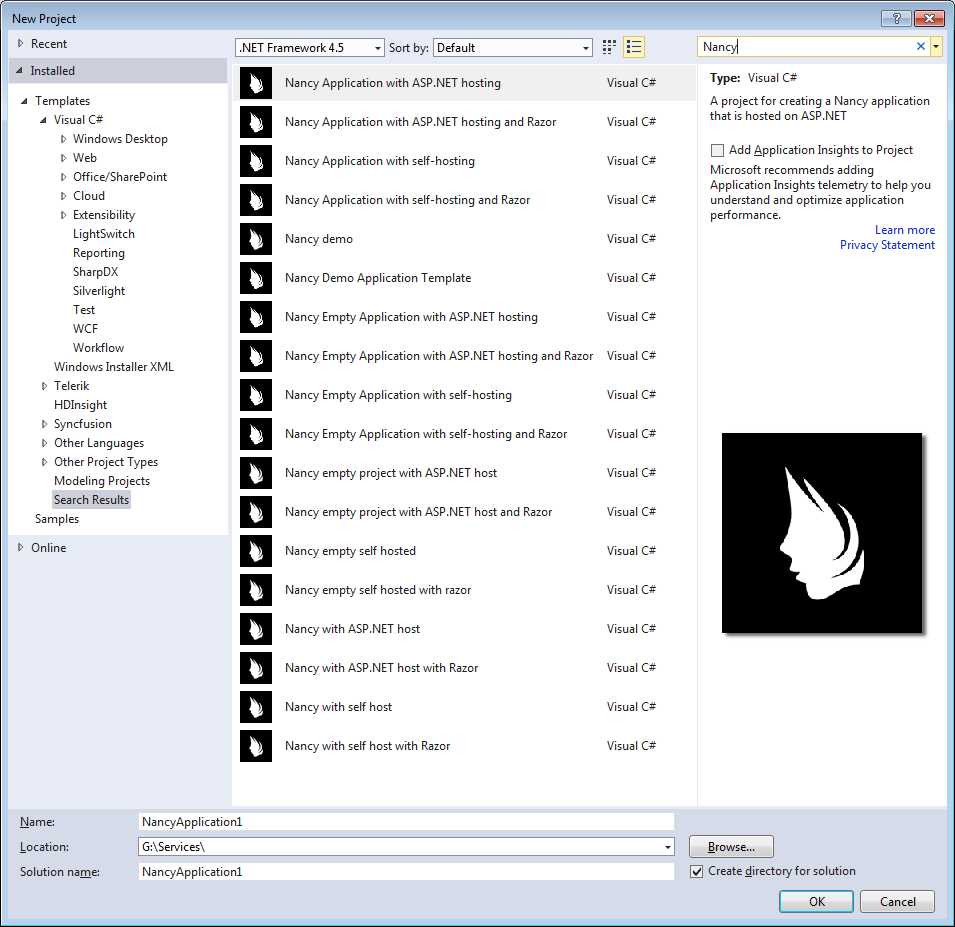
Figure 6: New Project dialog box showing the installed Nancy templates
At this point, it's just a matter of choosing the template you need, depending on what kind of start you want to make.
For example, if you're going to run your application using ASP.NET on an IIS server instance, then you need to choose a template that's set up for ASP.NET hosting. If you're going to self-host or use Nancy in a Windows service, WPF app, or other standalone application, then you need to choose the appropriate type of hosting. Whichever template you choose to work with, everything you do from this point on is transferable.
Nancy is completely independent of its underlying hosting technology, so if you define routes, bootstraps, and other bits of functionality in a standalone app using Razor, all of that is reusable (usually without change) in an ASP.NET app.
Remember that Nancy also works on Mono, and even though I won’t be covering it in this book, any projects you create (especially standalone projects) should be easily portable to any platform that supports the Mono runtime.
Summary
In this chapter, you saw the "super-duper-happy-path" in effect once again, in the form of the template pack available for Visual Studio users to get started quickly and easily.
In addition to the official Nancy template pack, if you’re a SideWaffle user, there are some Nancy templates contained within that, too.
Tip: Project SideWaffle is a web-based template extension pack for Visual Studio, containing templates for…well, everything. Take a look at the video on the SideWaffle website for an introduction. In the next chapter, we'll continue digging into the very core of Nancy, starting with its routing capabilities.


- 1800+ high-performance UI components.
- Includes popular controls such as Grid, Chart, Scheduler, and more.
- 24x5 unlimited support by developers.