
Migrating from Xamarin.Forms to .NET MAUI Succinctly®

CHAPTER 4
Setting Up a .NET MAUI Solution
In the previous chapter, you were told that there are different options to set up a migration target and that, in this book, the more practical approach is to have a blank, clean .NET MAUI solution. In this chapter, you’ll create a .NET MAUI solution, removing all the unnecessary autogenerated code so that you have a clean environment for migration.
Creating a .NET MAUI solution
Open a new instance of Visual Studio 2022 and go to File > New > Project. In the Create a new project dialog, select .NET MAUI App as the template, as shown in Figure 15. You can search for templates or filter the template list by platform and language.
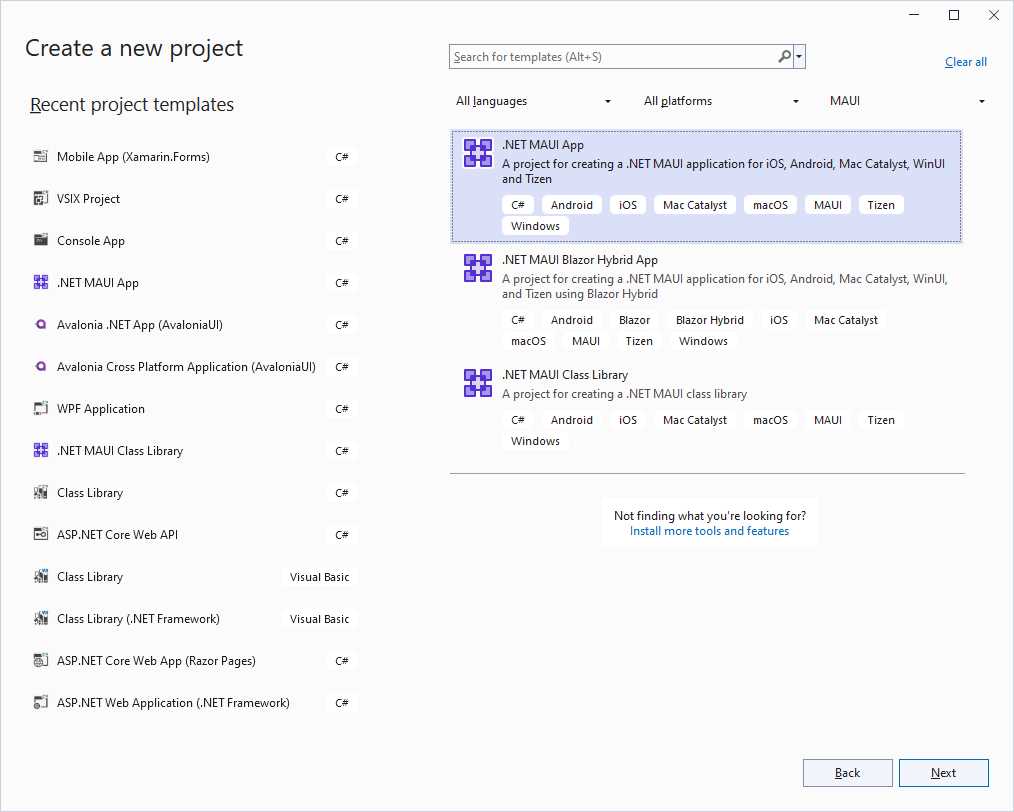
Figure 15: Creating a .NET MAUI project
Select Next and assign MigrationTarget as the project name. Go ahead and make sure you select .NET 8 (long-term support) as the runtime technology, since .NET 8 is the latest version of .NET with long-term support available at this writing. The newly created solution already contains a page called MainPage.xaml, so you won’t need to create one manually. Before you start any work, open the NuGet Package Manager user interface and update all the NuGet packages to the latest version, if available.
Tip: It’s crucial that you keep the .NET MAUI NuGet packages updated. New releases introduce new features and views, but they might also fix known issues.
Removing autogenerated code
The new solution will be used as the migration target from Xamarin.Forms, so it’s important to remove all the unnecessary, autogenerated code. To do that, take the following steps:
- In the MainPage.xaml file, remove the entire ScrollView node (including nested elements).
- In the MainPage.xaml.cs file, remove the OnCounterClicked event handler and the count variable declaration.
- Rebuild the solution to check that no errors are pending.
Tip: If rebuilding the solution fails without an apparent reason, try to close and re-open Visual Studio, and then rebuild again. Sometimes there are pending references that haven’t been updated.
Now you’re ready to start your journey through the migration from Xamarin.Forms to .NET MAUI.
Chapter summary
In this short chapter, you’ve created a new .NET MAUI solution that will be the target for the migration of the sample project created in Chapter 2, and you’ve removed all the unnecessary autogenerated code. In the next chapter, you’ll start migration in practice, focusing on XAML and C# code.


- An ever-growing .NET MAUI control suite with rich feature sets.
- DataGrid, Charts, ListView, Scheduler, and more.
- Active community and dedicated support.
- Phone, tablet, and desktop support.