
Knockout.js Succinctly®

CHAPTER 1
Conceptual Overview
Knockout.js uses a Model-View-ViewModel (MVVM) design pattern, which is a variant of the classic Model-View-Controller (MVC) pattern. As in the MVC pattern, the model is your stored data, and the view is the visual representation of that data. But, instead of a controller, Knockout.js uses a ViewModel as the intermediary between the model and the view.
The ViewModel is a JavaScript representation of the model data, along with associated functions for manipulating the data. Knockout.js creates a direct connection between the ViewModel and the view, which is how it can detect changes to the underlying data and automatically update the relevant aspects of the user interface.
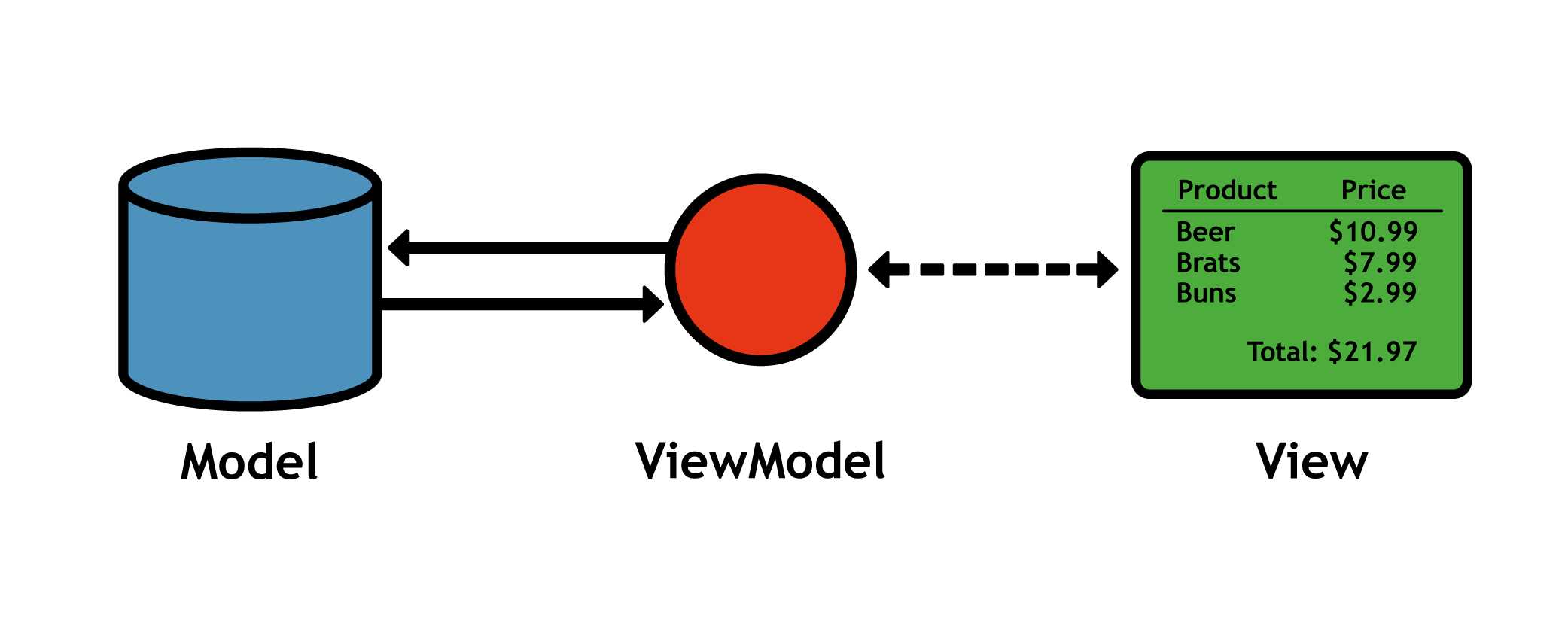
Figure 5: The Model-View-ViewModel design pattern
The MVVM components of our shopping cart example are listed as follows:
- Model: The contents of a user’s shopping cart stored in a database, cookie, or some other persistent storage. Knockout.js doesn’t care how your data is stored—it’s up to you to communicate between your model storage and Knockout.js. Typically, you’ll save and load your model data via an AJAX call.
- View: The HTML/CSS shopping cart page displayed to the user. After connecting the view to the ViewModel, it will automatically display new, deleted, and updated items when the ViewModel changes.
- ViewModel: A pure-JavaScript object representing the shopping cart, including a list of items and save/load methods for interacting with the model. After connecting your HTML view with the ViewModel, your application only needs to worry about manipulating this object (Knockout.js will take care of the view).
Observables
Knockout.js uses observables to track a ViewModel’s properties. Conceptually, observables act just like normal JavaScript variables, but they let Knockout.js observe their changes and automatically update the relevant parts of the view.
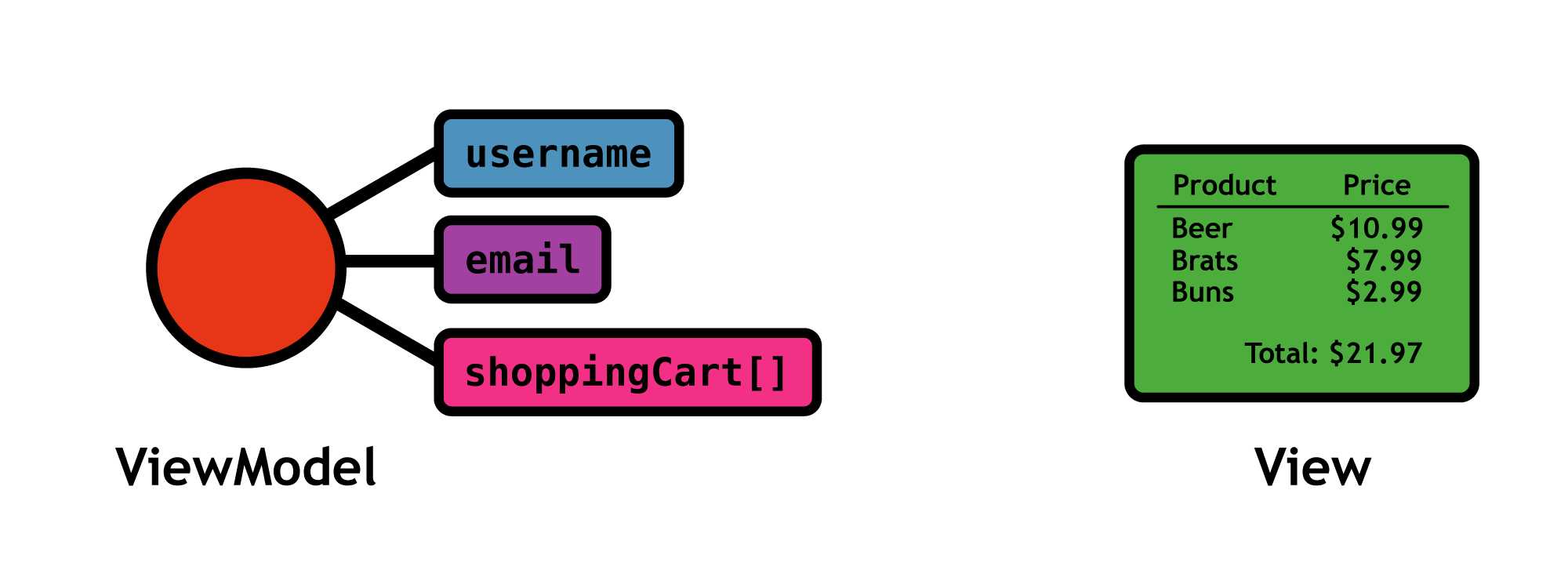
Figure 6: Using observables to expose ViewModel properties
Bindings
Observables only expose a ViewModel’s properties. To connect a user interface component in the view to a particular observable, you have to bind an HTML element to it. After binding an element to an observable, Knockout.js is ready to display changes to the ViewModel automatically.
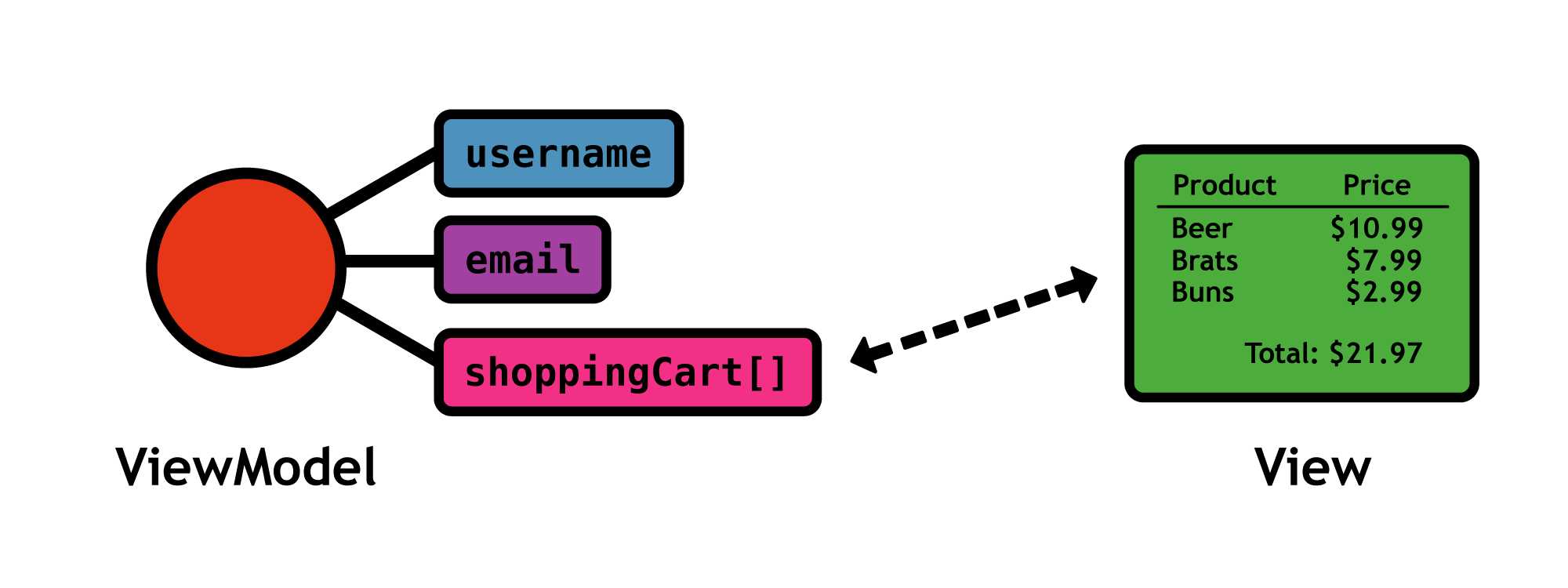
Figure 7: Binding a user interface component to an observable property
Knockout.js includes several built-in bindings that determine how the observable appears in the user interface. The most common type of binding is to simply display the value of the observed property, but it’s also possible to change its appearance under certain conditions, or to call a method of the ViewModel when the user clicks the element. All of these use cases will be covered over the next few chapters.
Summary
The Model-View-ViewModel design pattern, observables, and bindings provide the foundation for the Knockout.js library. Once you understand these concepts, learning Knockout.js is simply a matter of figuring out how to access observables and manipulate them via the various built-in bindings. In the next chapter, we’ll take our first concrete look at these concepts by building a simple “Hello, World!” application.


- 1800+ high-performance UI components.
- Includes popular controls such as Grid, Chart, Scheduler, and more.
- 24x5 unlimited support by developers.