
The Kademlia Protocol Succinctly®

CHAPTER 15
Putting It Together: A Demo
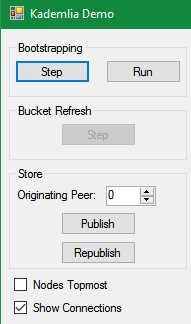
Figure 10
As usual, there’s nothing like a visual demo to see what is happening. This demo uses my open-source diagramming tool FlowSharp[17] as the drawing canvas. As we see in Figure 11, we start with 60 peers (green), five of which are known peers (red).
Code Listing 111: Initializing DHTs and Known Peers
protected void InitializeDhts() { dhts = new List<Dht>(); dhtPos = new List<Rectangle>(); peerColor = new Dictionary<BigInteger, Color>(); NUM_DHT.ForEach((n) => { IProtocol protocol = new TcpSubnetProtocol("http://127.0.0.1", 2720, n); Dht dht = new Dht(ID.RandomID, protocol, peerColor[dht.ID.Value] = Color.Green; server.RegisterProtocol(n, dht.Node); dhts.Add(dht); dhtPos.Add(new Rectangle(XOFFSET + rnd.Next(-JITTER, JITTER) + (n % ITEMS_PER_ROW) * XSPACING, YOFFSET + rnd.Next(-JITTER, JITTER) + (n / ITEMS_PER_ROW) * YSPACING, SIZE, SIZE)); }); } protected void InitializeKnownPeers() { knownPeers = new List<Dht>(); List<Dht> workingList = new List<Dht>(dhts); NUM_KNOWN_PEERS.ForEach(() => { Dht knownPeer = workingList[rnd.Next(workingList.Count)]; peerColor[knownPeer.ID.Value] = Color.Red; knownPeers.Add(knownPeer); workingList.Remove(knownPeer); }); } |
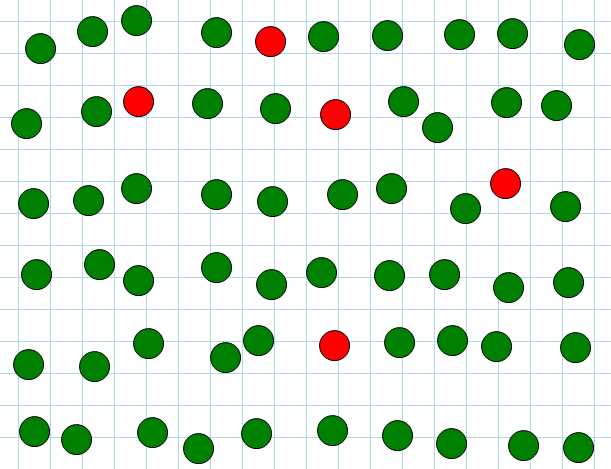
Figure 11
Bootstrapping
We can now bootstrap to a random peer.
Code Listing 112: Bootstrapping a Peer
protected void BootstrapWithAPeer(int peerBootstrappingIdx) { Dht dht = dhts[peerBootstrappingIdx]; var peerList = knownPeers.ExceptBy(dht, c => c.ID).ToList(); Dht bootstrapWith = peerList[rnd.Next(peerList.Count)]; dht.Bootstrap(bootstrapWith.Contact); } |
As Figure 12 shows, after each peer bootstraps with one of the known peers (randomly selected), the peer network is established.
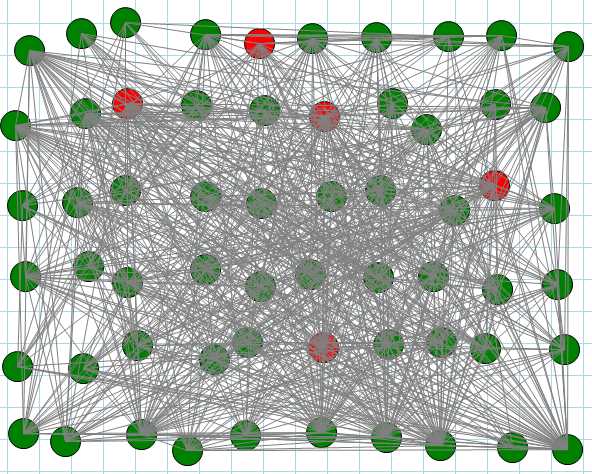
Figure 12
The directionality of the connection is not shown—arrows would get lost in this drawing!
Bucket Refresh
To illustrate bucket refresh, let’s start with a smaller set of peers (25).
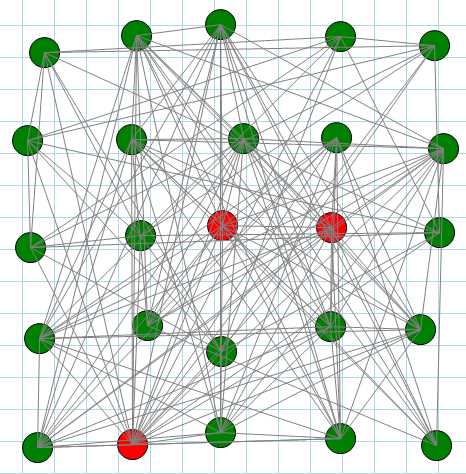
Figure 13
A bucket refresh calls FindNode all the contacts in each bucket. This updates the contacts for each peer based on the k closest contacts returned by the contact.
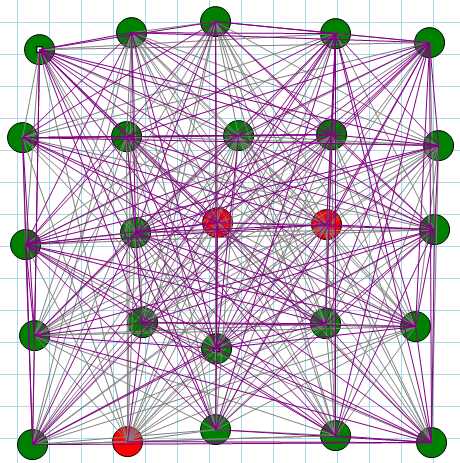
Figure 14
The newly discovered contacts are drawn in purple. In a small network like this, just about every peer learns about every other peer—another iteration of bucket refreshing results in only a couple more contacts being discovered.
Store value
When a noncached value is stored to a peer, it is republished to close peers. We can see this by coloring the originator with yellow, the immediate peer we’re storing the value to in blue, and the peers to which the value is republished in orange.
Code Listing 113: Publish
/// <summary> /// Color the originator with yellow /// the immediate peer we're storing the value to in blue /// and the peers to which the value is republished in orange: /// </summary> private void btnPublish_Click(object sender, EventArgs e) { firstContacts = new List<Dht>(); storeKey = ID.RandomID; originatorDht = dhts[(int)nudPeerNumber.Value]; originatorDht.Store(storeKey, "Test"); System.Threading.Thread.Sleep(500); dhts.Where(d => d.RepublishStorage.Contains(storeKey)). UpdatePeerColors(); DrawDhts(); } |
In a small network, because the store gets published to k peers, most of the peers are involved.
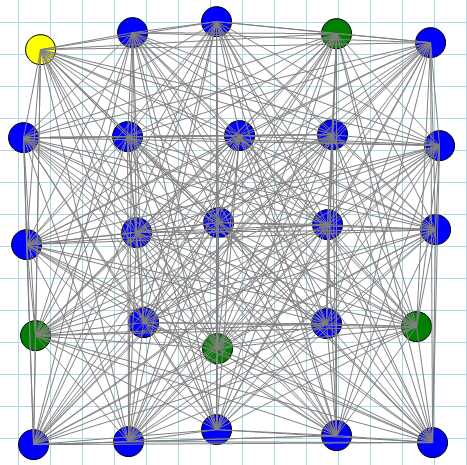
Figure 15
Store republish
When we force an immediate store republish, we see one node, which is a closer contact, getting the republished key-value.
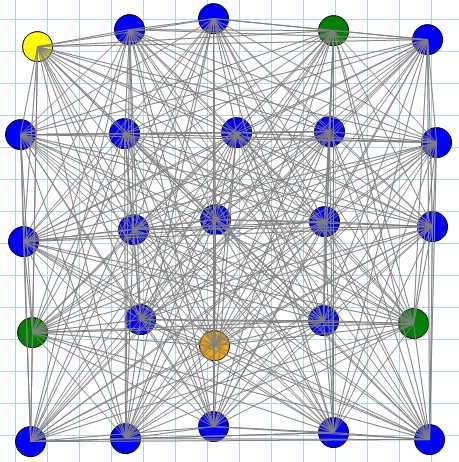
Figure 16
In a larger network, this becomes more obvious (nodes have been moved to the topmost in the rendering).
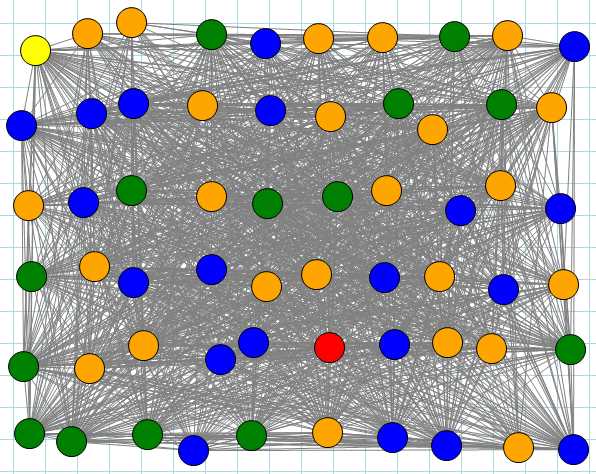
Figure 17
Remember that key-values are republished only on k closer contacts, so not every peer gets the republished key-value.


- 1800+ high-performance UI components.
- Includes popular controls such as Grid, Chart, Scheduler, and more.
- 24x5 unlimited support by developers.