
Ionic 4 Succinctly®

CHAPTER 3
PWA Essentials
Quick intro
With the foundation of our application covered, and after reviewing how the API works, it’s now time to dig deeper into PWAs and the essential aspects that make them what they are.
Characteristics of a PWA
A progressive web app, commonly referred to as a PWA, is a great way for developers to make their web application load faster and be higher performing. In a nutshell, PWAs are webpages that are intended to be applications. They use recent web standards that allow for installation on the user’s computer or mobile device.
A PWA delivers a native app-like experience to users. A great example is the Twitter mobile app, which recently launched on https://mobile.twitter.com as a PWA built with React and Node. Other well-known PWAs are: Forbes, The Weather Channel, and Alibaba.
Basically, a PWA is nothing more than a web application that can be installed on your system. It works also offline when there is no internet connection, leveraging data cached during your last interactions with the app. If you are on a desktop using Chrome and have the appropriate flags turned on, you will be prompted to install the app when you visit the website.
PWAs are a trending and hot topic in web and mobile development nowadays, and are considered a next step in user-friendly app experiences that dedicated app developers should carefully explore and consider.
The great thing about developing PWAs is that, as a developer, you are still creating a web application using the web technologies you are already familiar with, such as HTML, CSS, and JavaScript. And beyond that, it also gives you the possibility to use your favorite framework, such as Ionic, Vue, or any other.
PWAs are a fusion between the look and feel of a traditional mobile app, combined with the challenges of programming a responsive modern-day website. PWAs provide a cutting-edge experience for your users to access your content by driving higher-quality engagement.
PWAs, which are responsive websites with offline capabilities, structured as apps, rely on the user’s browser capabilities. They can progressively enhance their built-in features automatically to look and feel like a native app.
Essential components of a PWA
For an application to be a PWA, there are two fundamental components it needs to have:
- Manifest file: Used by the app to indicate features that a native app would have, such as an app icon and home screen.
- Service worker(s): Used for processing background tasks and enabling offline support by caching data fetched through HTTPS requests.
In what other ways do PWAs differ from native apps? A native app is a self-contained program that resides within a mobile device, which works in a similar way as a program installed and running on a desktop computer.
A PWA, on the other hand, has no native features, other than it displays like a mobile app; it is a web app that executes via a browser. A PWA can have access to native features through its host process, the web browser.
You might be asking yourself: Why are they called progressive, and what’s so special about them beyond displaying like a native app and having offline support?
Progressive by design
PWAs are progressive because they do not have the restrictions of traditional apps, which can only work on a specific platform. “Progressive” means that they should be able to work on as many platforms as possible, performing the exact same way on each. PWAs should be able to work the same way with every browser on every operating system. This is perhaps the most essential and distinctive characteristic of a PWA.
The main aspect that should stand out for a PWA is its ability to have progressive enhancements across most modern-day browsers and operating systems available on the market.
Responsive by design
Another essential and distinctive characteristic of a PWA is that it needs to be responsive. A PWA needs to be able to adjust and meet the requirements of the device being used—this is known as responsive design. This makes PWAs accessible across multiple devices, such as desktops, laptops, and phones and tablets, with different resolutions.
Connectivity independent
When you cannot visit Amazon.com and place an order, you know that your internet connectivity is down. Something great about native apps is that they can mostly still function if there is no internet connection.
A PWA must be able to allow users to interact with it, despite the connection to the internet being down—thus, the app must be able to work offline.
This is achieved by the PWA, by caching the app data ahead of time, using a service worker—this offers a programmatic way for caching the app’s data and resources, such as HTML, CSS, JavaScript files, and the fonts and images used.
App-like behavior
Even though a PWA is built using web technologies, it should still give users the feeling that they are using a native app—this is ultimately the biggest difference between a PWA and a website or traditional web app.
There are many websites and web apps out there that are a collection of pages, even though they might have sophisticated authentication, routing, and database features. For a web app to be considered a PWA, it needs to include interactive features that keep the user engaged.
The PWA’s main page should be able to be added to the device’s home screen, allowing the user to open it in the same way as a native app.
Why are PWAs needed?
Although technology has brought improvements to people’s life, one sometimes has the feeling that there’s always something new to keep up with, which makes it more complex to understand why we need some of these latest technologies in the first place.
PWAs help solve some of the problems that have come as a byproduct of the internet, such as internet connection speed, slow website load times, and, to some extent, user engagement. PWAs focus on solving these problems by:
- Providing a consistently fast experience for users, from the moment they download the app until they start interacting with it. With a PWA, everything must be as fast as possible, which is a key element to drive user engagement.
- Providing a reliable experience, which means that if the internet connection fails, the app is still able to perform its job properly, if it has the data to do it.
- Providing a seamless experience, which means that users can also expect to have some of the features that they have come to expect from native apps, such as push notifications and access to some device functionalities.
- Driving engagement: By being available offline and providing notifications, PWAs can keep users engaged.
Requirements for building a PWA
There are four minimum requirements for building a PWA, two of which we already briefly covered:
- Manifest: A JSON file that provides meta information about the app. It has information like the app’s icon, background color, name, and short name.
- Service workers: Event-driven workers that run in the background. A service worker acts as a proxy between the network and the application by intercepting network requests, caching information in the background, and loading data for offline use.
- Icon: It provides an Add to Home Screen app icon that a user can use to install the PWA on their device’s home screen.
- Served Over HTTPS: PWAs must be served over a secure network connection. With services like Cloudflare and Lets Encrypt, it is quite easy to get an SSL certificate for any site. By being secure, not only does a PWA follow best practices, but also helps establish long-term trust with users and helps avoid middle-man attacks from unknown sources.
PWA advantages
PWAs need to be safe and secure. PWAs should provide a familiar app experience for today’s organizational and user demands. Safety is a hot and huge topic, particularly because users and organizations alike are very sensitive to having their data compromised, lost, or stolen—which, with the advent of GDPR, also means that everyone must comply or face huge fines.
PWAs are a great way to overcome safety and security concerns, as they are offered through HTTPS, which provides major benefits for users, organizations, and developers alike.
Another advantage of PWAs is that they can be easily updated by developers, and these updates can be deployed to users without requiring any app reinstall, as the app itself resides on a web server and not the user’s device. These updates can be added directly by a remote team of developers.
Users will notice new and improved features and will not have to go through the hassle of approving the installation of patches or hot fixes in a traditional way. As new features come out, they are automatically available.
Another great thing about PWAs is that they eliminate the fear of not having enough space for the app. PWAs still require some space for offline data, resources, and content, but this is relatively small compared to the space required by traditional native apps, which require a lot of free space—not only for the data they use, but also for their binaries.
Because of these reasons, PWAs are arguably the next step in web application development, interaction, and functionality, which makes the process of accessing the app convenient for users.
This technology is quickly gaining more traction and adoption, becoming a powerful movement and force in the world of software development.
Quick peek into the finished PWA
With all the theory behind what PWAs are, it’s now time to have a quick look at how the finished application will look when running on Android. Notice how when running for the first time, the app displays a message to the user to have the app added to the home screen.
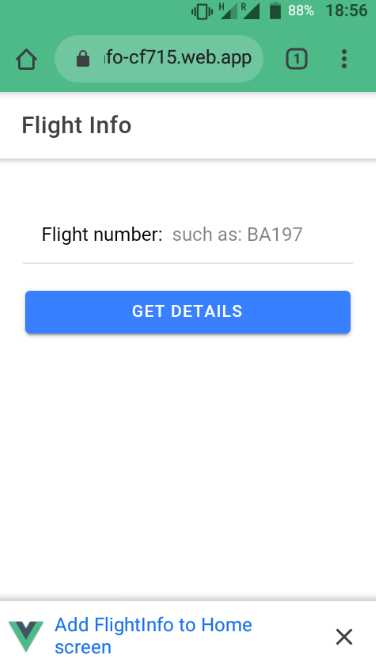
Figure 3-a: The Finished Flight Info PWA Running on an Android Device (Google Chrome)
Figure 3-b shows what the finished PWA looks like when running on Safari, using an iPhone, in offline mode. It displays information from the app’s local cache, through a service worker.
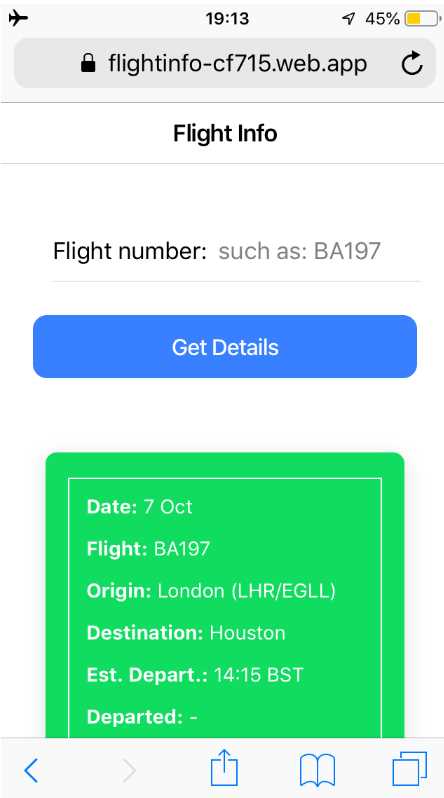
Figure 3-b: The Finished Flight Info PWA Running on an iPhone (Safari) in Offline Mode
Notice how the app has a similar look and feel on both platforms (Android and iOS), and how certain UI features adjust automatically to the host system, such as the app’s title, which is aligned to the left side of the screen on Android, and centered on iOS.
Driven by fast-paced innovation
PWAs are being driven by the fast-paced innovation happening at big companies such as Google, and this is clearly highlighted throughout their web developer community and reflected in their documentation.
The most recent trend in PWA development, at the time of writing of this book, is developing and running PWAs on the desktop and on Chrome OS.
Microsoft is also betting huge on the future of PWAs and bringing them to the Windows desktop, so it’s a growing trend. Even a whole section of the Windows Dev Center is dedicated to PWAs, which is welcoming to see—and a sign that PWAs are here to stay.
PWAs are checked for high quality
PWAs don’t need to be deployed through Google Play or the Apple App Store. Application stores not only serve as app supermarkets, but also ensure that apps go through rigorous quality checks before they are published. This way, users know that the apps they install on their devices are tested, safe, and can be trusted.
As PWAs are not available through application stores, how can they be checked for good quality, ensuring that they not only live up to users’ expectations, but also to the standards that the whole PWA movement has set forth?
Enter Lighthouse
The answer is Lighthouse, an open-source, automated tool that checks the quality of webpages that intend to become a PWA. Lighthouse has many built-in audits for verifying performance, accessibility, best-practices, SEO, and checking if a website meets the requirements needed to be a fully functional PWA.
Lighthouse is also available as a Chrome extension that any developer can use to check if their PWA is fully compliant, performing, and accessible.
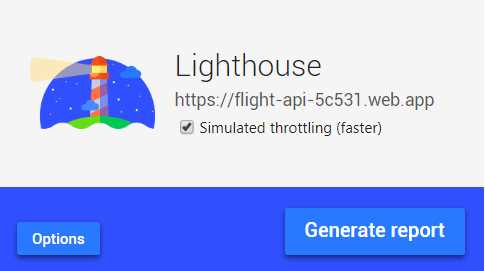
Figure 3-c: The Google Lighthouse Chrome Extension
Checking if your app is compliant enough to be a PWA is as simple as clicking the Generate report button. A PWA-compliant header report (specifically, the one for the finished PWA of this book) looks as follows.
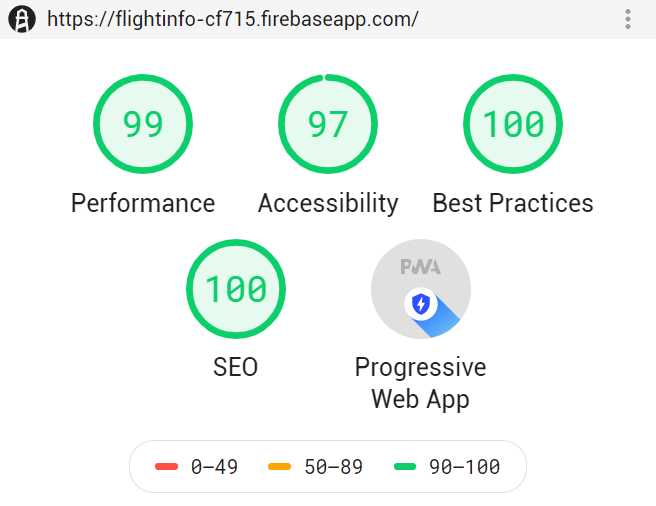
Figure 3-d: Lighthouse Report (Header) for the Finished Flight Info PWA
Notice how the header of the generated Lighthouse report displays the different categories checked and assigns an overall score for each. Each section can be further inspected to understand what details and requirements might be missing, and to see what can be further optimized.
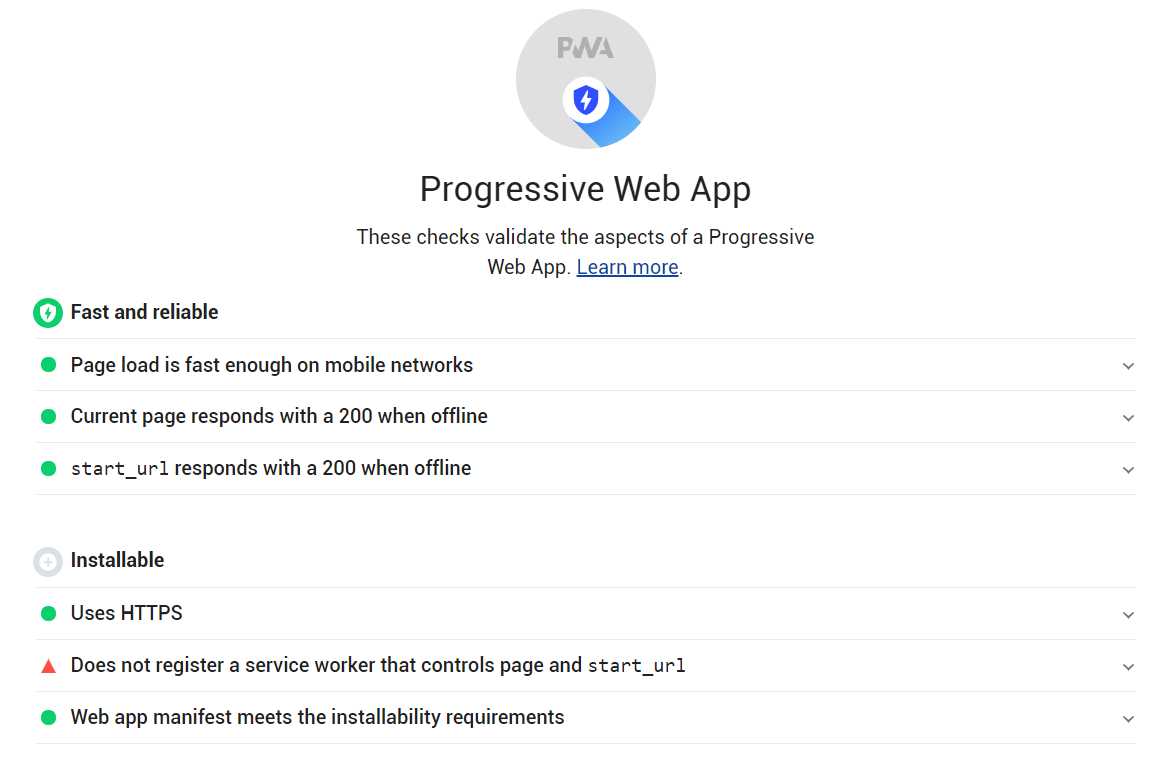
Figure 3-e: Details of a Lighthouse Report (PWA Section)
Summary
We now know what defines a PWA and what goals it should accomplish, not only from a functional point of view, but also from a technical, safety, security, and user-engagement point of view. The PWA checklist that specifies how exactly a fully compatible PWA should work is not only a guideline, but a source of inspiration.
We are now in a position to continue and modify the application we have started by adding the remaining functionality to make it a full-fledged PWA. That’s what the next chapter is all about.


- 1800+ high-performance UI components.
- Includes popular controls such as Grid, Chart, Scheduler, and more.
- 24x5 unlimited support by developers.