
GitHub Succinctly®

CHAPTER 10
Obtaining the Code
You’ve searched GitHub, reviewed all the results, and found a repository that should help. The next step is to download the code. If you are only planning to use the code, without collaborating and contributing to make the code better, you can download the code to your local machine.
Download ZIP
The easiest way to grab the entire repository is to click the Download ZIP button on the menu bar. Using this method, you’ll download only the source and other files (no repository history or details).

Figure 71: Download ZIP file
One item to note is that the ZIP will contain all of the files, including the readme.md file. This file may contain imbedded markdown codes, so it might not be easily readable in a text editor.
Downloading individual files
You can also download individual files by clicking on the file name. GitHub is very smart about determining how to display the file contents, particularly of text or programming language files. Binary files are generally not shown, but you can click on them to download them. As example, let’s look at ZipCodeData. Say you need zip code and state information, and your search leads you to this repository. When you click on the Files subfolder, you see the following results.
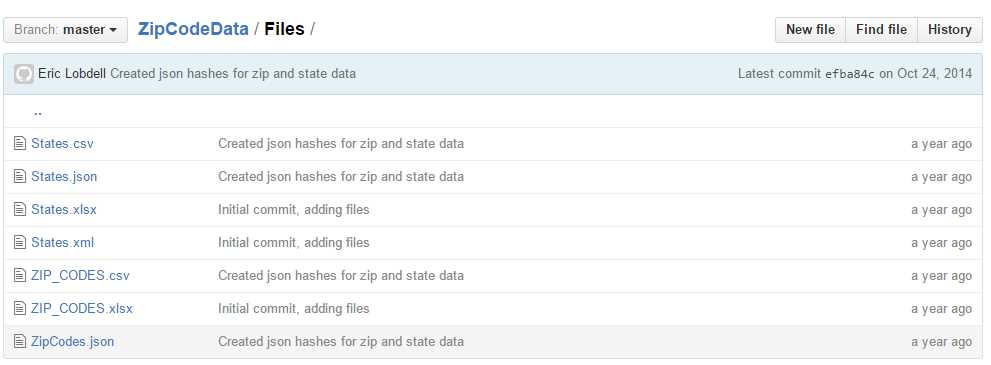
Figure 72: Zip code files folder
However, you don’t need the entire solution and other data files; you are only interested in the JSON-formatted data. When you click on the file name, the file is shown in a GitHub window.
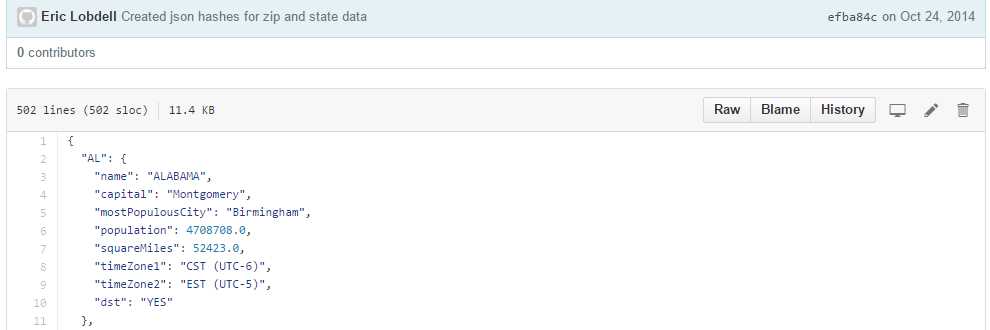
Figure 73: Zip code JSON data
When you click on the Raw tab, GitHub opens the file with no adornments around it. You can then use the browser context menu and save the contents to your local drive.
The Blame tab (despite its name), is a handy way to identify who made changes in a file and provides a brief description of why the change was made.
Forking the project
Although you can easily download files and code, if a project piques your interest, you should consider creating a fork, and possibly contributing to the project by reviewing some of the open issues. The essence of open source software is collaboration, and most repository owners will welcome assistance on their projects.
If you decide you want to work on a project, you can click on the Fork icon at the top of repository.

Figure 74: Fork a project
Once you fork the project, your repository list will now show the Forked repository, indicated by the forked icon.
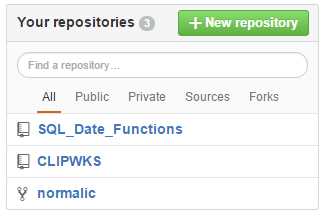
Figure 75: Showing the forked repository
You now have a copy of the repository, and can start reviewing the issues to see if you might want to contribute. In Figure 75, normalic is a handy library for parsing U.S. address data, but written in Ruby. My goal in the fork is to create a C# version for my own use, and then put it back onto GitHub (crediting the original repository as well).
Summary
You might use GitHub simply as a large library of source code and data, and no doubt will find many useful repositories available. However, in the spirit of open source software, you might find yourself helping improve other works in collaboration to produce some better software.


- 1800+ high-performance UI components.
- Includes popular controls such as Grid, Chart, Scheduler, and more.
- 24x5 unlimited support by developers.