
Git Succinctly®

CHAPTER 1
Overview
Each Git repository contains 4 components:
- The working directory
- The staging area
- Committed history
- Development branches
Everything from recording commits to distributed collaboration revolves around these core objects.
The Working Directory
The working directory is where you actually edit files, compile code, and otherwise develop your project. For all intents and purposes, you can treat the working directory as a normal folder. Except, you now have access to all sorts of commands that can record, alter, and transfer the contents of that folder.

Figure 2: The working directory
The Staging Area
The staging area is an intermediary between the working directory and the project history. Instead of forcing you to commit all of your changes at once, Git lets you group them into related changesets. Staged changes are not yet part of the project history.
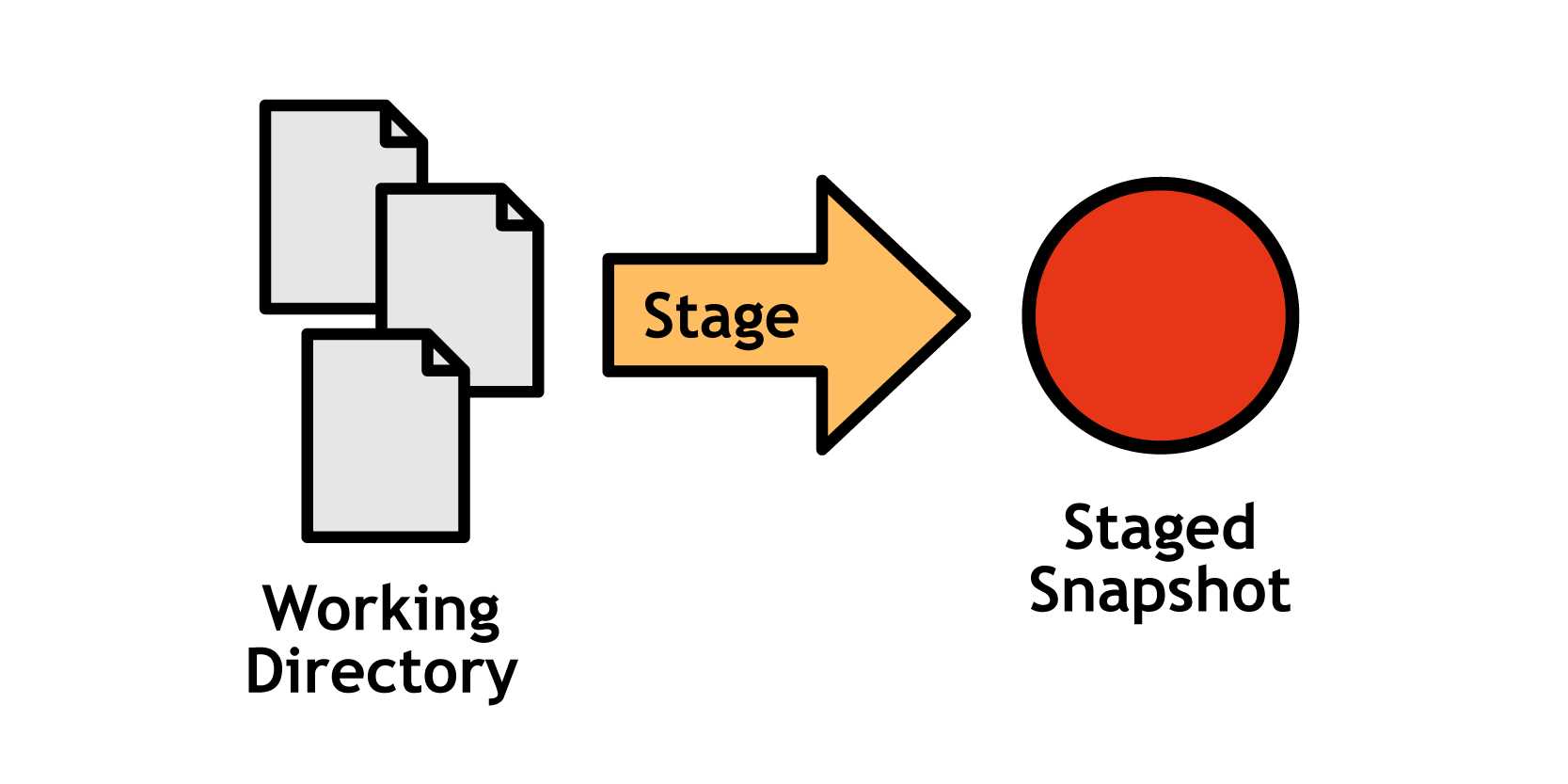
Figure 3: The working directory and the staging area
Committed History
Once you’ve configured your changes in the staging area, you can commit it to the project history where it will remain as a “safe” revision. Commits are “safe” in the sense that Git will never change them on its own, although it is possible for you to manually rewrite project history.
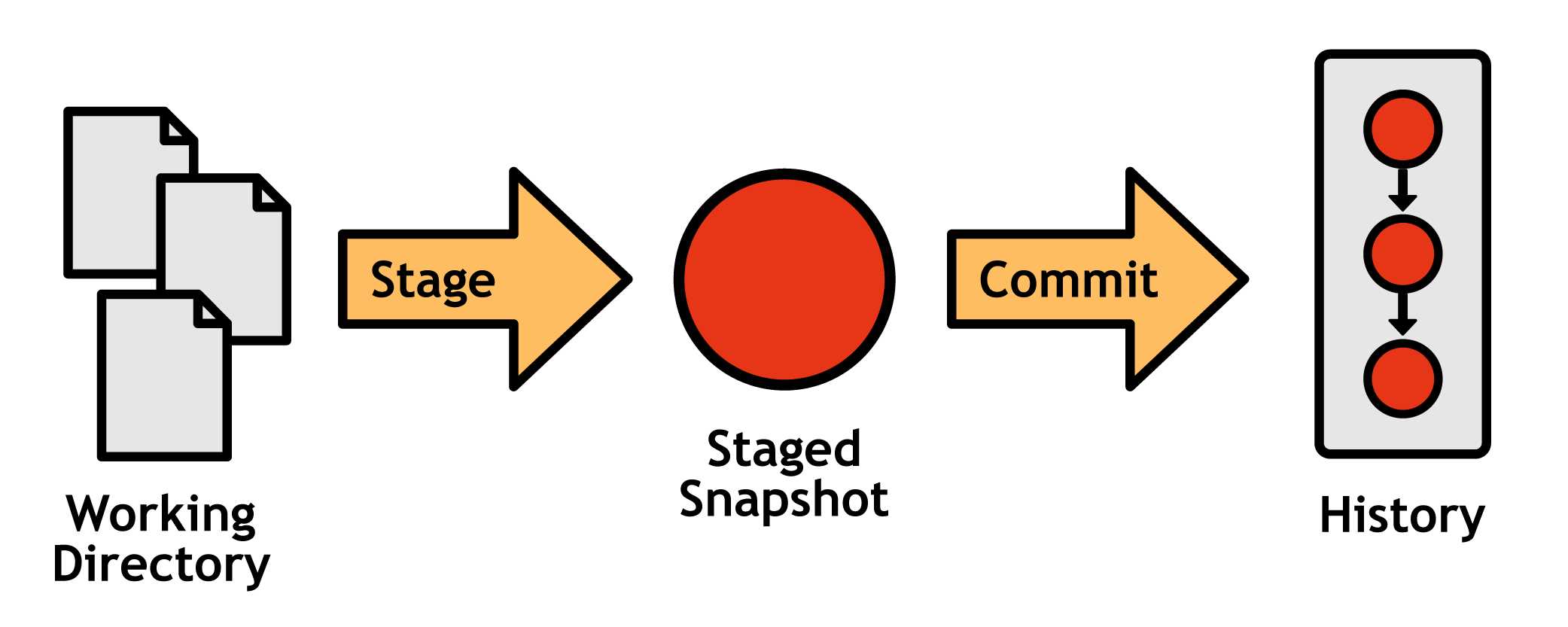
Figure 4: The working directory, staged snapshot, and committed history
Development Branches
So far, we’re still only able to create a linear project history, adding one commit on top of another. Branches make it possible to develop multiple unrelated features in parallel by forking the project history.
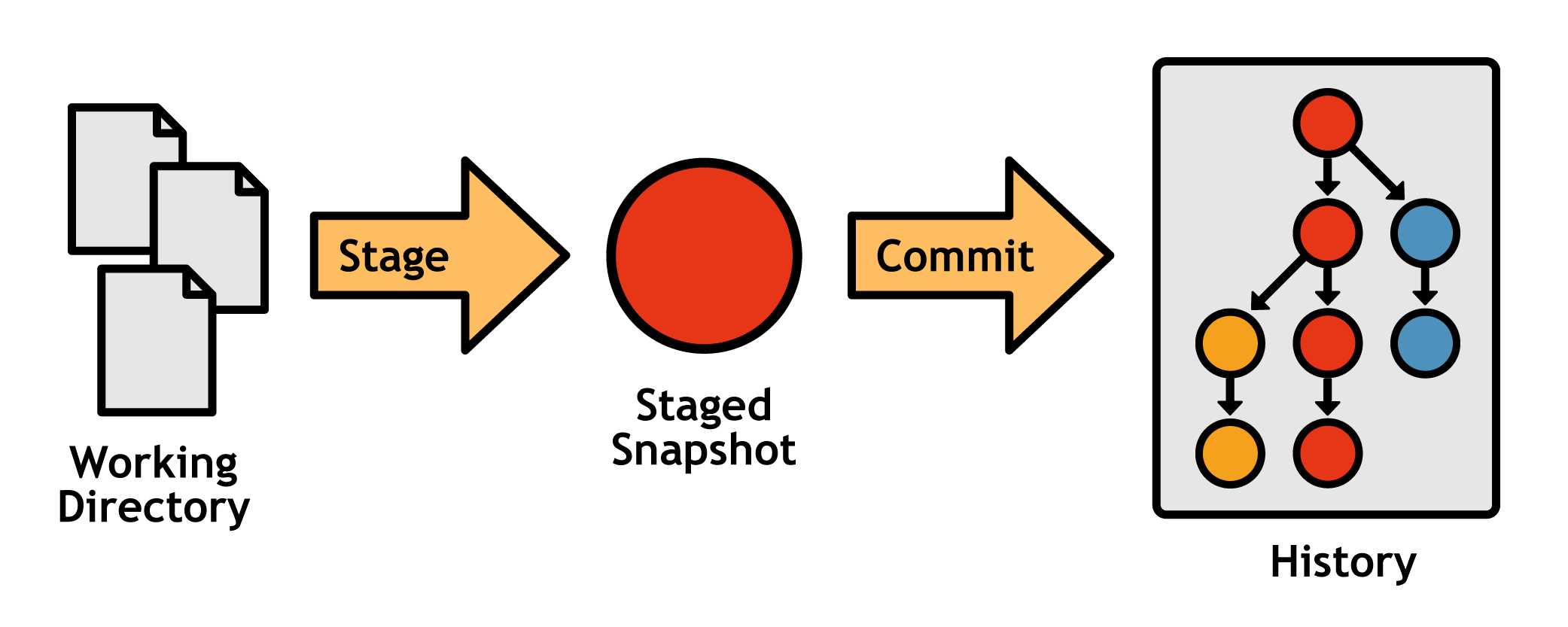
Figure 5: The complete Git workflow with a branched history
Git branches are not like the branches of centralized version control systems. They are cheap to make, simple to merge, and easy to share, so Git-based developers use branches for everything—from long-running features with several contributors to 5-minute fixes. Many developers only work in dedicated topic branches, leaving the main history branch for public releases.


- 1800+ high-performance UI components.
- Includes popular controls such as Grid, Chart, Scheduler, and more.
- 24x5 unlimited support by developers.