
Entity Framework Code First Succinctly®

CHAPTER 10
Tracing and Profiling
Getting the SQL for a Query
LINQ and Entity SQL queries are translated by Entity Framework to SQL. Both of them offer a way to see what the generated SQL looks like; this is achieved by the ToTraceString method, which is a public method of the ObjectQuery<T> class. The LINQ implementation of Code First also has a way to get to this ObjectQuery<T>, but it requires reflection. Here’s a possible implementation of a general-purpose tracing method.
public static String ToSqlString<TEntity>(this IQueryable<TEntity> queryable) where TEntity : class { ObjectQuery<TEntity> objectQuery = null;
if (queryable is ObjectQuery<TEntity>) { objectQuery = queryable as ObjectQuery<TEntity>; } else if (queryable is DbQuery<TEntity>) { var dbQuery = queryable as DbQuery<TEntity>; var iqProp = dbQuery.GetType().GetProperty("InternalQuery", BindingFlags.Instance | BindingFlags.NonPublic | BindingFlags.Public); var iq = iqProp.GetValue(dbQuery); var oqProp = iq.GetType().GetProperty("ObjectQuery", BindingFlags.Instance | BindingFlags.NonPublic | BindingFlags.Public);
objectQuery = oqProp.GetValue(iq) as ObjectQuery<TEntity>; } else { throw (new ArgumentException("queryable")); }
var sqlString = objectQuery.ToTraceString();
foreach (var objectParam in objectQuery.Parameters) { if ((objectParam.ParameterType == typeof(String)) || (objectParam.ParameterType == typeof(DateTime)) || (objectParam.ParameterType == typeof(DateTime?))) { sqlString = sqlString.Replace(String.Format("@{0}", objectParam.Name), String.Format("'{0}'", objectParam.Value.ToString())); } else if ((objectParam.ParameterType == typeof(Boolean)) || (objectParam.ParameterType == typeof(Boolean?))) { sqlString = sqlString.Replace(String.Format("@{0}", objectParam.Name), String.Format("{0}", Boolean.Parse(objectParam.Value.ToString()) ? 1 : 0)); } else { sqlString = sqlString.Replace(String.Format("@{0}", objectParam.Name), String.Format("{0}", objectParam.Value.ToString())); } }
return (sqlString); } |
This method will pick up the SQL string returned by ToTraceString and will replace the parameter placeholders by the actual parameters’ values. You can use it on any IQueryable<T> implementation. If the argument is already an ObjectQuery<T>, then it is straightforward, and if it is a DbQuery<T> (a LINQ query from Code First), it first extracts from it the underlying ObjectQuery<T>.
//get the SQL for an Entity SQL query var finishedProjectsSQL = octx.CreateQuery<Project>( "SELECT VALUE p FROM Projects AS P WHERE p.[End] IS NOT NULL").ToTraceString(); //get the SQL for an Entity SQL query var projectsStartingAWeekAgoSQL = (from p in ctx.Projects where p.Start == DateTime.Today.AddDays(-1) select p).ToSqlString(); //get the SQL for all the Projects using the ToSqlString extension method var allProjectsSQL = ctx.Projects.ToSqlString(); |
MiniProfiler
MiniProfiler is an open source project that offers a code profiler for ASP.NET MVC and Entity Framework. I am going to demonstrate how to use it in an MVC project, but except for the MVC console, it might as well be used in a Windows Forms, Console, or even Web Forms application.
In order to use it, you need to first obtain its core package from NuGet.



In Global class of you web application, you will need to add the following lines to the Application_Start method.
MiniProfilerEF.Initialize(); MiniProfiler.Settings.SqlFormatter = new SqlServerFormatter(); |
In the layout view (or master page, depending on your view engine of choice), you need to add a specific method call for adding the required JavaScript.
For Razor, it will be the ~Views\Shared\_Layout.cshtml file.
@StackExchange.Profiling.MiniProfiler.RenderIncludes() |
Whereas for ASPX, it will be the master page ~Views\Shared\Site.Master.
<%@: StackExchange.Profiling.MiniProfiler.RenderIncludes() %> |
After you do that, you will start to see the MiniProfiler console on the top left corner of every page.
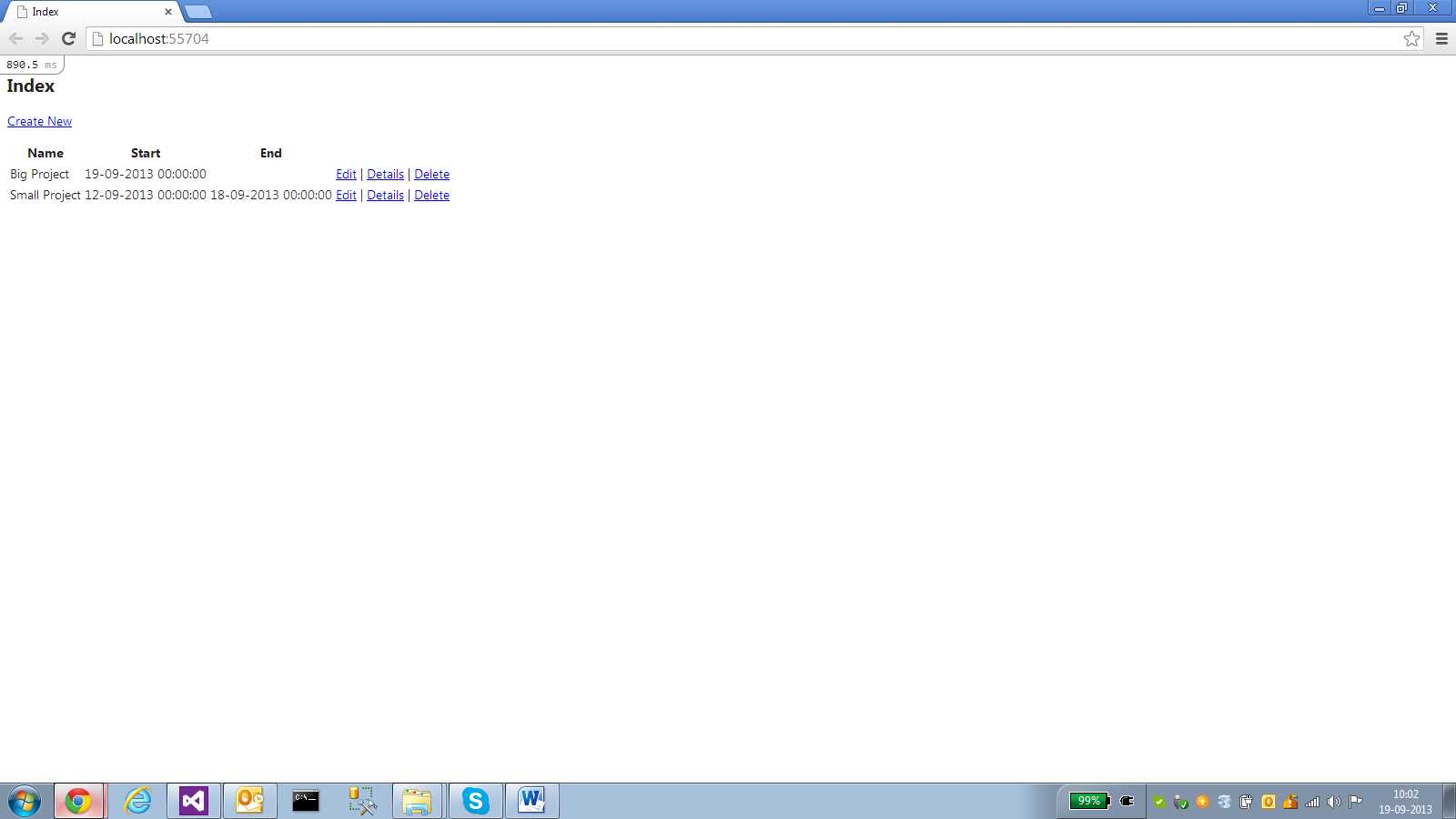
Figure 54: MiniProfiler indicator
By clicking on it, it will expand and show some statistics for the current request.

Figure 55: MiniProfiler MVC console
Up until now, this has nothing to do with Entity Framework, but if you click the sql link, then all the fun starts.
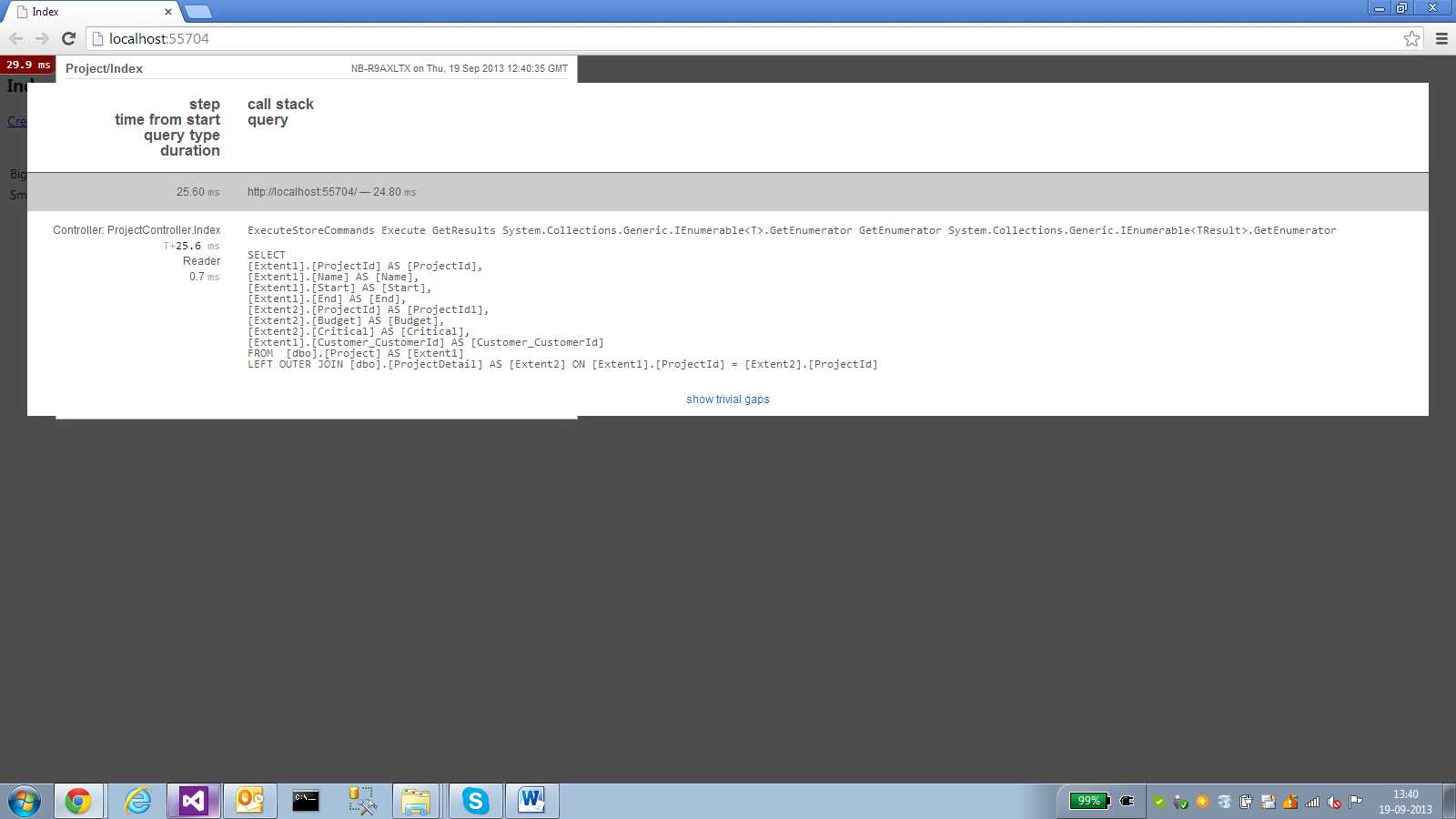
Figure 56: MiniProfiler SQL console
MiniProfiler will show you all the queries executed as part of the current web request, will detect duplicate queries, and will also show some other problems, like SELECT N+1.
If you do not want to use the MVC console, you can still get relevant information from the current profiler instance.
//some statistics var nonQueriesCount = MiniProfiler.Current.ExecutedNonQueries; var readersCount = MiniProfiler.Current.ExecutedReaders; var scalarsCount = MiniProfiler.Current.ExecutedScalars; var duration = MiniProfiler.Current.DurationMillisecondsInSql;
//all queries executed as part of the current request var timings = MiniProfiler.Current.GetSqlTimings(); var sql = timings.First().FormattedCommandString; var isDuplicate = timings.First().IsDuplicate; var stackTrace = timings.First().StackTraceSnippet; var parameters = timings.First().Parameters; |
SQL Server Profiler
SQL Server Profiler is an invaluable tool included with the commercial editions of SQL Server from 2005 onwards. In a nutshell, it allows you to monitor, in real time, the SQL that is sent to the database.
By using SQL Server Profiler, you can get an inside picture of what Entity Framework is doing behind your back. For a simple query such as ctx.Projects.OrderBy(x => x.Start).ToList(), the following SQL will be issued.

Figure 57: SQL Server Profiler output
Did you notice the ApplicationName column? Entity Framework always sets the application name as “EntityFrameworkMUE”, this way you can always tell which SQL queries are sent by it, and you can create a filter on SQL Server Profiler to only show these entries. If you want, you can a different application name, by supplying the Application Name parameter in the connection string.
<connectionStrings> <add name="ProjectsContext" connectionString="Data Source=.\SQLEXPRESS;Integrated Security=SSPI; Initial Catalog=Succinctly;MultipleActiveResultSets=true;Application Name=ProjectsContext" providerName="System.Data.SqlClient"/> </connectionStrings> |


- 1800+ high-performance UI components.
- Includes popular controls such as Grid, Chart, Scheduler, and more.
- 24x5 unlimited support by developers.