
Docker Succinctly®

CHAPTER 9
Continuing Your Docker Journey
Next steps with Docker
Docker is a simple technology, and this Succinctly e-book has enough detail that you should be comfortable starting to use it. This final chapter will look at some useful next steps to consider when you’re ready to try Docker with your own applications.
Docker is an established technology with technical support and financial backing from major enterprises, such as Amazon, Microsoft, and IBM, and it’s in production use at Netflix, Uber, and other cutting-edge tech companies. Application containers are a new model of compute, and Docker can genuinely revolutionize the way you build, run, and support software—but it doesn’t have to be a violent revolution.
In this final chapter, we’ll look at products from Docker, Inc. that simplify the administration of Docker in your own datacenters and in the cloud while providing commercial support for your Docker hosts. We’ll cover some of the main use cases for Docker that are emerging from successful implementations, and I’ll offer advice about where you can go next with Docker.
Docker and Docker, Inc.
The core technologies in the Docker ecosystem—the Docker server, the CLI, Docker Compose, Docker Machine, and the “Docker for” range—are all free, open-source tools. The major contributor to the open-source projects is Docker, Inc., a commercial company created by the founders of Docker. In addition to the free tools, Docker, Inc. has a set of commercial products for enterprises and companies that want software support.
The Docker, Inc. products make it easier to manage multiple hosts, run a secure image registry, work with different infrastructures, and monitor the activity of your systems. Docker Enterprise Edition (Docker EE) runs on-premises, and in the cloud.
Docker EE
Docker Enterprise Edition comes in two flavors—Basic gives you production support for your container runtime, and Advanced gives you a full Containers-as-a-Service solution which you can run in the datacenter or in any cloud. Docker EE Basic has the same feature set the free version of Docker (called Docker CE or Community Edition), so you can run containers and swarms with production support. Docker EE Advanced has a much larger feature set, which will accelerate your move to production.
Docker EE Advanced has two components—the Universal Control Plane (UCP), which is where you manage containers and hosts, and the Docker Trusted Registry (DTR), which is your own secure, private image registry. UCP and DTR are integrated to provide a secure software supply chain.
UCP sits on top of the orchestration layer, and it supports multiple schedulers. At the time of writing it supports the classic Docker Swarm and Docker swarm mode. Both technologies run on the same cluster. Support for Kubernetes is coming to Docker EE, and you will be able to deploy applications on Kubernetes and Docker swarm across the same set of servers.
UCP has a web UI for managing your on-premise Docker estate. Figure 15 depicts the homepage with the dashboard showing how many resources UCP is managing—hosts, images, containers, and applications. It also shows how hard the hosts are working.
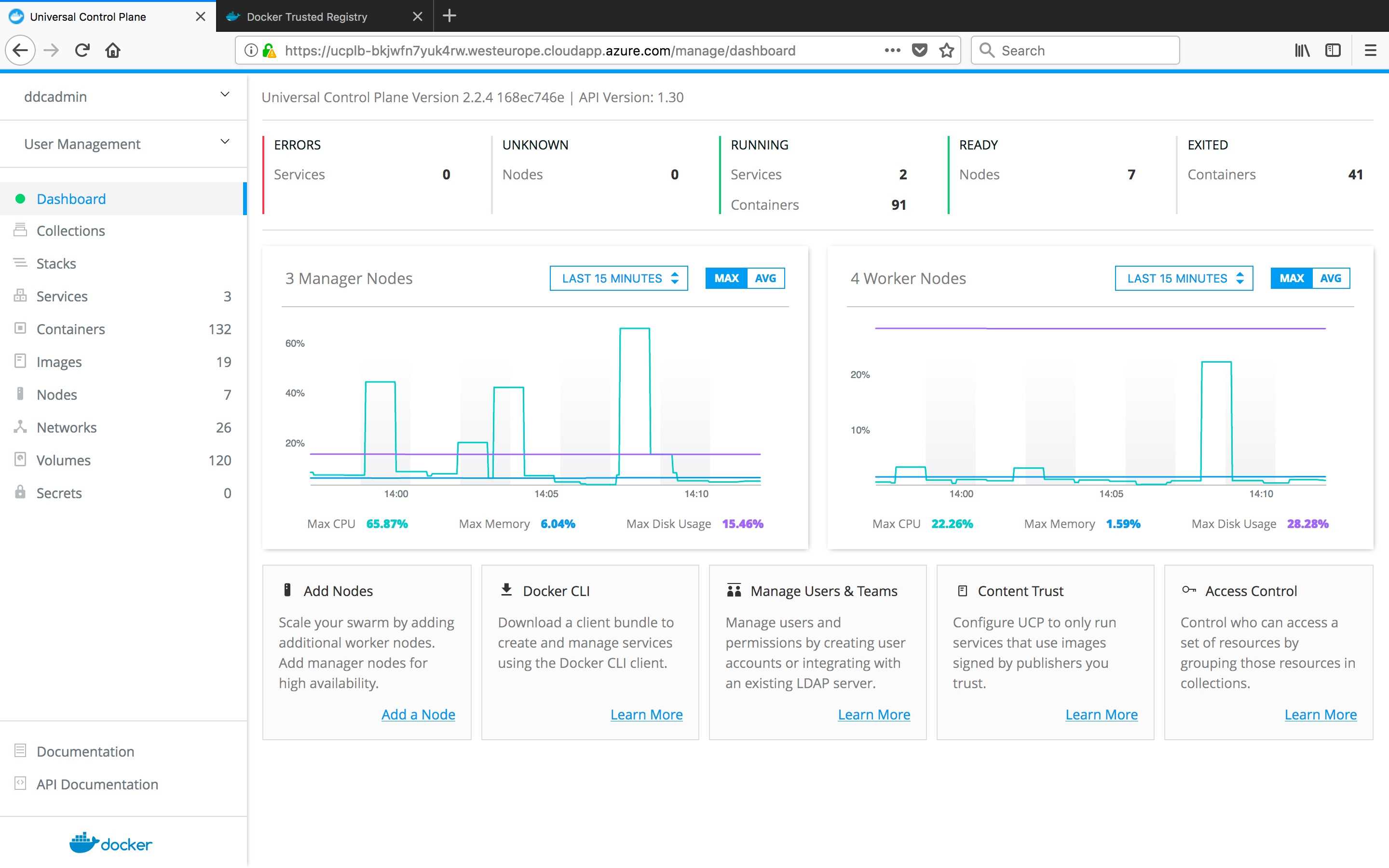
Figure 15: The Universal Control Plane Dashboard
UCP is a consolidated management portal. You can create volumes and networks, run individual containers from images, or run a multicontainer application from a Docker Compose file. From the node view, you can see the overview of the machines in the cluster. In Figure 16 we can see a hybrid cluster with Linux manager nodes, Linux worker nodes, and Windows worker nodes.
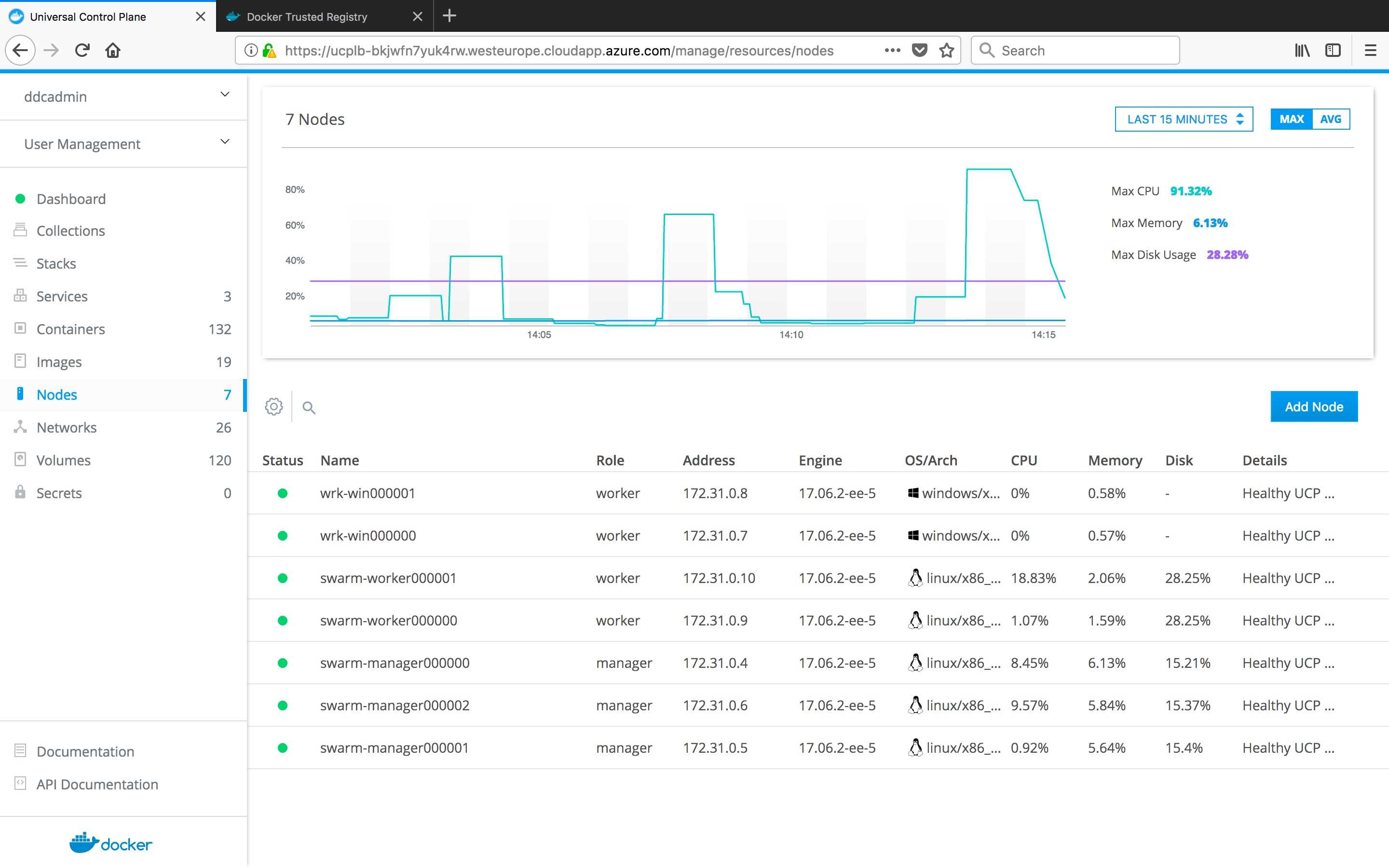
Figure 16: Checking Swarm Nodes in UCP
On the containers page, you can drill down into a running container to check the CPU memory and network usage, connect with a console, or check the logs, as in Figure 17.
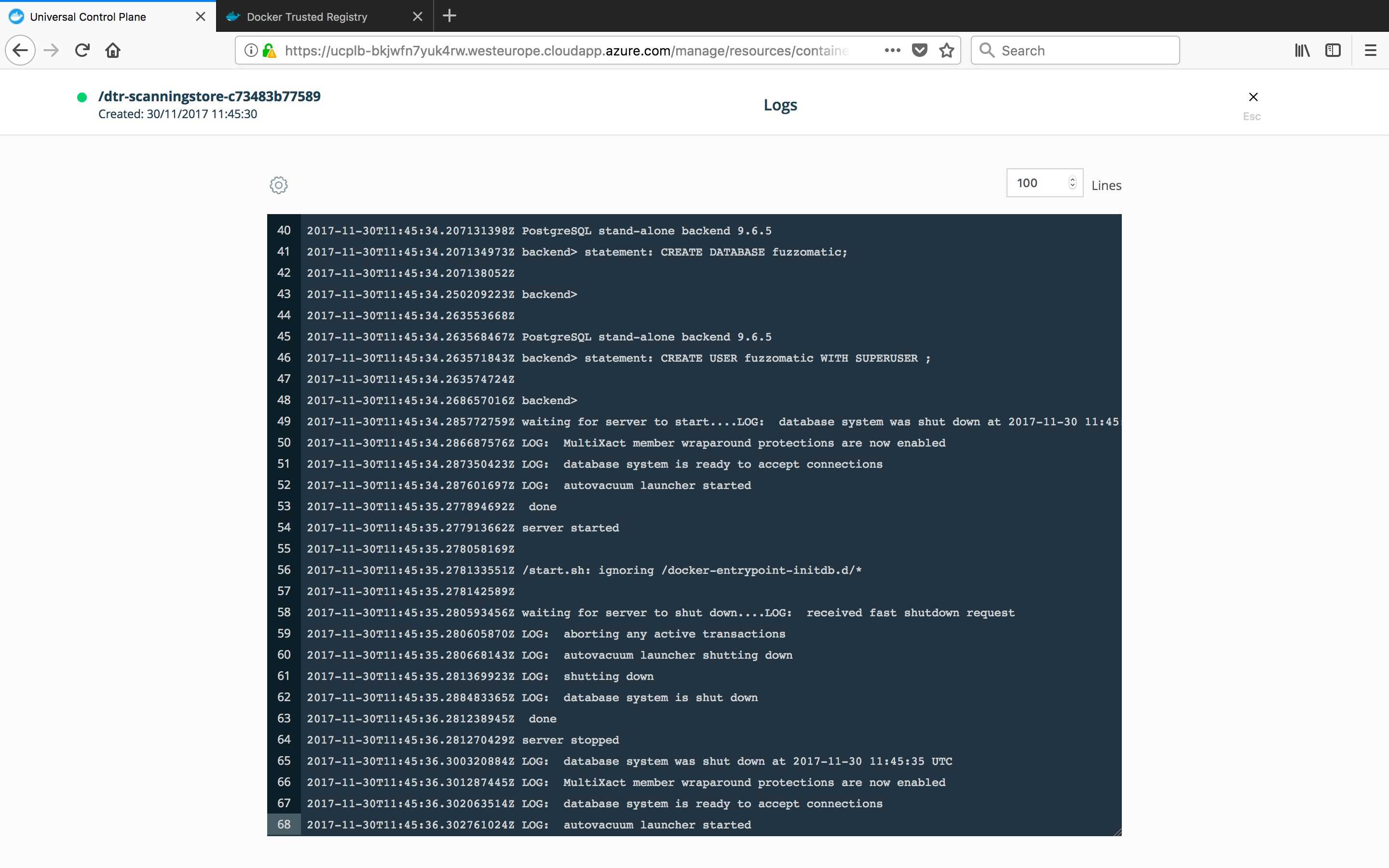
Figure 17: Viewing Container Logs from UCP
UCP gives you role-based access control for your Docker resources. All resources can have labels applied that are arbitrary key-value pairs. Permissions are applied to labels. You can create users and teams inside UCP or connect to an LDAP source to import user details and grant permissions to resource labels at the team or user level.
You can have UCP managing multiple environments and configure permissions so that developers can run containers on the integration environment, but only testers can run them on the staging environment, and only the production support team can run containers in production. UCP communicates with Docker Engine using the same APIs, but the engines are secured, too. In order to manage UCP engines with the Docker CLI, you need a certificate generated by UCP, which means you can’t bypass the UCP permissions.
You secure the images that run on the hosts with the other part of Docker Datacenter—Docker Trusted Registry (DTR). DTR uses the same Registry API as the Hub, which means you work with it in the same way, but it also has its own web UI. The DTR UI is similar to the Docker Hub UI, but as a private registry, and therefore you have more control. DTR shares the authentication you have set up in UCP. Users can have their own repositories, and you can create organizations for shared repositories. Figure 18 shows the DTR homepage for an admin user with access to all repositories.
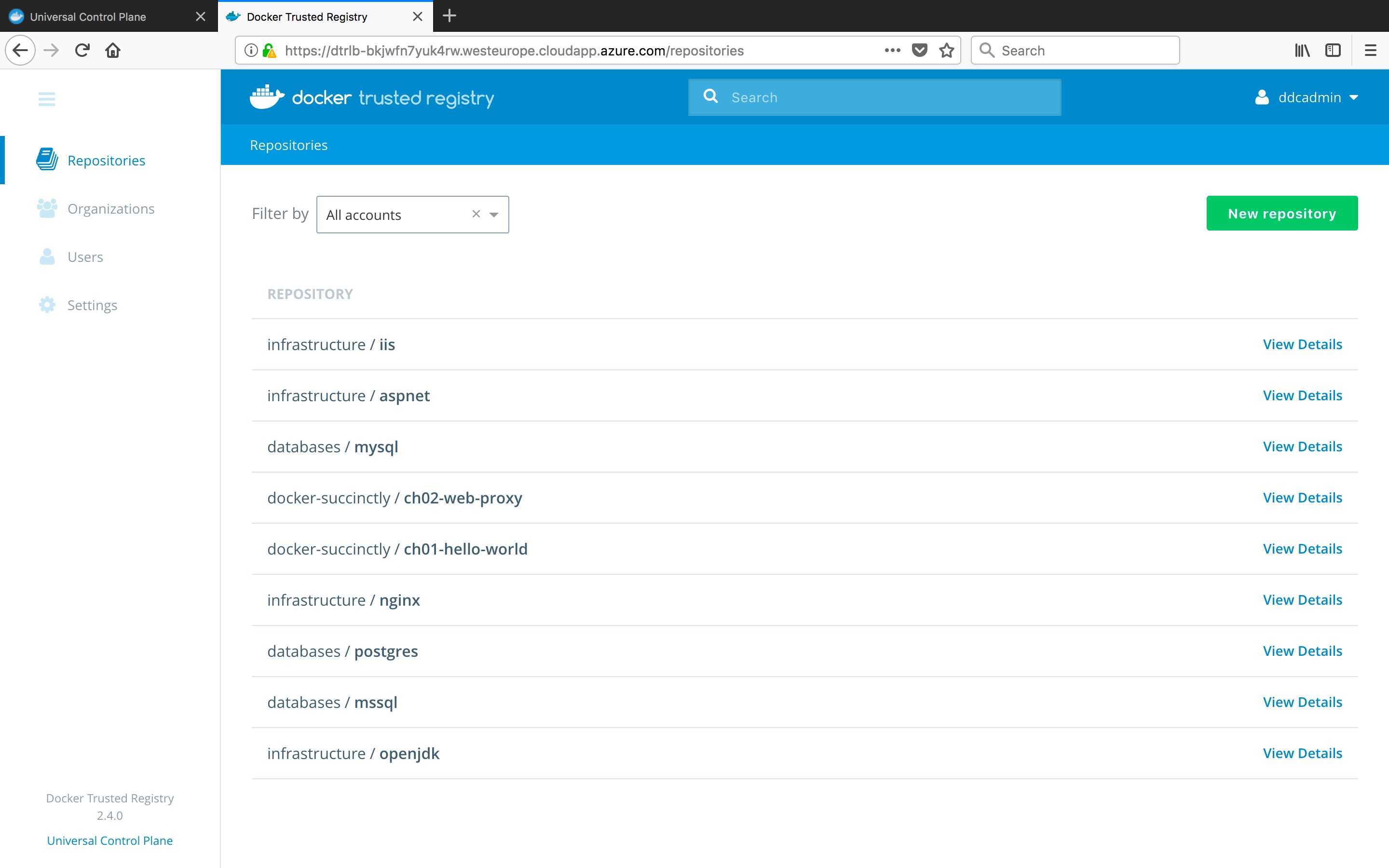
Figure 18: The Docker Trusted Registry
DTR and UCP are closely integrated, which means you can use your own image repositories as the source for running containers and applications on the UCP swarm.
Tip: DTR has the same security-scanning functionality as the Docker Hub, which means your own private images can be scanned for vulnerabilities. And because DTR also has content trust, you can securely sign images and configure your Docker Engines so that they run only containers from signed images.
Docker Cloud
Docker Cloud provides a similar set of functionality to Docker EE, but it’s for managing images and nodes in public clouds. Docker EE is a good fit in the enterprise, where you will need fine-grained access control and security for a large number of images and hosts. For smaller companies or project teams that are deploying to public clouds, Docker Cloud gives you a similar level of control but without the commercial support.
Docker Cloud works similarly to Docker Machine for provisioning new nodes. It has providers for all the major clouds, and you can spin up new hosts running Docker from Docker Cloud. When you use Docker Cloud, you have two commercial relationships: your infrastructure is billed by the cloud provider and the additional Docker features are billed by Docker, Inc.
Figure 19 shows me logged in to https://cloud.docker.com (you can use your Docker Hub credentials and try out Docker Cloud; you don’t need to start with a paid plan) with my DigitalOcean and Azure accounts set up.
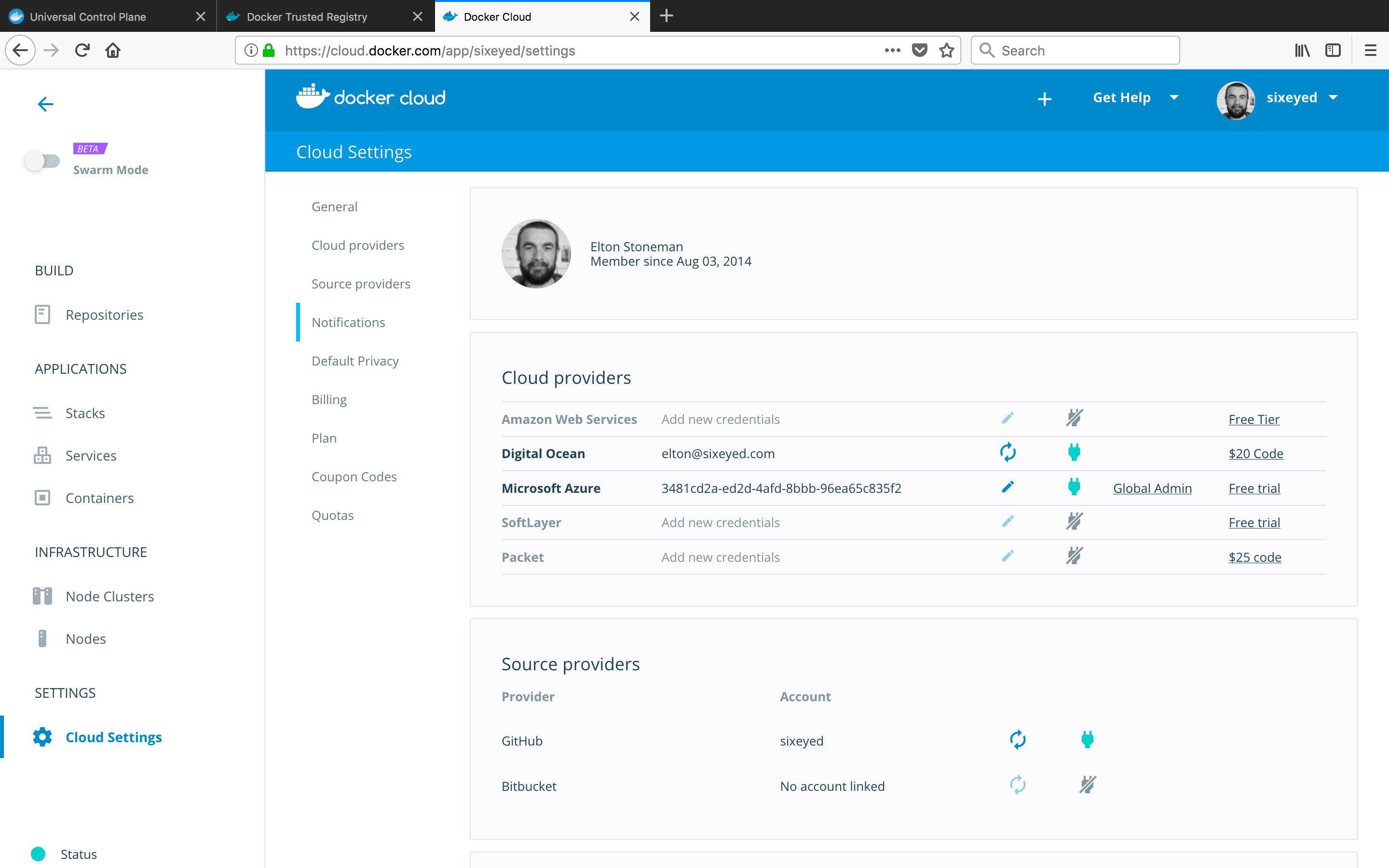
Figure 19: Cloud Providers in Docker Cloud
You can create clusters of nodes on your chosen cloud provider, and Docker Cloud will create a VM with the commercially supported Docker Engine installed. Docker Cloud integrates with the public Docker Hub in the same way that UCP and DTR integrate on-premise. You can deploy containers from your images in the Hub, and you can create private repositories that are only visible to you or your organization.
In Figure 20, my Docker Hub repositories are shown in the Docker Cloud UI, and I can deploy to my cloud Docker nodes directly from here.
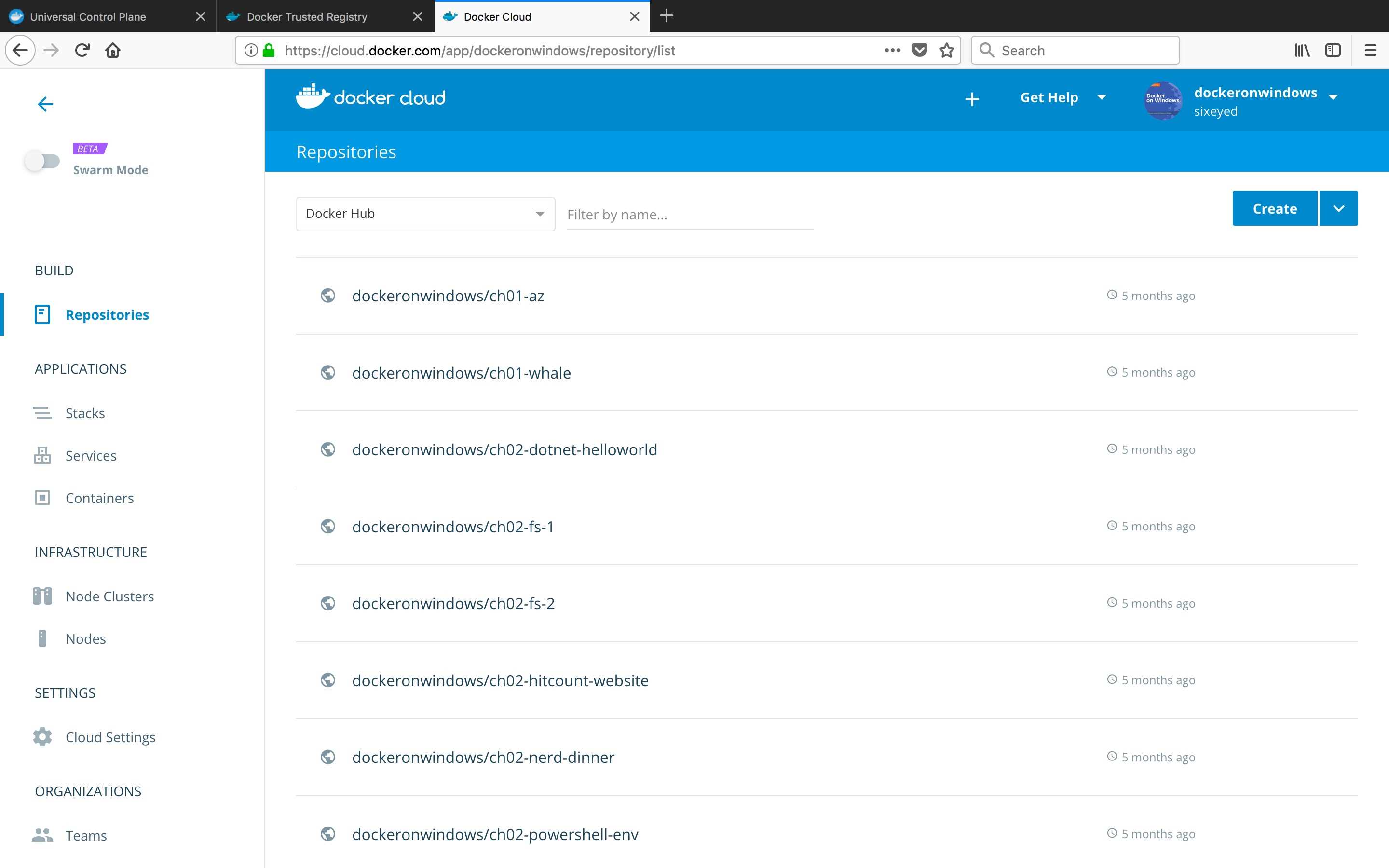
Figure 20: Image Repositories in Docker Cloud
With a paid plan for Docker Cloud, you get the same image security scanning for your own repositories that’s available in Docker Trusted Registry and for official repositories on the Hub.
Tip: This was a very quick look at Docker Enterprise Edition and Docker Cloud, but both are worth further investigation. Commercial support and secure access are prerequisites for many enterprises adopting new technologies.
Docker and DevOps
Docker is facilitating major changes in the way software is built and managed. The capabilities of the Docker product suite, together with the commercial support from Docker, Inc., are foundations for building better software and delivering it more quickly.
The Dockerfile isn’t often held up as a major contribution to the software industry, but it can play a key role for organizations looking to adopt DevOps. A transition to DevOps means unifying existing development and operations teams, and the Dockerfile is an obvious central point where different concerns can meet.
In essence, the Dockerfile is a deployment guide. But instead of being a vague document open to human interpretation, it’s a concise, clear, and actionable set of steps for packaging an application into a runnable container image. It’s a good first place for dev and ops teams to meet—developers can start with a simple Dockerfile to package the app, then operations can take it over, hardening the image or swapping out to a compatible but customized base image.
A smooth deployment pipeline is crucial to successful DevOps. Adopting Docker as your host platform means you can generate versioned images from each build, deploy them to your test environment, and, when your test suite passes, promote to staging and production knowing that you will be running the exact same codebase that passed your tests.
Tip: Docker swarm mode supports rolling service updates, which means that when you upgrade a running app to a new version, Docker will incrementally take down instances of the old version and bring up new ones. This makes for very safe upgrades of stateless apps. See the rolling update tutorial to learn more about rolling upgrades.
Docker also makes a big contribution to DevOps through the simplicity of the host environment. Within the datacenter, your VM setup can be as lean as simply installing a base OS and Docker—everything else, including business applications and operational monitoring, runs in containers on the swarm.
New operating systems are likely to grow in popularity to support Docker’s simplicity. Canonical has Ubuntu Snappy Core, and Microsoft has Nano Server. Both of them are lightweight operating systems that can be used for container-based images, but they can also be used as the host operating system on the server. They have a minimal feature set that equates to a minimal attack surface and greatly reduced patching requirements.
The key technical practices of DevOps—infrastructure-as-code, continuous delivery, continuous monitoring—are all made simpler with Docker, which reduces your application environment to a few simple primitives: the image, the container, and the host.
Docker and microservices
Containerized solutions are not only suited to greenfield application development. Taking an existing application and breaking suitable parts out into separate application containers can transform a heavyweight, monolithic app into a set of lean, easily upgradable services. Lightweight containers and the built-in orchestration from Docker provide the backbone for microservice architectures.
The microservice architecture is actually easier to apply to an existing application than to a new system because you already have a clear understanding of where to find the logical service boundaries and the physical pain points. There are two good candidates for breaking out from a monolith into separate services without a major rewrite of your application:
- Small, well-contained components that add business value if they are easy to change.
- Larger, heavily integrated components that add business value if they stay the same.
As an example, consider a web app used by a business that frequently wants to change the homepage in order to try increasing customer engagement while rarely wanting to change the checkout stage because it feels that stage does all it needs to do. If that app is currently a deployed as single, monolithic unit, you can’t make a fast, simple change to the homepage—you need to test and deploy the entire app, including the checkout component that you haven’t changed.
Breaking the homepage and the checkout component into separate application containers means you can make changes to the homepage and deploy frequently while knowing you won’t impact the checkout component. You should only test the changes you make, and you can easily roll back if the new version isn’t well received.
The cost of microservices is the additional complexity of having many small services working together. However, running those services in Docker containers makes it a problem of orchestration, and that concern is well served by the Docker ecosystem.
Next steps: containerize what you know
You don’t need to embark on a DevOps transition or re-architect your key systems in order to make good use of Docker. If you start by migrating applications you use regularly and understand well, you’ll soon gain a lot of valuable experience—and confidence—with running applications in containers.
Development toolsets are a good place to start, and it’s surprising how often a tool you rely on has already been wrapped into a Docker image on the Hub. At minimum, all you need to do is pull the image and check it out. At most, you might build a new image using your preferred base OS and tools.
Lots of teams start by containerizing their own core systems—GitLab and Jenkins have very popular repositories on the Hub, and you can find plenty of sample images for tools such as file shares, wikis, and code analysis.
Using containers every day is the quickest way to get comfortable with Docker, and you’ll soon be finding all sorts of scenarios that Docker improves. Enjoy the journey!


- 1800+ high-performance UI components.
- Includes popular controls such as Grid, Chart, Scheduler, and more.
- 24x5 unlimited support by developers.