
Azure Virtual Desktop Succinctly®

CHAPTER 6
Value-Added Partners
Azure Virtual Desktop is a complete solution, but it’s also a platform where several partners are creating new services and tools that are improving the experience. The following is only a selection of partners I’ve tested in the past years.
Citrix Virtual Apps and Desktops with Azure
Citrix is a well-known company that is creating virtualization services and tools.
With Citrix technology, it’s possible to publish resources that are exposed by physical devices, as well as virtual machines that are running on top of different virtualization products like Microsoft Hyper-V or VMware.
The HDX protocol created and developed by Citrix is very optimized, and their solution includes several interesting elements like autoscaling logic, monitoring, image provisioning, hybrid management, and many others, as shown in the following figure:
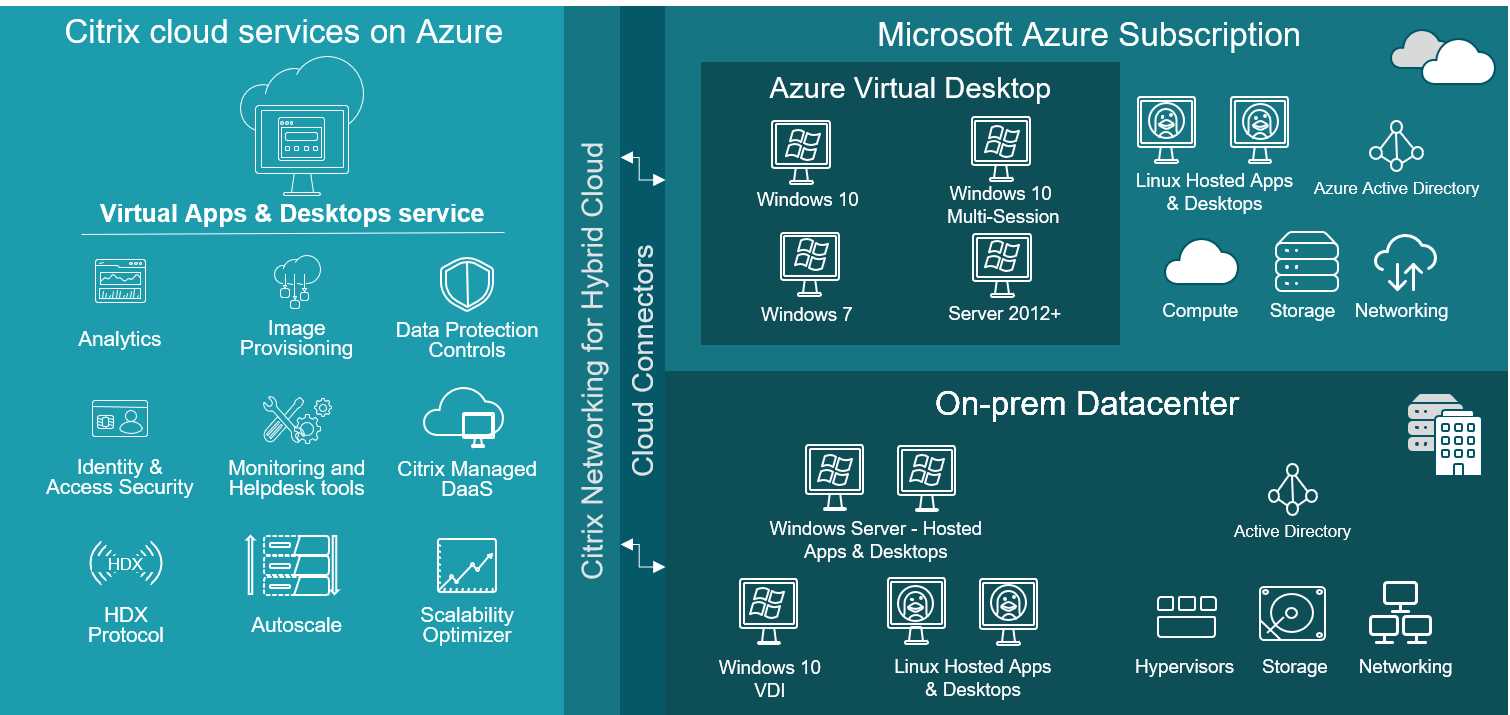
Figure 70: Citrix Virtual Apps and Desktops with Azure (Source)
Citrix is one of the two approved providers (the other one is VMware) that allows users to create a solution that does not use the Azure Virtual Desktop control plane, and it’s publishing Windows 10 multi-session.
If I’m using a Citrix solution that is publishing Azure virtual machines, I can also benefit from the other advantages coming with Azure Virtual Desktop:
- Windows 10 multi-session.
- Windows Server license not needed (Linux rates).
- Windows 7 extended support included.
The Citrix solution uses Citrix technology delivered by the Citrix Cloud to publish Azure virtual machines. No Azure Virtual Desktop components like the virtual machine agent, the RDP protocol, the RD Gateway, or other Microsoft control plane roles are used.
Microsoft and Citrix also work together to allow the usage of Citrix technologies like Provisioning Services (PVS) inside Azure (currently in preview).
You can find a brief guide about this service here.
VMware Horizon Cloud Service on Microsoft Azure
VMware Horizon Cloud Service is another leader of the virtualization workspace. This is the reason why Microsoft has a partnership with VMware to integrate services like Azure VMware Solution (AVS) inside the Azure Cloud.
On the virtual desktop side, VMware Horizon Cloud can fully publish resources that are running inside Azure virtual machines and take advantage of the same capabilities that Azure Virtual Desktop and Citrix are offering:
- Windows 10 multi-session.
- Windows Server license not needed (Linux rates).
- Windows 7 extended support included.
Like the Citrix Cloud solution, the VMware proposition is based on a control plane that is assigning, publishing, and monitoring the Azure workload, and a connection that can be performed from any device using the PC-over-IP (PCoIP) protocol.
A high-level architecture is shown in the following figure:
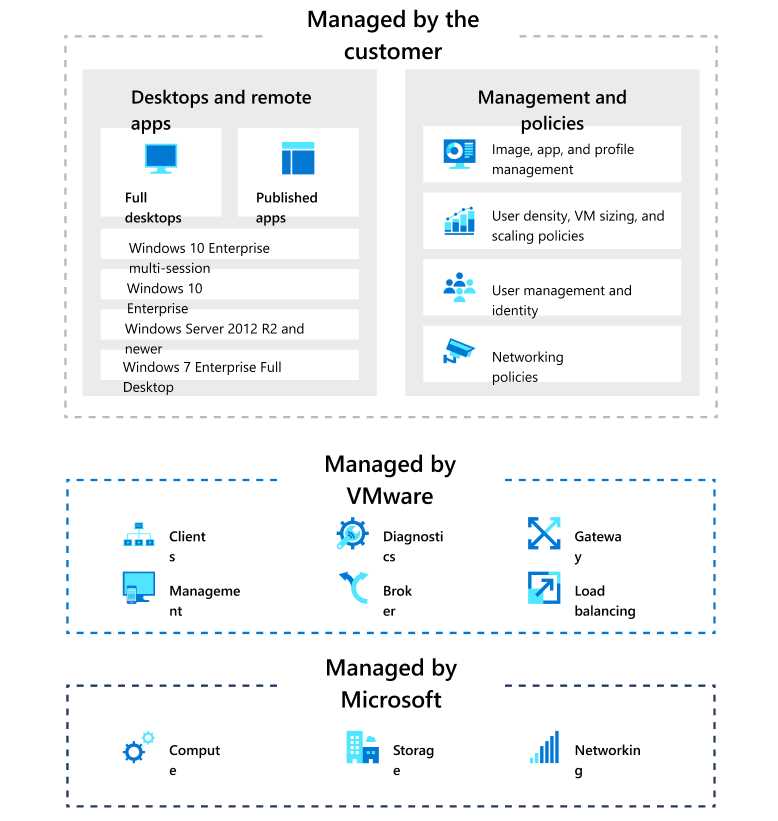
Figure 71: VMware Horizon Cloud Service on Microsoft Azure (Source)
Using this solution, I can take advantage of several interesting capabilities, like hybrid management, power management, Dynamic Environment Manager, and image optimization.
You can find a brief guide about this service here.
Thin clients
The world of thin clients is tightly linked with VDI services, and this is the reason why Microsoft supports connections from thin clients to Azure Virtual Desktop.
If the thin client solution is based on Windows 10 IoT Enterprise, it’s possible to install the Windows MSI client and use it with all the advantages, like Microsoft Teams optimization (currently available only for the Windows 10 platform).
On the Linux side, Microsoft created an official SDK, and several vendors were able to create a direct link between their solutions and Azure Virtual Desktop.
Currently the supported solutions are:
- 10ZiG
- Dell
- HP
- IGEL
- NComputing
- Stratodesk
Check the official documentation for news about this topic.
Lakeside
Lakeside is a free tool that can perform an assessment of a current VDI architecture (on-premises or in another cloud) or physical devices to establish the right sizing on Azure Virtual Desktop.
The solution collects many counters and indicators from the devices, and it creates useful reports and suggestions about how to translate the current experience into Azure Virtual Desktop.
The tool is integrated into the Azure Migrate service.
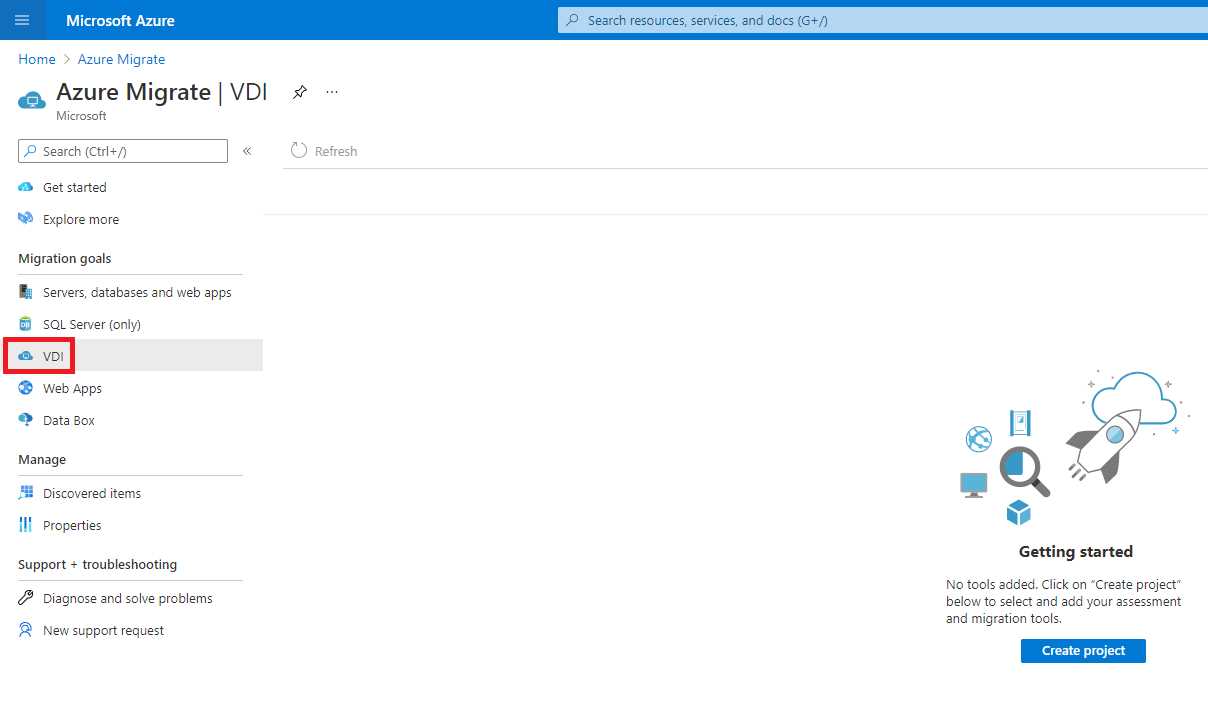
Figure 72: Lakeside Assessment Tool inside Azure Migrate
Nexthink
Another interesting tool that I find useful is Nexthink. This tool collects information in real time from user devices so I can use it to collect performance data coming from my Azure Virtual Desktop session hosts.
The quantity and the quality of data collected is very deep, and the way it’s presented in reports helps me understand how the Azure Virtual Desktop is performing (errors, boot time, processor usage, application performance).
There is also the ability to directly engage the end user in a survey, as shown in the following figure:
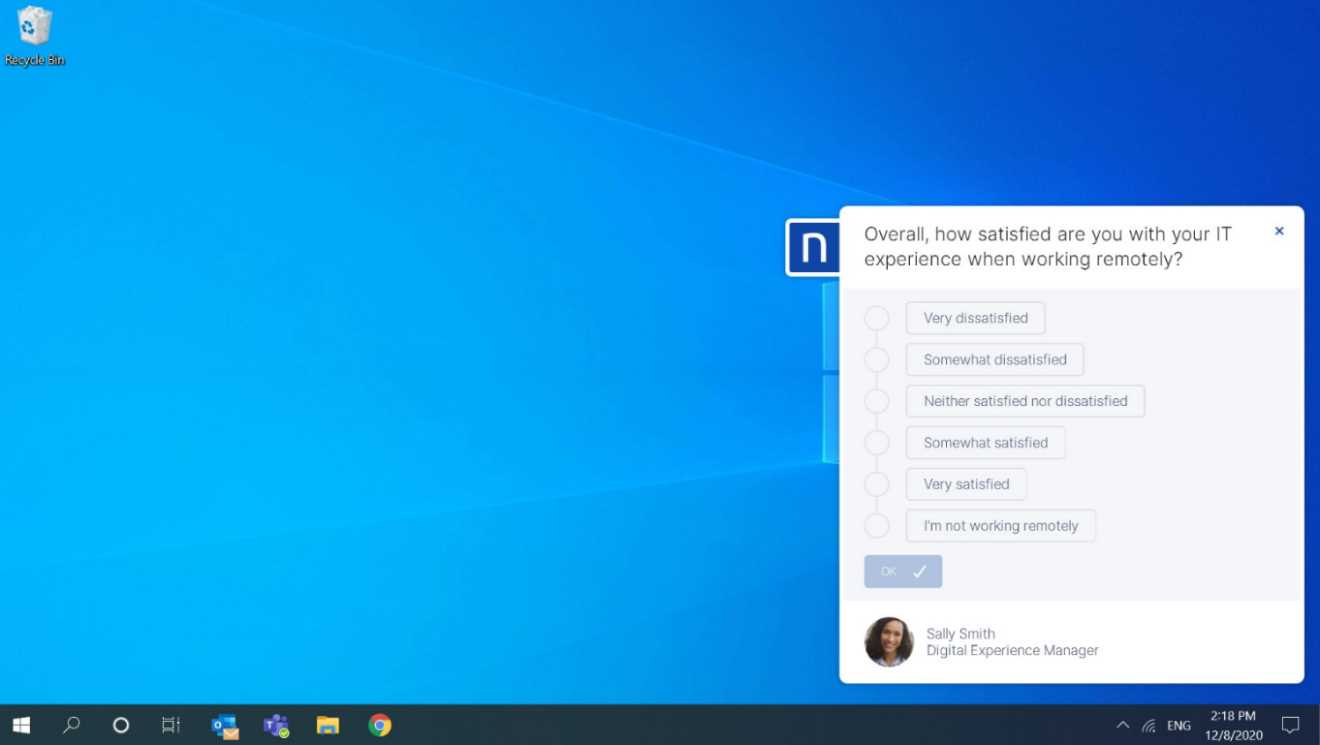
Figure 73: Nexthink end user survey (source)
This tool also works with Citrix and VMware.
You can find more information about Nexthink here.
Nerdio
Nerdio is a company that builds tools to help Microsoft Service Providers (MSPs) as well as enterprises managing Microsoft Azure technology. The tools are built around the concepts of simplicity and automation, and are a very good fit if you don’t have deep Azure skills and/or if you want to oversee many Azure Virtual Desktop host pools and users with minimal effort.
Nerdio Manager for MSPs and Enterprise are two “twin” services that are focused on Azure Virtual Desktop management.
The following figure shows the key aspects of Nerdio Manager for MSPs:
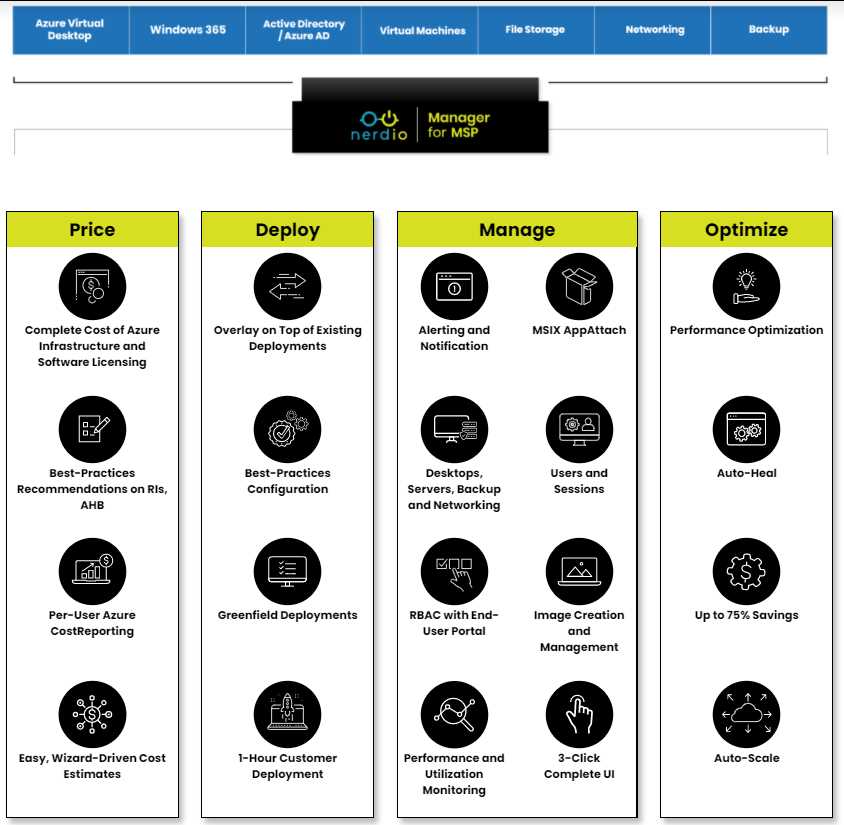
Figure 74: Nerdio Manager Console (Source)
They have interesting capabilities like virtual machine auto-heal, advanced auto scale based on Azure virtual machine scale set, the ability to easily deploy host pools based on ephemeral disks, advanced monitoring, image creation and update processes, and more.
You can find more information about this tool here.


- 1800+ high-performance UI components.
- Includes popular controls such as Grid, Chart, Scheduler, and more.
- 24x5 unlimited support by developers.