
Aurelia Succinctly®

CHAPTER 9
Custom Attributes
Sometimes we don’t need to create a whole new custom element, but just need to extend the functionality of an existing element. Perhaps we want to have the behavior of the attribute to be to focus on whichever element we choose when we navigate the first time to our screen. We will call our custom attribute my-focus. Let’s take a look at the my-focus.js file:
Code Listing 103
import {customAttribute, DOM} from 'aurelia-templating'; @customAttribute('my-focus') export class MyFocus { static inject = [DOM.Element]; constructor(element) { this.element = element; } attached() { this.element.focus(); } } |
Here, we are identifying our class as a custom attribute. We are also injecting the DOM element to which this attribute is attached. This gives us the ability to access properties or call methods off of the object like we are doing when our custom attribute is attached to the element.
This seems straightforward enough; now let’s see how we actually use this in a screen:
Code Listing 104
<template> <require from='my-focus'></require> <h1>${title}</h1> <form> <label>First Name</label> <input value.bind="firstName" placeholder="First Name" my-focus> <p>${firstName}</p> </form> </template> |
Here we are extending the input element so that when this screen loads and the my-focus custom attribute is attached, the focus method will be called.
Note: The my-focus custom attribute makes the assumption that you will only attach it to one element for a given screen. Not all custom attributes will need to have this limitation, but that just depends on what logic you provide in our custom attributes.
As you can see, creating your own custom attributes is very straightforward, and you will find that you will have a suite of powerful additions to your toolbox.
Here is a screenshot of the custom attribute in action:
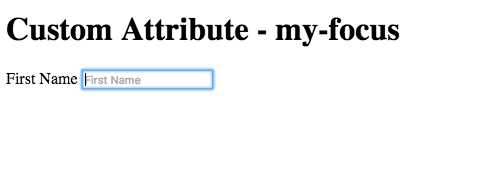
Figure 29: Custom Attribute–my-focus
You can see this example in action here.


- 1800+ high-performance UI components.
- Includes popular controls such as Grid, Chart, Scheduler, and more.
- 24x5 unlimited support by developers.