
ASP.NET Web API Succinctly®

CHAPTER 11
Hosting
Now that we have built our Web API application, it needs to be hosted. The first option we have is called web-host. It uses Internet Information Server (IIS), like the ASP.NET MVC application. We don’t go into the details of this kind of hosting in this book because it is the well-known way to host web applications in the Microsoft ecosystem.
Self-hosting
The other option, self-hosting, is a new way to host web applications. Practically, this means implementing a console application (or a Windows service, or any other runnable application) that is the host for our API.
The code is quite simple: all we have to do is to create a new console application, add a reference to the Microsoft.AspNet.WebApi.SelfHost package using NuGet, and write the following code in Main():
|
{ var config = new HttpSelfHostConfiguration("http://localhost:3000"); config.Routes.MapHttpRoute("default", "api/{controller}/{id}", new { id = RouteParameter.Optional });
var server = new HttpSelfHostServer(config); server.OpenAsync().Wait(); Console.ReadLine(); } |
What we have done here is create a new configuration and define the base URL at which the API will respond. We choose localhost and port 3000.
On the configuration, we set the route map with the usual pattern (api/controller/id); we can add all the needed entries to this map as illustrated in Chapter 4.
Next, we create a new instance of HttpSelfHostServer with the new configuration, and lastly, we start the server and wait for incoming requests.
Now we can compile and run the application, and test it with our client:
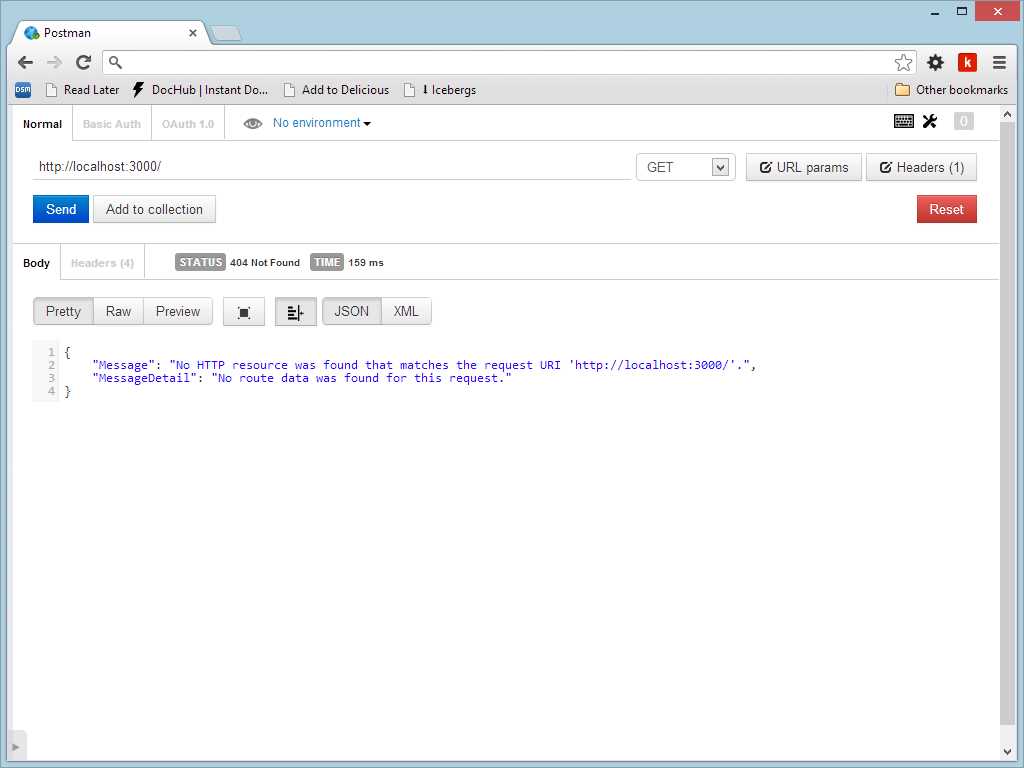
A call to a misconfigured self-host application
No HTTP resource was found that matches the request URI 'http://localhost:3000/'. |
AddressAccessDeniedException netsh http add urlacl url=http://+:3000/ user=machine\username |
What we get is an error that makes perfect sense, since we have not created any controller yet.
What we can do now is add an ApiControllers implementation to make something useful with our application. This means that the application doesn’t have to be a Web API application template; a console application could also become a host.
We add a simple controller:
public class HelloController : ApiController { public string[] Get() { return new[]{"Wow", "this", "is", "a", "real", "web", "app"}; } } |
With this controller implemented, we can re-run the console application and call it from the client:
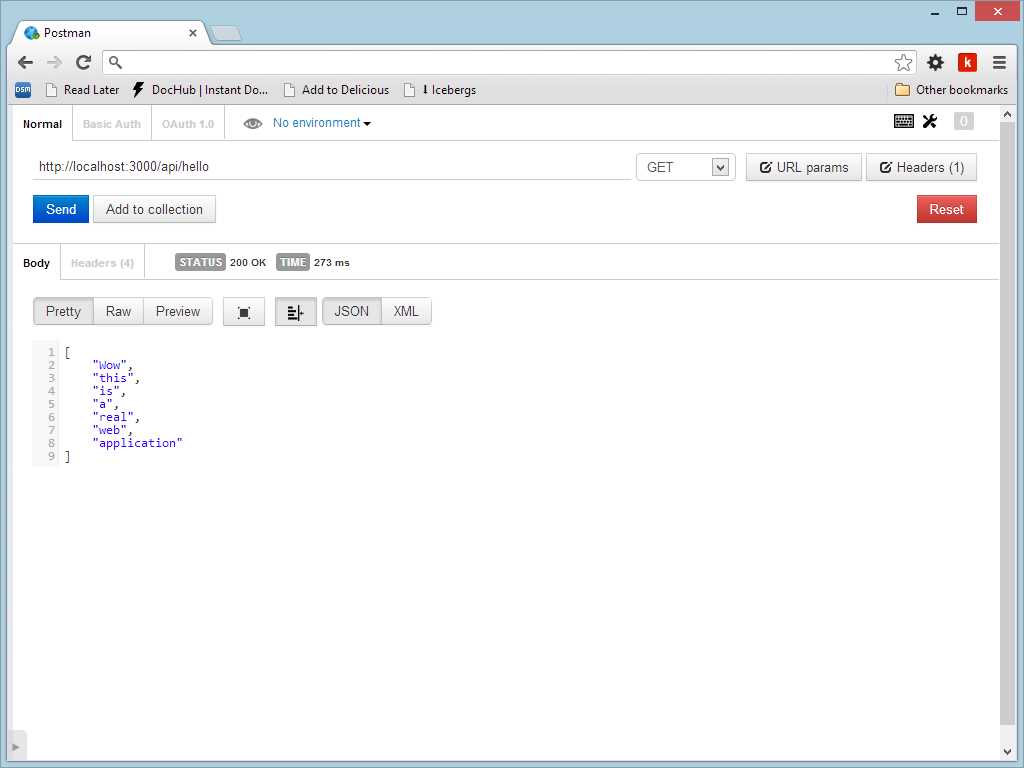
A call to a self-host controller
What we have is a real ASP.NET Web API application that does not need a full web server like IIS. This is very useful for exposing the API through a Windows service, for example, or for installing the API to a PC that does not have IIS installed.
If we want to use an existing Web API project and host it in the self-host mode, we just need to reference the project and change the code in the WebApiConfig class to use the HttpConfiguration that the console application has created.
In-memory hosting
The last option to hosting a Web API application is to use the in-memory host. It is called in-memory because there are not any real HTTP remote connections between the client and the server but the client (usually an HttpClient) is directly connected to the HttpServer instance.
Since the HttpServer class inherits from HttpMessageHandler, it can be used to create an instance of HttpClient class so that the two instances are directly connected.
This kind of configuration is not useful in a real world scenario, but it is perfect for testing, as we will see in the next chapter. Since the client and the server are in the same process and they are connected in memory, the performance of the communication is very high, and our test executes quickly.
For in-memory hosting, the code is very similar to the self-hosting option:
|
{ var config = new HttpConfiguration(); config.Routes.MapHttpRoute("default", "api/{controller}/{id}", new { id = RouteParameter.Optional });
HttpServer server = new HttpServer(config);
HttpClient client = new HttpClient(server); var response = client.GetAsync("http://localhost/api/hello").Result; String content = response.Content.ReadAsStringAsync().Result; } |
The previous code is taken from a console application. We create the configuration as usual, and we create an instance of HttpServer (in the self-hosting scenario we used the HttpSelfHostingServer).
Next we create an HttpClient to issue a request. The HttpClient needs in its constructor an instance of HttpMessageHandler, and like we already said, HttpServer implements that class, so it fits perfectly.
With the client, we can build a request using the GetAsync method and specifying the URI. The result is an HttpResponseMessage from which we get the content, and, in the content, we will have the result in a string format.
The fact that client and server are so tightly coupled help us in writing an integration test to verify that our API works as expected.
Summary
Hosting is an important topic and the new self-host scenario opens new possibilities for distributing our Web API application. The fact that a Windows service could become an HTTP endpoint is helpful in all cases in which we need to expose a behavior for other applications. Outside of these cases, we don’t need to have a full web server like Internet Information Server to host our API, and the deployment becomes an xcopy installation.


- 1800+ high-performance UI components.
- Includes popular controls such as Grid, Chart, Scheduler, and more.
- 24x5 unlimited support by developers.