
Application Insights Succinctly®

CHAPTER 6
Alert Rules
Every monitoring system has alerting capabilities, using either internal or external subsystems, and Application Insights has its own, too. In this case, it’s an internal subsystem.
This alerting subsystem is ready to send a notification or an email warning when a particular event or an interesting scenario happens.
To manage alert rules, we need to go to the Configure section and select the Alerts feature.
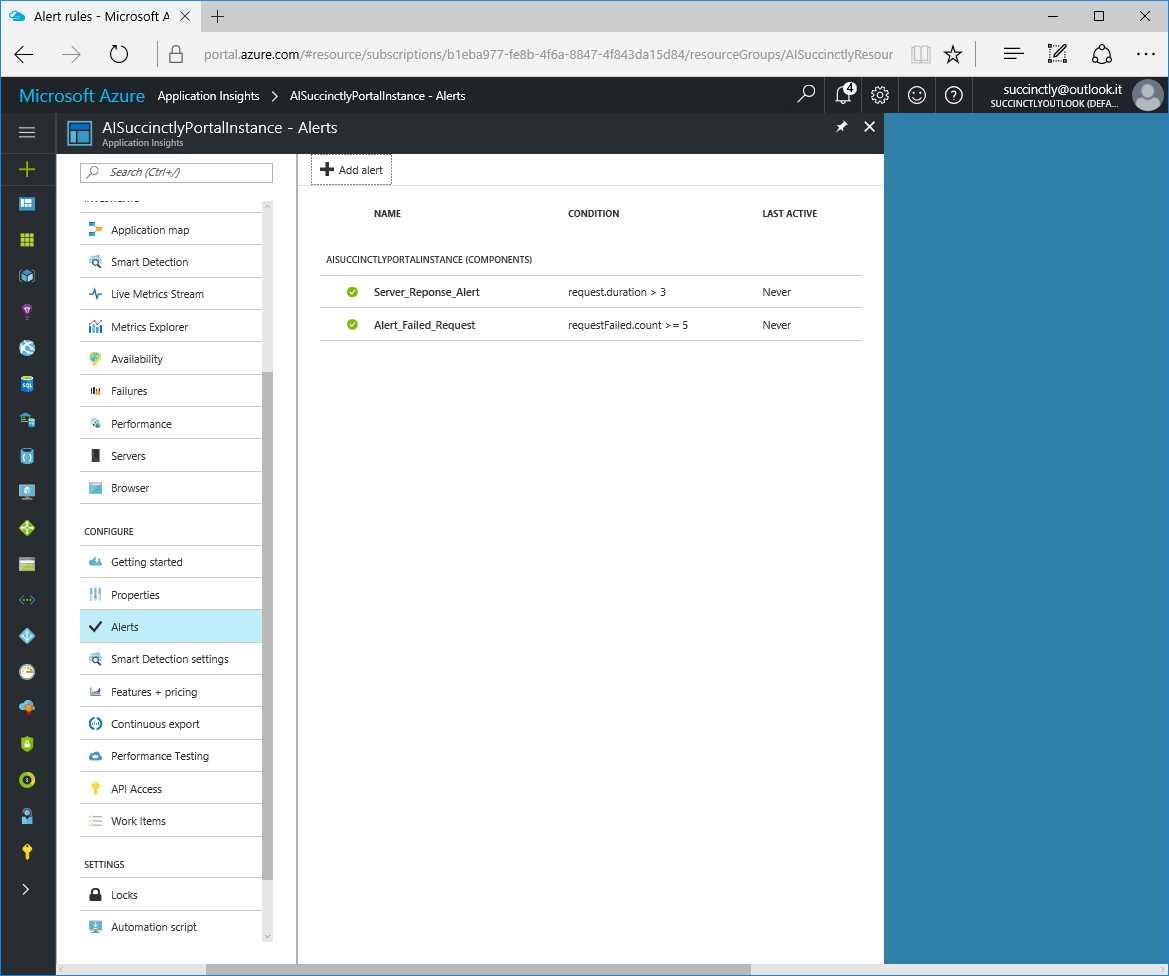
Figure 18: The Alerts Blade
To reach the Alerts blade, we can also use the Alert rules button within Metrics Explorer.
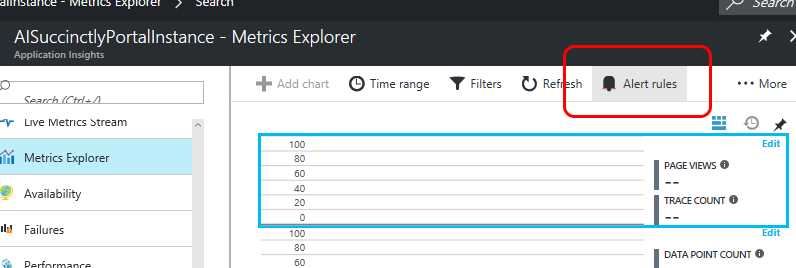
Figure 19: The Alert Rules Button
Once the alert rule matches the condition, an email will be sent to the recipients defined within the alert rule.
When we create a new alert, we must enter some information, such as Name and Description, and define the scenario we want to monitor by selecting the Metric, the Condition, the Threshold, the reference Period, and the destination Email(s).
The Condition is a conditional operator (such as greater than, greater than or equal to, etc.) and the Threshold is the comparison parameter.
The reference Period is a time span in which this alert can monitor information and, when necessary, send an email. The Period cannot be shorter than the last five minutes, and not longer than the last 24 hours.
Recipients for email alerts can be all users—owners, contributors, readers—and other email addresses.
There is also the possibility to use a webhook if we want to route the alert to another system or tool that supports this feature.
Similarly to the Live Metrics Stream, this is not a real-time system.
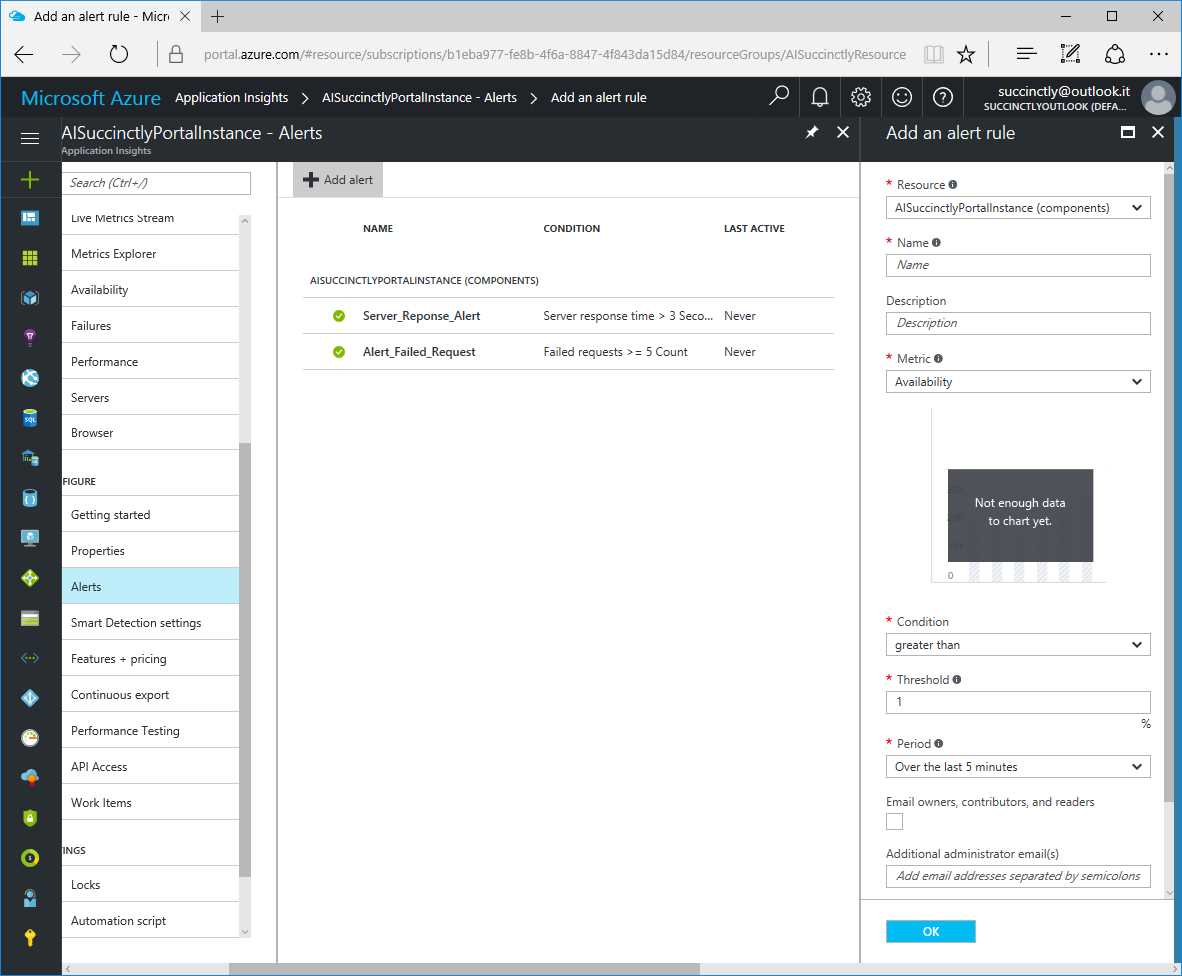
Figure 20: New Alert Creation
Just to give some examples, we can check if the server response time is greater than three seconds within the last five minutes, or if in the last few hours there have been five or more failed requests.
Of course, it is important not to monitor every single metric, but only the ones that are relevant for your business, and set the right parameters for the alerts. Otherwise, you might receive tons of emails.
Also, we can monitor not only for a failure or malfunction, but also for the accomplishment of a goal (for instance, when you reach a million page views on your website).
Now it’s time to move the focus to the data. In the next chapter, you will see how to consume and export data from an Application Insights resource.


- 1800+ high-performance UI components.
- Includes popular controls such as Grid, Chart, Scheduler, and more.
- 24x5 unlimited support by developers.