
Apache Solr Succinctly®

CHAPTER 9
Add a UI
Solr can be used in many different ways. In a lot of cases, you can use it as a small functionality within your application. For example, it can be used to implement a type ahead function as an aid to the end user. In other cases, your application might be more search-centric, for example, a patent analysis application to find prior art.
In any case, and irrespective of your current requirements, it’s highly likely that at some point you'll need a custom user interface for Solr. In this chapter I present two well-known alternatives that will make that task much easier.
Solritas: A Fancy Name for Velocity ResponseWriter
Now that you know how to create your own custom handlers, there is one that I'd like to direct your interest to, as it can help you create your own search applications. The /browse request handler is already present in your application. Open your Solrconfig.xml and find it; it should look something like the following image.
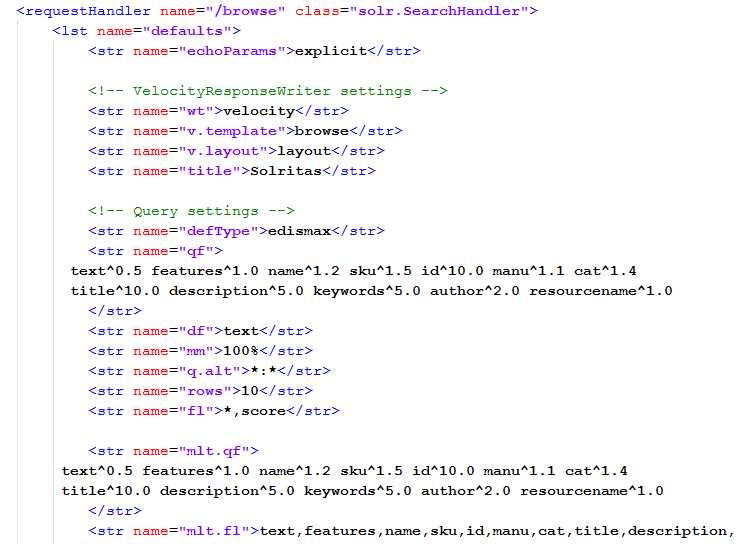
- Velocity ResponseWriter
The Velocity ResponseWriter, also known as Solritas, is a handler that allows processing of results with the use of the template system called Velocity.
You can read more at http://velocity.apache.org/. It has not been updated recently, but you can use it to learn a lot about querying, geolocation, and much more. Velocity is a very quick and easy way to generate a UI for testing your data. To access it, simply navigate to the following:
http://localhost:8983/solr/browse |
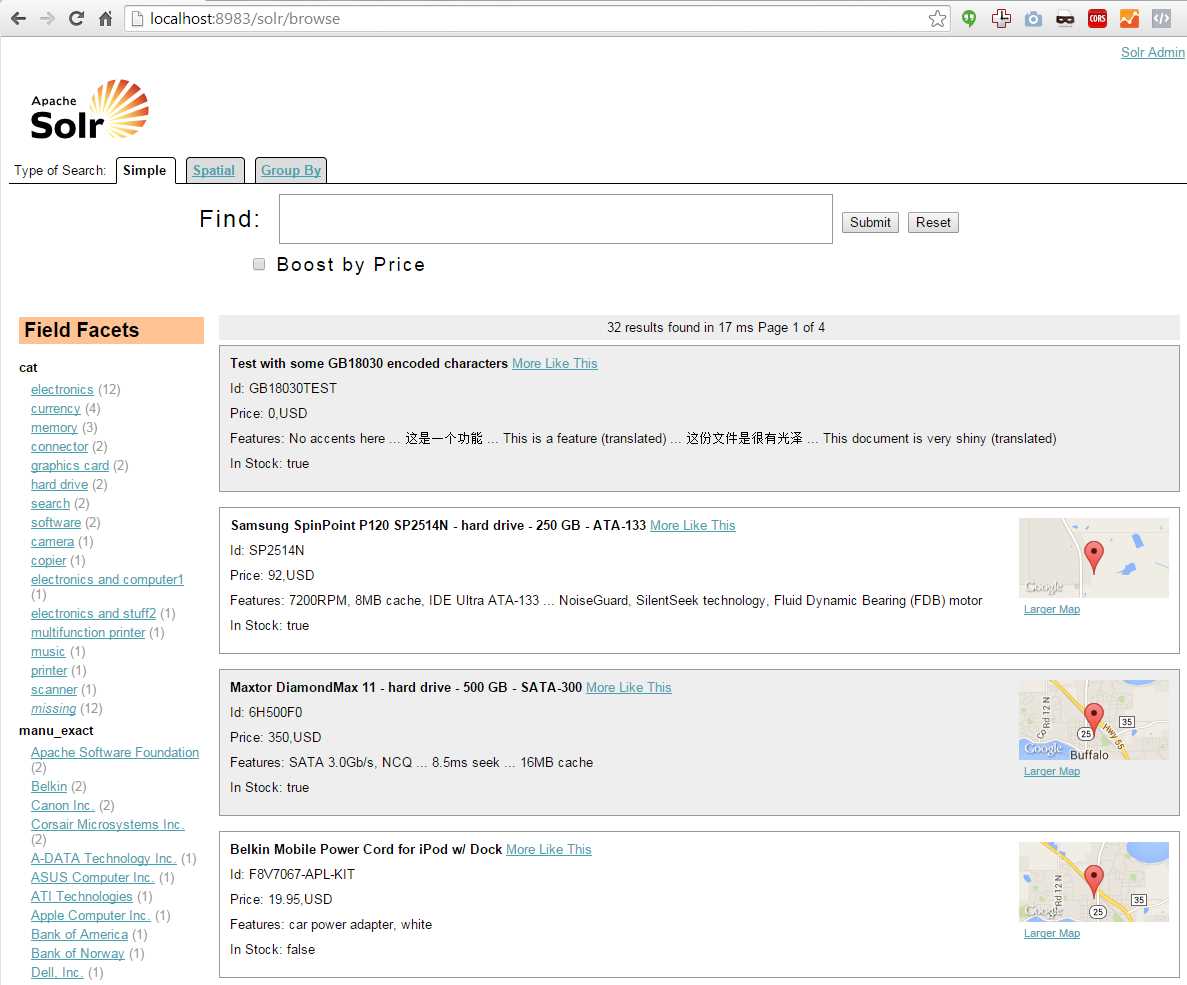
- Also known as Solritas
Your turn: Why not try modifying it with the Succinctly collection? I would recommend adding a publicationdate field in Schema.Xml. Then, add random dates for all the books in our sample data file, books.csv, index, and test. Branch in GitHub and give it a shot to learn how it works. It includes geolocation and boosting.
SolrNet: An Apache Solr Client for .NET
I have been a .NET developer since the early days of .NET Beta. If you are one too, then this chapter will be of high interest to you, as SolrNet is an excellent choice when you want to use Solr from .NET.
However, if you are not a .NET developer, feel free to skip the rest of this chapter, and you can use Solr via either its RESTful interface or a package created specifically for your language. One that is highly popular is SolrJ for Java developers.
But for those that are .NET developers, lo and behold, we have SolrNet.
What is SolrNet?

- SolrNet is an Apache client for .NET
For a .NET developer, SolrNet helps you work with Solr in a very natural way, by allowing you to represent your schema via the use of Plain Old CLR Objects (POCOs). If you are not familiar with POCOs, they are basically a class that represents exactly what we have in our Schema.XML, type-for-type, with the exact same names.
SolrNet makes Solr feel part of your code in a way that a RESTful interface really can’t.
SolrNet was created by Mauricio Scheffer, from Argentina, in 2007. I contacted him personally and asked about the history of Solr. He pointed me to the original blog post where he first introduced SolrNet, which can be found here.
He also gave me an overview of how SolrNet was born. He had a requirement to add facets to a site he was working on at the time, but due to other commitments with work, he did not have time to act on it, so he was paid an additional sum of money to complete the work outside normal office hours. As part of the project, he negotiated the release of the code as open source.
He originally posted to code.google.com, but as it has become favorable with many open source projects, it now lives in GitHub.
At the time, Solr was on version 1.2, meaning it was an early release, and one which had very little documentation. He based some of his work on SolrSharp, which by this point had fallen into an in-active state. His main driving force, however, was the desire to add unit tests and improve the overall build of the library.
In any case, thank you Mauricio! Also, special thanks for responding to my messages with the insight and information you did, allowing me to share the story with my readers.
To get SolrNet, simply clone it from GitHub: https://github.com/mausch/SolrNet
If you don’t know Git, there are two things you can do. One is to just click Download to get a local copy of the code, and the second is to get the Git Succinctly e-book. Git is an amazing tool that you should not ignore.
- Getting SolrNet
My Git client of choice is SourceTree, but feel free to use whichever makes you more comfortable.
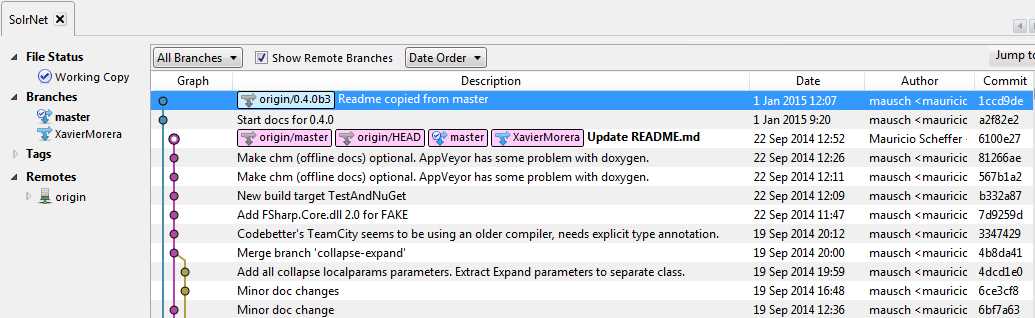
- SourceTree as Git client
There's an old URL in code.google.com; it’s the original repository that is still alive, but no longer maintained, so ignore it.
Once you have SolrNet, there are several ways to get it up and running. You will need Visual Studio. I have 2012, but it works with other versions as well, including Visual Studio Community.
SolrNet comes with a sample .NET application. You can use this as a base to create your own Solr application, or just as a testing ground for your Solr configuration and development.
It comes in the form of a standard ASP.NET MVC application. If you’re not familiar with ASP.NET MVC, you may have a few other concepts to learn to get started; the SampleSolrApp teaches you very well how to use SolrNet.
My usual workflow is to first open the main SolrNet project and build the solution, just to check that everything is present and working ok.
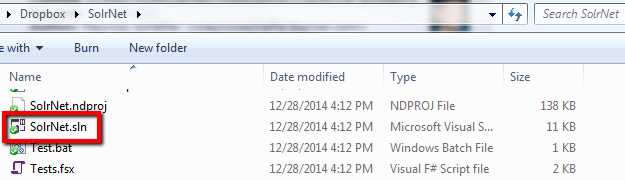
- SolrNet solution
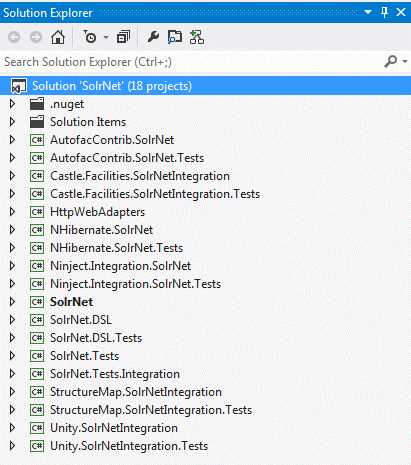
- SolrNet projects
If everything goes ok, you should get a successful build report.
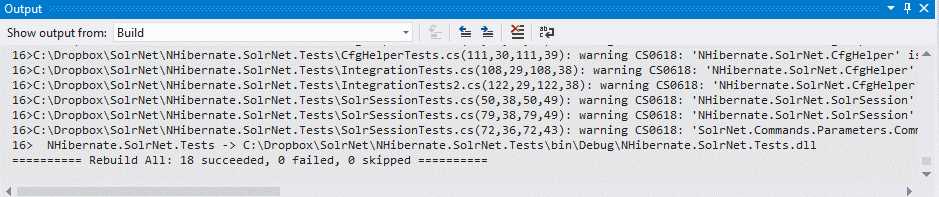
- Rebuild succeeded
Once you’re happy that SolrNet is working ok, close that project and open the solution for the sample application. As shown in the following figure, select to rebuild the solution as you did with SolrNet.
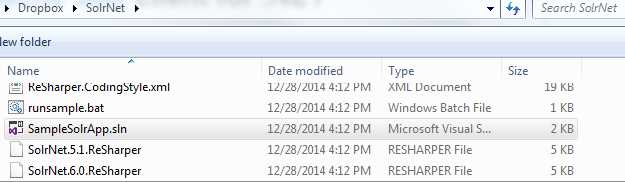
- Open SampleSolrApp
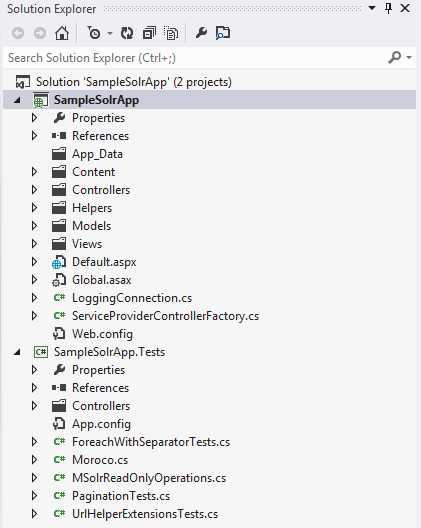
- Rebuild solution
At this point, you should expect to get some build errors in the solution.
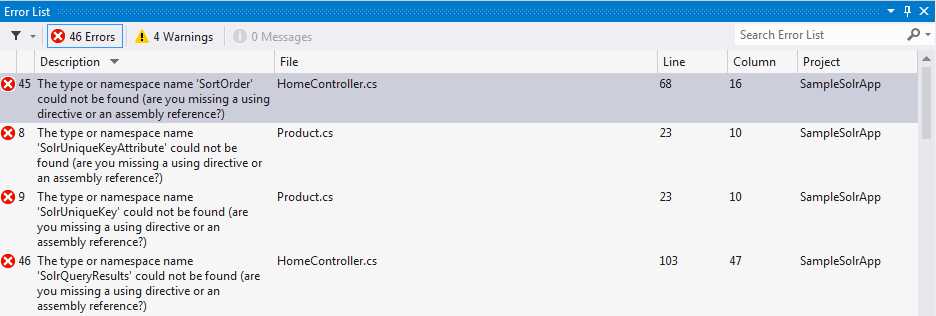
- Errors on rebuild
If you look in the project references, you’ll see that you need to re-link the newly rebuilt SolrNet assembly.
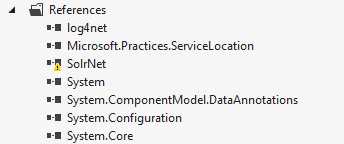
- Problem with SolrNet
I know this means there is a warning, so I hide my errors.
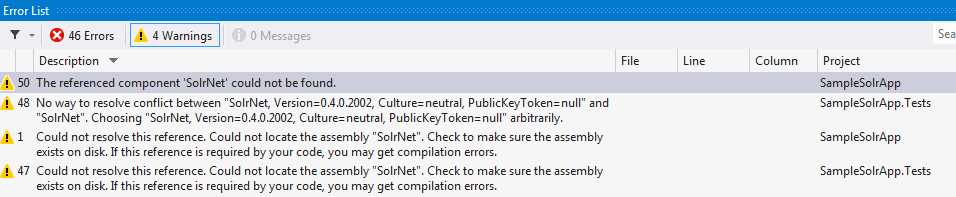
- Missing assembly
You can fix this by re-binding the reference to SolrNet.dll, which can be found in SolrNet\bin\Debug.
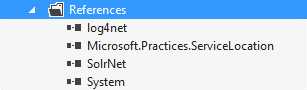
- Get assembly and problem solved
If you rebuild again after adding the reference, you'll find you still have a couple more things to fix.

- New errors with SolrNet.DSL
Add SolrNet.DSL from SolrNet.DSL\bin\Debug to fix the remaining issues, then rebuild and run.

- Rebuild successful for SampleSolrApp
If everything has worked, you should be greeted with the following web application:
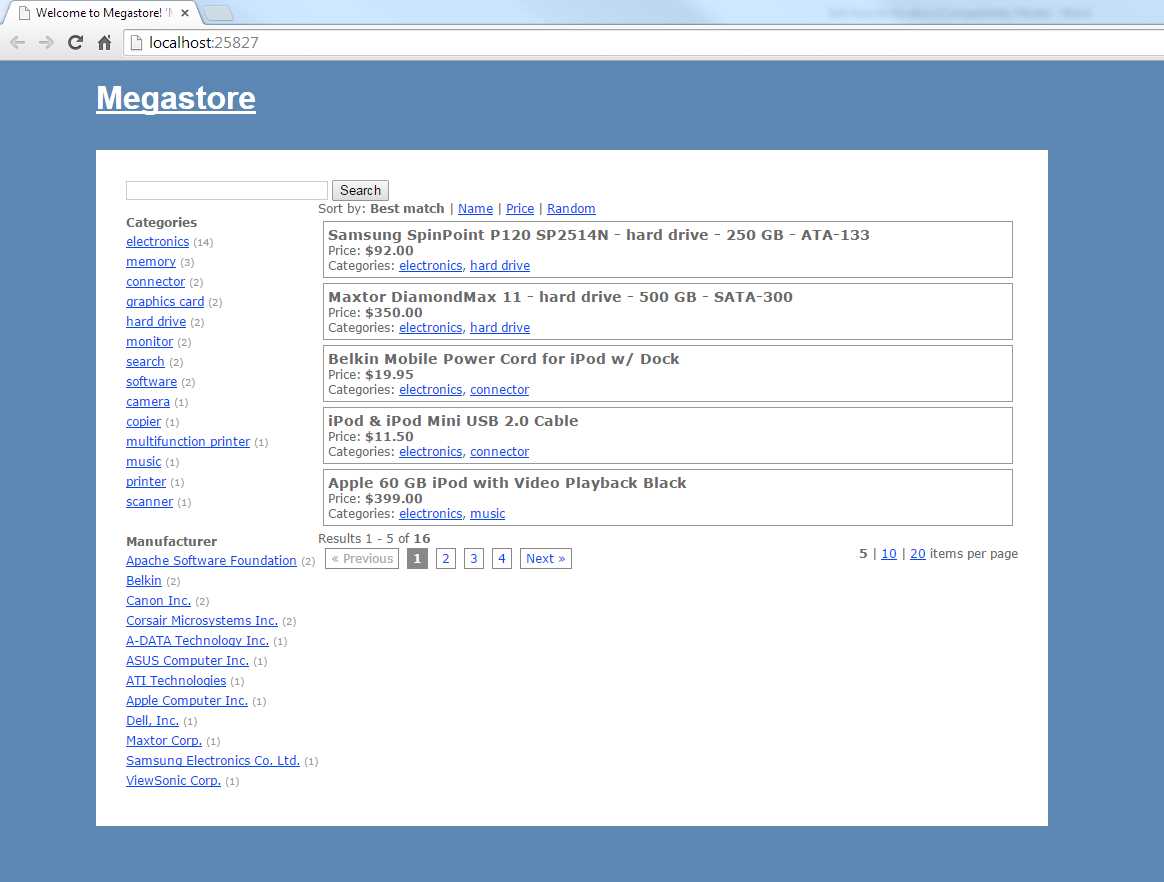
- SampleSolrApp running
Go ahead and play around, run queries, and analyze responses. View how facets, paging, and items per page affect queries. Put in a breakpoint or two. Compare it with what you have in the Admin UI.
Making the Sample App Use Our Data
The sample is currently running against the default collection1. In the next few pages, I'm going to show you how easy it is to modify the SampleSolrApp so that it uses our succinctlybooks collection. In the process, we'll build our own custom UI for the Syncfusion Succinctly series.
I will give you an initial step and a few tips. Let’s get started.
- Make sure you have a running Solr instance populated with our sample succinctly data. If you need to rebuild, you can get a new install from my GitHub page athttps://github.com/xaviermorera/solr-succinctly.
- In the Web.Config of SampleSolrApp that's shipped with SolrNet, find the solrUrl key and change it to use the succinctly collection:
<add key="solrUrl" value="http://localhost:8983/solr/succinctlybooks" /> |
- At this point, if you run the SolrNet app, you will get an application error as follows:
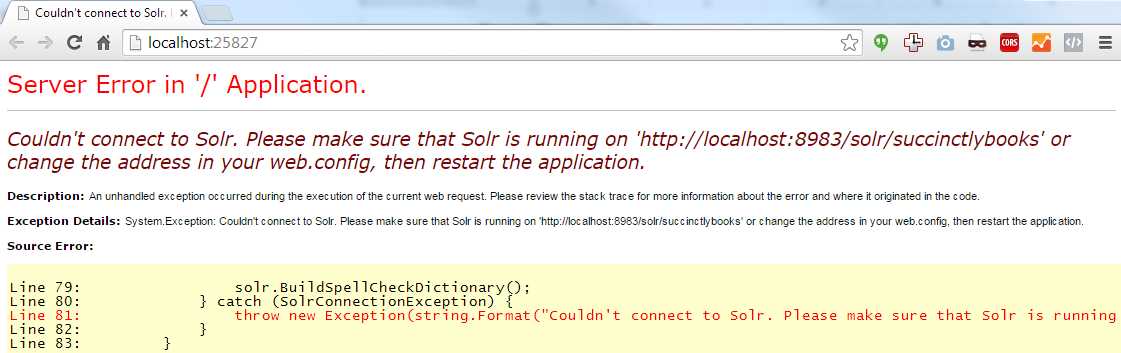
- Error connecting to Solr
- Open Solr’s log, and you will see the error. It all makes sense now. You are trying to read from succinctlybooks using collection1 schema. How do I know? Please look at the following figure. Solr did not tell me directly, but it hinted me in the right direction by stating "document is missing mandatory field bookid". I realized I had documents in my index that did not have the unique key, meaning that they are from another collection. It may seem hard at this moment, but once you get experience, you will be able to pick out these errors much easier.
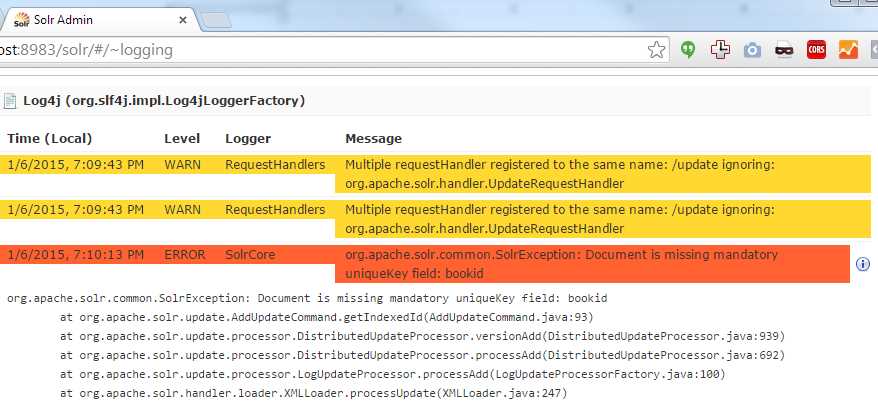
- Solr Log
- Don’t believe me completely? Use the best trick in the book while debugging: turn on Break on Exceptions. Quick access is via Ctrl+Alt+E in Visual Studio. Visual Studio does not tell you when an exception is raised and caught. However, if you turn on Break on Exceptions, you will be prompted whenever any exception occurs in the exact line.

- Turn on Break on Exception
Now you can clearly see that the real exception is being masked.
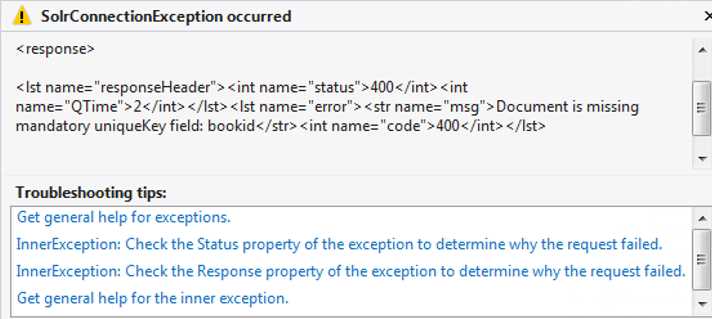
- The real exception
If you've gotten to this point, you are on the right path. Here are a few tips on next steps:
- The sample apps uses a function called AddInitialDocuments to populate with sample data. We don’t need it in the succinctlybooks collection, so comment it out.
- You need to modify your POCO to match your Solr schema.xml. It is currently defined in Product.cs, as shown in the following figure.
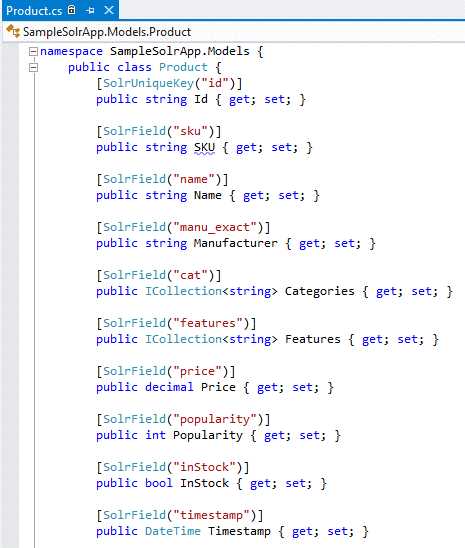
- POCO
- You need to modify the facets to load only those that are related to succinctlybooks, and not collection1.
- Make sure you use only your fields from your collection.
Finished? Commit your branch if you want!
Summary
In this section, we have learned how we can add a user interface to our Solr search engine. The first option was using the Velocitas response writer, which is built into the downloaded Solr. The second option was using the SolrNets sample application. It's not a finished, full-blown application, but this is an excellent start for something that might make you some money—or save you some money.


- 1800+ high-performance UI components.
- Includes popular controls such as Grid, Chart, Scheduler, and more.
- 24x5 unlimited support by developers.