
Ansible Succinctly®

CHAPTER 8
Running Ad-Hoc Commands
One of the easiest ways to interact with the hosts defined in the inventory is to run ad-hoc commands. An ad-hoc command is a one-time, quick, and easy operation—but in general, not reusable.
There are several tasks that are rarely repeated, so in that case, it’s not that efficient to create playbooks. These can be whatever comes to mind, from rebooting servers or simply checking that the servers are up by using the ping command.
To run Ansible ad-hoc commands, we will directly use the ansible command line tool. The command looks like the following.
Code Listing 39: Ad-hoc command template
$ ansible [pattern] -m [module] -a "[module options]" |
- Pattern defines the specific host or group of hosts as defined in the inventory against which we’d like to run the command.
- Module defines the command to be executed. This can be a simple ping command or something way more complex. Executing modules is idempotent (they only make changes if the change is needed). We are going to see a few examples of commands to understand this better.
You can retrieve the full list of available commands by running the following command.
Code Listing 40: Retrieving all modules
$ ansible-doc -l |
There is a large amount of information retrieved; therefore, you can simply filter out the commands and retrieve what you need by using the grep command.
Code Listing 41: Retrieving all modules filtering for ping
$ ansible-doc -l | grep ping |
Documentation for a particular command is also available, and we can look for it by using the following command.
Code Listing 42: Retrieving ping documentation
$ ansible-doc ping |
The result is shown in Figure 24.

Figure 24: Ping documentation
Some modules need some arguments to be passed to them, and for this we can supply them by specifying the -a option. For instance, Ansible has a module called command, which executes whatever command we want directly on the remote host.
Example command: ping
Let’s run an example. We can run the ping command—this time not as a module, but as an argument passed to the command module.
This will log in to the remote host, execute the ping www.microsoft.com -c 2 command from the remote host, and return the result.
Code Listing 43: Inventory file to use in the example
[webservers] 192.168.3.160 192.168.3.161 |
And the ansible.cfg file as follows.
Code Listing 44: Ansible.cfg with web servers
[defaults] Inventory = ./inventory |
Now, in the directory where we placed the two files, we can run the following command to ping the web servers.
Code Listing 45: Pinging www.microsoft.com from web servers
$ ansible webservers -m command -a "ping www.microsoft.com -c 2" |
We can see that two results are returned, one per web server (as we have specified two web servers as the target of the module).
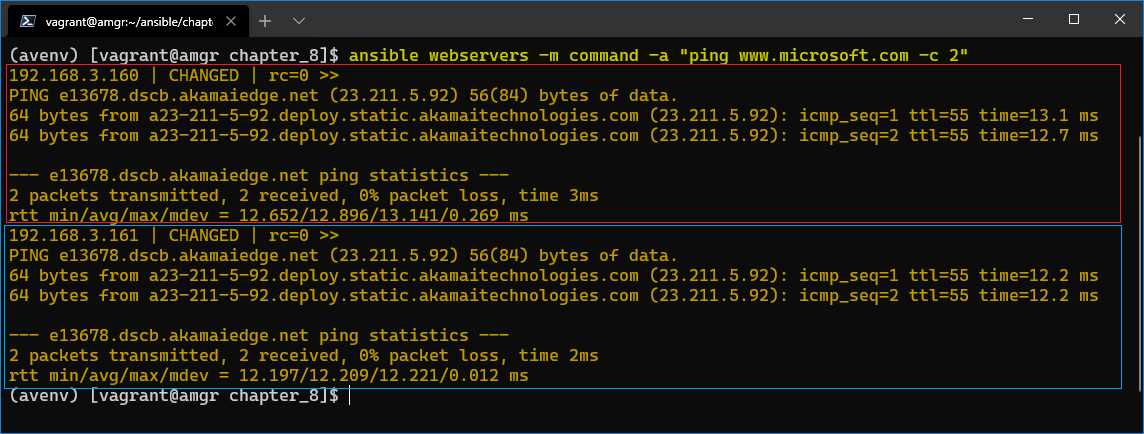
Figure 25: Pinging www.microsoft.com from web servers
Let’s see how this is different from running the ping module.
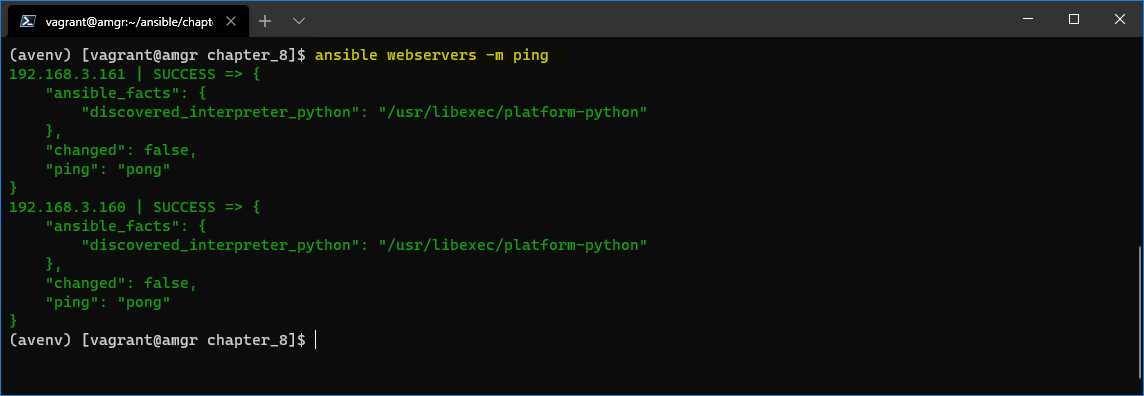
Figure 26: Pinging web servers
Here we can also see two results, but this time the amgr is pinging the webservers (web160, web161) rather than the webservers themselves pinging www.microsoft.com.
Example command: service
Another very useful module is the service module. We can check the documentation to see what this module all about.
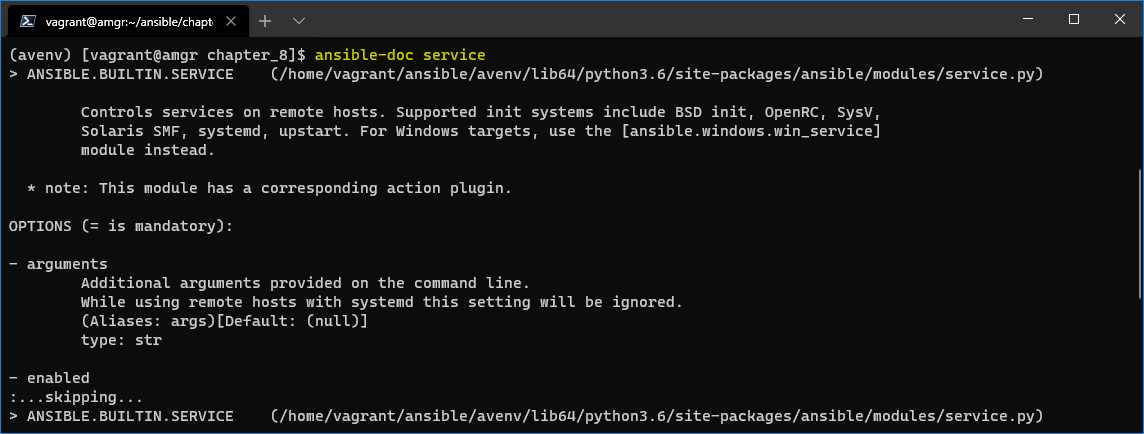
Figure 27: Service module documentation
The documentation says that it controls services on remote hosts. This means that we are able to control the status of services on a given host, such as by stopping or (re)starting the service.
In the next example, we are issuing a service command to restart sshd service running on the web servers.
If there is need for elevated rights, the -b option can be specified directly in the command line. This option is the same as when specifying become=True in the ansible.cfg file (which we have encountered previously).
Code Listing 46: Restarting sshd service on remote host
$ ansible webservers -m service -a "state=restarted name=sshd" -b |
The following is the content of the ansible.cfg if we’re not supplying the -b option.
Code Listing 47: Ansible.cfg with become option specified
[defaults] Inventory = ./inventory deprecation_warnings = False [privilege_escalation] become=True |
Common modules
In the previous examples, we have seen how to use ad-hoc commands. Ansible offers many modules that could be used. The following sections cover some of the most common ones.
Ansible built-in modules
The following list is just an extract of the most-used modules. These modules are idempotent, which means that the operation, action, or request can be applied multiple times without changing the result (state of the system).
Table 7
apt | Manages apt-packages; useful for managing Linux distributions using apt. |
yum | Manages yum packages; useful for managing Linux distributions using yum. |
dnf | Manages dnf packages; useful for managing Linux distributions using dnf. |
copy | Copies files to remote location. |
file | Manages files and file properties. |
get_url | Downloads files from http, https, or ftp to node. |
git | Deploys software or files from git checkouts. |
reboot | Reboots a machine. |
user | Manages user accounts. |
The full list of modules is available in the official Ansible documentation.
Command modules
In addition to using the built-in Ansible modules, you can run commands directly on the managed hosts. Those are very handy if there are no specific modules built for Ansible, but in general, the advice is to use the Ansible ones if possible.
These modules are not idempotent! In other words, issuing multiple identical commands may not have the same effect as issuing a command once.
Table 8
command | Runs a single command on the remote system. |
shell | Runs a command on the managed host system’s shell. |
raw | Runs a command directly using the remote shell and bypasses the module subsystem, which is useful when the remote system cannot have Python installed. |
Idempotent modules
We have already mentioned that Ansible runs the ad-hoc commands in an idempotent way. As is stated in the Ansible documentation:
“An operation is idempotent if the result of performing it once is exactly the same as the result of performing it repeatedly without any intervening actions.”
Let’s demonstrate this concept by using the group module, which creates a user group on the managed host, (in our case, web servers).
We have learned that we can investigate the documentation and check the options (arguments) the group command supports by running the ansible-doc group command-line command.
We can see that group supports several arguments:
- name: A mandatory argument that specifies the name of the group to be added or removed.
- state: An optional argument that can be either absent or present. If absent is specified, we will instruct Ansible that the final state of the group on the managed host should be, indeed, absent (removed). Otherwise, it will be present, which is the default value.
Code Listing 48: Create app_users group on webservers
$ ansible webservers -m group -a "name=app_users state=present" -b |
The result of running the command is shown in the following figure. We can see that the result of the command was CHANGED. This means that a change has been applied to the managed host. The changed property is also set to true, which tells us that the change has been applied, so the state of the system has changed.
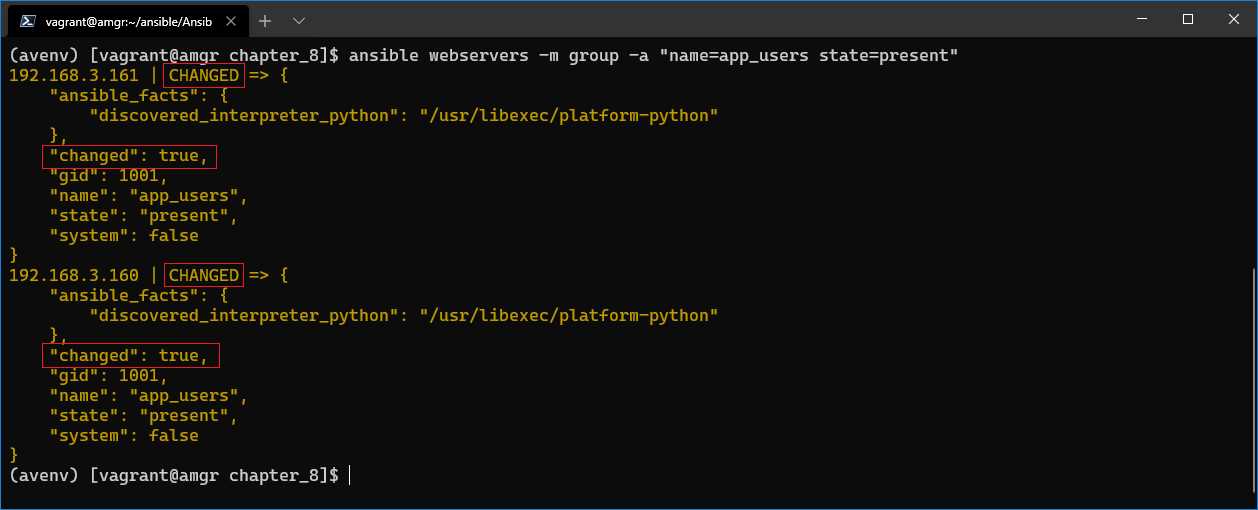
Figure 28: Result of create app_users group on webservers
However, if we rerun the same command, the message we see is another one. You can see that the command was successful (SUCCESS), but the changed property is false. This means that the command executed didn’t apply any change on the managed host.

Figure 29: (Re)running the command
Because this command is idempotent, it didn’t change the state of the managed machine by running the same command twice.


- 1800+ high-performance UI components.
- Includes popular controls such as Grid, Chart, Scheduler, and more.
- 24x5 unlimited support by developers.