
Ansible Succinctly®

CHAPTER 13
Ansible Runtime Facts
When executing playbooks, Ansible retrieves certain information and stores it for possible reuse. Information returned in Ansible terms are called facts.
We can utilize and reuse this information to decide on taking certain actions or simply use this information in the configuration when deploying some artifacts to other systems. A typical example is the IP address. We can retrieve one IP address from one system and reuse this information when configuring another system.
Code Listing 90: Retrieve and display facts
--- - name: Retrieving and displaying facts hosts: webservers become: yes gather_facts: true tasks: - name: Retrieve server information debug: var: ansible_facts |
In the example shown in Code Listing 90, we can retrieve all the information about the webservers in scope. Pay attention to the gather_facts: true, as this has to be enabled in order to retrieve the variables.
Before starting to execute the tasks, Ansible will have its own internal task that will indeed gather the information about the machines that are in scope for the given run.
Code Listing 91: Running playbook to retrieve facts
(avenv) [vagrant@amgr Code_Listing_90]$ ansible-playbook --limit web160 playbook.yml |
The output of this command is a long list of information provided.
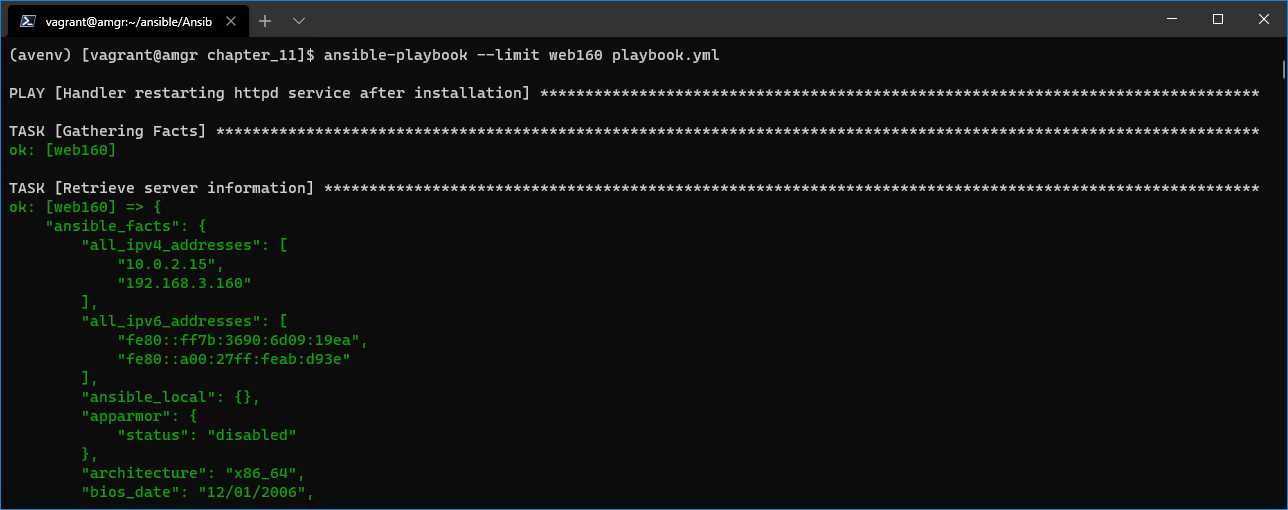
Figure 44: Ansible facts output
We can certainly obtain the individual values from the returned long list of values.
Let’s say that we would like to retrieve the Linux distribution and the first IP address from the server in question.
Code Listing 92: Retrieving individual values
--- - name: Retrieving facts individually hosts: webservers become: yes gather_facts: true tasks: - name: Retrieve server information debug: var: ansible_facts['distribution']
- name: Retrieve server information debug: var: ansible_facts['all_ipv4_addresses'].0 |
In the output, we can see that the distribution is CentOS and the private IP address (in this case) is 10.0.2.15. To obtain the first value from an array of values, we used the .0 notation.
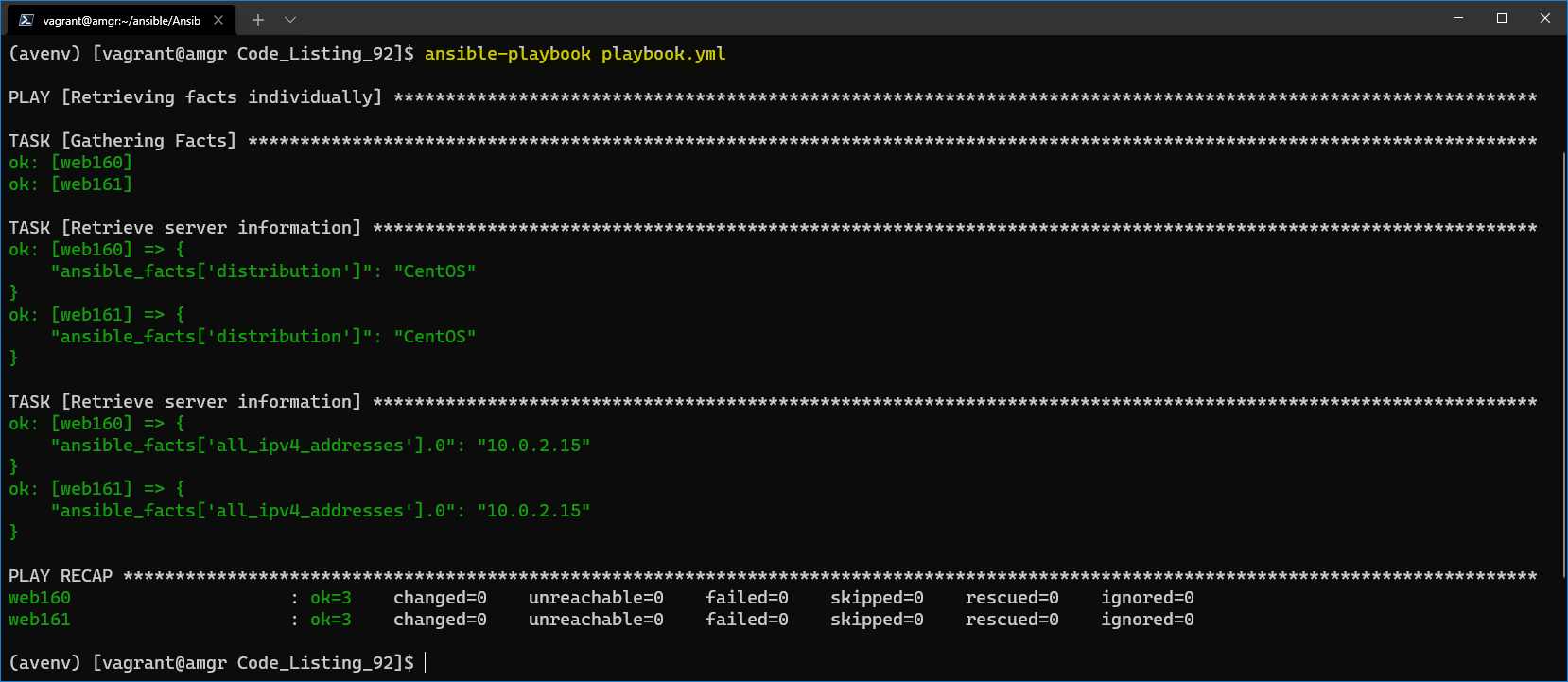
Figure 45: Result of retrieving individual facts
It’s now even more evident how we can use this information in the task, where we can decide whether to install a package given the distribution name of the host, or some other variables that might be useful to base the decision on.


- 1800+ high-performance UI components.
- Includes popular controls such as Grid, Chart, Scheduler, and more.
- 24x5 unlimited support by developers.