Free Online Floor Plan Creator – Design and Visualize Floor Layouts
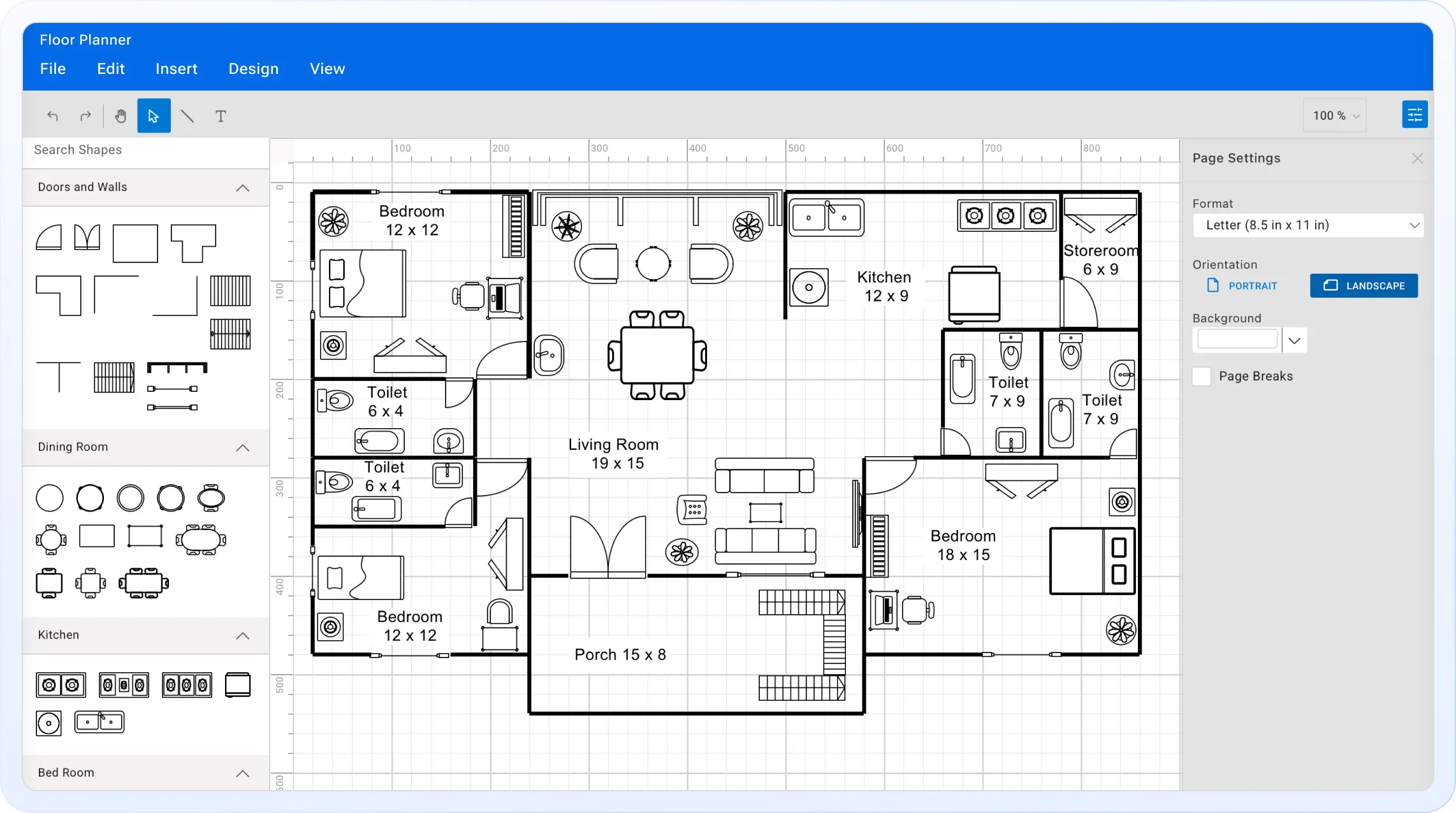
Create and customize floor plans effortlessly with our free online floor plan generator. Whether you're planning a home, office, or event space, our intuitive tools and prebuilt shapes make it easy to build professional layouts—directly in your browser. No downloads, installations, or signups required.
Trusted by the world's leading companies






Want to Add an Interactive Diagramming Experience to Your App?
Enhance your app with our powerful Diagram component for creating and customizing flowcharts, BPMN diagrams, org charts, mind maps, and more—all within your application.
Why Use Our Online Floor Planner?
Experience a complete space planning solution with smart alignment, customizable shapes, and real-time adjustments. Whether you're designing a home, office, or event layout, enjoy fast, accurate results—no setup, no hidden costs, and no learning curve.
Create Floor Plans
Design professional layouts with a simple drag-and-drop. Use shortcuts and one-click tools to build structured floor plans for homes, offices, or events.
Ready-to-use Shapes
Choose from a wide range of predesigned shapes to create accurate, professional layouts efficiently. Easily adjust, rotate, and arrange elements to suit any space.
Smart Alignment Tools
Use built-in tools like grid snapping, rulers, and alignment guides to position shapes precisely and maintain a well-structured layout.
Custom Styling Options
Personalize your layout by modifying styles and adding visual elements like images and links for a clean, professional look.
Zoom, Pan, and Autofit
Control your view with smooth zoom and pan. Autofit helps you focus on the full layout in one frame.
Easy Exporting and Sharing
Export your designed layout as JPG, PNG, or SVG for seamless sharing.
Explore More Free Online Diagramming Tools
These intuitive visual tools help developers, designers, and professionals brainstorm, plan, and communicate ideas effectively. Whether mapping concepts, designing layouts, or building logic flows, these tools make it easy to bring ideas to life.
Diagram Builder
Create flowcharts, circuit diagrams, org charts, and mind maps with a drag-and-drop interface. Ideal for visualizing systems and processes.
Mind Map Maker
Create clear and structured visual maps to organize thoughts, ideas, and concepts for brainstorming, planning, or learning.
Org Chart Creator
Build clear organizational charts to represent team structures and hierarchies, enhancing clarity and collaboration across teams.
Logic Circuit Designer
Design, visualize, and test digital logic circuits for educational or engineering use, enabling better understanding and practical design analysis.
Frequently Asked Questions
Yes! All its features are available for free with no hidden charges or time limits.
No account is required. Just open the tool in your browser and start designing.
You can design home layouts, office spaces, event floor plans, and more.
Absolutely! Use the built-in shape library to add walls, doors, sofas, beds, tables, and other elements.
Use the snap-to-grid, rulers, and alignment guides to position elements with precision.
Yes, the tool supports smooth zooming and panning, along with autofit to view your entire layout.
Yes! You can undo or redo actions to refine your layout.
Definitely. You can adjust colors, textures, styles, and even add images or links for a rich visual experience.
You can export your layout in JPG, PNG, or SVG formats and share it anywhere.
It works on all major browsers, including Chrome, Firefox, Edge, and Safari.
Trusted by the Industry, Recognized
for Excellence
We don’t just say we’re great—independent awards and industry leaders back it up.
We are honored to be recognized for our product innovation, customer support, and overall excellence by top organizations worldwide.