Customized Context Menu for Docking Manager

Hello,

We are using Docking Manager in our application to achieve a layout similar to that shown in the image below.
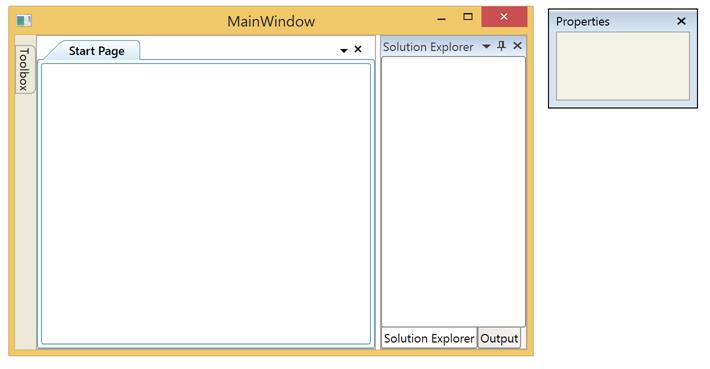

On the right click of the tab Header, a default context menu opens as shown in the image below-


Our requirement is to add a few customized menu items with icons in this Context Menu. 

Need help in achieving this.

tried with the following link but it did not work.

[https://www.syncfusion.com/kb/5679/how-to-edit-the-context-menu-for-dockwindow-in-dockingmanager]


Thank you.


1 Reply

BA BagavathiPerumal Apranandham Syncfusion Team July 13, 2022 01:22 AM UTC

Hi Mayur,


Please use DocumentTabItemContextMenuItems property to add custom context menu items for children in document state. Use ContextMenuItems for other states, such as the Dock state and float state. We have created a sample based on your requirement.


Please refer the documentation link below,

https://help.syncfusion.com/wpf/docking/mdi-tdi-functionalities#custom-context-menu-items-for-tab-item


Regards,
Bagavathi Perumal A


Attachment: DockingManagerCustomizedContextMenu_8ed0333f.zip

Loader.
Up arrow icon