How to add Css Animation on Page Transitions
5 Replies
1 reply marked as answer
RS
Renjith Singh Rajendran
Syncfusion Team
October 22, 2021 08:36 AM UTC
Hi Daniel,
Greetings from Syncfusion support.
We are not clear about this requirement. We need the following details to further proceed on this requirement. Kindly get back to us with the following details for better assistance.
- Share a video demo explaining your complete requirement of the animation you are expecting.
- Are you expecting css animations when switching between the Grid pages when enabling the Paging feature?
- Or are you expecting css animations when navigating between the web pages in the current page?
Please get back to us if you need further assistance.
Regards,
Renjith R
DA
Daniel
October 22, 2021 07:01 PM UTC
Hi, thanks for the response.
I'm expecting to have a animation when switching Grid Pages.
I have seen an example of animation when selecting a row in the Grid.
I would like to do some animation when changing the page, like a background transition
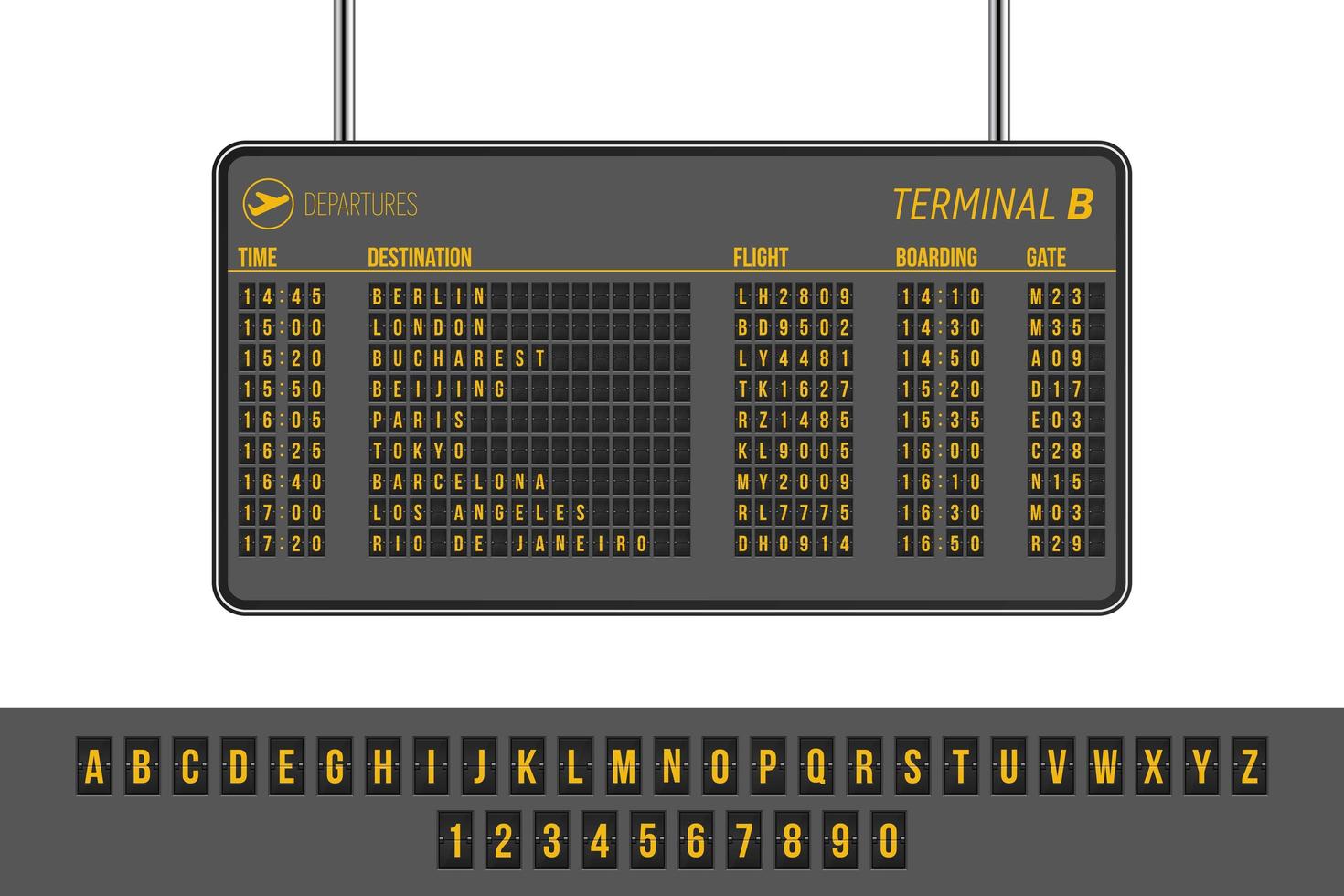
Have you ever seen those Airport panels? I have a requirement to do something look like.
The page is changing programmatically, so for the user notice the page has changed, adding some animation would be great.
RS
Renjith Singh Rajendran
Syncfusion Team
October 25, 2021 11:56 AM UTC
Hi Daniel,
We could see that you would like to customize each pages in Grid accordingly based on corresponding page numbers. Based on this scenario, we suggest you to apply styles for the Grid’s elements based on the CurrentPage value fetched from OnActionBegin event handler. Please refer and use as like the codes below,
|
@if (PageNumber == 1)
{
<style>
.e-grid .e-gridheader .e-headercell{
background-color: black;
color: yellow;
}
.e-grid .e-gridheader .e-headercelldiv{
font-size: 20px;
}
.e-grid .e-gridcontent .e-rowcell{
background-color: black;
color: yellow !important;
font-size: 20px;
}
</style>
}
@if (PageNumber == 2)
{
<style>
.e-grid .e-gridheader .e-headercell{
background-color: orange;
color: blue;
}
.e-grid .e-gridheader .e-headercelldiv{
font-size: 20px;
}
.e-grid .e-gridcontent .e-rowcell{
background-color: orange;
color: blue !important;
font-size: 20px;
}
</style>
}
public double PageNumber = 1;
public void OnActionBegin(ActionEventArgs<Order> args)
{
if (args.RequestType.Equals(Action.Paging))
{
PageNumber = args.CurrentPage;
}
}
|
We have also prepared a sample for your convenience, please download the sample from the link below,
Please apply styles accordingly based on your requirement.
Reference :
Please get back to us if you need further assistance.
Regards,
Renjith R
Marked as answer
DA
Daniel
October 25, 2021 01:41 PM UTC
Thanks for the answer
RS
Renjith Singh Rajendran
Syncfusion Team
October 26, 2021 03:57 AM UTC
Hi Daniel,
Thanks for your update. Please get back to us if you need further assistance.
Regards,
Renjith R
SIGN IN To post a reply.
- 5 Replies
- 2 Participants
- Marked answer
-
DA Daniel
- Oct 21, 2021 01:41 PM UTC
- Oct 26, 2021 03:57 AM UTC

