how to get a map list item and an item from outside the list?
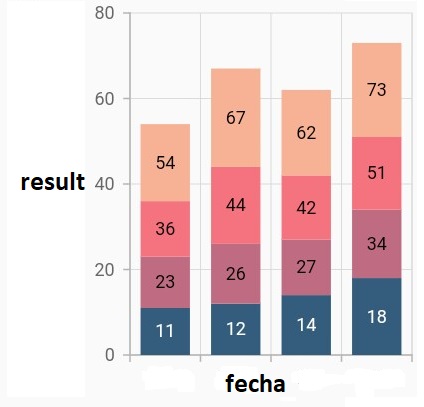
How can I create a bar graph taking as data, for the value of the X (fecha) and for the axis of the Y (result) the latter that is found within a list of maps?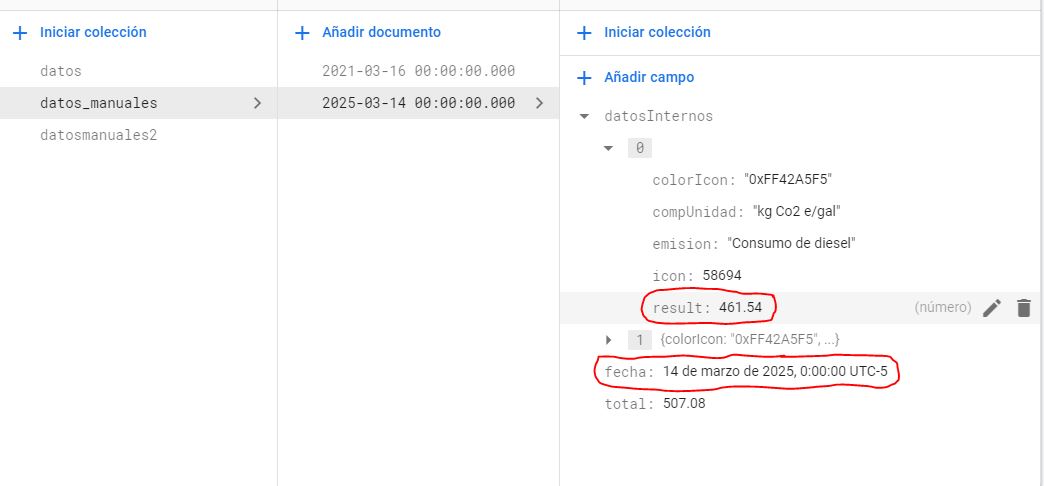
SIGN IN To post a reply.
7 Replies
DD
Dharanidharan Dharmasivam
Syncfusion Team
March 18, 2020 05:34 PM UTC
Hi Aldair,
Greetings from Syncfusion. We have analyzed your query and we have created data based on the screenshot you have shared which looks like below.

The data can be obtained as like below.
|
if (snapshot.hasData) {
List<ChartData> chartData = <ChartData>[];
for (int index = 0; index < snapshot.data.documents.length;index++) {
DocumentSnapshot documentSnapshot = snapshot.data.documents[index];
// Obtained the data here
chartData.add(ChartData(xValue: documentSnapshot.data['fecha'],
yValue: documentSnapshot.data['x'][0]['result']));
}
widget = Container(
child: SfCartesianChart(
series: <ChartSeries<ChartData, dynamic>>[
ColumnSeries<ChartData, dynamic>(
dataSource: chartData,
// Other configurations
],
));
}
|
We have attached the sample for your reference which can be found below.
Thanks,
Dharani.
AR
Aldair Ramiro Turizo Gamarra
March 18, 2020 06:07 PM UTC
thanks, what a good service
DD
Dharanidharan Dharmasivam
Syncfusion Team
March 19, 2020 06:25 AM UTC
Hi Aldair,
Most welcome. Kindly revert us if you have further queries, we are always happy in assisting you.
Thanks,
Dharani.
AR
Aldair Ramiro Turizo Gamarra
March 19, 2020 09:37 PM UTC
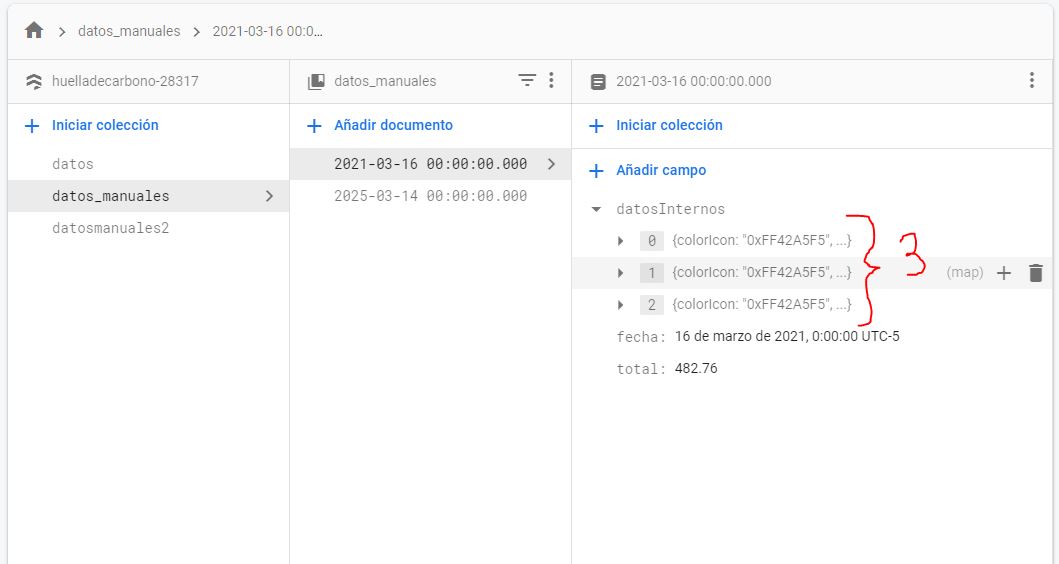
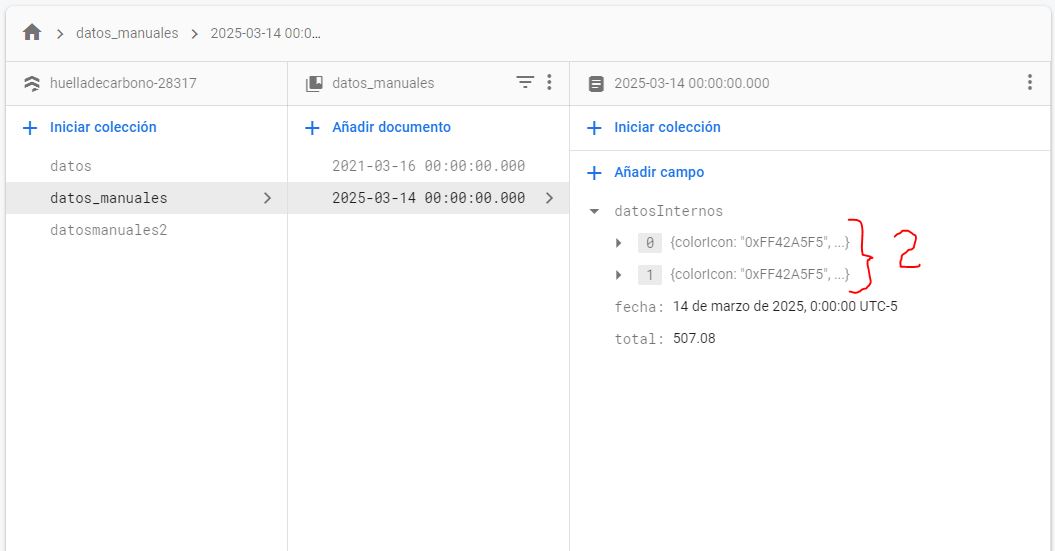
I have another question, the array (Internal Data) is not always the same length.
My array receives a maximum of 25 map type objects, but 25 data is not always received, for this reason I present this error, since the length of the array is not equal to the amount of data that I specify in the code.
I hope you understand me and can help me.
in this document the list (internal data) has 3 objects
in this document the list (internal data) has 2 objects
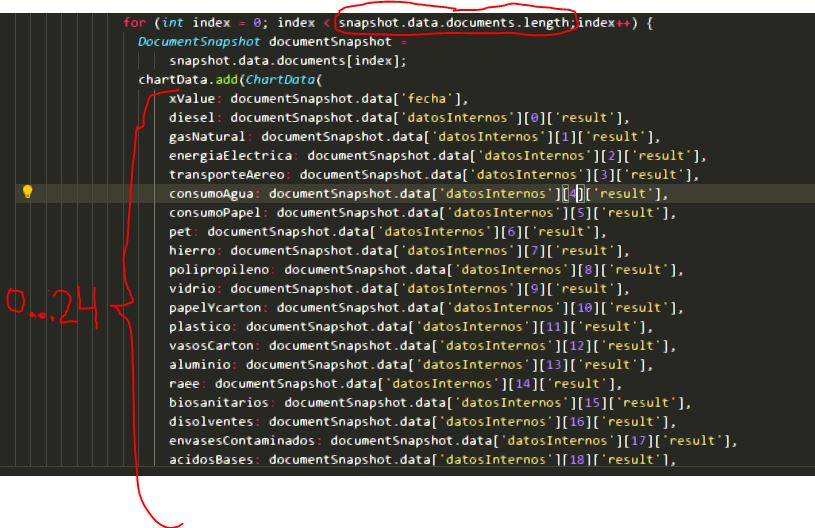
Error

DD
Dharanidharan Dharmasivam
Syncfusion Team
March 20, 2020 09:11 AM UTC
Hi Aldair,
On analyzing the provided screenshots, we suspect that the x values(fecha) are the same and for different y value(result), you need to add stacked column series. If so, then we can achieve your requirement by adding the series dynamically based on the datosInternos (this variable name reference from the provided screenshots) length. Find the code snippet below to achieve this.
|
dynamic seriesColllection;
if (snapshot.hasData) {
seriesColllection = <ChartSeries<ChartData, dynamic>>[];
for (int index = 0; index < snapshot.data.documents.length;index++) {
DocumentSnapshot documentSnapshot = snapshot.data.documents[index];
List<dynamic> yList = documentSnapshot.data['x'];
for (int i=0; i< yList.length; i++){
List<ChartData> chartData = <ChartData>[];
//Get data here
chartData.add(ChartData(xValue: documentSnapshot.data['fecha'],
yValue: documentSnapshot.data['x'][i]['result']));
//Initialize the series
seriesColllection.add(
StackedColumnSeries<ChartData, dynamic>(
dataSource: chartData,
//Other configurations
);
}
}
widget = Container(
child: SfCartesianChart(
series: seriesColllection,
//Other configurations
));
}
|
Our data source will be as below.

Screenshot:

The sample for reference can be found below and this can be changed based on your requirement.
Thanks,
Dharani.
AR
Aldair Ramiro Turizo Gamarra
March 22, 2020 08:51 PM UTC
images are not displayed
DD
Dharanidharan Dharmasivam
Syncfusion Team
March 23, 2020 08:58 AM UTC
Hi Aldair,
We regret the inconvenience. There are some technical glitches with the uploaded images and it will be resolved soon. However, we have attached the database screenshot in zip format which can be found below.
Thanks,
Dharani.
SIGN IN To post a reply.
- 7 Replies
- 2 Participants
-
AR Aldair Ramiro Turizo Gamarra
- Mar 17, 2020 09:26 PM UTC
- Mar 23, 2020 08:58 AM UTC

