- Home
- Forum
- Xamarin.Forms
- Hide headers
Hide headers
Hello,
I would like to hide the headers of the datagrid. Is that possible?
Thank you.
SIGN IN To post a reply.
5 Replies
SK
Shivagurunathan Kamalakannan
Syncfusion Team
November 29, 2017 09:50 AM UTC
Hi David Perera,
You can hide the HeaderRow by setting SfDataGrid.HeaderRowHeight as 0. Please refer the below code example:
|
//Customizing header row height in SfDataGrid dataGrid.HeaderRowHeight = 0; |
Please refer the below UG link for more details:
Regards,
Shivagurunathan. K
DP
David Perera
November 29, 2017 12:19 PM UTC
Actually I want to hide the headers of the columns... I did now know that there could be headers for rows as well.
SK
Shivagurunathan Kamalakannan
Syncfusion Team
November 30, 2017 09:53 AM UTC
Hi David Perera,
Thanks for contacting Syncfusion support.
You can hide the headers of the columns by setting SfDataGrid.HeaderRowHeight to 0. I have attached the image for reference. Kindly refer the below code example
| //Customizing header row height in SfDataGrid dataGrid.HeaderRowHeight = 0; |
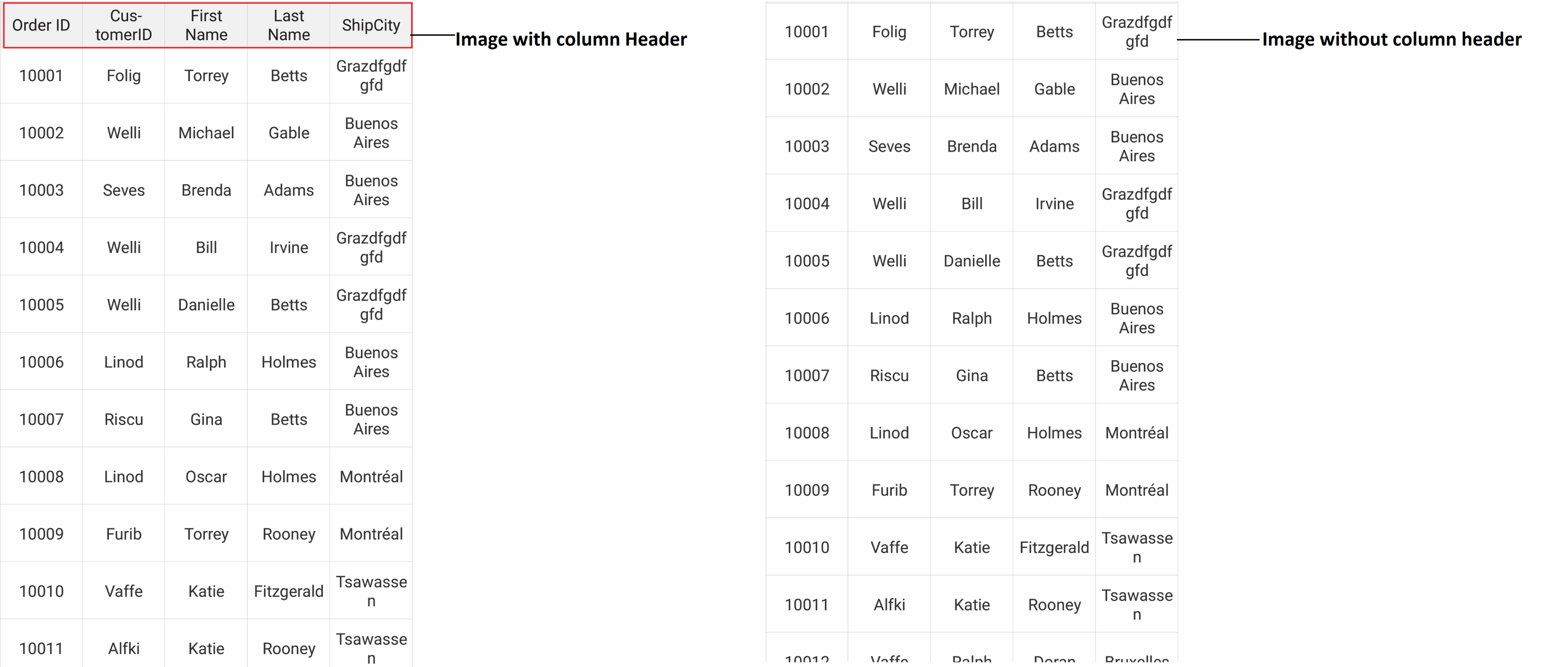 You can also hide the headers of the rows by setting SfDataGrid.ShowRowHeader to False. I have attached the image for reference. Kindly refer the below code example
 | //disabling of ShowRowHeader dataGrid.ShowRowHeader=False; //Enabling of ShowRowHeader dataGrid.ShowRowHeader=true; |
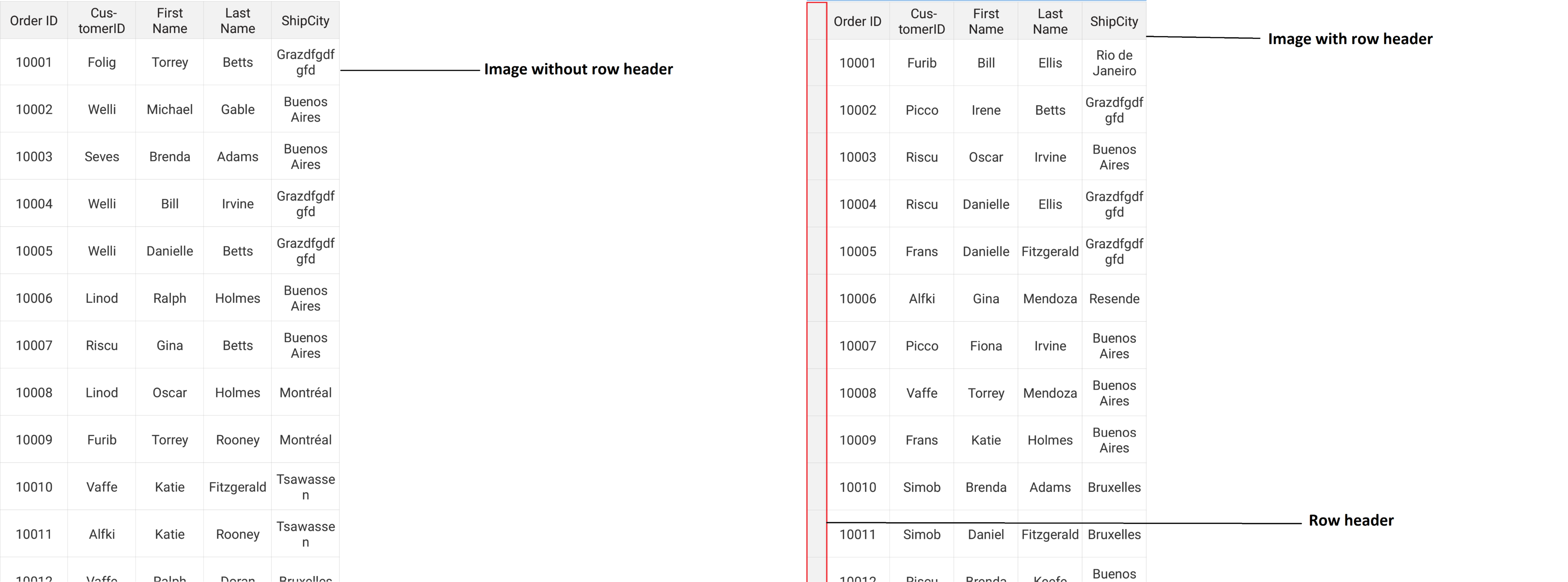
Regards,
Shivagurunathan. K
HE
Helmut
March 11, 2021 11:15 AM UTC
Is this a bug?
If I set the HeaderRowHeight to 0 in the sfDataGrid, I cannot select the first row in the grid.
In this case, the selection only works from the 2nd. row
KK
Karthikraja Kalaimani
Syncfusion Team
March 12, 2021 12:31 PM UTC
Hi Helmut,
We have checked the reported issue by applying HeaderRowHeight to 0. Unfortunately, we couldn’t able to reproduce the issue with SfDataGrid version 18.4.0.47 and Xamarin forms version 4.5.0.617 in our end. We have checked by manually selection on first row and used SelectedIndex property to Select the first row. In both cases, the issue is not occurs. So, could you please share the below details to check the issue and provide a better solution asap.
i) In which platform your are facing the issue ?
We have checked the reported issue by applying HeaderRowHeight to 0. Unfortunately, we couldn’t able to reproduce the issue with SfDataGrid version 18.4.0.47 and Xamarin forms version 4.5.0.617 in our end. We have checked by manually selection on first row and used SelectedIndex property to Select the first row. In both cases, the issue is not occurs. So, could you please share the below details to check the issue and provide a better solution asap.
i) In which platform your are facing the issue ?
ii) SfDataGrid complete configuration.
iii) Xamarin forms and SfDataGrid versions
Regards,
Karthik Raja
iii) Xamarin forms and SfDataGrid versions
Regards,
Karthik Raja
SIGN IN To post a reply.
- 5 Replies
- 4 Participants
-
DP David Perera
- Nov 28, 2017 05:49 PM UTC
- Mar 12, 2021 12:31 PM UTC

