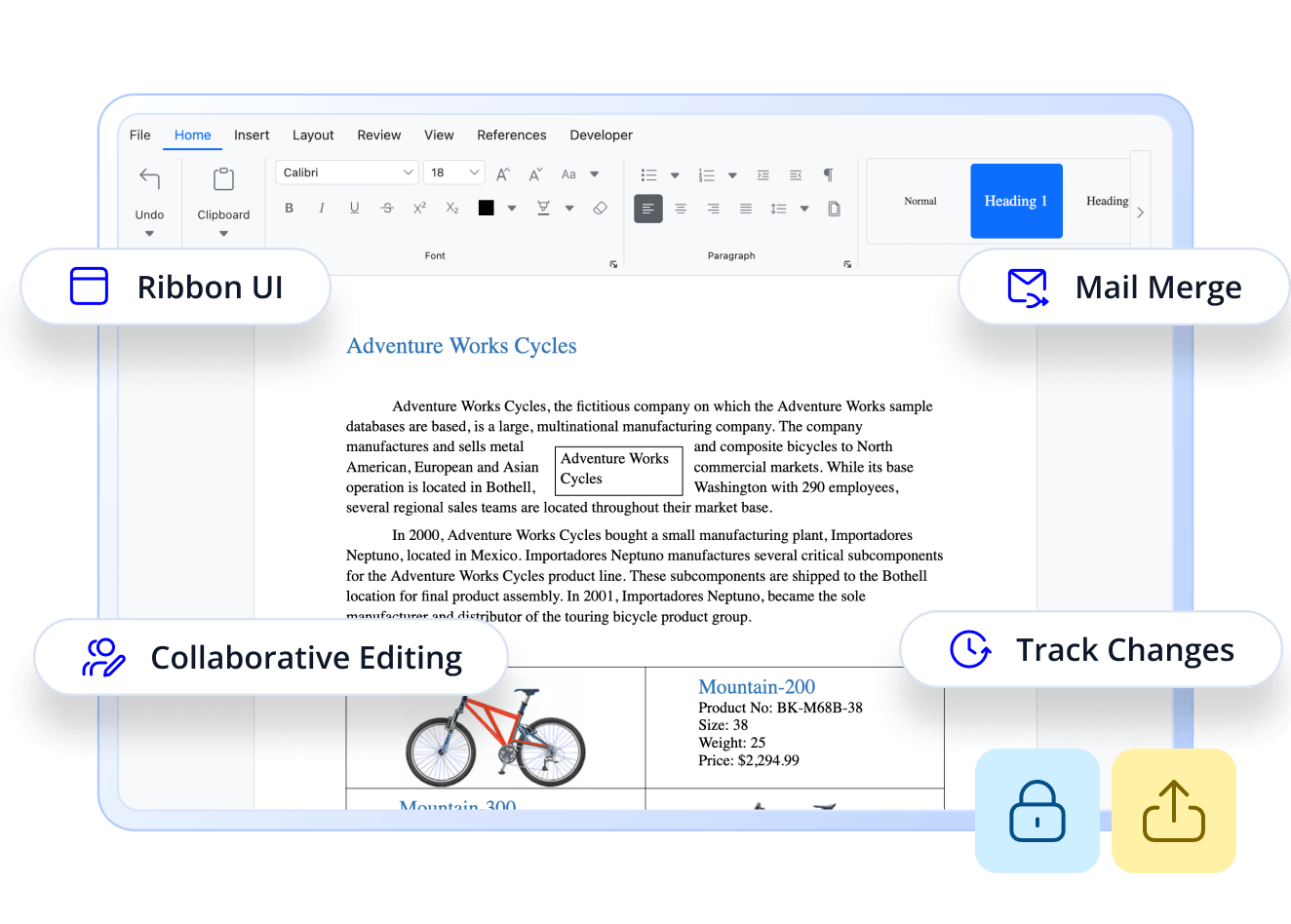
Looking for a Text Control Document Editor Alternative?
Advanced DOCX Editing with High-Performance Syncfusion React DOCX Editor
Easily embed a Microsoft Word-like editor into your React apps. Includes editing, formatting, track changes, comments, form fields, and printing—perfect for document-heavy workflows, collaboration, and content automation.
-
Up to 91% Faster Exporting
-
Up to 47% Lower Memory Usage
-
24/5 Premium Support
-
Up to 91% Faster Exporting
-
Up to 47% Lower Memory Usage
-
24/5 Premium Support
Trusted by the world's leading companies


Explore Syncfusion React DOCX Editor Demo
Syncfusion’s React DOCX Editor delivers Word-like editing with rich formatting, comments, track changes, and document protection. It supports collaborative workflows, export options, and UI customization—ideal for modern document-based web apps.
Performance Benchmark
Syncfusion React DOCX Editor outperforms Text Control in speed and scalability, especially in initialization, loading, and export operations.
Action with 100 pages
Syncfusion React DOCX Editor
Text Control Document Editor
Loading
Track Changes Loading
Exporting as DOCX (Client-side)
Export as HTML
Export as RTF
Memory Testing
Test Scenario
Syncfusion React DOCX Editor
Text Control Document Editor
Opening 50-page document
Opening 100-page document
Opening 200-page document
Opening 500-page document
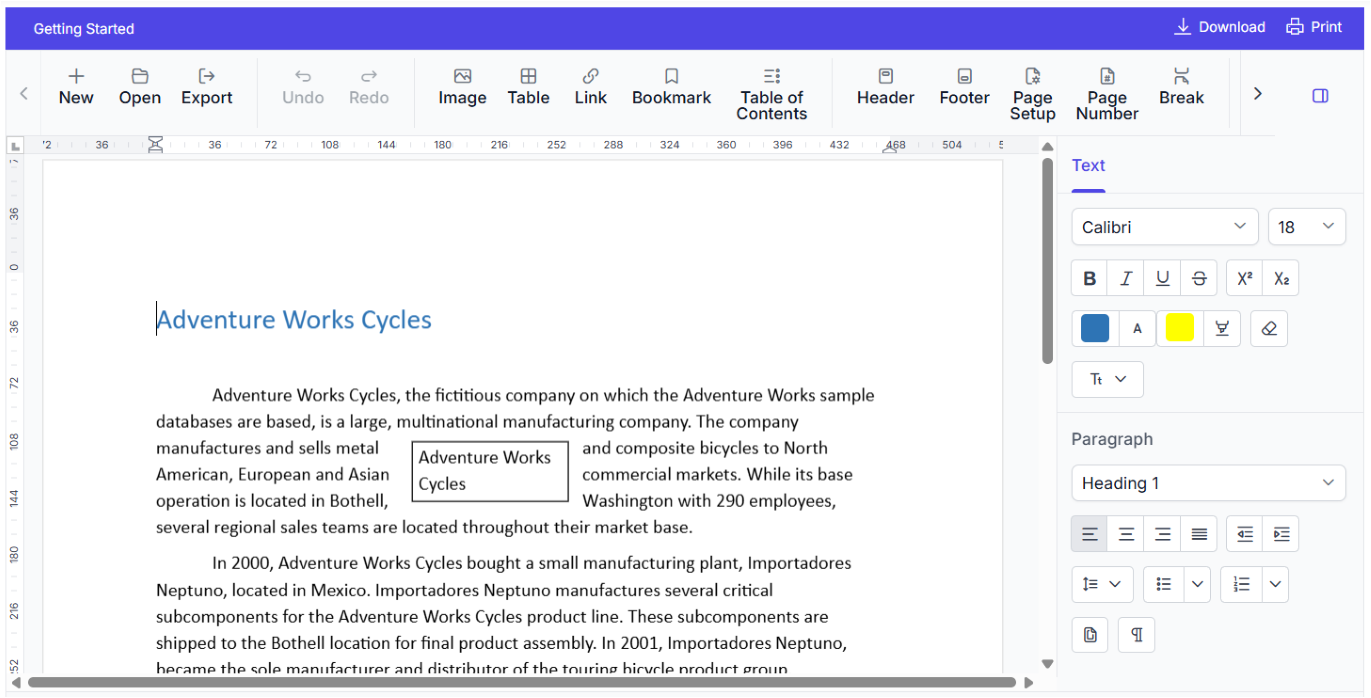
Rich Word-like Editing Experience
Provides a full-featured document editor with support for text formatting, tables, images, hyperlinks, and collaborative tools—offering a seamless experience similar to Microsoft Word within React applications.
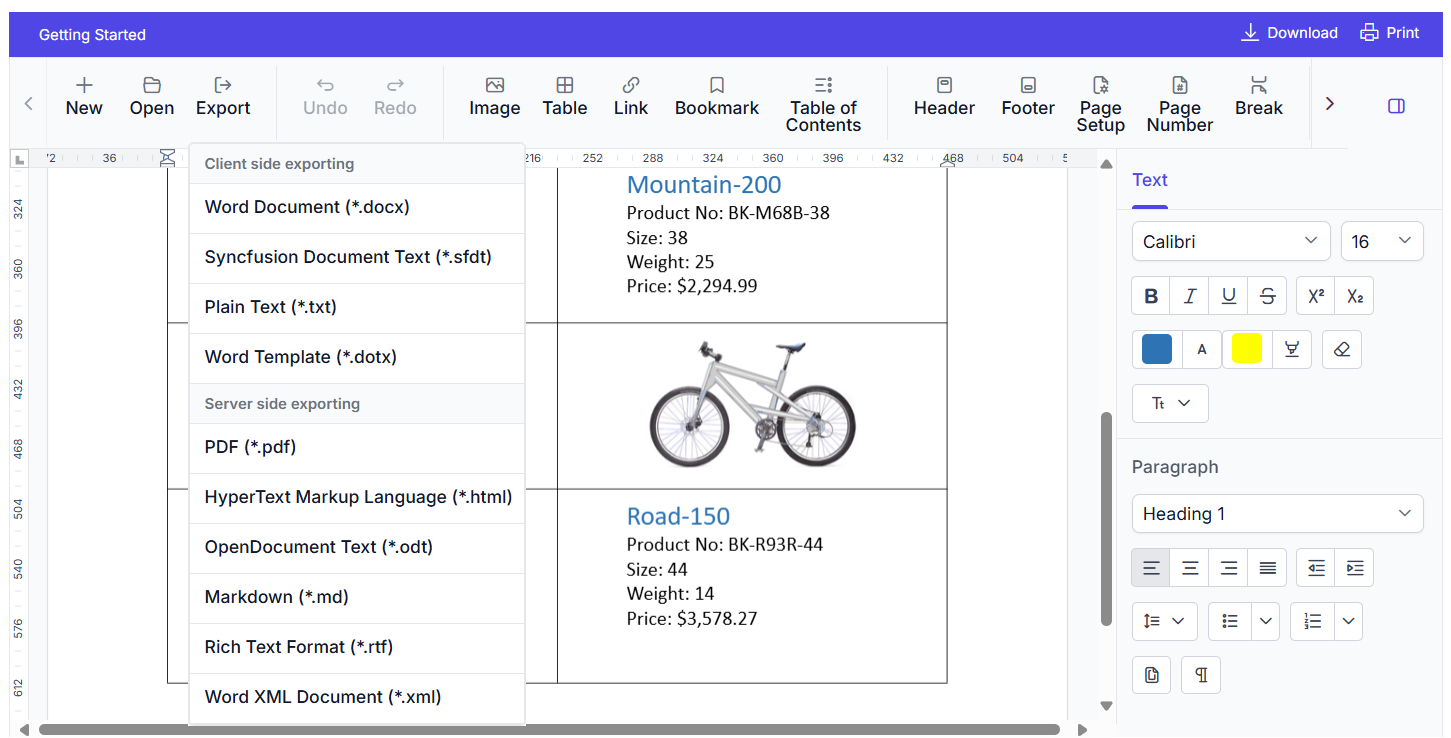
DOCX Import, Export, and PDF Conversion
Allows users to load, edit, and save documents in DOCX format, with options to export to PDF while preserving layout, styles, and embedded content.
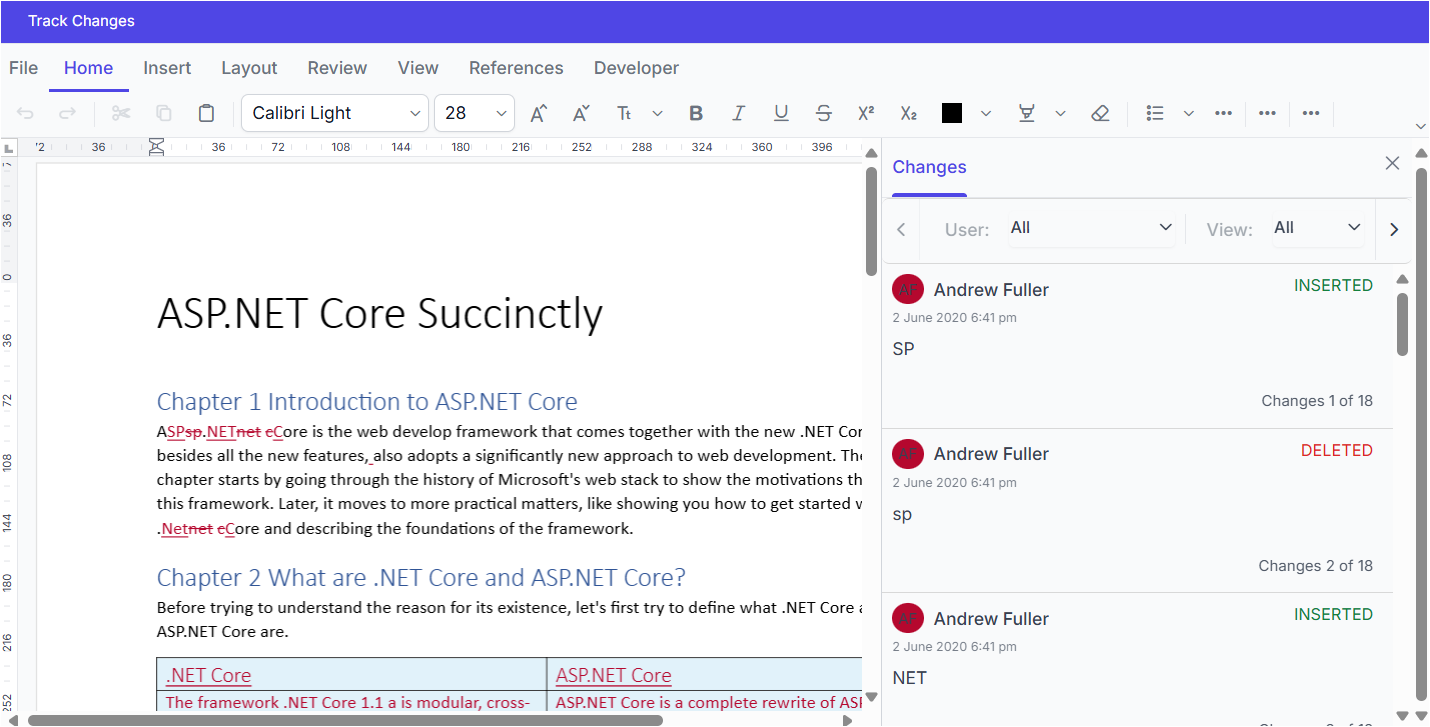
Track Changes and Commenting System
Enables collaborative editing with revision tracking, inline comments, and change management tools, making it ideal for team-based document workflows and reviews.
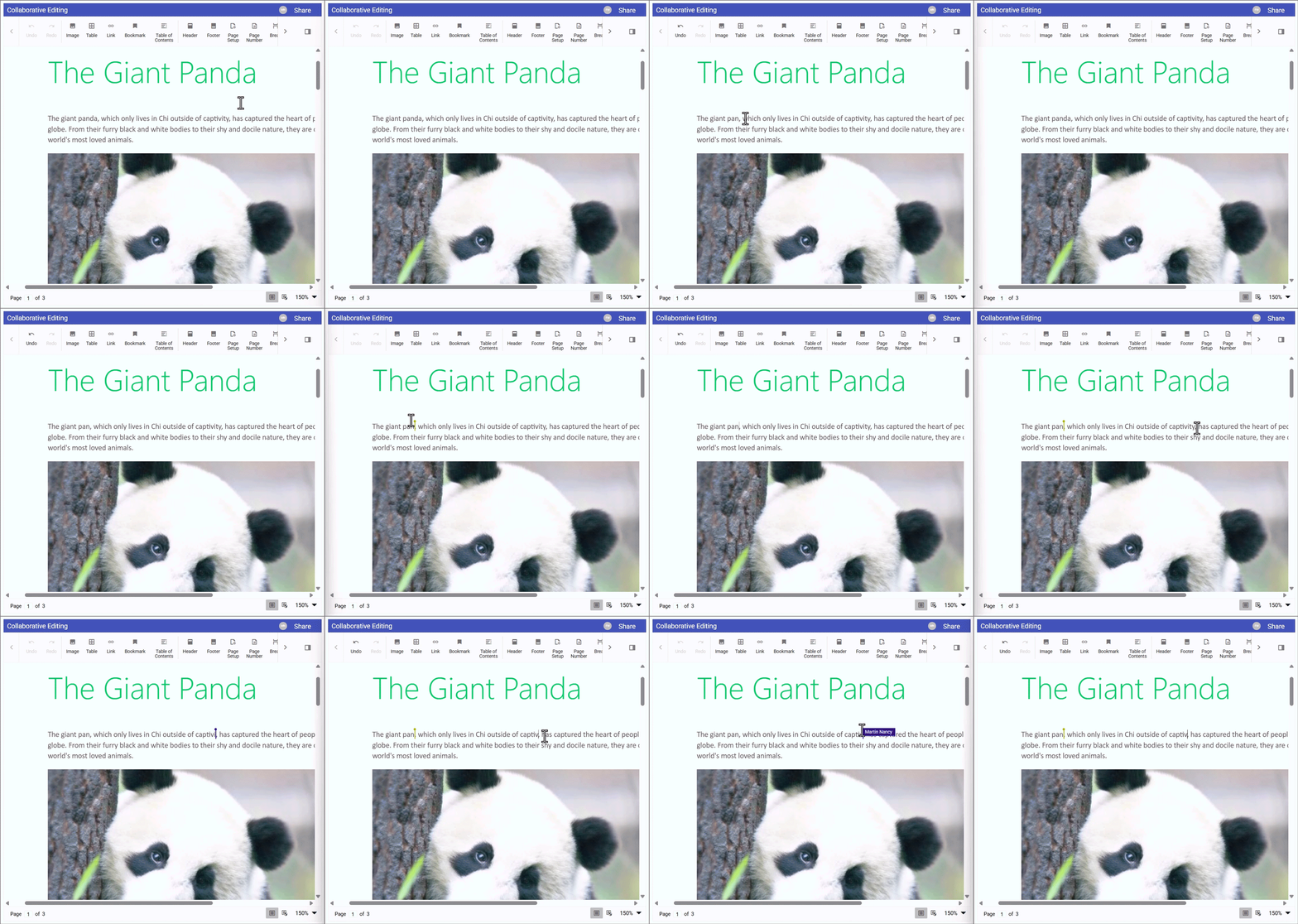
Real-time Collaboration
Multiple users can edit the same document simultaneously with live updates, cursor tracking, and conflict resolution, enhancing productivity in shared environments.
Built for Users Who Demand More
Designed for users who need powerful editing capabilities, seamless content integration, and global adaptability—enabling smarter, faster, and more personalized document experiences.
Why Syncfusion is the Right Pick for You?
24+ Years Proven
Mature, stable, and trusted by enterprises in mission-critical applications for nearly two decades.
Secure and Private
No external calls or data sharing—everything processes on your server for maximum security and compliance.
Continuous Development
Actively maintained with regular updates and feature enhancements based on real customer feedback.
Backed by Global Trust
Trusted by 1M+ developers, 36K+ companies, and 400+ Fortune 500 enterprises over 24+ years of innovation and excellence.
Microsoft Collaboration
We actively collaborate with Microsoft to advance the .NET developer ecosystem. Our free and open-source .NET MAUI Toolkit is a key contribution, empowering developers to build modern cross-platform apps with ease.
Enterprise-Proven Solutions
Our UI components power high-scale SaaS platforms, trusted to handle millions of user interactions daily. Syncfusion’s reliability is proven in our own enterprise products, including BoldDesk and BoldSign, solutions that are widely adopted and loved by customers across industries.
Developer Support That Never Lets You Down
Text Control offers limited features and slow support. Syncfusion solves this with broad platform support, fast assistance, and comprehensive examples.
Documentation
Easy-to-follow guides, detailed API references, and real-world code examples via GitHub, NuGet, and our official docs.
Dedicated support
Unlimited tickets and fast 24-hour guaranteed responses via live chat, forums, and our support portal.
Community Engagement
A thriving developer community, frequently updated samples, and constantly evolving documentation.
What Developers Say About Text Control — And How
Syncfusion Solves It
Developers struggle with real-time collaboration and affordable advanced features. Syncfusion solves this with intuitive multi-user editing, conflict resolution, and a free license packed with premium tools.
“It is somewhat confusing when everyone attempts to edit the document at the same time.”
— G2 userSyncfusion offers real-time collaborative editing with clear user presence indicators, conflict resolution, and smooth synchronization—making multi-user editing intuitive and reliable.
“It just doesn’t offer anything that other (potentially free) software offers in terms of editing your documents.”
— G2 userSyncfusion provides a feature-rich document editor with advanced formatting, collaboration, and export capabilities—in a affordable price. Its free community license makes powerful editing tools accessible to individual developers and small teams.
Feature-by-Feature Comparison
Choosing the right React DOCX Editor can transform your workflow. Here's how Syncfusion and Text Control compare key features:
Features
Syncfusion React DOCX Editor
Text Control Document Editor
MS Word-Inspired UI
Fully replicates MS-Word Native experience
Similar Functionalities, but may lack seamless integrations
Real-Time Collaboration
Supported
No built-in support
Commenting & Reviewing
Full comment management (add, reply, edit, delete, and resolve comments)
Lacks the ability to manage comments effectively
@Mentions in Comments
Supported
Lacks the ability to tag users, making directed collaboration less
Track Changes
Supported
Supported
Document Comparison
Built-in via .NET Word library
Supported, may need extra setup
Mail Merge
Built-in with .NET support
Supported, additional setup required
Document Protection
Extensive options (form-filling, region-based, etc.)
Available, fewer options
Form Design & Filling
Intuitive design, import/export support
Similar functionality
Content Control
Full support for structured content and restrictions
Not supported
Self-Hosting & Security
Open-source APIs, Docker support, allows self-hosting with full data privacy.
Cloud-based, no self-hosted backend available
Export Formats
DOCX, PDF, PDF/A, PDF/UA, Markdown, HTML, RTF
Limited to DOCX, PDF, RTF
Cross-Platform Compatibility
Broad support including Java backend, containers, all major browsers
Similar compatibility.
Accessibility & RTL Support
WCAG 2.1, Section 508, RTL, screen readers
Similar standards, VPAT documented
What Our Customers Say
Real feedback from developers who rely on Syncfusion every day.
G2 Recognition Highlights
Syncfusion
TX Text Control
Total User Reviews
613
02
Rating
⭐ 4.5 / 5
⭐ 1.3 / 5
Community Trust
Broad user base with proven satisfaction
Insufficient reviews to draw definitive conclusions.
Need more information?
Get detailed documentation, explore live demos, or speak with our experts to find the perfect solution for your needs.
Your All-in-One Solution for Web-Based Word Processing
From formatting to mail merge, Syncfusion React DOCX Editor empowers your apps with robust editing tools—start your free trial today.