
Syncfusion .NET MAUI DataForm - An Alternative to DevExpress .NET MAUI DataForm
Feature-Rich .NET MAUI DataForm with
Built-In Editors and Validation
Effortlessly build dynamic, customizable data entry forms in your .NET MAUI apps with Syncfusion DataForm. With built-in editors, real-time validation, flexible layouts, and seamless cross-platform support, it’s perfect for creating login screens, contact forms, employee records, and more. Enjoy intuitive customization, responsive design, and optimized performance across both mobile and desktop workflows.
-
Versatile Layouts
-
Comprehensive Editors
-
24/5 Premium Support
-
Versatile Layouts
-
Comprehensive Editors
-
24/5 Premium Support
Trusted by the world's leading companies


Explore Syncfusion .NET MAUI DataForm Demo
The .NET MAUI DataForm component streamlines dynamic form creation across platforms. It supports automatic field generation from data models, built-in validation, custom editors, and responsive layouts. With nested groups, real-time updates, and MVVM support, it’s perfect for onboarding flows, data entry apps, and enterprise-grade forms. Experience smooth rendering, memory-efficient performance, and flexible customization. See samples in action.
Linear and Grid Layouts
Supports both linear and grid layouts. Developers can control label positions, column counts, and field arrangements to create clean, responsive form designs.
Built-In and Custom Editors
The DataForm supports a wide range of built-in editors including text, password, combo box, autocomplete, and masked input. Developers can also create custom editors tailored to specific data types, enabling highly interactive and flexible form experiences.

Built-In and Custom Validation
Built-in validation ensures users enter correct data by displaying error messages for invalid input. Developers can define validation rules using attributes or custom logic, improving data integrity and user guidance.

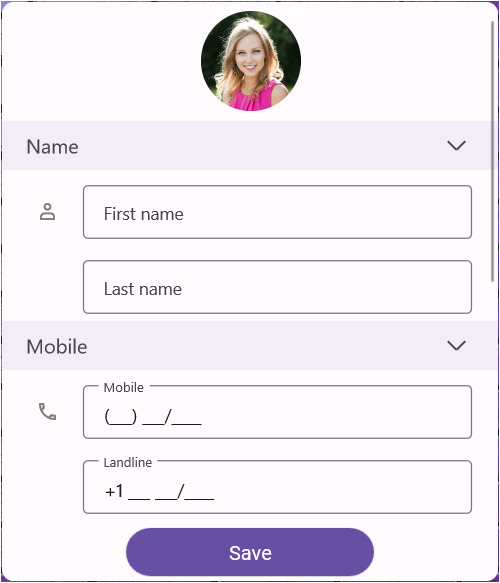
Group Related Fields for Better Organization
Allows related fields to be grouped visually and logically. Groups can be expanded or collapsed, and field order within groups is customizable.
AI-Powered Smart Forms
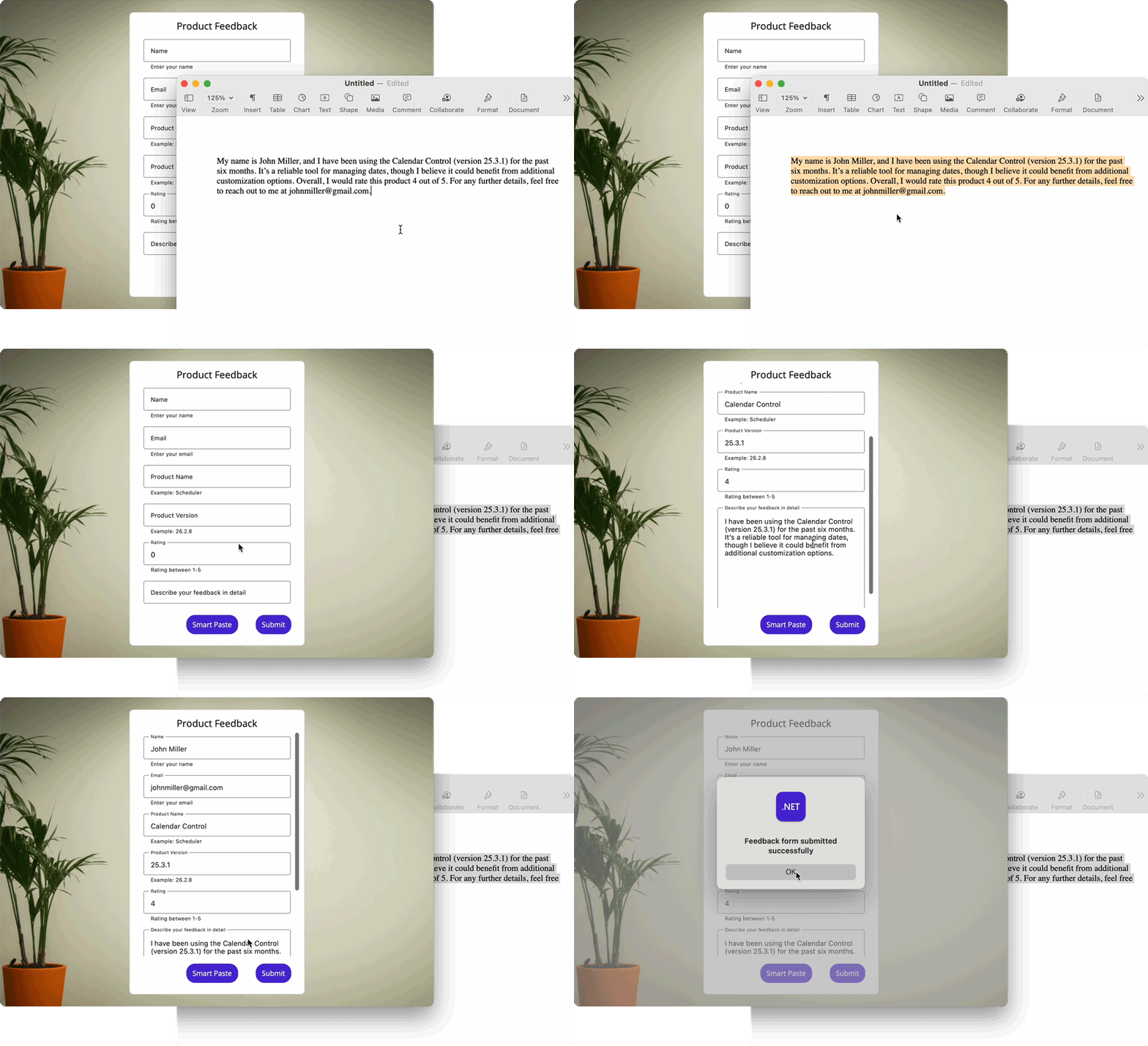
Uses Azure OpenAI to auto-generate fields, validate input, and guide users interactively through intelligent form logic, enabling dynamic field creation, real-time error prevention, and context-aware suggestions for a seamless user experience.
Build .NET MAUI DataForms with Ease
Create feature-rich forms with floating labels, commit modes, keyboard navigation, and read-only views, plus full accessibility, deep integration, and high performance in the .NET MAUI ecosystem.
Why Syncfusion is the Right Pick for You?
24+ Years Proven
Mature, stable, and trusted by enterprises in mission-critical applications for nearly two decades.
Secure and Private
No external calls or data sharing—everything processes on your server for maximum security and compliance.
Continuous Development
Actively maintained with regular updates and feature enhancements based on real customer feedback.
Backed by Global Trust
Trusted by 1M+ developers, 36K+ companies, and 400+ Fortune 500 enterprises over 24+ years of innovation and excellence.
Microsoft Collaboration
We actively collaborate with Microsoft to advance the .NET developer ecosystem. Our free and open-source .NET MAUI Toolkit is a key contribution, empowering developers to build modern cross-platform apps with ease.
Enterprise-Proven Solutions
Our UI components power high-scale SaaS platforms, trusted to handle millions of user interactions daily. Syncfusion’s reliability is proven in our own enterprise products, including BoldDesk and BoldSign, solutions that are widely adopted and loved by customers across industries.
Developer Support That Never Lets You Down
Documentation
Easy-to-follow guides, detailed API references, and real-world code examples via GitHub, NuGet, and our official docs.
Dedicated support
Unlimited tickets and fast 24-hour guaranteed responses via live chat, forums, and our support portal.
Community Engagement
A thriving developer community, frequently updated samples, and constantly evolving documentation.
Feature-by-Feature Comparison
Selecting the ideal DataForm control for your .NET MAUI application can greatly impact UI flexibility, feature richness, and development efficiency. Here's how Syncfusion and DevExpress compare across essential capabilities.
Features
Syncfusion .NET MAUI DataForm
DevExpress .NET MAUI DataForm
Editor Variety
Rich set of editors including checkbox, switch, picker, password, masked, autocomplete, currency, and percent.
Limited to basic editors such as text, date, time, and combo box.
Layout Options
Supports floating, linear, grid, and stack layouts.
Lacks stack layout support.
Advanced Editors
Includes numeric up-down, radio group, segment editor, and container types.
Not available
Validation & Commit Modes
Multiple validation modes, commit modes, and read-only support.
Available
Customization & Appearance
Full appearance customization, label positioning, hint/helper labels, and trailing/leading views.
Available
Grouping & Templates
Supports grouping, group header templates, and item reordering.
Lacks group header templates support
Data Binding & Attributes
Supports data annotations, custom attributes, and explicit item generation.
Available
Localization Support
Yes
Yes
Performance & Flexibility
Optimized for complex forms with many field types
Lightweight but less flexible
What Our Customers Say
Real feedback from developers who rely on Syncfusion every day.
Syncfusion Recognition Highlights
G2
Capterra
Total User Reviews
600+
800+
Rating
⭐ 4.5 / 5
⭐ 4.5 / 5
Need more information?
Get detailed documentation, explore live demos, or speak with our experts to find the perfect solution for your needs.
Enhance .NET MAUI Apps with DataForm
Syncfusion’s DataForm control provides built-in and custom editors, real-time validation, flexible layouts, and smooth data binding in a lightweight, efficient component.