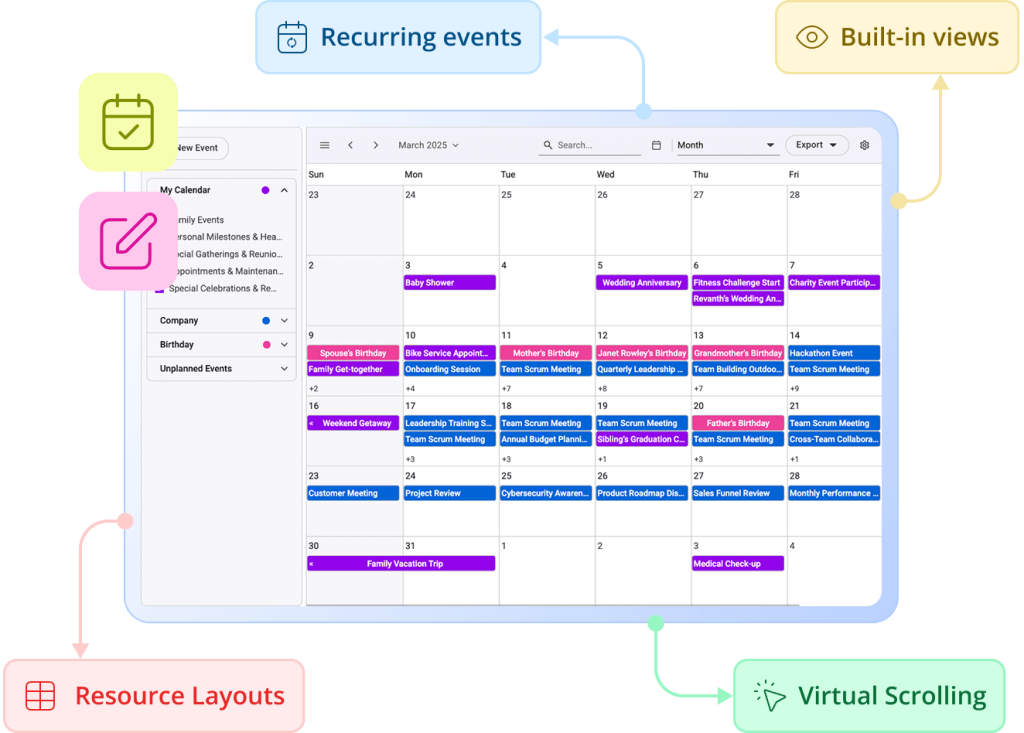
Looking for Telerik Blazor Scheduler Alternative?
Effortless Event Planning with Syncfusion Blazor Scheduler
Syncfusion Blazor Scheduler simplifies complex scheduling with interactive views, drag-and-drop appointments, and recurring event support. Its responsive design and timeline grouping make it ideal for building modern calendars and resource management apps.
-
Advanced Resource Management
-
Superior Editing Experience
-
24/5 Premium Support
-
Advanced Resource Management
-
Superior Editing Experience
-
24/5 Premium Support
Trusted by the world's leading companies


Explore Syncfusion Blazor Scheduler Demo
Syncfusion Blazor Scheduler is a full-featured calendar component for Blazor apps, supporting multiple views (day, week, month, timeline), event editing, drag-and-drop, recurring appointments, and resource grouping. It enables efficient time management for booking systems, project planning, and team scheduling. Features include responsive design, customizable templates, and timeline layouts. Ideal for dashboards, calendars, and scheduling tools. Try the live demo.
Performance Benchmark
Syncfusion Scheduler consistently outperforms Telerik Scheduler in Blazor Server environment, delivering significantly faster load and CRUD operations, especially under high event/resource loads, while also consuming less memory.
Week View (1000 Events)
Syncfusion Blazor Scheduler
Telerik Blazor Scheduler
Initial Load
Add Event
Update Event
Delete Event
Memory Usage (Initial Load)
Timeline Month (60 Resources & 1000 Events)
Syncfusion Blazor Scheduler
Telerik Blazor Scheduler
Initial Load
Add Event
Update Event
Delete Event
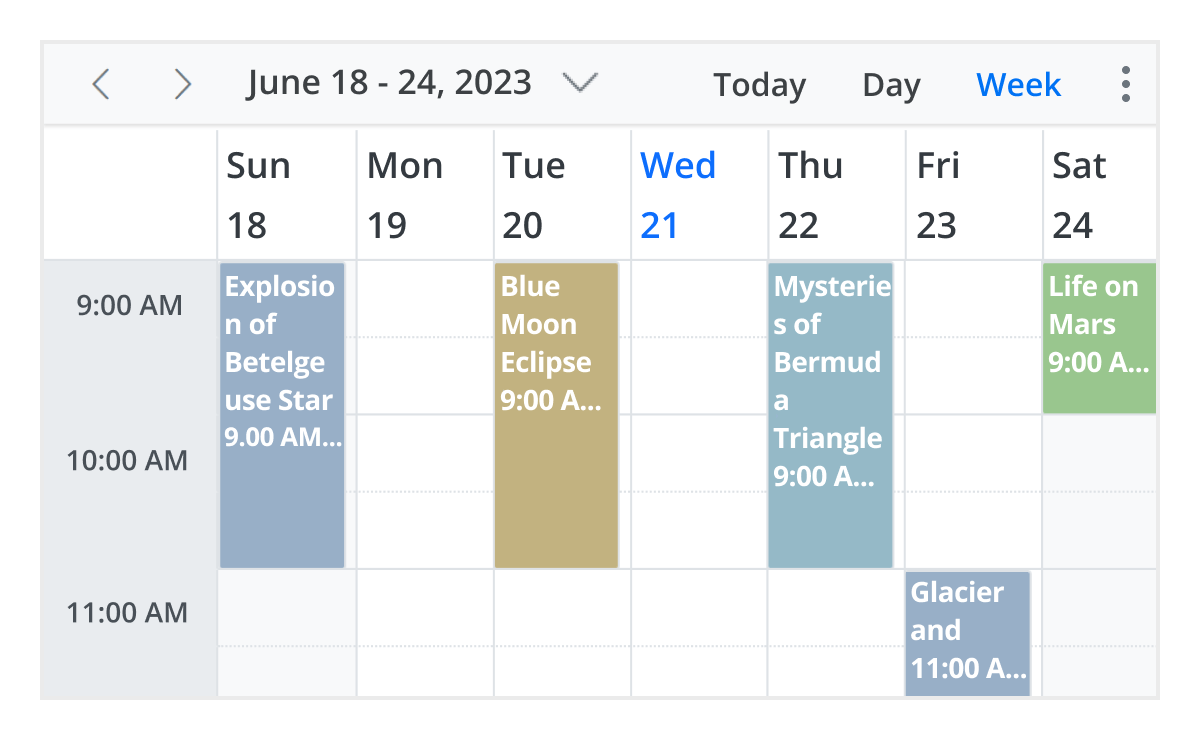
Flexible View Modes
Choose from 12 versatile Blazor Scheduler view modes—Day, Week, Month, Timeline, Agenda, and more. Each view is fully customizable, responsive, and built to support a wide range of scheduling needs, from daily task management to long-term planning.
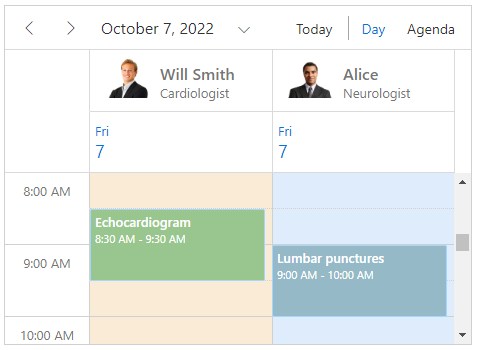
Smart Resource Grouping
Advanced Blazor Scheduler resource grouping makes scheduling easier. It supports shared events, dynamic resource updates, single/multi-level hierarchies, customized headers, and small mobile layouts. Easily group data by date, timeline, or hierarchy and bind data from local or remote sources.
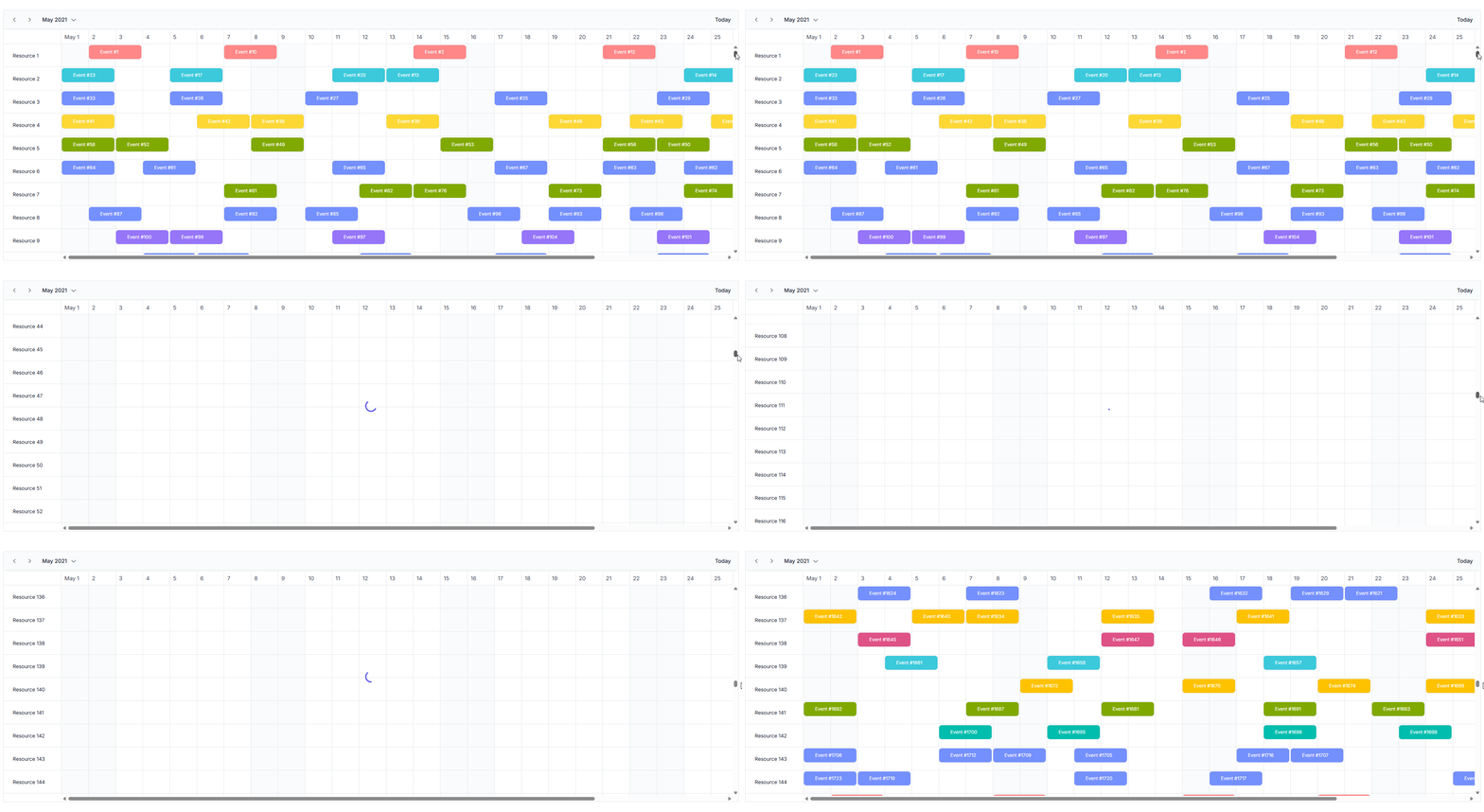
Instant Load with Virtualization
Virtual scrolling in Blazor Scheduler allows for smooth performance. as you scroll, thousands of events and resources are loaded instantly. Even with big information and intricate scheduling conditions, this guarantees seamless navigation and quick rendering.
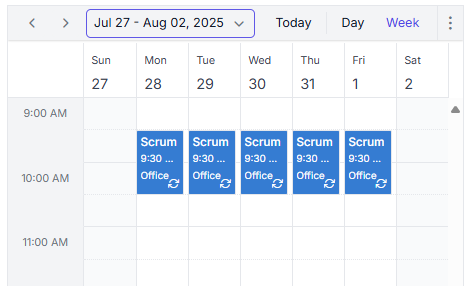
Recurring Scheduling Made Simple
Manage repeating events with ease using the Blazor Syncfusion Scheduler. Create daily, weekly, or annual patterns using the integrated recurrence editor. It streamlines appointment rule generation whether it is used independently or integrated into the Scheduler. Perfect for business scheduling, reservation systems, and calendar apps.
Advanced Scheduling in Blazor, Simplified
Build production-ready scheduling applications with enterprise features, accessibility compliance, and seamless Blazor ecosystem integration.
Why Syncfusion is the Right Pick for You?
24+ Years Proven
Mature, stable, and trusted by enterprises in mission-critical applications for nearly two decades.
Secure and Private
No external calls or data sharing—everything processes on your server for maximum security and compliance.
Continuous Development
Actively maintained with regular updates and feature enhancements based on real customer feedback.
Backed by Global Trust
Trusted by 1M+ developers, 36K+ companies, and 400+ Fortune 500 enterprises over 24+ years of innovation and excellence.
Microsoft Collaboration
We actively collaborate with Microsoft to advance the .NET developer ecosystem. Our free and open-source .NET MAUI Toolkit is a key contribution, empowering developers to build modern cross-platform apps with ease.
Enterprise-Proven Solutions
Our UI components power high-scale SaaS platforms, trusted to handle millions of user interactions daily. Syncfusion’s reliability is proven in our own enterprise products, including BoldDesk and BoldSign, solutions that are widely adopted and loved by customers across industries.
Developer Support That Never Lets You Down
Kendo UI users often struggle with performance bottlenecks, accessibility gaps, and confusing documentation access. Syncfusion eliminates these hurdles with lightweight components, built-in accessibility, and open, distraction-free API docs—empowering developers to build faster and smarter.
Documentation
Easy-to-follow guides, detailed API references, and real-world code examples via GitHub, NuGet, and our official docs.
Dedicated support
Unlimited tickets and fast 24-hour guaranteed responses via live chat, forums, and our support portal.
Community Engagement
A thriving developer community, frequently updated samples, and constantly evolving documentation.
Feature-by-Feature Comparison
Choosing the right scheduler component can make or break your app’s productivity features. Here’s how Syncfusion Blazor Scheduler and Telerik Blazor Scheduler compare across performance, customization, and developer experience:
Features
Syncfusion Blazor Scheduler
Telerik Blazor Scheduler
Data Binding
Supports local, remote, custom, and on-demand binding
Lacks built-in remote data binding
Calendar Views
Supports Day, Week, Work Week, Month, Year, Agenda, Month with Agenda
Lacks Year view and Month with Agenda
Timeline Views
Supports Timeline Day, Week, Work Week, Month, Horizontal/Vertical Year, header rows
Lacks Horizontal/Vertical Timeline Year and header rows
Extended Views (Custom intervals)
Yes
Yes
View Customization
Supports all customization options (show/hide rows, empty dates, custom week count, first month of year)
Lacks custom week count and first month of year
Clipboard Actions
Supports Cut, Copy, Paste
No
Responsive Design
Yes
Yes
Timescale Customization
Supports flexible time scale, displays week numbers, displays first day of week, custom workdays, start/end hours, work hours customization
Lacks flexible time scale, week numbers, first day of week, and custom workdays
Custom Toolbar
No
Yes
Time Zone
Displays according to the selected time zone.
Displays according to the selected time zone.
Event Types & Scheduling
Supports all day events, recurring events with CRUD, editing following occurrences, time slot blocking, conflict-free scheduling
Lacks editing following occurrences and conflict-free scheduling
Event Editing
Supports inline editing, built-in editor, editor customization, field validation, event resize
Lacks inline editing
Event Display
Supports tooltips, filtering, sorting
Lacks event sorting
Event Interaction
Supports quick info popups (cell click, event click), event list popup (“+n more”), quick window customization
Lacks quick info popups, event list popup and quick window customization
Drag & Drop
Supports single, multiple, external, recurrence drag-and-drop with validation
Lacks multiple, external and recurrence drag-and-drop with validation
Resource Scheduling
Supports vertical/horizontal grouping, by date/child/hierarchy, shared events with resources, resource-specific working days
Lacks group by date, shared events, resource-specific working days
Virtual Scrolling
Yes
No
Compact View
Yes
No
Export & Print
Supports ICS, Excel, Print
Does not have export and print options
Touch & Accessibility
Touch support, keyboard navigation, WAI-ARIA
Does not have touch support
Localization & Themes
Supports localization, RTL, state persistence, built-in/custom themes (Light/Dark, Bootstrap, Material, Fluent, Tailwind)
Requires manual integration for state persistence
What Our Customers Say
Real feedback from developers who rely on Syncfusion every day.
Syncfusion Recognition Highlights
G2
Capterra
Total Reviews
600+
800+
Rating
⭐ 4.5 / 5
⭐ 4.5/ 5
Need more information?
Get detailed documentation, explore live demos, or speak with our experts to find the perfect solution for your needs.
Build Smarter Schedules in Blazor with Syncfusion
Deliver a polished scheduling experience in your Blazor apps with Syncfusion’s powerful Scheduler component—free to try today.