Syncfusion React Gantt Chart - An Alternative to Bryntum Gantt

Visualize, Track, and Manage Projects with Syncfusion React Gantt Chart

Add interactive Gantt Charts to React apps for project planning and tracking. It supports task hierarchy, dependencies, resource allocation, editing, filtering, and timeline views — ideal for project management, scheduling, and workflow visualization.

  • Up to 2.2x Faster Gantt Rendering
  • Up to 48% Lower Memory Usage
  • 24/5 Premium Support
  • Up to 2.2x Faster Gantt Rendering
  • Up to 48% Lower Memory Usage
  • 24/5 Premium Support
No credit card required.

Trusted by the world's leading companies

Explore Syncfusion React Gantt Chart Demo

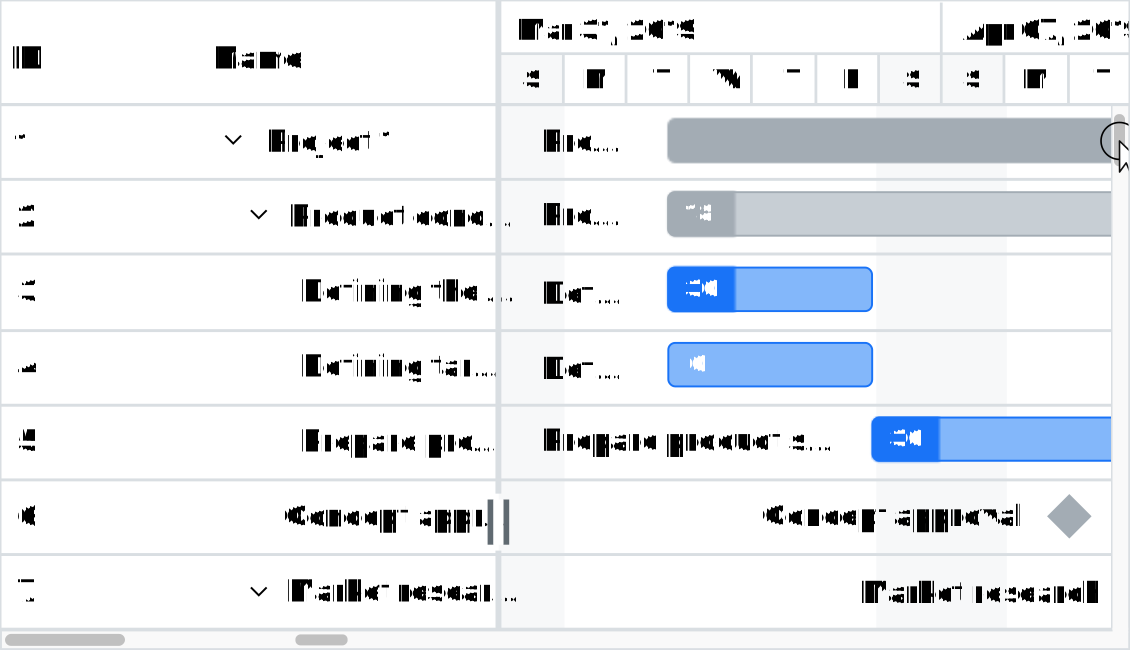
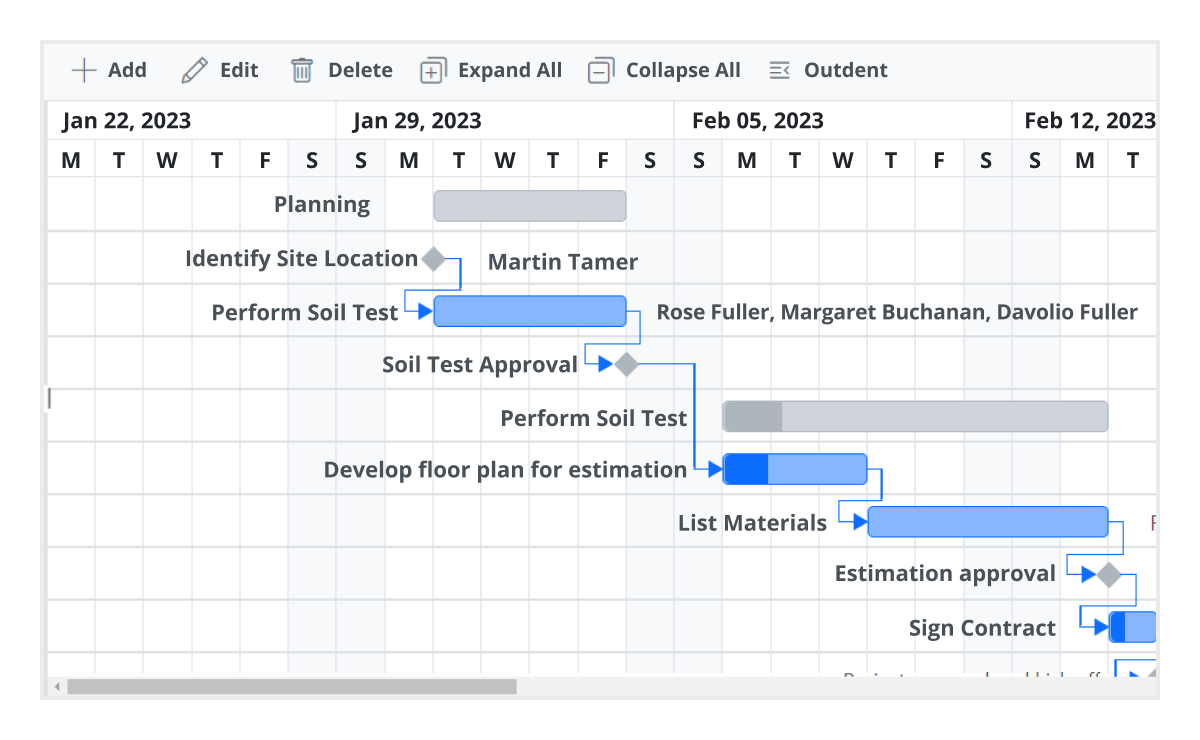
The React Gantt Chart component by Syncfusion enables project planning and management with a timeline-based interface. It supports editable tasks, task dependencies, resource allocation, and hierarchical views. With features like sorting, filtering, virtualization for large data sets, and responsive design, it’s ideal for project tracking, scheduling, and resource management. Try the live demo.

Syncfusion React Gantt Chart vs. Bryntum Gantt:
Better Value, Reliable Support

Performance Benchmark

Syncfusion Gantt Chart delivers faster rendering, efficient virtualization, and lower memory usage compared to Bryntum Gantt.

Scenarios with 25K Records
Syncfusion React Gantt Chart
Bryntum Gantt
Initial Rendering of Parent-Child Task Hierarchy with Automatic Validation
5.42s
0%
11.48s
0%
Rendering of Parent-Child Task Hierarchy with Dependency Management
12.40s
0%
17.46s
0%
Peak Memory Usage (Initial load – 5k records)
104MB
0%
199MB
0%
Gantt-Virtual-Scrolling

Advanced
Gantt Virtualization

Transform your React applications with advanced virtualization techniques that eliminate performance bottlenecks. Syncfusion’s React Gantt Chart renders only visible content, reducing load times. Experience row virtualization and timeline virtualization that handle thousands of tasks effortlessly, delivering lightning-fast user experiences.

Task-Management

Smart Task Management

Streamline project management with powerful React Gantt Chart features, including task dependencies, auto scheduling, and custom validation. Support for multi-taskbar per row and split tasks reduces scheduling complexity by enabling precise task management. Built-in OData v4 integration ensures seamless data handling for enterprise applications.

Critical-Path

Critical Path

Critical Path in the Syncfusion React Gantt chart automatically calculates and highlights tasks with zero or negative slack in red. The Gantt Chart uses CPM analysis including dependencies, slack values, and end date to pinpoint delays.

Why Syncfusion is the Right Pick for You?

Developer Support That Never Lets You Down

Feature-by-Feature Comparison

Choosing the right Gantt Chart component can make or break your project planning and resource management workflow. Here’s how Syncfusion and Bryntum stack up on key features:

Features
Syncfusion React Gantt Chart
Bryntum Gantt
Data Binding

Supports local, remote, externalSelf-Referencing (Hierarchical Data)

Supports similar sources

Web API and OData

Built-in Web API support and OData v4

Lacks OData v4 supportWeb API requires custom integration

Column Features

Supports column menu, column span, column reordering, column resizing, WBS column

Lacks column menu and column span

Frozen Columns

No

Yes

Sorting and Filtering

Yes

Yes

Searching

Yes

Yes

Selection (Row, Multi-Select) 

Yes

Yes

Timeline Tiers 

Supports top/bottom tier timeline

Supports top and bottom timeline tiers

Zooming

Supports zoom in/out and fit to screen

Supports similar zooming features

Event Markers & Holidays

Yes

Yes

Infinite Timeline Scroll

No

Yes

Timeline Virtualization

Yes

No

Row Virtualization

Yes

Yes

Auto & Manual Scheduling

Supports Auto, Manual, and Custom modes

Lacks custom mode.

Task Relationships

Supports Finish-to-Start, Start-to-Start, Finish-to-Finish, Start-to-Finish.

Supports similar task relationship types

Dependency Validation

Validates predecessor relationships during edits

Enforces dependency rules automatically using dependency store

Multi-Taskbar per Row

Supports multiple taskbars in a single row for better visualization of overlapping tasks

Not supported

Baseline

Provides baseline support to compare planned vs. actual progress

Supports same baseline features.

Task Dependencies

Supports Task Relationships and Dependency Validation

Supports similar functions

Critical Path

Highlights the critical path to identify tasks that directly impact project completion

Supports same critical path feature

Split Task Support

Allows splitting tasks into multiple segments.

Supports same split tasks

Resource View (Task Allocation) 

Yes

No

Indent/Outdent for Hierarchy

Supports indenting and outdenting tasks to create hierarchical structures

Supports indent/outdent

Export Features

Built-in support for PDF, Excel and CSV

PDF export requires server, Excel export is experimental, CSV export requires PapaParse

Context Menu

Yes

Yes

Undo/Redo Actions

Yes

Yes

Task Constraints

Yes

Yes

Accessibility (ARIS Support) and Keyboard Navigation

Yes

Yes

Touch Support

Yes

Yes

Globalization & Localization

Yes

Yes

RTL

Yes

Yes

Themes & Styling

Supports built-in themes and custom styling

Supports the same theme features

Spinner/Shimmer

Yes

No

Syncfusion Recognition Highlights

G2

Capterra

Total User Reviews

600+

800+

Rating

⭐ 4.5 / 5

⭐ 4.5 / 5

No credit card required.

Need more information?

Get detailed documentation, explore live demos, or speak with our experts to find the perfect solution for your needs.

Documentation

Comprehensive guides, API references, and tutorials to get you started quickly.

Live Demos

Interactive examples and demos showcasing real-world implementations.

Talk to Experts

Schedule a consultation with our technical experts for personalized guidance.

Visualize Workflows Like Never Before with React Gantt Chart

Syncfusion’s React Gantt Chart makes project planning visual and intuitive. Customize, scale, and manage tasks with ease—start your free trial now!

No credit card required.