Looking for a TinyMCE Editor Alternative?
Edit, Format, Publish – Effortlessly with Syncfusion React Rich Text Editor
Seamlessly embed a powerful WYSIWYG editor into your React apps. Supports HTML/Markdown, image/video embedding, tables, and custom toolbars—ideal for blogs, messaging, forums, and content-rich interfaces.
-
Up to 45% faster intial rendering
-
Optimized Memory Usage
-
24/5 Premium Support
-
Up to 45% faster intial rendering
-
Optimized Memory Usage
-
24/5 Premium Support
Trusted by the world's leading companies
Explore Syncfusion React Rich Text Editor Demo
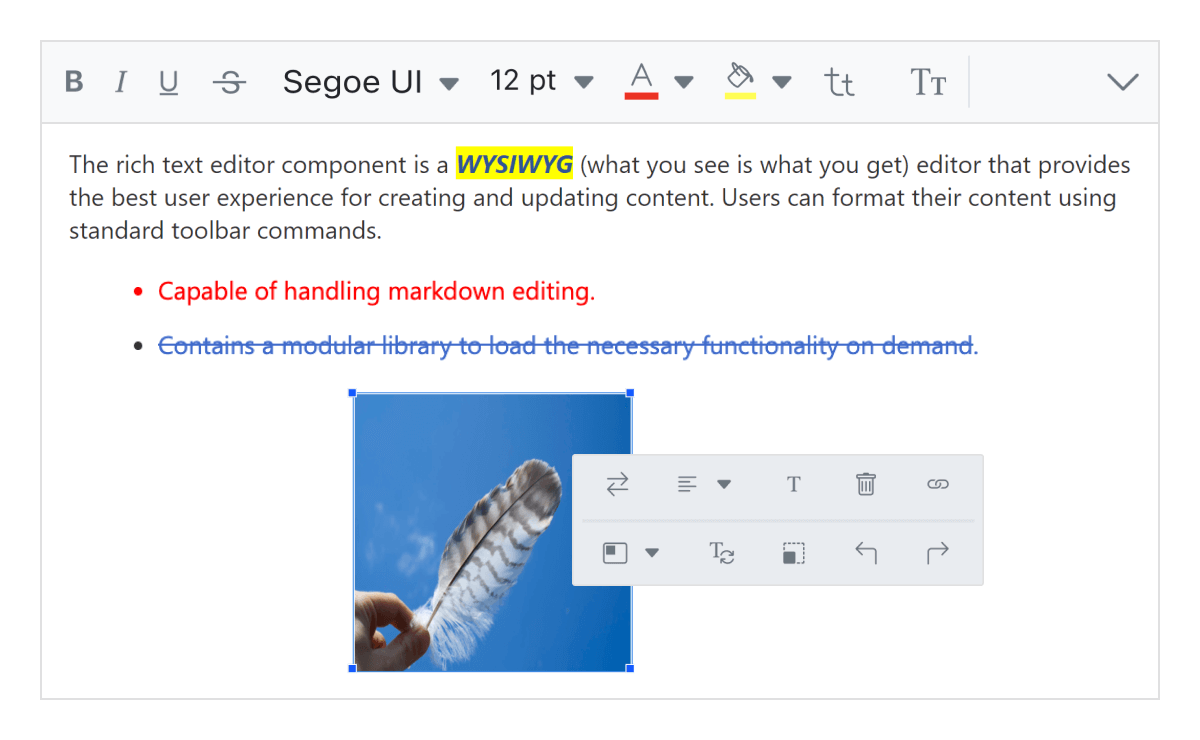
The React Rich Text Editor brings WYSIWYG editing to web apps, featuring customizable toolbars, support for images and videos, hyperlink management, and undo/redo functionality. It includes inline toolbars, quick image styling, and dynamic formatting. Ideal for blogs, CMS platforms, and collaborative content creation. Try the live demo.
Syncfusion Rich Text Editor vs. TinyMCE Editor
Better Value, Reliable Support
Broader Component Access
Syncfusion: Single license gives you access to 1,600+ UI components across all major platforms — including Blazor, React, .NET MAUI, Angular, JavaScript, Vue, ASP.NET Core, WinForms, WPF, and more.
TinyMCE: Includes only the TinyMCE Editor and related plugins.
Deployment & Distribution Flexibility
Syncfusion: Unlimited app/server deployments; royalty free distribution.
TinyMCE: Essential/Professional: 1 domain + subdomains
Comprehensive Support Channels
Syncfusion: Ticket, Live Chat, Email and Community Forums.
TinyMCE: Ticket and email support. Does not offer Live Chat support.
Fast Response Times
Syncfusion: Guaranteed response within a business day.
TinyMCE: Varies based on support tiers. Professional (2 days) /Dedicated support based on issue severity.
Performance Benchmark
Syncfusion outperforms TinyMCE in speed and memory usage across all performance metrics.
Test Scenario
Syncfusion React Rich Text Editor
TinyMCE React Rich Text Editor
Initial Load Time
Insert Table
Render HTML
Memory Usage
Rich Text Formatting
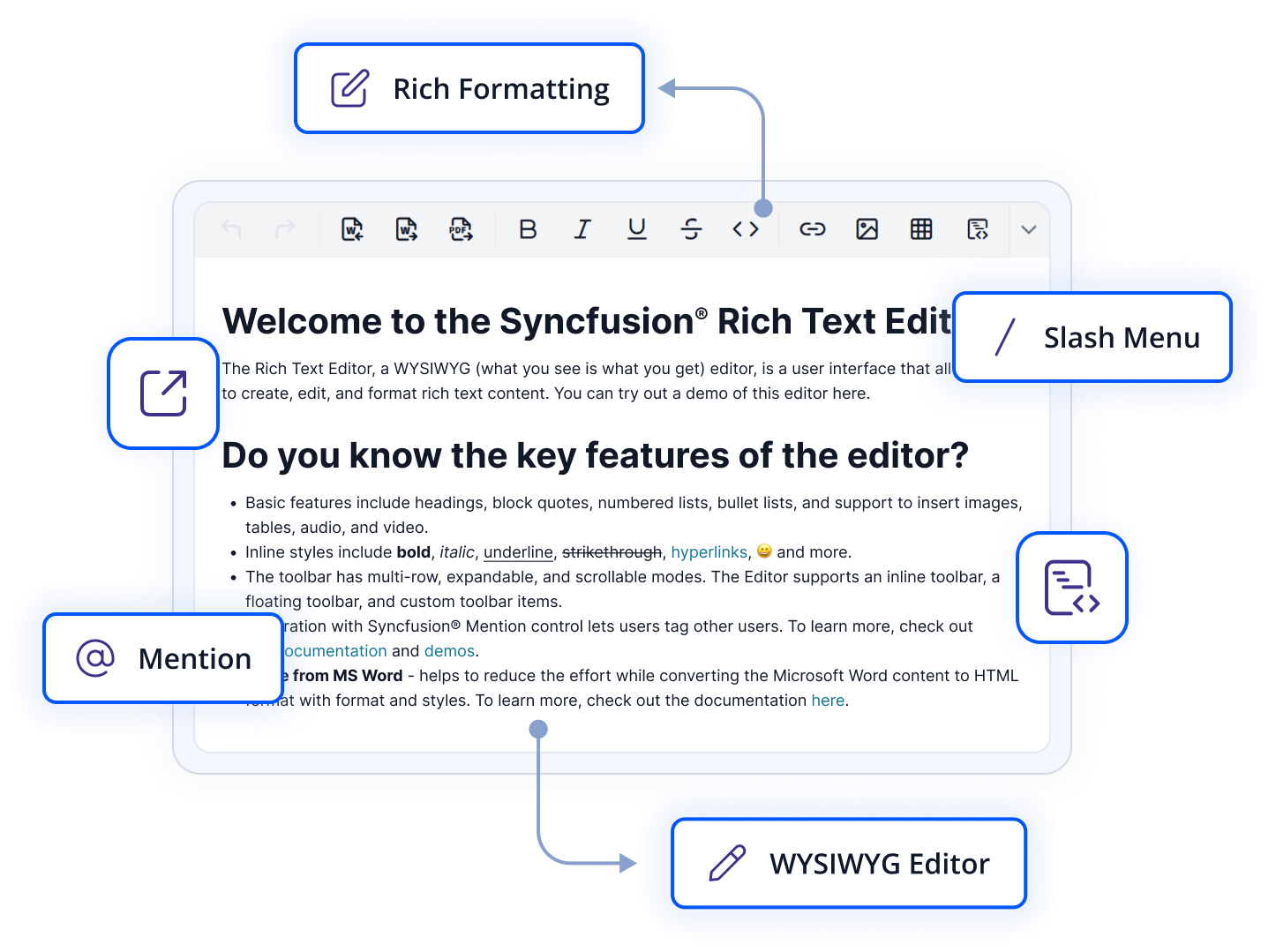
Effortlessly format content with bold, italic, headings (H1–H6), and blockquotes. Enhance readability, structure, and emphasis using a customizable WYSIWYG toolbar designed for seamless editing across devices.
Slash Commands & Mention Tags
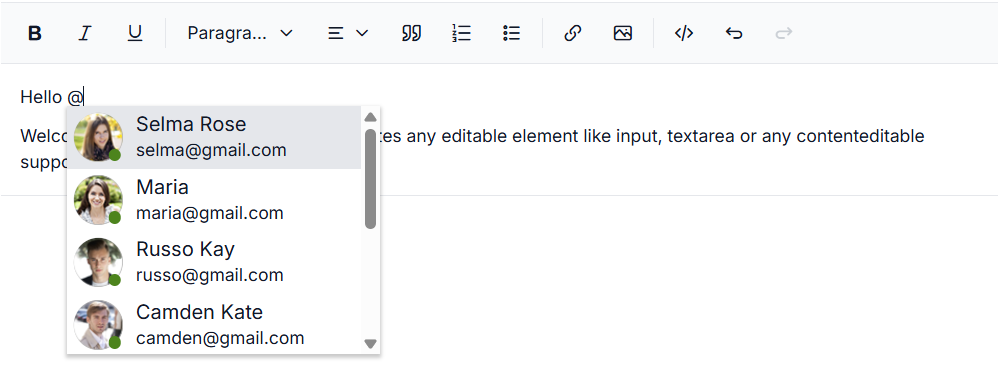
Slash Commands and @Mention Support in Syncfusion’s React Rich Text Editor allow users to quickly insert elements using / commands and tag people or items with @mentions. This enhances user interaction, streamlines content creation, and supports dynamic, customizable suggestions.
Code Block Integration
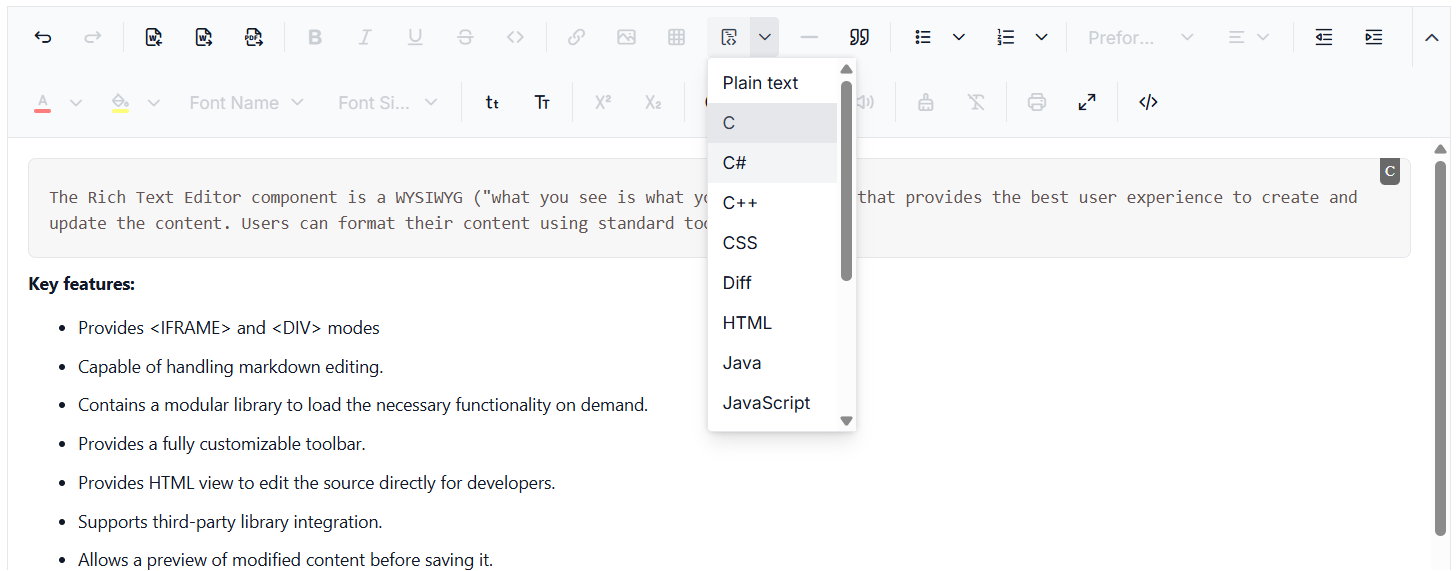
Code Block Support in Syncfusion’s React Rich Text Editor lets users insert and format code snippets with syntax highlighting, making it ideal for technical content like documentation and developer blogs. It supports multiple languages and integrates with tools like PrismJS for clean code presentation.
Built for Users Who Demand More
Designed for power users who need advanced content import/export, formatting control, and layout flexibility—enabling more dynamic, consistent, and responsive editing experiences.
Why Syncfusion is the Right Pick for You?
24+ Years Proven
Mature, stable, and trusted by enterprises in mission-critical applications for nearly two decades.
Secure and Private
No external calls or data sharing—everything processes on your server for maximum security and compliance.
Continuous Development
Actively maintained with regular updates and feature enhancements based on real customer feedback.
Backed by Global Trust
Trusted by 1M+ developers, 36K+ companies, and 400+ Fortune 500 enterprises over 24+ years of innovation and excellence.
Microsoft Collaboration
We actively collaborate with Microsoft to advance the .NET developer ecosystem. Our free and open-source .NET MAUI Toolkit is a key contribution, empowering developers to build modern cross-platform apps with ease.
Enterprise-Proven Solutions
Our UI components power high-scale SaaS platforms, trusted to handle millions of user interactions daily. Syncfusion’s reliability is proven in our own enterprise products, including BoldDesk and BoldSign, solutions that are widely adopted and loved by customers across industries.
Developer Support That Never Lets You Down
Syncfusion’s React Rich Text Editor offers stable performance, intuitive APIs, and fast support—without complex setups or errors.
Documentation
Easy-to-follow guides, detailed API references, and real-world code examples via GitHub, NuGet, and our official docs.
Dedicated support
Unlimited tickets and fast 24-hour guaranteed responses via live chat, forums, and our support portal.
Community Engagement
A thriving developer community, frequently updated samples, and constantly evolving documentation.
What Developers Say About TinyMCE Editor — And How
Syncfusion Solves It
TinyMCE’s setup is unintuitive and error-prone. Syncfusion simplifies development with seamless integration, intuitive APIs, and strong error handling.
“Almost nothing is very intuitive to implement… My suggestion will be more integration with tools like React framework.”
— G2 userSyncfusion offers seamless integration with modern frameworks like React, Angular, and Vue, along with intuitive APIs and quick-start templates—making implementation straightforward even for complex use cases.
“TinyMCE is a comparatively complex component… On rare occasions, you might end up with a hard-to-trace error.”
— G2 userSyncfusion offers a more stable and developer-friendly editor with clear error handling and intuitive UI design—ideal for complex applications that demand reliability and ease of debugging.
“The tool could provide more features to edit HTML with drag and drop.”
— G2 userSyncfusion offers a feature-rich WYSIWYG HTML editor that supports drag-and-drop editing, including inserting images, tables, and files. It also allows inline editing, floating toolbars, and live HTML preview, making it highly intuitive for users who prefer visual editing over manual coding.
Feature-by-Feature Comparison
Choosing the right React Rich Text Editor can shape your content creation workflow. Here’s how Syncfusion and TinyMCE stack up on key features:
Features
Syncfusion React Rich Text Editor
TinyMCE React Rich Text Editor
Autosave
Yes
Yes
Autolink
Yes
Yes
Basic Text Style
Yes
Yes
Block Quotes
Yes
Yes
Code - Inline
Yes
Yes
Code Block (Multi- Language)
Yes
Yes
Emoji Icon Support
Yes
Yes
Find and Replace
No
Yes
Font Styles
Yes
Yes
Format Painter
Yes
Yes
Headings
Yes
Yes
Horizontal Line
Yes
Yes
Line Height
No
Yes
HTML Embed
Yes
Yes
Iframe Editor
Yes
Yes
Image Feature
Yes
Yes
Image Wrap with Text
No
Yes
Image File Browser
Yes
Yes
Indentation
Yes
Yes
Keyboard Shortcuts
Yes
Yes
Links
Yes
Yes
Lists (multi-level)
Yes
Yes
List - Reversed
No
Yes
To Do List
No
Yes
Markdown I/O
No
Yes
Merge Fields
No
Yes
Media Embed
Yes
Yes
Mentions
Yes
Yes
Menu Bar
No
Yes
Page Break
No
Yes
Paste Cleanup
Yes
Yes
Placeholder
Yes
Yes
Restricted Editing
Yes
Yes
Slash Commands
Yes
Yes
Source Editing
Yes
Yes
Special Characters
No
Yes
Table Features
Yes
Yes
Nesting Table
Yes
Yes
Table Styling
Yes
Yes
Table Resize
Yes
Yes
Table Cell Merge/Split
Yes
Yes
Table Caption
No
Yes
Text Alignment
Yes
Yes
Text Part Language
No
No
Toolbar Types
Yes
Yes
Undo and Redo
Yes
Yes
Word and Character Count
Yes
Yes
What Our Customers Say
Real feedback from developers who rely on Syncfusion every day.
G2 Recognition Highlights
Syncfusion
TinyMCE
Total User Reviews
613
107
Rating
⭐ 4.5 / 5
⭐ 4.4 / 5
Community Trust
Broad user base with proven satisfaction
Moderate volume of feedback to assess.
Need more information?
Get detailed documentation, explore live demos, or speak with our experts to find the perfect solution for your needs.
Empower Your Users with Rich Text Editing in React
Syncfusion’s React Rich Text Editor brings advanced formatting, media embedding, and real-time collaboration—fully customizable and free to try today.