
 Paul Anderson
TL;DR: Discover the latest features and enhancements coming to the Syncfusion .NET MAUI suite in the 2025 Volume 1 release!
Syncfusion is gearing up for its first major release of the year: Essential Studio® 2025 Volume 1, which is packed with exciting new features and enhancements across all supported platforms.
In this blog, we’ll take a closer look at the latest updates and innovations coming to our .NET MAUI suite as part of this milestone release.
Let’s dive in and explore what’s new!
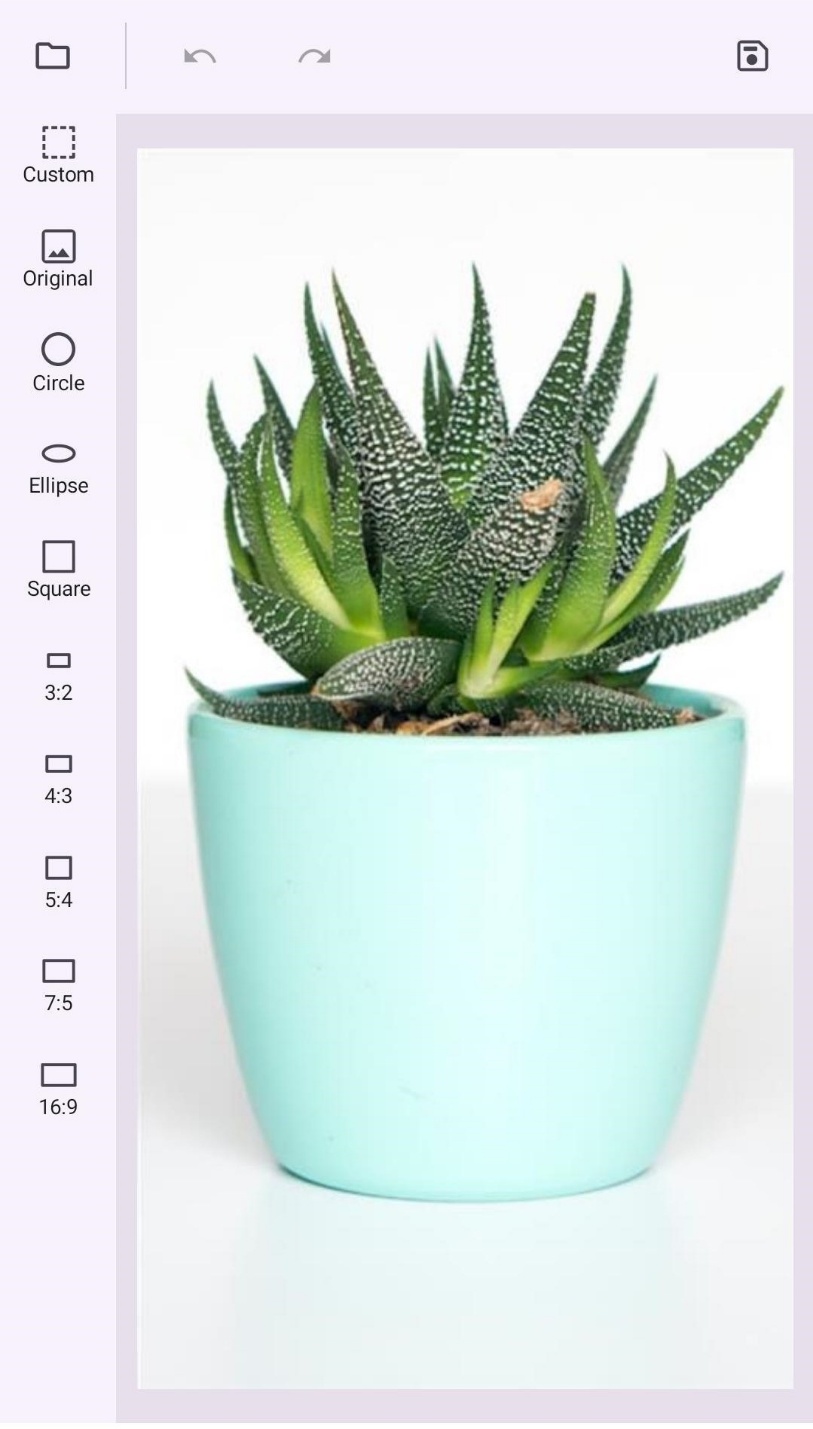
Toolbar (New)
The new .NET MAUI Toolbar control will provide a flexible and customizable toolbar for seamless user interaction. It will allow users to add toolbar items that perform specific actions, enhancing app usability.
Key features
- Toolbar items: You can add icons, labels, a combination of both, or custom views for quick access to essential actions.
- Interaction: It will provide support for touch gestures, item tapping, and command execution.
- Orientation: Arrange toolbar items in horizontal or vertical layouts.
- Overflow support: It will include scrollable options, navigation buttons, and a menu for efficiently managing excess items.
- Overlay toolbar: It will provide a floating toolbar experience for enhanced usability.
- Appearance customization: You can adjust icons and label colors to match light or dark themes.
Refer to the following image.
Busy Indicator
The .NET MAUI Busy Indicator will feature the new horizontal pulsing box animation type, which will offer a sleek pulsing box effect to visually represent ongoing activity.
Refer to the following image.

DataGrid
The .NET MAUI DataGrid will deliver the following new-user friendly features:
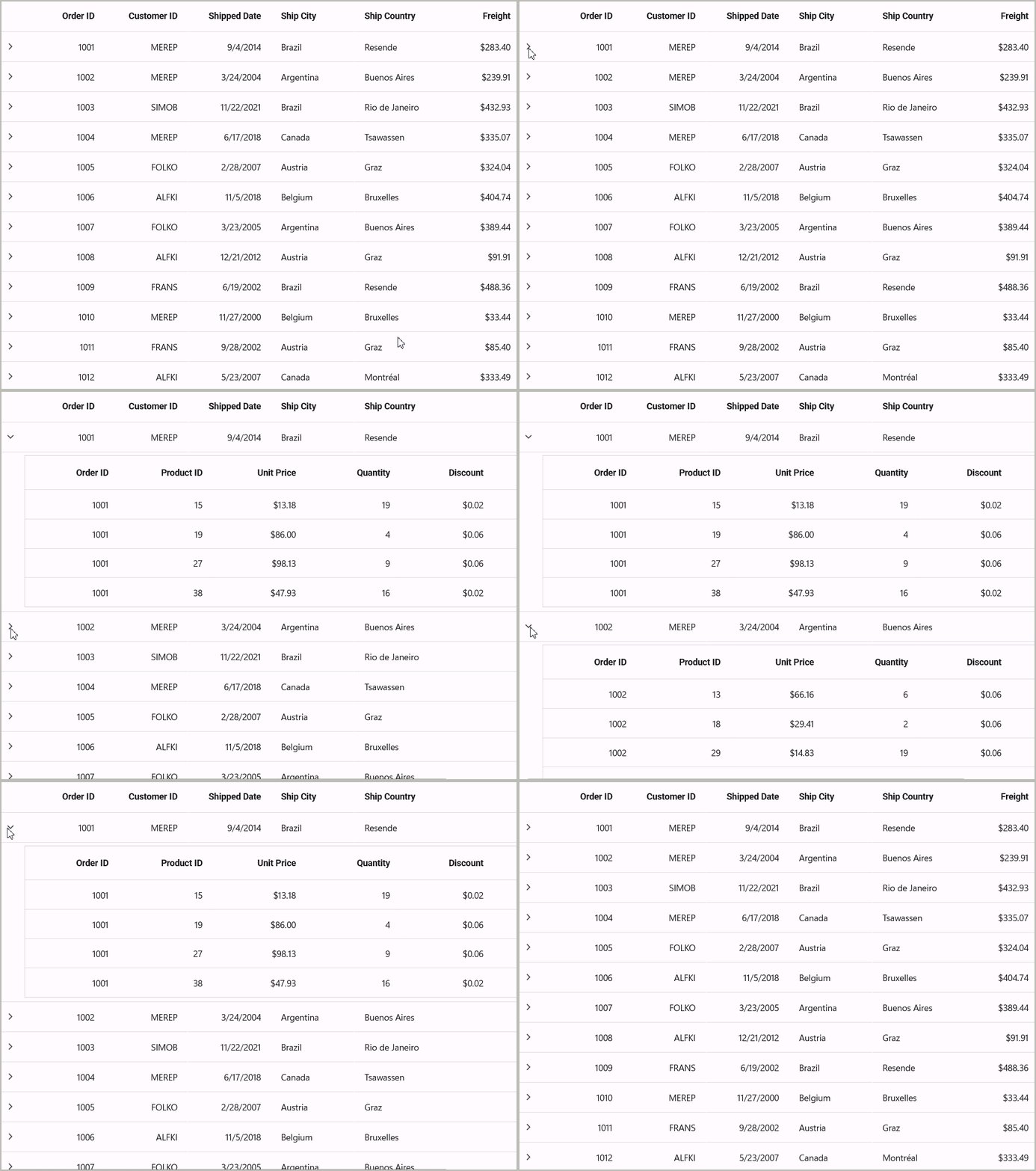
- Master-details view: Easily display detailed information for any selected record within the DataGrid.
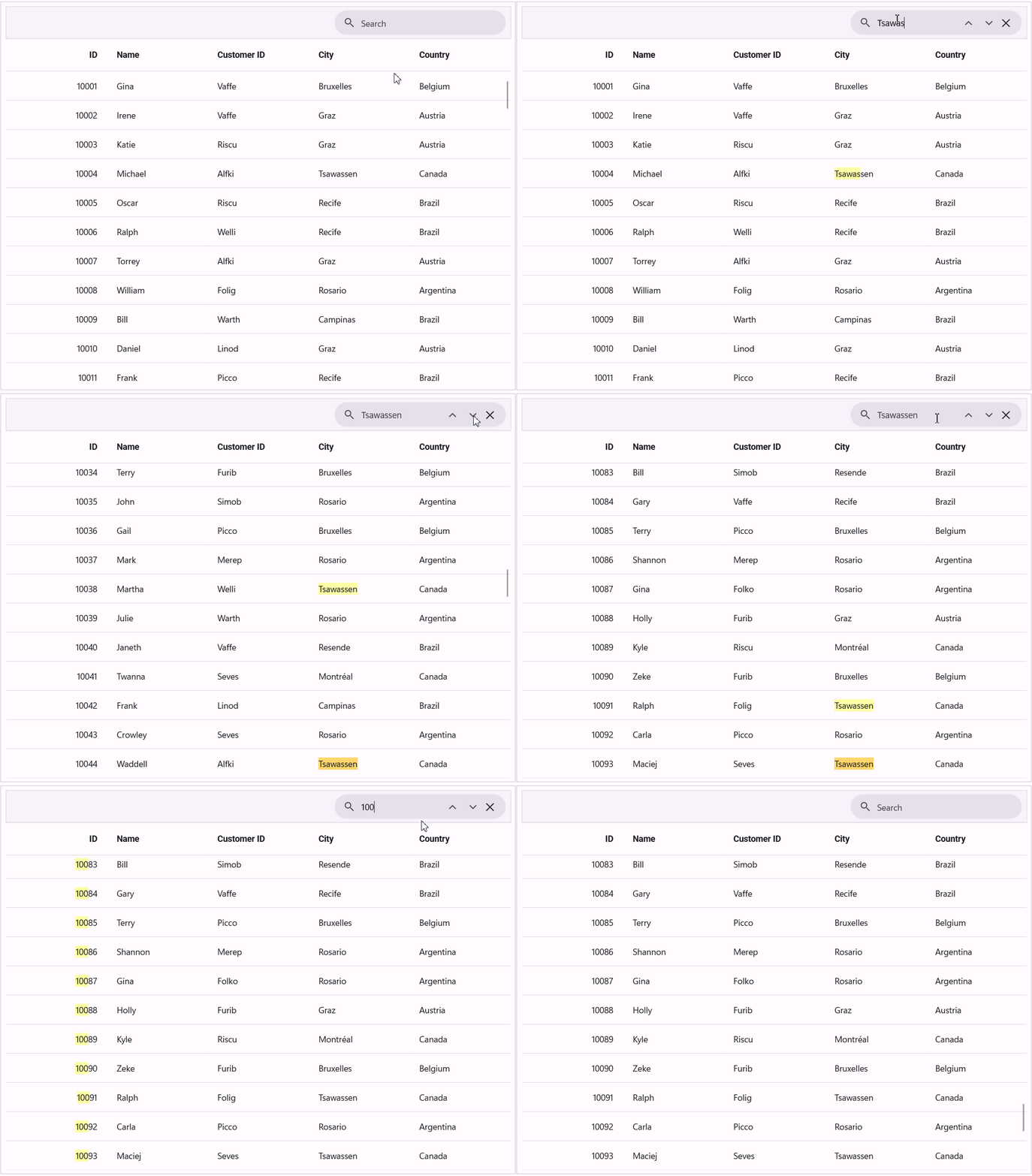
- Searching: You can quickly search and filter data, enhancing navigation and data accessibility.
Editors
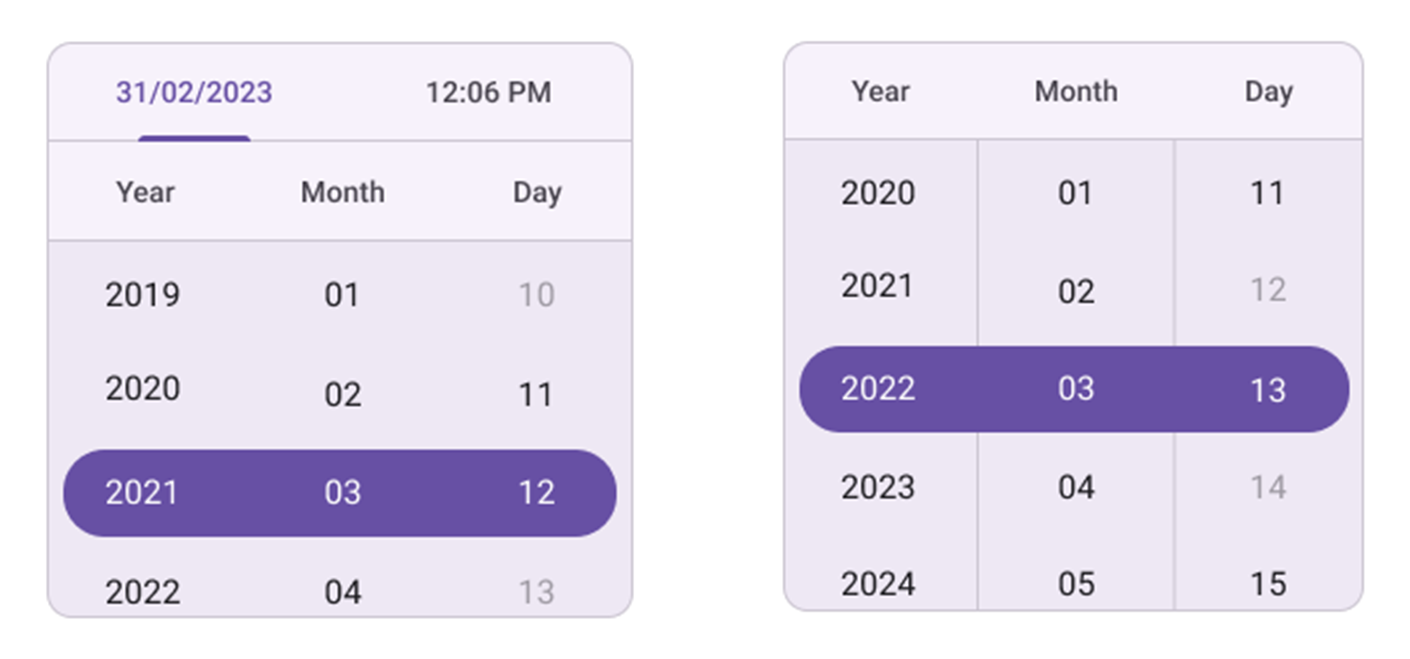
The .NET MAUI Date Picker control and Date Time Picker controls will support:
- Relative view: To customize the positioning of the Picker dialog relative to a specific view or element within the app.
- Blackout dates: To restrict the selection of specific dates.
Refer to the following image.
PDF Viewer
The .NET MAUI PDF Viewer will allow users to customize form fields by adjusting colors, borders, and backgrounds. Users can also toggle field visibility for a more tailored document experience.

Conclusion
Thanks for reading! The Essential Studio® 2025 Volume 1 release is gearing up to be a big deal. Alongside fancy new features, we’re also squashing those pesky bugs to make your Syncfusion .NET MAUI controls experience even better.
For timely updates on the release, we invite you to stay connected through our official YouTube, Twitter, Facebook, and LinkedIn channels. You can also share your insights or suggestions in the comments section below.
You can also contact us through our support forum, support portal, or feedback portal. We are always happy to assist you!









 No spam, just valuable updates.