
 Deepa Thiruppathy
TL;DR: JavaScript PDF viewers often expose web apps to XSS attacks, malicious script injection, and CSP violations. Popular libraries like PDF.js have documented vulnerabilities that attackers exploit through embedded scripts and unsafe rendering. To secure your app, enforce HTML sanitization, enable CSP headers, and use function template rendering to prevent arbitrary code execution. Enterprise-grade solutions, such as Syncfusion’s PDF Viewer, offer built-in security features for secure PDF rendering in modern frameworks.
In today’s digital-first world, PDFs are everywhere, from invoices and contracts to resumes and reports. As developers, we often rely on JavaScript-based PDF viewers to render these documents directly in the browser, offering users a seamless experience. But here’s the catch: not all PDFs are safe. A single malicious file can compromise your entire application, exposing it to cross-site scripting (XSS), unauthorized access, and data leaks.
In this blog, we’ll look at the common security issues in JavaScript PDF Viewer, real examples of attacks, and how Syncfusion’s PDF Viewer helps developers build safer applications without losing performance or flexibility.

Common vulnerabilities
Due to the dynamic nature of browser-based rendering and user interaction, JavaScript-based PDF viewers frequently encounter recurring security vulnerabilities. Below are some of the most common risks developers should be aware of.
Needs Help
“Hello, I’m trying to find an alternative to pdfjs-dist. The version I was using has vulnerability problems, and when I update, I have problems with my node version”— via reddit
Read more in the discussion on PDF Viewer: r/reactjs.
“A vulnerability was found in Apryse WebViewer up to 10.8.0. It has been classified as problematic. This affects an unknown part of the component PDF Document Handler”— National Vulnerability Database via Github
When a PDF loads, any embedded JavaScript inside the document can execute immediately. If the viewer doesn’t sanitize this content, attackers can exploit it for phishing, malware distribution, or even system-level attacks.
Users reported encountering malicious content in a PDF document on the Information Security Stack Exchange.
Let’s discuss a few now.
1. Cross-Site Scripting (XSS) and data injection
Improper handling of user-supplied PDFs can lead to DOM-based XSS attacks. Attackers may inject malicious scripts that steal session tokens, hijack user accounts, or redirect users to phishing sites.
2. File injection and unauthorized access
Some PDF viewers allow dynamic loading of external files or resources. Without strict validation, attackers can inject unauthorized files or access restricted directories, exposing sensitive data or triggering unintended operations.
3. Insecure parsing and memory leaks
Improper parsing of complex PDFs or dynamic file loading without validation can lead to memory leaks and even allow execution of unauthorized files.
Security challenges with traditional PDF Viewers
Standalone desktop PDF viewers have historically been vulnerable due to their deep system integration and limited sandboxing capabilities. Common risks include:
- Code execution by design: Older viewers sometimes allow PDFs to launch external programs without clear prompts, enabling attacker code execution.
- Local file leakage: A crafted PDF can trick the viewer into sending local files or credentials to the attacker.
- Malicious macros and embedded scripts: Weak controls allow embedded code to run on open, installing malware or granting unauthorized access.
- Social engineering vulnerabilities: PDFs disguised as invoices or resumes increase the likelihood of user interaction.
- Lack of sandboxing: Many desktop viewers lack isolation, so one malicious PDF can compromise the entire system.
- Phishing links: PDFs mimicking brands like DocuSign redirect users to fake login pages.
- QR code attacks: Embedded QR codes bypass scanners and lead to malicious sites.
- Encrypted payloads: Obfuscated PDFs evade antivirus detection and sandboxing.
Real-world PDF attack patterns
PDFs are a prime target for cyberattacks. 22% of malicious email attachments are PDF files (Check Point Research). Common exploit patterns include:
- JavaScript execution via font parsing: Attackers inject malicious code through tampered font data (e.g., CVE-2024-4367).
- XSS via URL parameters: Older PDF.js versions allowed script injection through crafted URLs.
- Embedded scripts and macros: PDFs with hidden scripts can install malware or steal credentials.
Why Syncfusion JavaScript PDF Viewer is a safer choice
With such a wide range of attack vectors, developers need a robust solution that doesn’t just render PDFs but actively defends against these threats. That’s where Syncfusion’s JavaScript PDF Viewer comes in.
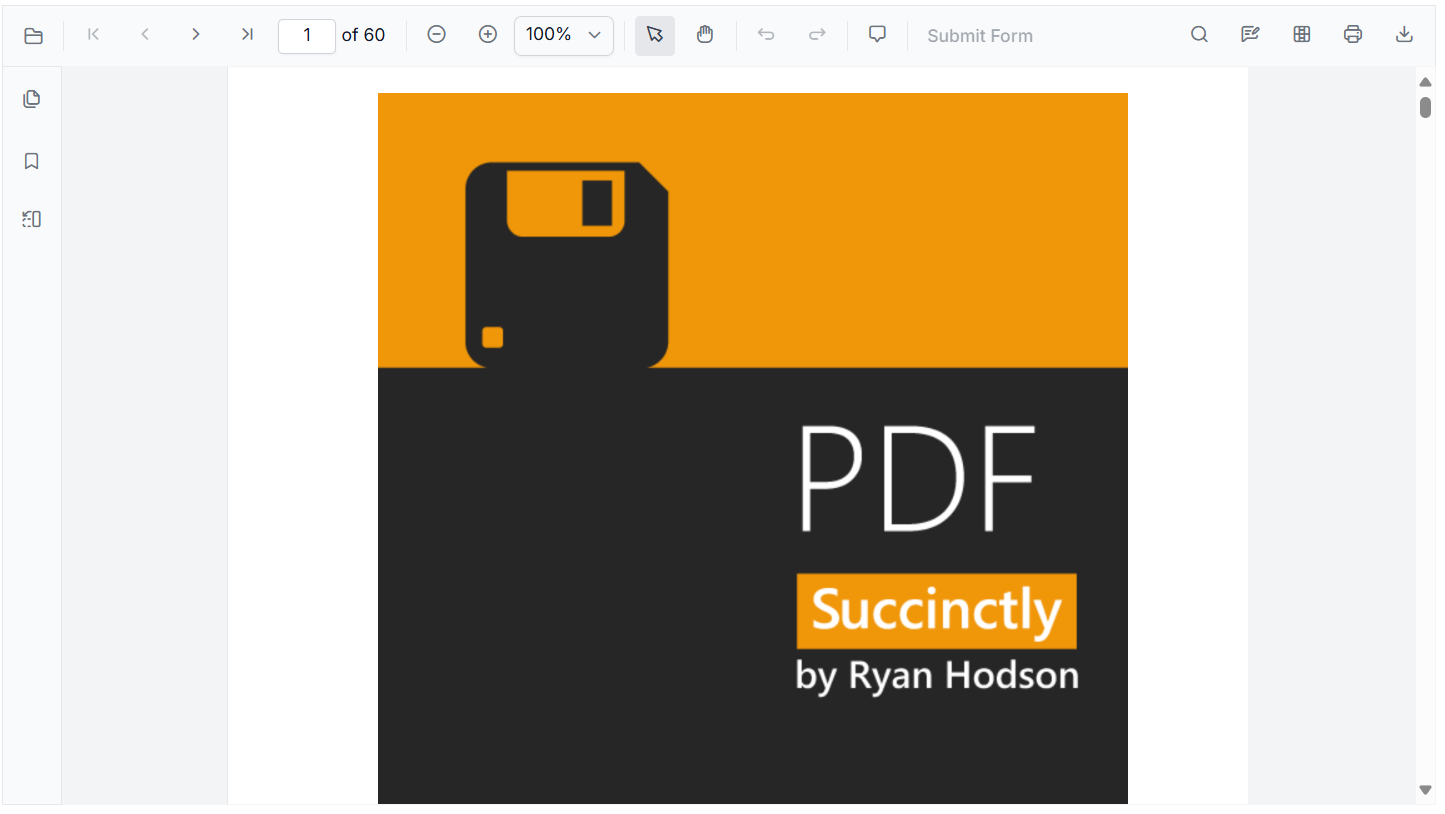
Syncfusion’s JavaScript PDF Viewer is designed with security at its core. With built-in rendering, server-side font loading, and strict adherence to modern security standards, it actively mitigates key risks. PDFs are processed securely without leaking data or relying on external services, making it an enterprise-ready solution for developers.
Modern core security considerations
To understand how Syncfusion delivers this level of protection, let’s explore the core security principles and features built into its JavaScript PDF Viewer.
The Syncfusion JavaScript PDF viewer adopts a security-first approach, ensuring every critical aspect of application safety is addressed. Here’s how it supports modern security practices:
Content Security Policy (CSP) compliance
Syncfusion’s PDF Viewer follows strict CSP guidelines to prevent XSS, data injection, and other code execution vulnerabilities:
- No unsafe-eval, avoids dynamic code execution.
- Scripts, fonts, and resources are loaded from trusted origins.
- Inline scripts and styles are avoided or securely managed using nonces/hashes.
- No third-party conversion tools reduce external execution risks.
This ensures developers maintain a secure, CSP-compliant environment for both public-facing apps and internal tools.
HTML sanitization
Dynamic content like annotations, form fields, or user-generated input can introduce script injection risks. Syncfusion’s PDF Viewer includes built-in HTML sanitization to prevent these attacks.
By enabling the enableHtmlSanitizer API, all user-submitted HTML is sanitized before rendering, ensuring safe content handling.
Code snippet:
<script>
    //Initialize PDF Viewer component
    var pdfviewer = new ej.pdfviewer.PdfViewer({
        enableHtmlSanitizer: true, // Automatically sanitizes HTML content
        documentPath: 'https://cdn.syncfusion.com/content/pdf/pdf-succinctly.pdf',
        resourceUrl: 'https://cdn.syncfusion.com/ej2/31.1.17/dist/ej2-pdfviewer-lib'
    });
</script>
Key security features:
- Strips unsafe tags and attributes to block malicious HTML.
- Prevents XSS attacks in annotations, tooltips, and form fields.
- Ensures safe rendering without compromising user experience.
- Works with server-side rendering for a secure content pipeline.
- No third-party sanitization libraries, reducing attack surface.
This built-in approach helps developers deliver a secure document viewing experience, especially in apps that process dynamic or user-supplied PDFs.
Function template rendering
Syncfusion’s function template approach replaces risky string-based templates and inline scripts with pure JavaScript functions. This ensures full CSP compliance and secure rendering of dynamic content without compromising functionality.
For example, the code snippet below demonstrates how to convert a string template into a function template to display an author’s name as a tooltip when hovering over an annotation in the PDF Viewer.
Old string template approach:
content: '<div>${author}</div>'Converted into a function template:
<script>
    // Initialize the Syncfusion PDF Viewer component
    var viewer = new ej.pdfviewer.PdfViewer({
        // Path to the PDF document to be loaded
        documentPath: 'https://cdn.syncfusion.com/content/pdf/pdf-succinctly.pdf',

        // Resource URL for PDF Viewer library files
        resourceUrl: 'https://cdn.syncfusion.com/ej2/31.1.17/dist/ej2-pdfviewer-lib',

        // Enable HTML Sanitizer to prevent XSS and injection attacks
        enableHtmlSanitizer: true
    });

    // Render the PDF Viewer inside the container with ID 'PdfViewer'
    viewer.appendTo('#PdfViewer');

    // Create a secure tooltip using a function template
    var tooltip = new ej.popups.Tooltip({
        // Automatically sanitize HTML content inside the tooltip
        enableHtmlSanitizer: true,

        // Tooltip follows the mouse pointer
        mouseTrail: true,

        // Tooltip opens only via custom trigger
        opensOn: 'Custom',

        // Function template returning a safe HTML element
        content: function () {
            var container = document.createElement('div');
            container.innerHTML = '<strong>Author:</strong> Nancy'; // Safe HTML content
            return container;
        }
    });

    // Attach the tooltip to the PDF Viewer container
    tooltip.appendTo('#PdfViewer');

    // Show tooltip when the mouse hovers over an annotation
    viewer.annotationMouseOver = function (args) {
        tooltip.open(args.sourceElement); // Trigger tooltip on the hovered element
    };

    // Hide tooltip when the mouse leaves the annotation
    viewer.annotationMouseLeave = function () {
        tooltip.close(); // Close tooltip
    };
</script>
Key benefits:
By using pure JavaScript functions instead of string interpolation, Syncfusion eliminates entire classes of injection vulnerabilities while preserving flexibility and performance.
- Pure JS functions replace string-based templates.
- No dynamic evaluation (eval) or inline scripts.
- Mitigates script injection risks by avoiding HTML parsing from strings.
- DOM API-based rendering, no dynamic script execution.
- Secure rendering for annotations, form fields, and custom UI elements like tooltips, popups, and buttons.
- Improved maintainability by separating logic from markup and scalability across components..
Controlled browser storage
Syncfusion’s JavaScript PDF Viewer uses browser storage selectively to enhance user experience without compromising security. Local storage is only used when the enablePersistence API is explicitly enabled, and it is never used for sensitive or executable content.
Code snippet:
var viewer = new ej.pdfviewer.PdfViewer({
    documentPath: 'https://cdn.syncfusion.com/content/pdf/pdf-succinctly.pdf',
    resourceUrl: 'https://cdn.syncfusion.com/ej2/31.1.17/dist/ej2-pdfviewer-lib',
    enablePersistence: true, // Enables local storage for viewer state
    enableHtmlSanitizer: true
});
viewer.appendTo('#PdfViewer');
Key security highlights:
- Used only when persistence is enabled, to control when and how data is stored.
- No executable or sensitive data, avoids script injection and XSS risks.
- Stores structural or preference-based data only (e.g., zoom level, page number).
- Improves UX, maintains state across sessions without server roundtrips.
You can refer to the complete user guide for more details about Syncfusion JavaScript security considerations.
Best practices with Syncfusion JS PDF Viewer
To ensure your application remains secure while leveraging the powerful features of Syncfusion’s PDF Viewer, it’s important to follow a few key best practices that reinforce its built-in protections.
- Enable persistence only when necessary to avoid unnecessary data retention.
- Avoid storing sensitive information in Local Storage.
- Regularly clear or manage stored data to maintain performance and security.
- Configure CSP headers to complement Syncfusion’s secure architecture.
- Enable HTML sanitization for user-generated content.
- Use Function Templates for dynamic UI rendering.
Conclusion
Thank you for reading! Using a PDF viewer in your app should be simple, but it should also be safe. With threats like XSS, file injection, and unsafe storage, developers need tools that protect users from the start.
Syncfusion’s JavaScript PDF Viewer offers built-in security features like HTML sanitization, safe rendering templates, and controlled browser storage. By following best practices and choosing secure tools, you can confidently build apps that handle PDFs without putting your users at risk.
You can explore our Getting Started Guide or try our user guide to experience it in action.
If you’re a Syncfusion user, you can download the setup from the license and downloads page. Otherwise, you can download a free 30-day trial.
You can also contact us through our support forum, support portal, or feedback portal for queries. We are always happy to assist you!



 No spam, just valuable updates.