
 RajaVignesh BalaSankar
TL;DR: Memory leaks in JavaScript PDF Viewers often occur due to improper object cleanup, event listeners, and large document rendering. Use browser DevTools, heap snapshots, and efficient resource management to prevent performance degradation.
As modern web applications grow more complex, having a fast and lightweight JavaScript PDF Viewer is critical. Developers need solutions that can load documents quickly, handle large files efficiently, and perform seamlessly in single-page applications (SPAs) or platforms managing multiple documents.
Unfortunately, many JavaScript PDF viewers suffer from memory leaks, especially during extended usage or when rendering large or complex PDFs. Over time, memory consumption increases, performance degrades, and in severe cases, browsers crash, making your web app feel slow and unreliable.
This blog dives into the root causes of memory leaks in JavaScript PDF Viewers, how to detect them early, and introduces best practices for prevention. We’ll also highlight how Syncfusion’s JavaScript PDF Viewer addresses these challenges with advanced memory management techniques.

How to detect memory leaks in JavaScript PDF Viewers
Identifying memory leaks early is crucial for maintaining optimal performance and preventing browser crashes. Here are the most effective methods developers use to spot and resolve leaks:
Chrome DevTools
Open the Memory tab in Chrome DevTools to capture heap snapshots and analyze retained objects. Look for memory allocations that persist after user interactions, these are strong indicators of leaks. The Performance tab also helps track long-lived allocations and garbage collection behavior.

Firefox developer tools
Firefox offers similar profiling capabilities, including detailed memory allocation tracking and insights into garbage collection. These tools are especially useful for cross-browser debugging.
Manual testing
Load and unload PDF documents repeatedly while monitoring memory usage. If memory consumption continues to rise without stabilizing, it likely means resources such as canvases, event listeners, or cached data are not being released properly.
For an in-depth guide on identifying and fixing JavaScript memory leaks, refer to Syncfusion’s comprehensive blog post on the topic.
Common memory leak issues in JavaScript PDF Viewers
1. Crash crisis
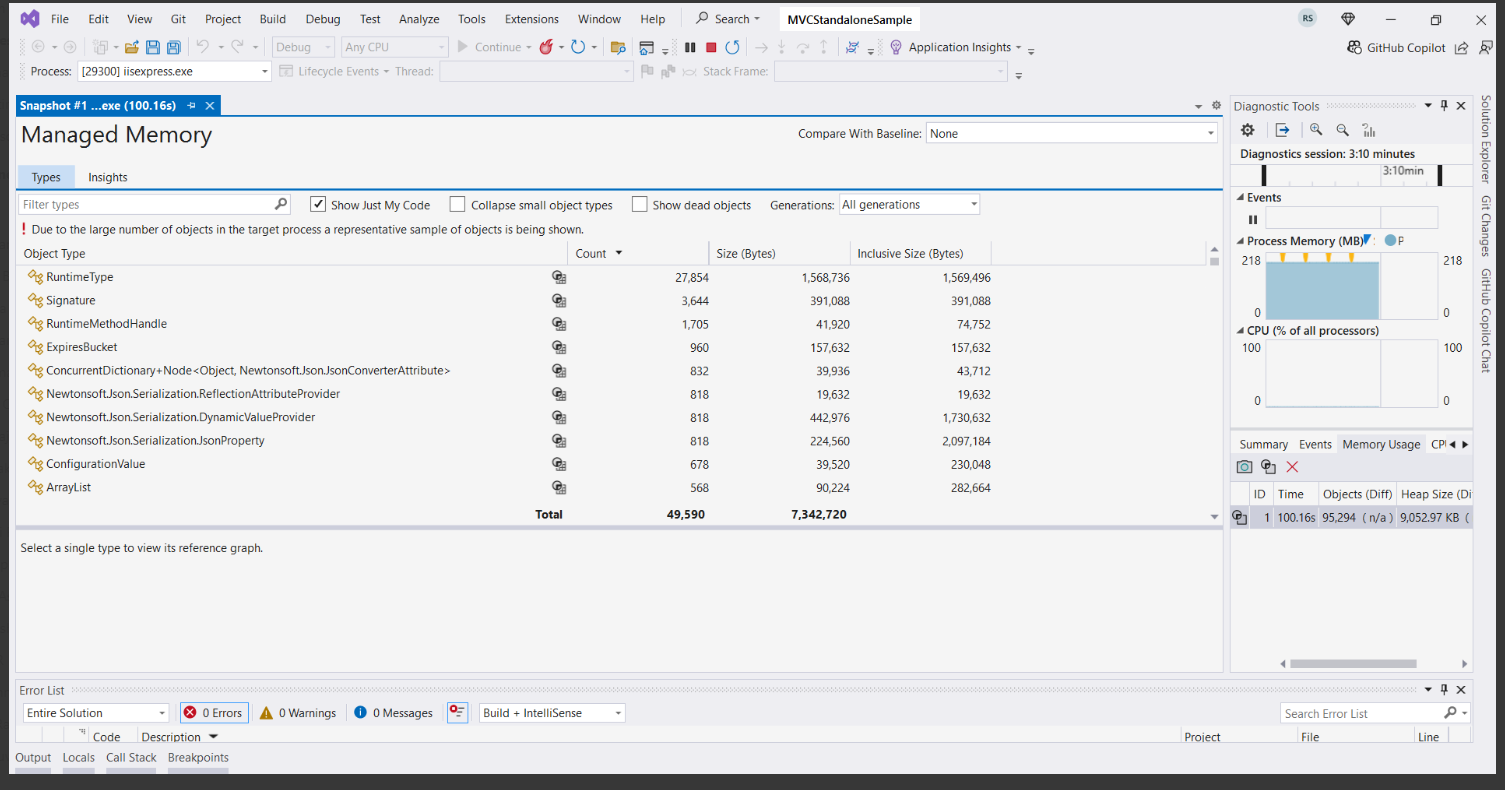
JavaScript PDF viewers can become unstable during long sessions or when rendering large documents. A well-known example is PDF.js, which has been reported to consume excessive memory over time. Without early detection, using tools like Chrome DevTools (heap snapshots, allocation timelines) or Visual Studio’s memory profiler, these leaks can lead to crashes and degraded performance.
2. Heap overflows
Reloading large PDFs without proper cleanup leaves behind rendering data, active event listeners, and cached files. Over time, these residuals accumulate and overwhelm memory. This issue is widely discussed in developer communities, including Stack Overflow threads and GitHub issues, especially in relation to libraries like React-PDF, where heap overflow bugs have impacted production apps.
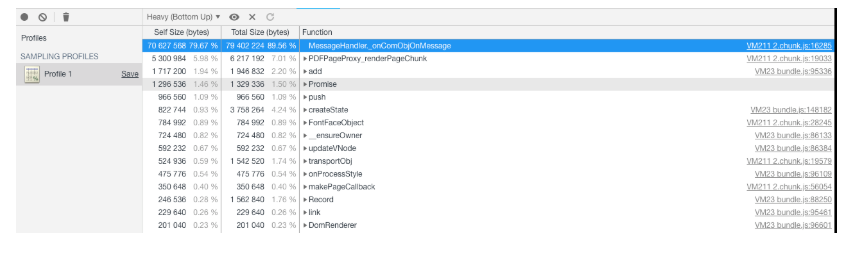
3. Unreleased memory
Single-page applications (SPAs) often retain unused data and event listeners after switching between documents, preventing garbage collection. This prevents garbage collection, leading to memory bloat. Notable examples include React PDF’s heap memory leak issue and Apryse WebViewer’s memory leak in loadScript.js and webviewer-ui.js. These challenges often lead developers to search for solutions like “how to prevent memory leaks in JavaScript” or “detect memory leaks in Visual Studio”. Later in this blog, we will explore the practical ways to fix these issues.
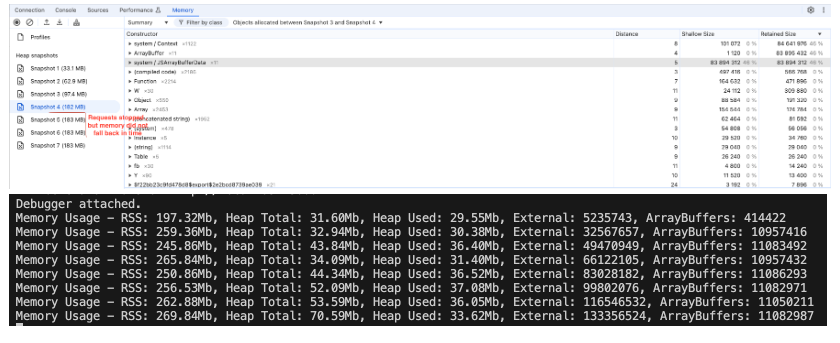
4. Performance degradation
Saturated memory slows rendering, reduces UI responsiveness, and causes sluggish interactions, even when cleanup methods like dispose() are called. This issue has been observed in PDFTron Edge-specific memory retention.
Syncfusion JavaScript PDF Viewer – A practical solution to memory leak issues
Syncfusion’s JavaScript PDF Viewer is built to minimize memory leaks through smart design and efficient resource management. It combines automatic cleanup, optimized rendering, and virtualization to ensure memory is allocated wisely and released when no longer needed, even with large or complex PDFs.
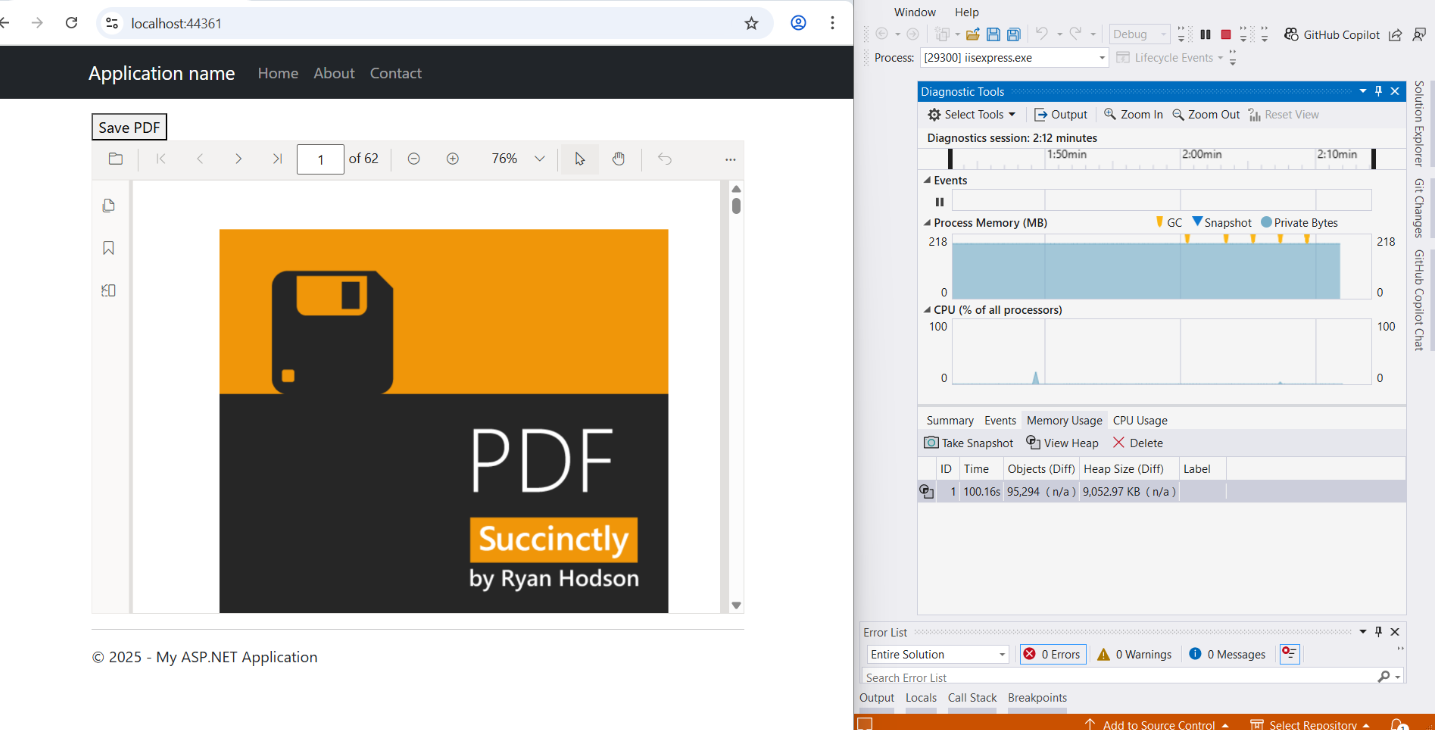
1. Optimized rendering pipeline
- Renders only visible content using a modular engine, reducing unnecessary memory usage.
- Handles large PDFs without slowing down the UI or overloading the browser.
- Delivers faster rendering and a responsive experience across devices.
2. Resource reuse
- Reuses rendering components across sessions to reduce memory allocation.
- Improves performance consistency, especially in apps where users frequently switch documents.
3. Efficient memory management
- Automatically disposes of canvases, event listeners, and internal caches when a PDF is unloaded.
- Eliminates manual cleanup, reducing the risk of heap overflow in single-page applications.
4. Support for virtualization
- Loads only visible pages into memory, keeping usage low even for large documents.
- Dynamically loads and unloads pages as users scroll, preventing crashes and improving navigation speed.
Developer’s guide: Optimizing memory in JavaScript applications
To maximize performance and prevent memory leaks when using Syncfusion’s PDF Viewer, follow these best practices:
- Properly unload and reload PDFs: Always release resources before loading a new document using
viewer.unload()orviewer.destroy(). Refer to the Syncfusion PDF Viewer user guide for detailed steps. - Avoid retaining references: Remove unnecessary references to viewer instances, DOM elements, and locally scoped variables (e.g., page number, zoom level, cached data, event handlers). Retained references block garbage collection and can lead to crashes.
- Handle large files with care: Enable virtualization and lazy loading to avoid loading all pages at once. Use thumbnails or previews to reduce initial memory usage.
- Remove unused event listeners: Clean up listeners when components unmount or elements are removed to prevent leaks.
- Clear timers and intervals: Stop unused timers with
clearTimeout()andclearInterval()to free memory. - Use local scope for variables: Avoid global variables. Prefer let or const inside functions so variables are garbage-collected when no longer needed.
- Use WeakMap for temporary caching: Store transient data in WeakMap to allow automatic garbage collection when objects are dereferenced.
- Profile memory regularly: Monitor memory usage with Chrome DevTools or Visual Studio to catch issues like JavaScript heap out of memory early and prevent heap overflow scenarios in production.
Conclusion
Thank you for taking the time to read our blog! In this post, we delved into the underlying causes of memory leaks in JavaScript PDF viewers, discussed how to identify them early, and shared practical strategies for prevention. We also demonstrated how Syncfusion’s JavaScript PDF Viewer effectively addresses these issues through advanced memory management techniques.
If you’re interested in learning more, the feature tour offers a detailed overview of the technical capabilities of Syncfusion’s PDF Viewer. For a more hands-on experience, the getting started guide provides step-by-step instructions to help you implement it with ease. To experience its optimized performance in real-time, you can explore the live demo.
If you’re a Syncfusion user, you can download the setup from the license and downloads page. Otherwise, you can download a free 30-day trial.
You can also contact us through our support forum, support portal, or feedback portal for queries. We are always happy to assist you!




 No spam, just valuable updates.