
 Ramkumar Ravy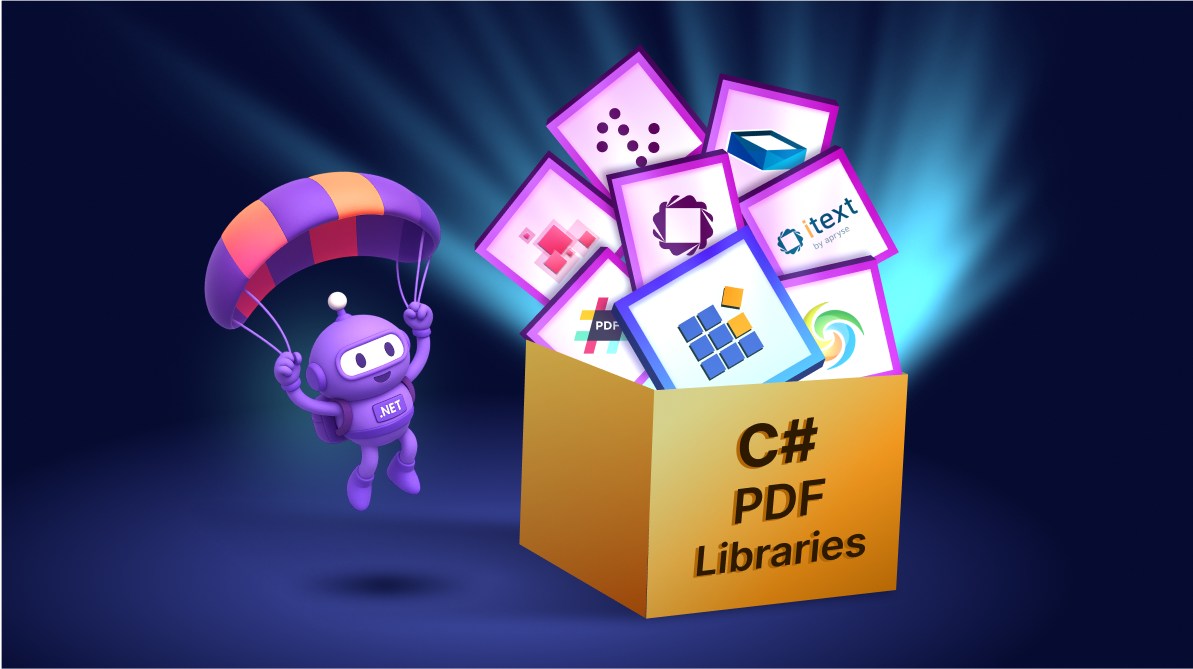
TL;DR: In 2026, .NET developers have 8 powerful PDF libraries that go beyond basic generation, bringing automation, accessibility, and modern workflows. The top picks: Syncfusion PDF, iTextSharp, PdfSharp, Aspose.PDF, IronPDF, Apryse (PDFTron), QuestPDF, and Spire.PDF. Ready to choose the best one? Dive into the full guide now!
PDF: The almighty format for modern .NET development
PDF isn’t just a file format, it’s the backbone of countless .NET applications, powering invoices, reports, secure document workflows, accessibility compliance, and long-term archiving. In 2026, as developers adopt .NET 9/10 and containerized environments, selecting the right C# PDF library is crucial for achieving optimal performance, reliability, and compliance with accessibility standards.
This guide will walk through 8 game-changing C# PDF libraries. However, before comparing their features and strengths, let’s clarify what distinguishes modern PDF libraries and why your decision is crucial in 2026.

What developers should keep in mind before choosing a PDF Library?
Before diving into the list, let’s examine the key factors that inform the selection process, enabling you to make an informed choice.
Why this comparison matters
PDFs play a mission-critical role in production systems, ensuring consistent rendering, offline portability, and compliance with standards like PDF/A and PDF/UA. The library you choose can have a direct impact on performance, support quality, and long-term maintenance costs.
How modern PDF libraries fit into today’s workflow
The best libraries go beyond basic PDF generation. They offer NuGet packages, cross-platform compatibility, and APIs that integrate seamlessly with CI/CD pipelines, containers, and cloud environments. Common capabilities include:
- HTML-to-PDF conversion
- Form processing
- Digital signatures
- Redaction
- Accessibility compliance
These features ensure your PDF workflows align with modern web backends and automated server environments.
What makes a C# PDF Library “top” in 2026
When ranking these libraries, we prioritized:
- Feature set: Comprehensive capabilities like PDF creation, editing, merging, form handling, OCR, and digital signatures.
- Long-term popularity: Proven adoption and a strong developer community.
- Active maintenance: Frequent updates and reliable support channels.
- Cross-platform support: Works across Windows, Linux, macOS, and modern .NET frameworks.
- Standards compliance: PDF/A and PDF/UA for archival and accessibility requirements.
- Quality documentation: Clear guides, API references, and examples for quick onboarding.
- Stable NuGet distribution: Easy installation and version management through NuGet packages.
With these considerations in mind, let’s start evaluating the top C# PDF libraries for 2026.
1. Syncfusion .NET PDF Library
The Syncfusion® .NET PDF library is a comprehensive API designed for creating, reading, editing, converting, and securing PDFs across all major .NET platforms. It is well-suited for tasks ranging from document automation to generating accessible, standards-compliant PDFs for business and archival needs.
| WinForms | WPF | ASP.NET Core | ASP.NET MVC |
| Blazor | Flutter | WinUI | .NET MAUI |
| React | JavaScript | Vue | Angular |
It emphasizes compliance with PDF 1.7/2.0, PDF/A variants, and PDF/UA accessibility, making it ideal for archival and accessibility workflows. This library also includes OCR powered by Tesseract, enabling the extraction of text from scanned documents.
Key features
- Create, read, modify, merge, split, and optimize PDFs.
- AES-256 encryption, password protection, digital signatures, and redaction with Quad Point support.
- OCR powered by Tesseract for image-based PDFs.
- Full support for AcroForms, grouped form fields, annotations, bookmarks, and interactive elements.
- Convert HTML, Word, Excel, PowerPoint, and images to PDF with accurate rendering.
- Support for PDF 1.7 and PDF 2.0, PDF/A (all major variants), and PDF/UA accessibility with semantic tagging and custom role maps.
- ZUGFeRD invoice support for hybrid human-readable and machine-readable invoice data.
- Advanced drawing APIs with hatch brush and layout control.
- Optimized for server-side, multi-threading, and large documents.
Quick start guide
- Open NuGet Package Manager: In Visual Studio, go to Tools → NuGet Package Manager → Manage NuGet Packages for solution.
- Install the Syncfusion .NET PDF Library: Search for the Syncfusion .NET PDF library package that matches your target framework. Use the official documentation to confirm the correct package for .NET Framework or .NET Core/ASP.NET Core.
- Add license key: Include a Syncfusion license key in your app as required by recent versions.
- Build and verify: Build and run your project to confirm basic PDF creation works.
The following code example demonstrates how to create a new PDF document.
using Syncfusion.Pdf;
using Syncfusion.Pdf.Graphics;
using System.Drawing;

//Create a new PDF document.
PdfDocument document = new PdfDocument();

//Add a page to the document.
PdfPage page = document.Pages.Add();

//Create PDF graphics for the page.
PdfGraphics graphics = page.Graphics;

//Set the standard font.
PdfFont font = new PdfStandardFont(PdfFontFamily.Helvetica, 20);

//Draw the text.
graphics.DrawString("Hello World!!!", font, PdfBrushes.Black, new PointF(0, 0));

//Save the document.
document.Save("Output.pdf");

//Close the document.
document.Close(true);
2. iTextSharp
iTextSharp is a widely used PDF SDK with strong support for PDF/A, PDF/UA, forms, digital signatures, and low-level manipulation. The project is actively maintained, and NuGet packaging has been updated with the iText7 packages renamed to iText.
Key features
- PDF creation via high- and low-level APIs.
- Digital signing, signature validation, and encryption.
- Supports PDF/A, PDF/UA, and PDF 2.0 standards.
- Modular architecture with add-ons for HTML-to-PDF, OCR, and redaction.
- AGPL open-source and commercial licensing.
- Active global community and ISO-compliant updates.
3. PDFsharp/MigraDoc
PDFsharp provides the core PDF drawing and manipulation library, while MigraDoc offers a high-level document model layout. The project ships modern buildings for .NET 8 and publishes clear NuGet packages (Core, GDI+, WPF), making it a solid open-source choice for invoices and reports.
Key features
- Basic PDF creation, text, and image rendering.
- High-level layout with paragraphs, tables, styles, and automatic pagination.
- Cross-platform builds for .NET 6/8 and .NET Framework.
- Open‑source under MIT license.
- Limited support for advanced features like OCR and compliance.
- Community-driven with a slower development pace.
4. Aspose.PDF
Aspose.PDF is a comprehensive commercial library designed for high-volume document automation. It supports PDF generation, editing, conversions, forms, signatures, and broad standards compliance (PDF 1.7/2.0, PDF/A, PDF/UA). The library offers frequent NuGet releases and extensive documentation.
Key features
- Full support for PDF creation, editing, form handling, and compliance.
- Import/export for HTML, DOCX, PPTX, Markdown, and images.
- AcroForms/XFA, annotations, encryption, and digital signatures.
- Optimized for server-side performance.
Available on NuGet; supports .NET Framework, .NET Core.
- Tiered licensing with trial limitations.
- Strong documentation and support channels.
5. IronPDF
IronPDF focuses on pixel-perfect HTML/CSS/JS rendering using a Chromium-based engine, along with APIs for editing, merging, splitting, and securing PDFs. It’s popular for ASP.NET and server-side scenarios where accurate HTML-to-PDF output is crucial.
Key features
- High-fidelity HTML-to-PDF with Chromium-grade rendering.
- Headers and footers with pagination controls.
- Merge, split, watermark, and secure PDFs.
- Cross-platform support for Docker, Azure, and AWS.
6. Apryse (PDFTron) .NET SDK
Apryse (formerly PDFTron) offers a deep, industrial-grade PDF SDK designed for demanding apps. It supports viewing, annotation, conversion, PDF/A validation, redaction, encryption, forms, and extensive low-level manipulation through .NET packages and native components.
Key features
- View, edit, annotate, and optimize PDFs.
- Convert to/from Office, HTML, SVG, XPS, TIFF.
- PDF/A validation, redaction, and encryption.
- OCR, semantic comparison, and signing workflows.
- SDKs for web, mobile, and desktop platforms.
- High-performance rendering with sandboxed security.
7. QuestPDF
QuestPDF is an open-source, modern library with a fluent C# API built around a powerful layout engine and automatic pagination. It’s designed for server-side generation of reports, invoices, and data-driven documents, offering strong performance and RTL/multilingual support.
Key features
- Fluent, code-centric layout model with modular components.
- Automatic pagination and rich layout elements.
- High performance at scale; server-friendly.
- Multilingual support, including RTL and advanced text shaping.
8. Spire.PDF
Spire.PDF is a commercial component for creating, editing, and converting PDFs. It offers extensive support for fonts, forms, encryption, signatures, and format conversions. Community and full editions differ in feature set.
Key features
- Create, read, edit, merge, and split PDFs.
- Convert to/from PDF and Office/image formats.
- Encryption, digital signatures, bookmarks, and annotations.
- Extract text, images, and attachments.
Choosing the right C# PDF library
Here’s a quick guide to help you match your needs with the right tool:
- Versatile, cross-platform development – Syncfusion
- Projects with heavy HTML rendering – IronPDF
- Cost-effective, open-source solutions – PDFsharp/MigraDoc
- Layout-driven, high-performance document generation – QuestPDF
- Enterprise-grade document automation and conversions – Aspose.PDF
- Compliance-focused workflows and advanced standards – iText 7 or Apryse (PDFTron)
- Broad conversion support with commercial stability – Spire.PDF
FAQs
Q1. Which C# PDF library is best for cross-platform .NET development?
Syncfusion .NET PDF Library is ideal for versatile, cross-platform development with advanced features like OCR, PDF/A compliance, and invoice automation.
Q2. What is the best option for HTML-to-PDF conversion in .NET?
Syncfusion’s .NET PDF library includes a first-class HTML-to-PDF converter built on the Blink engine, capable of rendering HTML5, CSS3, SVG, JavaScript, and web fonts with pixel-perfect fidelity.
IronPDF also provides pixel-perfect HTML/CSS/JS rendering using a Chromium-based engine, making it the top choice for web-to-PDF workflows.
Q3. Are there any free or open-source C# PDF libraries?
Yes, PDFsharp/MigraDoc and QuestPDF are open-source options. PDFsharp is great for basic PDF generation, while QuestPDF excels in layout-driven document creation.
Syncfusion is also available for free to eligible individual developers and small businesses via the Syncfusion Community License. For more details, refer to the KB article: How to get a community license and install it.
Q4. Which library should I choose for enterprise-grade document automation?
Aspose.PDF and Syncfusion are strong commercial options with extensive conversion, compliance, and performance features.
Q5. What library supports compliance-heavy workflows, such as PDF/A and PDF/UA?
iText 7 and Apryse (PDFTron) are best suited for compliance-focused projects requiring advanced standards and validation.
Q6. Does any library support invoice automation standards, such as ZUGFeRD?
Yes, Syncfusion .NET PDF Library supports ZUGFeRD for seamless invoice creation and processing.
Conclusion
Thanks for reading! In this blog, we explore the top 8 C# PDF Libraries for .NET developers in 2026. Each library offers a distinct mix of features, performance, licensing models, and platform compatibility. Whether you’re building lightweight utilities, handling sensitive documents, or managing large-scale enterprise workflows, the best choice depends on your specific use case.
If you’re a Syncfusion user, you can download the setup from the license and downloads page. Otherwise, you can download a free 30-day trial. You can also contact us through our support forums, support portal, or feedback portal. We are always happy to assist you!

 No spam, just valuable updates.