
 Praveenkumar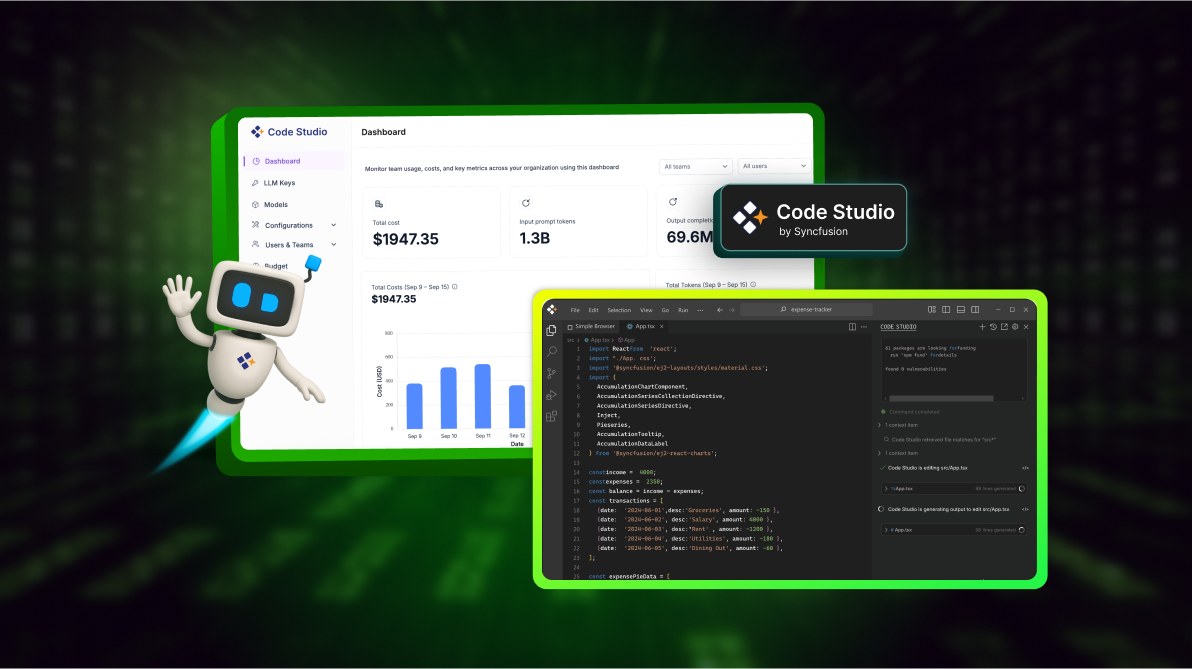
TL;DR: Code Studio is an AI-powered IDE that balances speed and governance. It supports multi-provider LLMs, BYO-Key billing, fallback routing, and real-time analytics, making scalable AI development predictable and secure.
AI is transforming how developers build software, but scaling it safely across teams is still challenging. From unpredictable costs to fragile workflows, most tools force a trade-off between speed and control.
Code Studio solves this by combining a secure IDE with enterprise-grade governance. With multi-provider LLM support, BYO-Key billing, and fallback routing, it’s built for teams that want to move fast without losing control.
How Code Studio’s Enterprise Server ensures governance
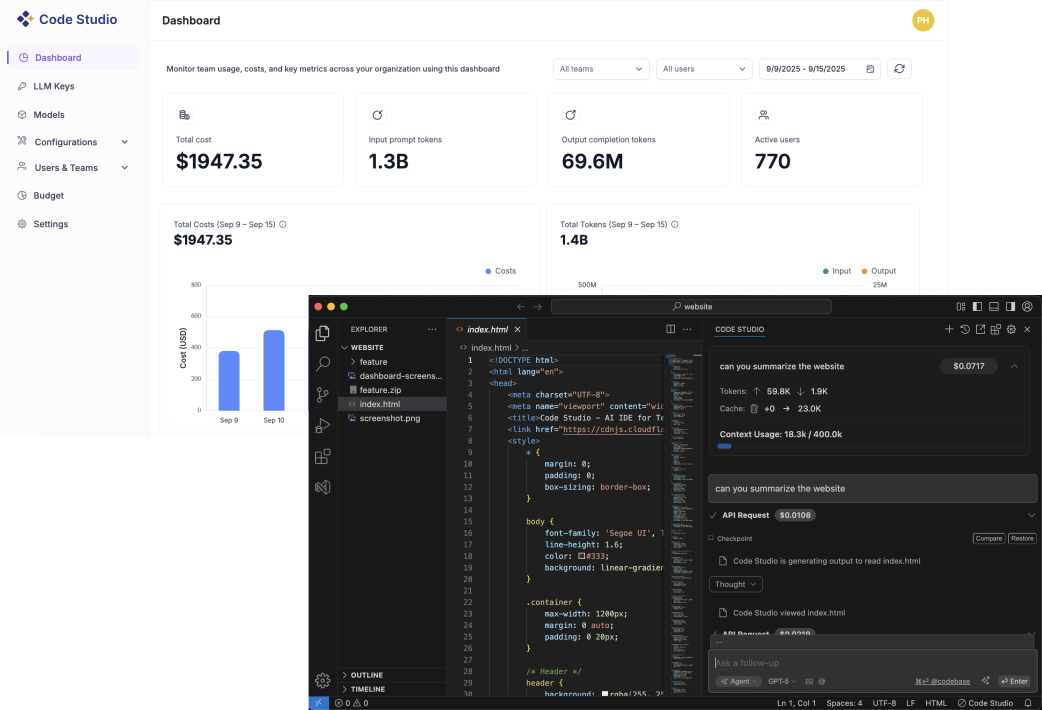
Code Studio’s Enterprise Server is the backbone of secure, scalable AI development. It centralizes model management, billing, reliability, and security, enabling leaders to maintain control without stifling developer productivity. For example, teams can seamlessly switch between AI models while administrators monitor usage and enforce budgets in real time.
Why governance matters for scalable AI development
Most AI tools force a choice, either prioritize developer speed or enforce enterprise control. But true scalability demands both.
That’s why Code Studio integrates enterprise-grade governance: Empowering developers with fast, intuitive tools while giving leaders the oversight they need.
- For developers: Support for autocomplete, chat, edit, and agent modes has been added, along with a UI builder that converts specs or screenshots into production-ready UI using over 1,600 Syncfusion components.
- For leaders: We offer multi-provider choice, BYO-Key billing, per-team budgets, live analytics, fallback routing, and SSO with role-based access.
Enterprise Server – A benefit for leaders
Let’s explore the key capabilities that empower leaders to manage LLMs and models with precision and scalability.
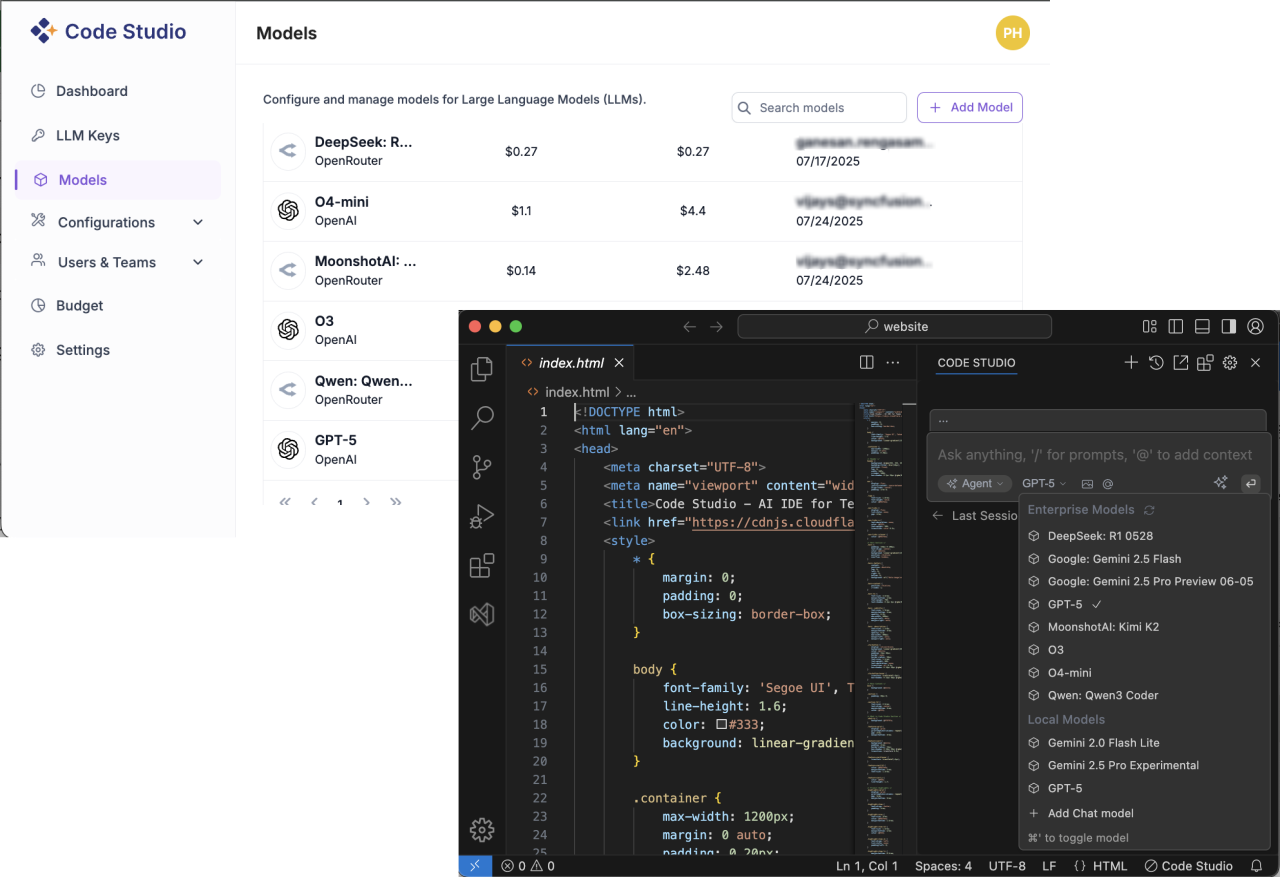
Centralized LLM providers and models management
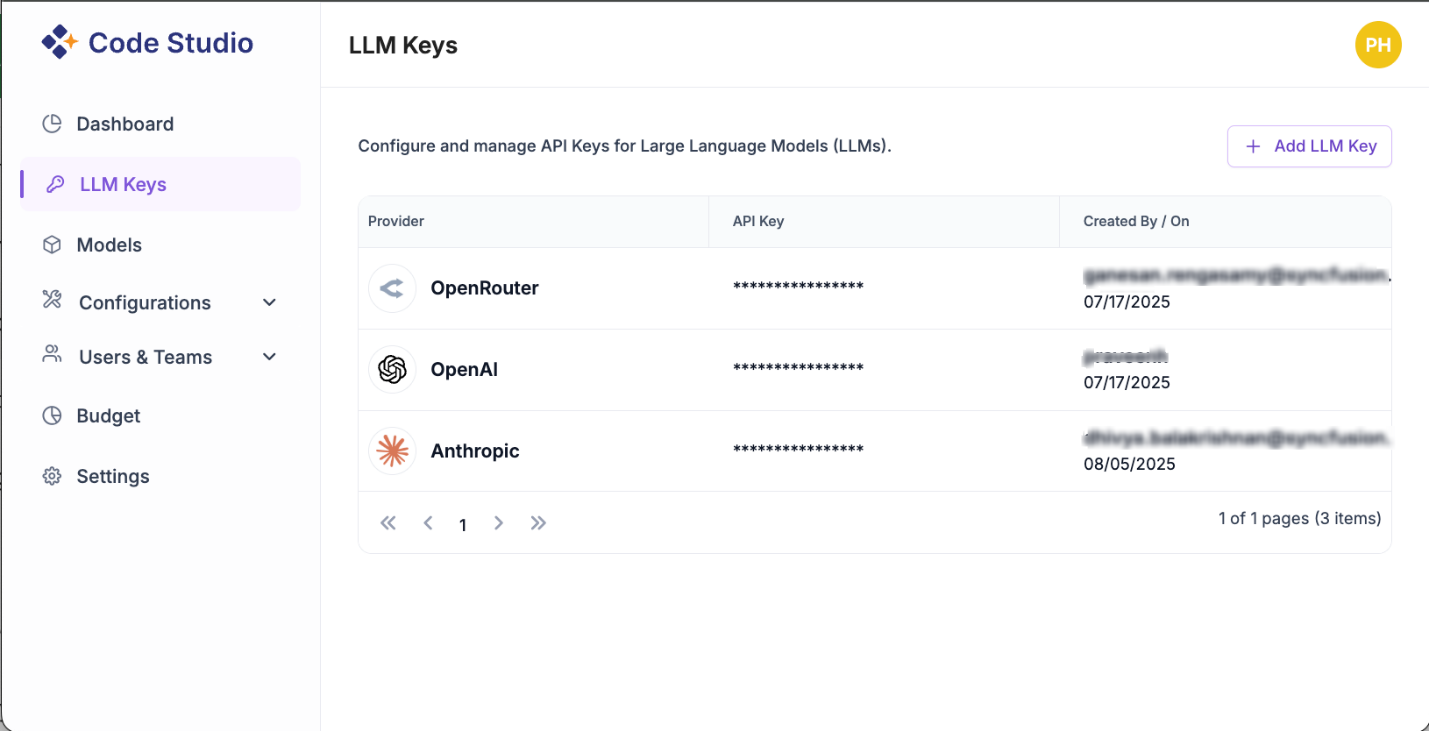
Seamlessly integrate AI models from OpenAI, Anthropic, OpenRouter, or local models via Ollama. With bring-your-own-key (BYO-Key) billing, you pay providers directly with no markup, while centralized key management ensures security and auditability.
Dashboard and analytics
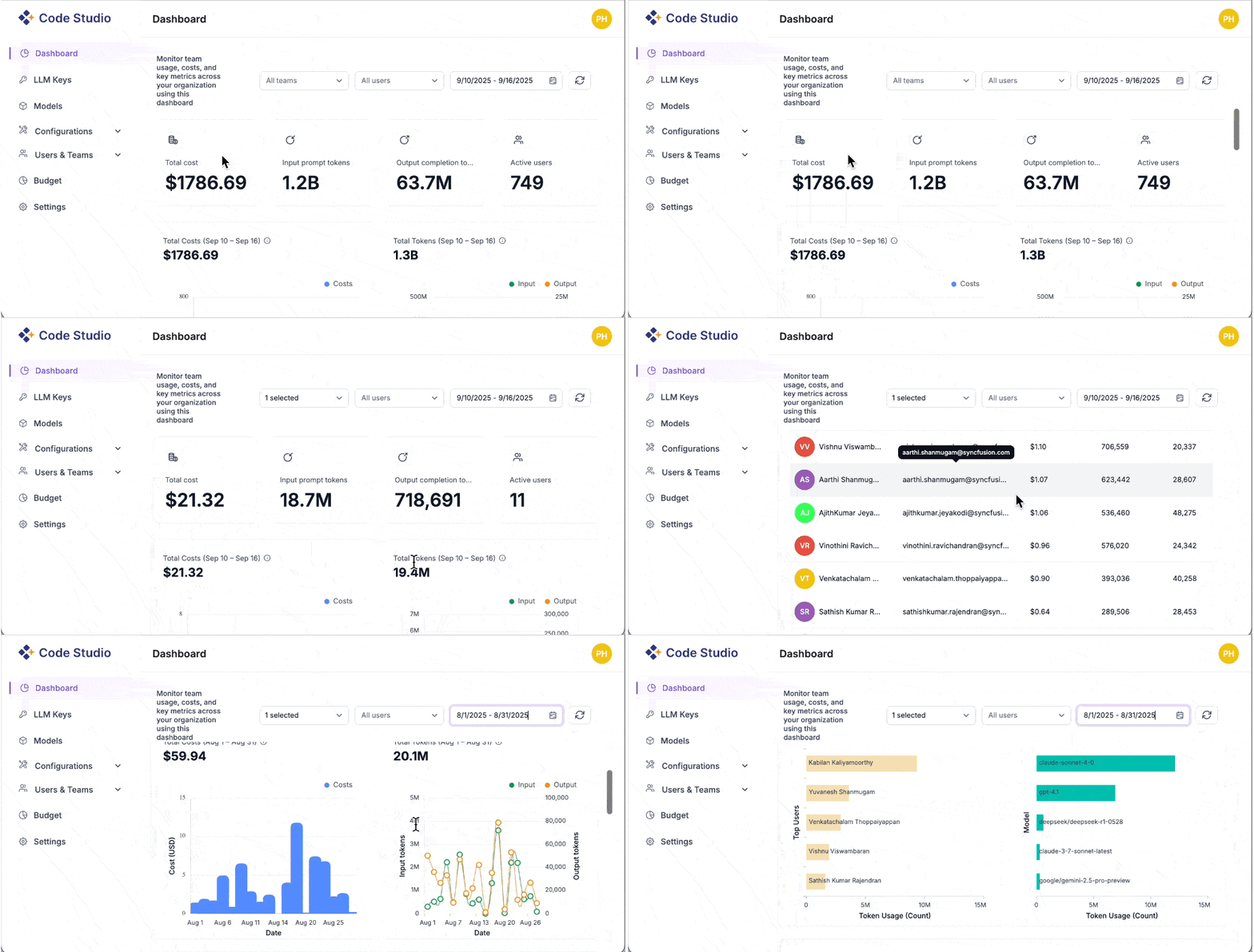
A clear, real-time view of your organization’s AI usage, costs, tokens, and adoption, all in one place. Filter by team or user, choose a date range, and instantly see total cost, input vs. output tokens, and active users. Drill into providers and models to spot waste, catch reliability issues early, and keep spending predictable with budgets and alerts.
Budgets and alerts, no surprises
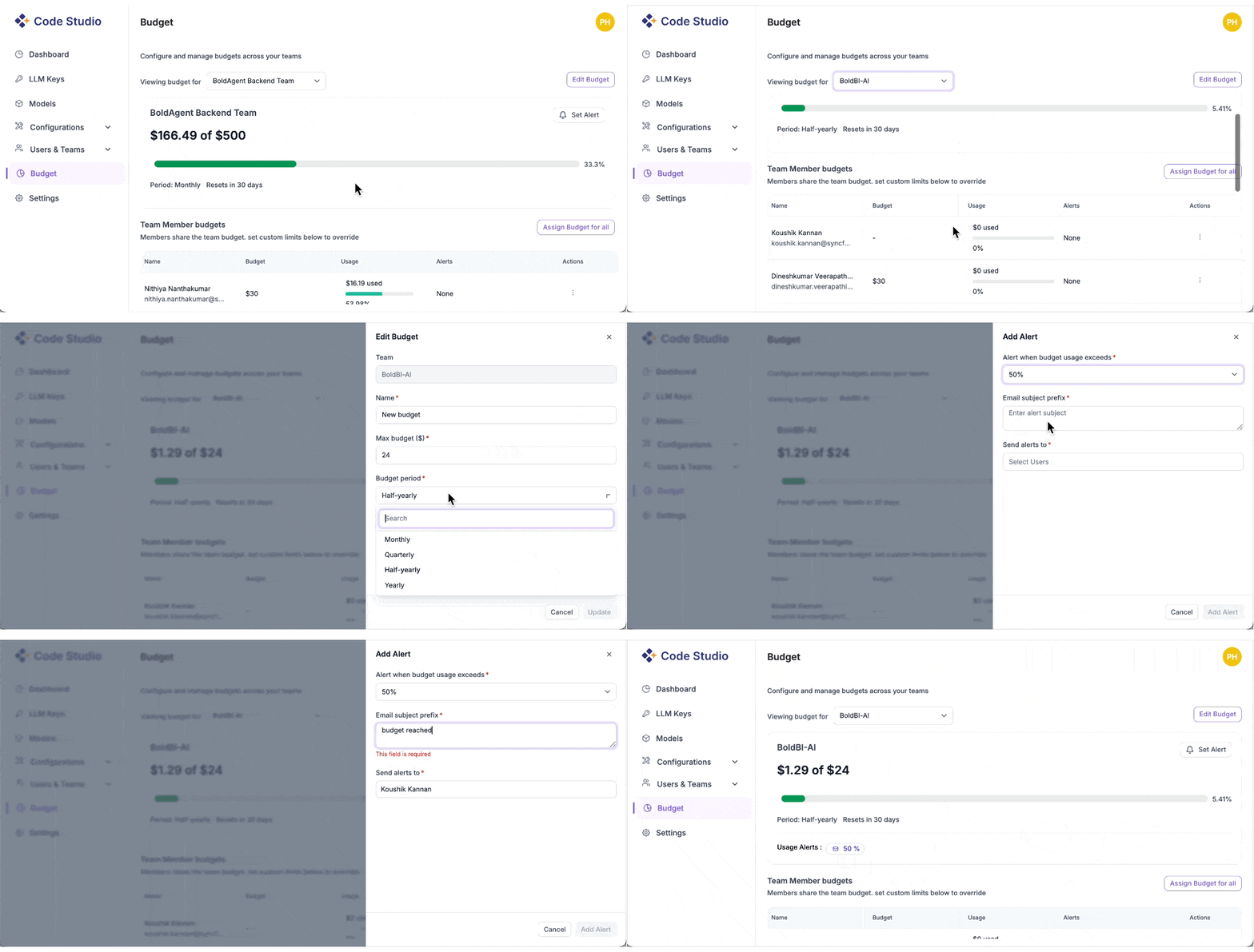
Set clear per-user and per-team budgets with soft and hard limits, then let Code Studio watch. You’ll see live budget status in the dashboard and get threshold alerts (e.g., 70/90/100%) before spending goes off track. Soft limits nudge; hard caps stop runaway usage. Every change is auditable, and simple forecasts project month-end spend, so finance isn’t guessing.
Users and team management
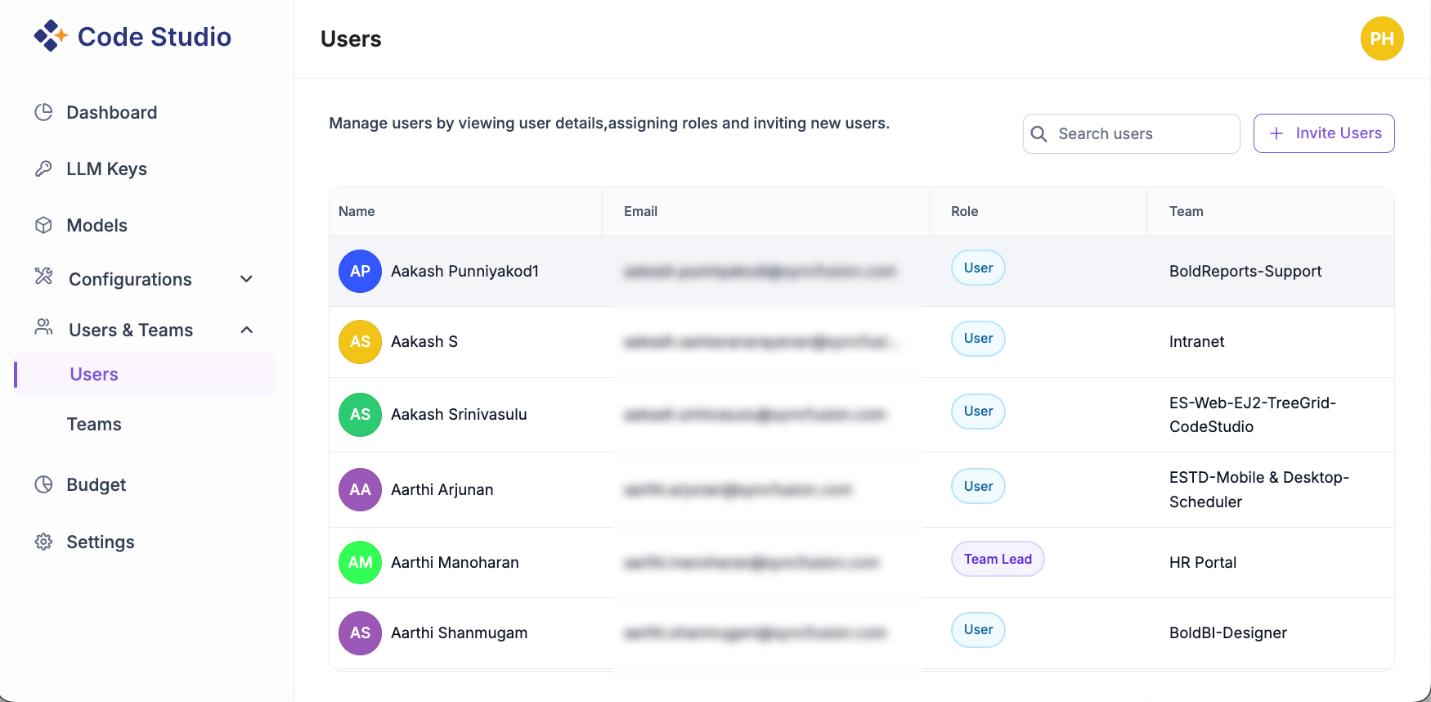
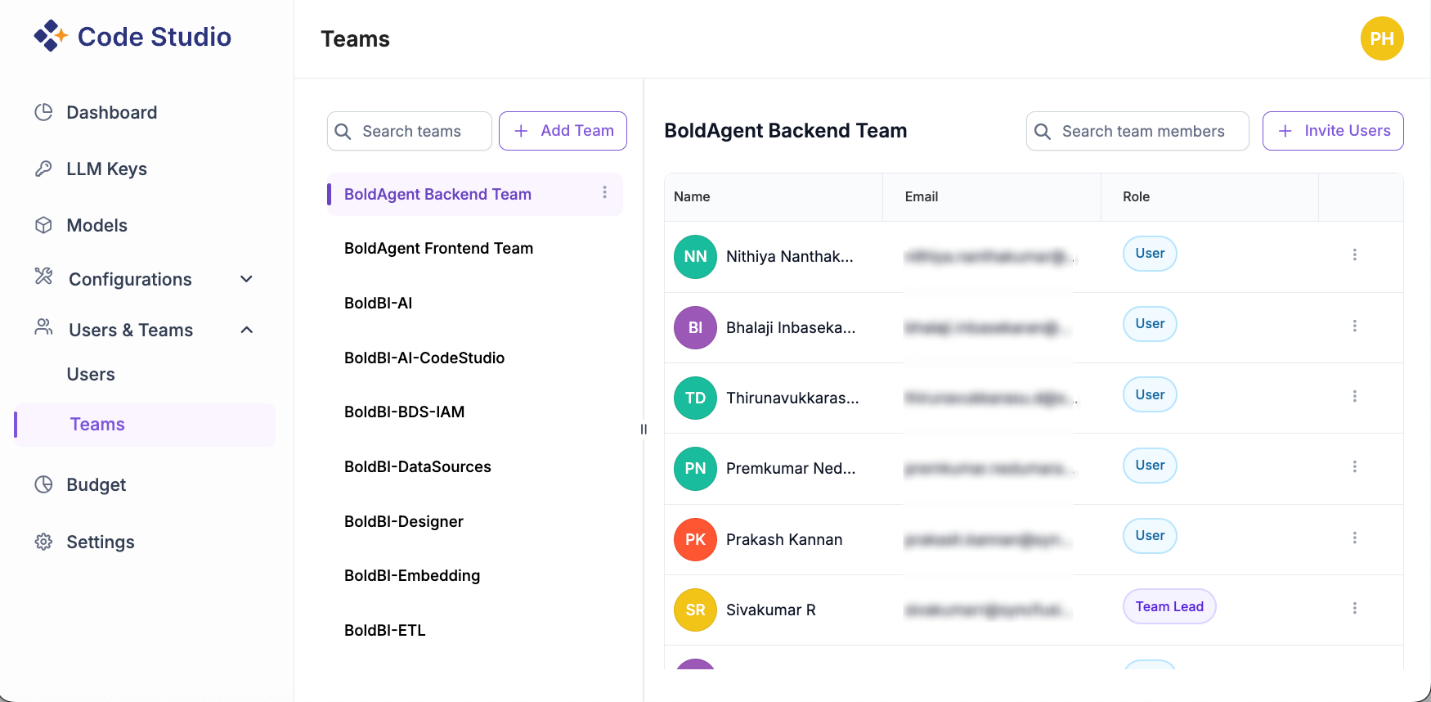
We can invite users, create teams, and assign roles (Admin, Team Lead, Member) in minutes. We can also set organization-wide defaults for models and budgets, with optional team-level overrides. Finally, we can track usage and cost by team or user.
Reliability by design
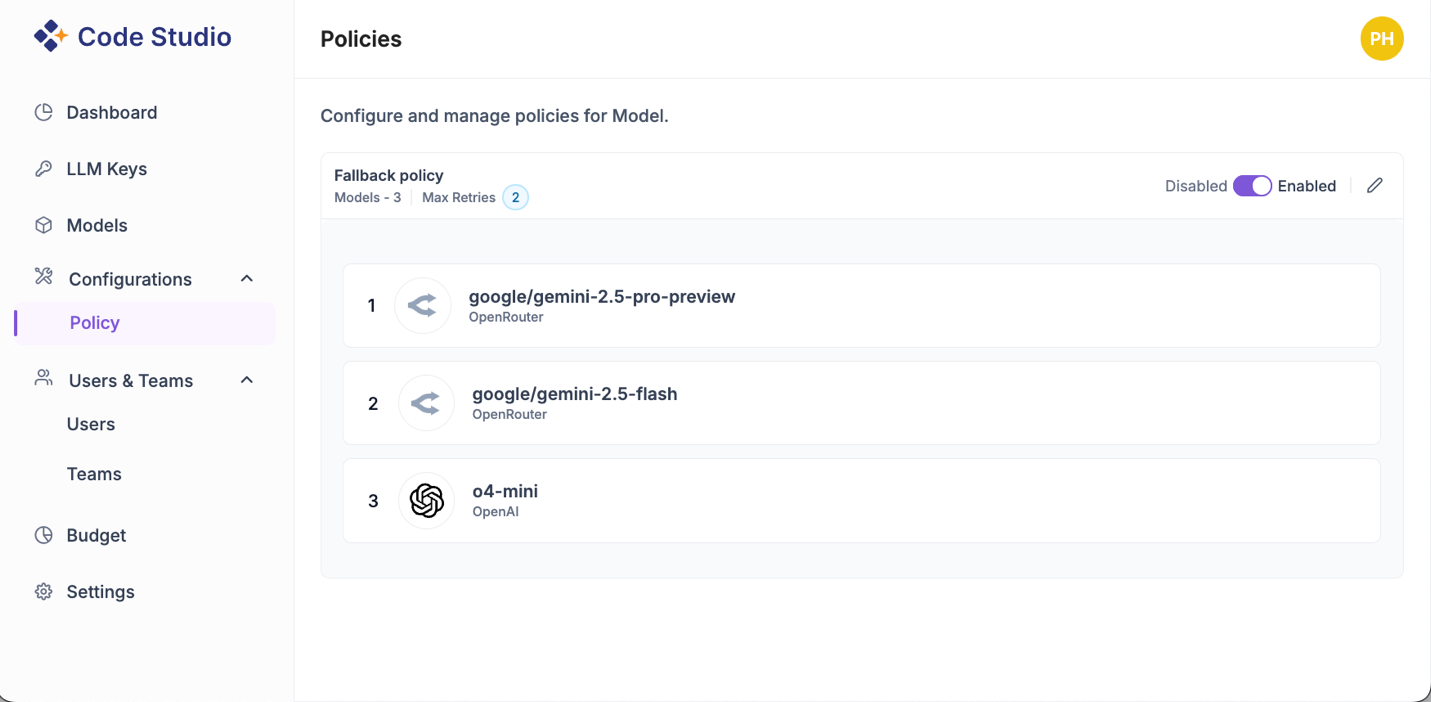
Keep work moving, even when a provider is slow or down. Define fallback policies so requests auto-route to the next best model, use health-aware timeouts and retries with graceful degradation.
The outcome: Scalable AI without compromise
With Code Studio, teams keep their preferred workflows, while leaders gain the control they need to scale AI confidently:
- No lock-in: Choose from OpenAI, Anthropic, OpenRouter, or run local models via Ollama.
- Predictable spend: Stay on budget with real-time dashboards, alerts, and per-team limits.
- Built-in resilience: Fallbacks and retries ensure continuity, even when providers slow down.
Code Studio IDE: Empowering developers
Code Studio now brings a few enhancements and powerful new features, like checkpoints, memory, and codebase search.
But first, here’s a quick overview of its core modes.
Core modes
- Autocomplete: Fast inline completions tuned for real projects (file + project context).
- Chat: Ask about code, design APIs, or generate tests with repository-aware context.
- Edit: Proposes precise diffs; you review and apply with one click.
- Agent: Handles multi-step tasks (e.g., add pagination to this list + tests + docs), with visible plans and checkpoints.
Note: To know more about the core features, check out our introduction blog post.
Now, let’s look at the new features.
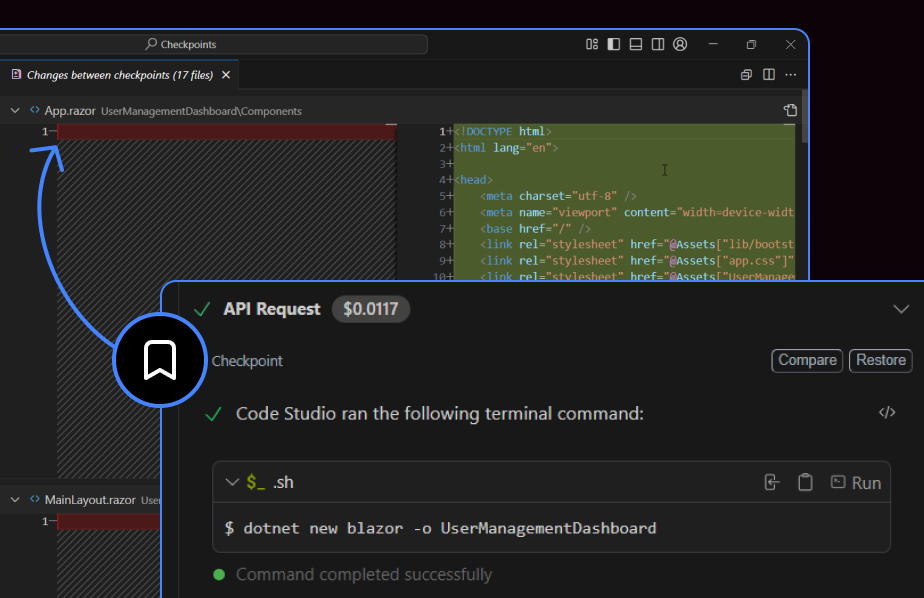
Checkpoints
Automatically save the state of your workspace at key moments. Track changes, preview modifications, and roll back when needed, making your development process more reliable and manageable.
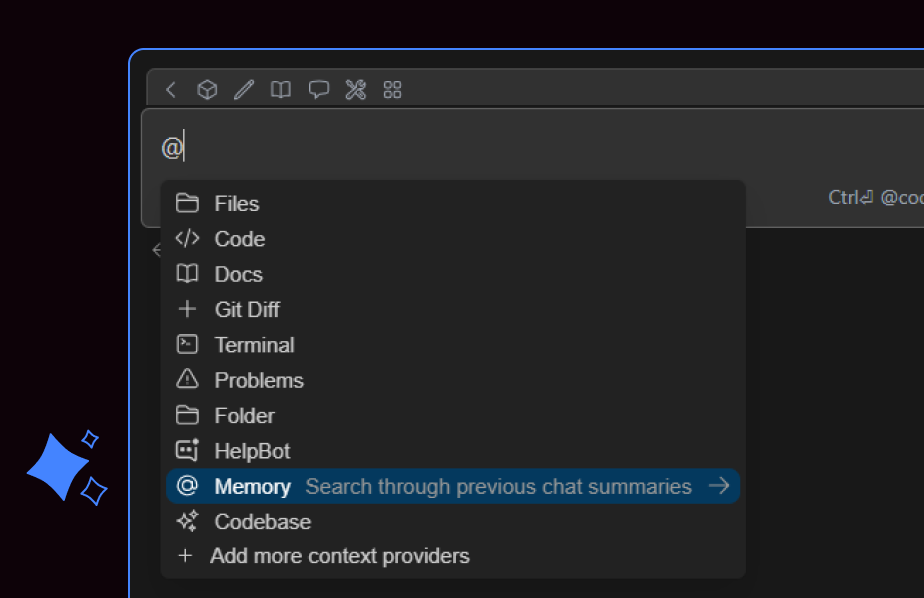
Memory
Memory makes your AI chat smarter by remembering previous interactions. It recalls relevant details, maintains continuity, and delivers more accurate responses, which is ideal for complex or multi-step workflows.
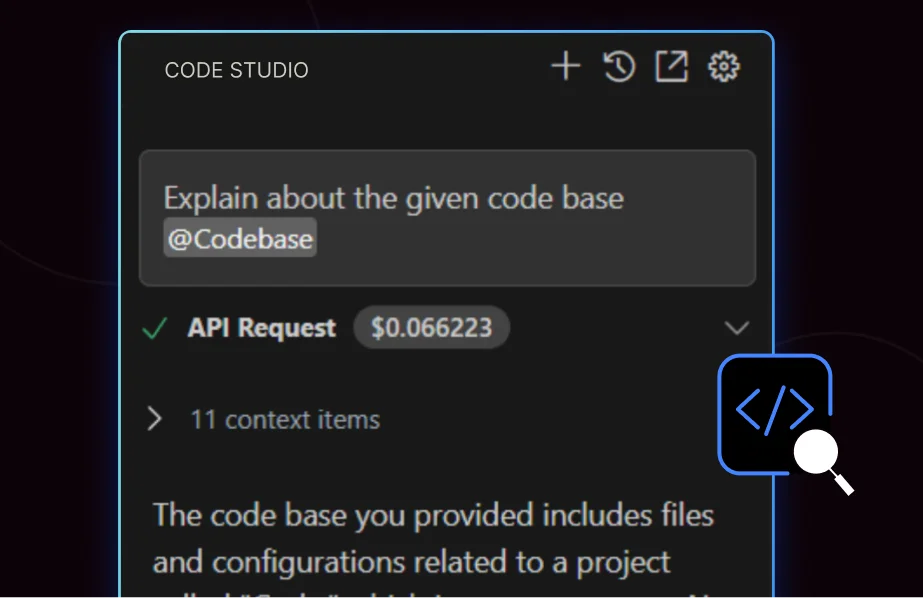
Codebase search
Quickly find code across your entire project using natural language queries. Link search results into your prompts so Code Studio can use them as context, making coding faster and more accurate.
MCP Marketplace
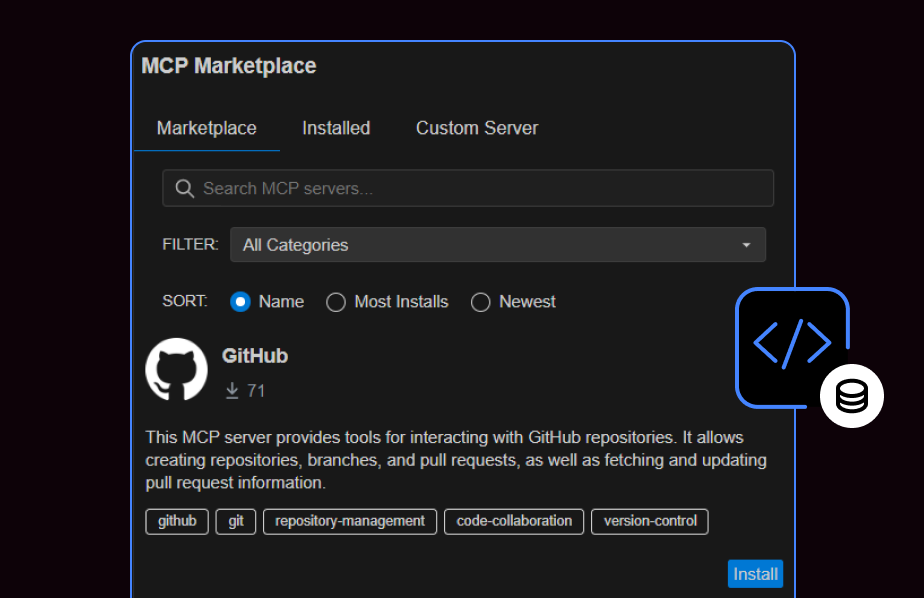
The MCP Marketplace is a central hub for server management. Browse available MCP servers, then install and configure them with a single click. The automated setup integrates the server with Code Studio, streamlining your workflow.
Real-time session insights
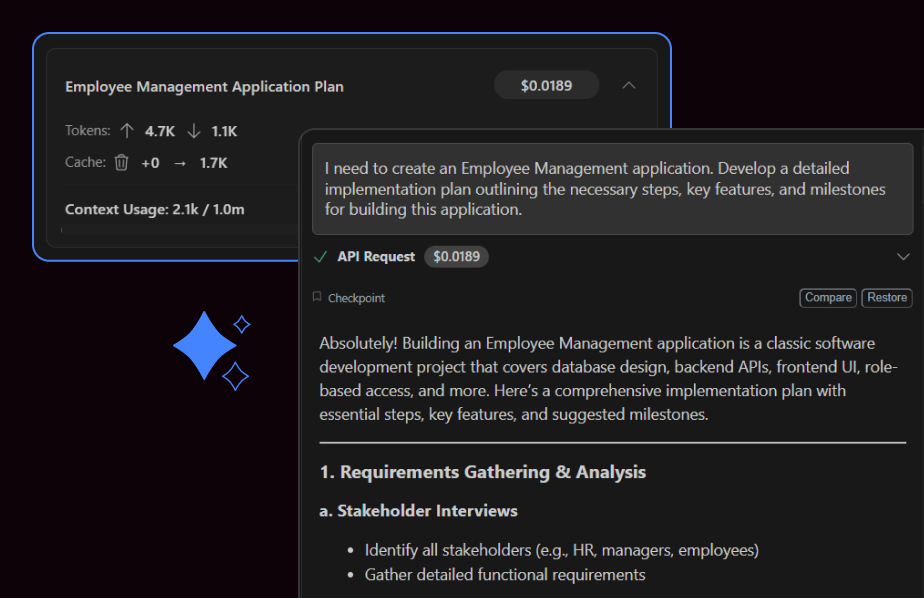
Gain complete visibility into your AI session activity with detailed metrics on token usage, context consumption, and cost breakdown, empowering developers to optimize performance and manage resources effectively.
Enhancements in the UI builder
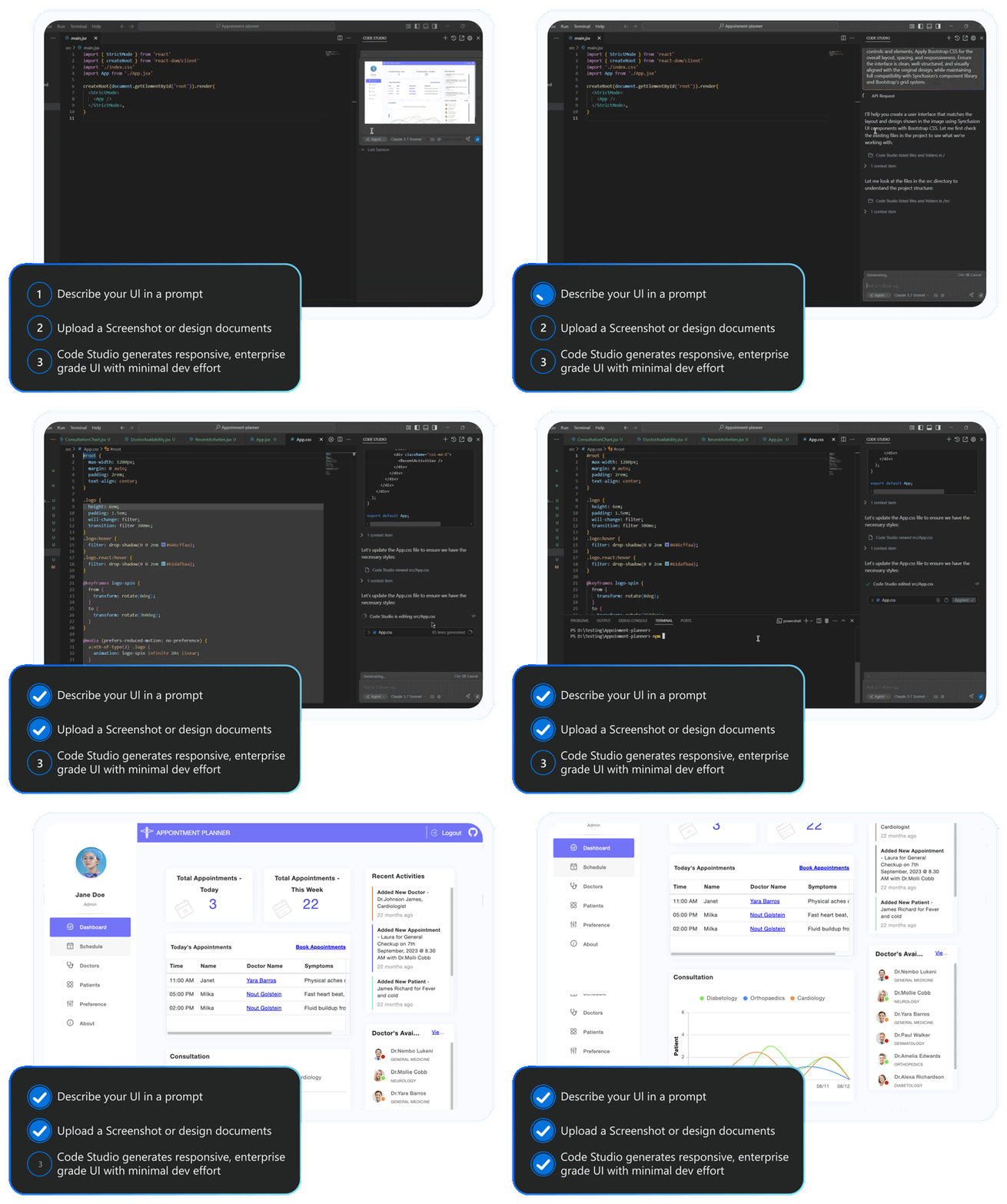
Code Studio’s UI builder now supports 14 modern platforms, including JavaScript, TypeScript, React, Angular, Vue.js, Blazor, ASP.NET Core for web, WinForms, WPF, WinUI for desktop, .NET MAUI, and Flutter for cross-platform, and Java for specialized document processing and back-end integrations.
With the UI builder, you can now create production-ready UI for web, desktop, and cross-platform applications with 1,600+ Syncfusion components.
Why do developers love Code Studio?
Developers love Code Studio for its seamless integration into daily workflows. It supports coding with context-aware autocomplete, enables natural-language queries for code-related tasks, applies safe and precise edits, and accelerates UI development with a powerful builder.
Conclusion
Building enterprise AI apps shouldn’t mean compromising between speed and control. With Syncfusion Code Studio, you get both an intuitive IDE for developers and a robust governance layer for leaders.
From real-time analytics and fallback routing to budget enforcement and centralized model management, Code Studio equips teams to innovate confidently and scale responsibly.
Whether you’re prototyping a new feature or deploying across departments, Code Studio ensures your AI workflows are secure, predictable, and future-ready.
Ready to build smarter, faster?
- Start free with the IDE and try a real feature end-to-end.
- Connect providers (BYO-Key) and set a workspace default + team overrides.
- Enable budgets and fallbacks to keep spending predictable and work moving.
Your models. Your rules. Your pace.


 No spam, just valuable updates.