
 George Livingston
TL;DR: Manual PDF redaction is unreliable and insecure, especially when sensitive data must be permanently removed across large document sets. This guide walks developers through how to redact PDF in C# using Syncfusion’s .NET PDF Library, which ensures true redaction by completely deleting content, not just masking it. With support for regex, OCR, and customizable redaction overlays, you can securely sanitize documents, meet GDPR compliance, and distribute files with confidence, all while maintaining full control over the redaction process.
Redacting a PDF is the process of removing sensitive or confidential information from PDF documents. Syncfusion’s .NET PDF library provides an easy way to redact PDF using C#.
Redaction isn’t just placing a colored box over text or an image. When we try copying text from under the colored area, we can still see the content, so it’s not redacted. Syncfusion provides a 100% true redaction, which means we completely remove the content from the document. Once the content is redacted, it cannot be undone. It is always a good idea to have a backup of the master document.
Syncfusion PDF Library helps customers reach GDPR compliance by safely removing customer information from a PDF document. You can now distribute files securely by permanently removing confidential information such as financial account numbers, social security numbers, customer email addresses, phone numbers, and credit card information.
The PDF redaction feature is also available in WinForms, WPF, ASP.NET Web Forms, and ASP.NET MVC. Syncfusion PDF Library provides customization options for the redacted area, so you can use colored boxes or leave the area blank. You can specify custom text or redaction codes to appear over the redacted area.

Let’s start with code to redact a PDF using C#
Check the documentation for NuGet package requirements and install the appropriate packages for your .NET application. In this blog, we will create a WPF application and install the Syncfusion.Pdf.Wpf NuGet package to redact a PDF document.
After installing the required NuGet package, add these namespaces to your class as shown below:
using Syncfusion.Pdf;
using Syncfusion.Pdf.Graphics;
using Syncfusion.Pdf.Parsing;
using Syncfusion.Pdf.Redaction;
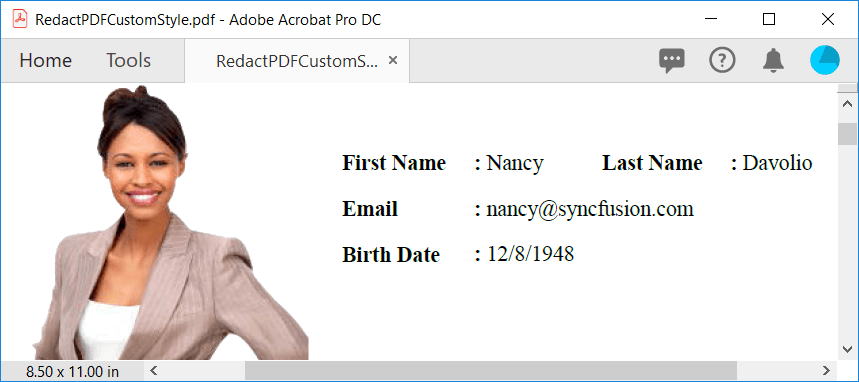
Here, we’ll just remove the email address from the PDF and leave the area blank.
//Load a PDF document for redaction
PdfLoadedDocument ldoc = new PdfLoadedDocument("../../Input/RedactPDF.pdf");

//Get first page from document
PdfLoadedPage lpage = ldoc.Pages[0] as PdfLoadedPage;

//Create PDF redaction for the page
PdfRedaction redaction = new PdfRedaction(new RectangleF(340,120,140,20));

//Adds the redaction to loaded 1st page
lpage.Redactions.Add(redaction);

//Save the redacted PDF document to disk
ldoc.Save("RedactedPDF.pdf");

//Close the document instance
ldoc.Close(true);
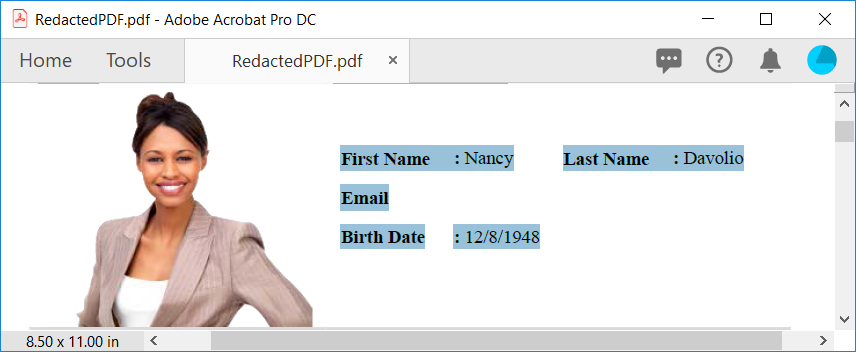
As you can see in the screenshot, the email address in the PDF file is completely removed without any trace and you cannot find or select the redacted content.
Redact PDF with fill color
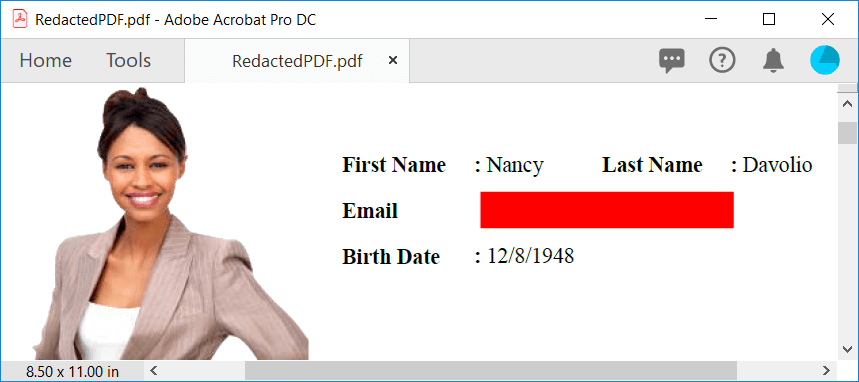
Now, we’ll load the same PDF file and redact with red color. This will completely remove the content from the PDF and apply red color over the redacted area.
//Create PDF redaction for the page
PdfRedaction redaction = new PdfRedaction(new RectangleF(340,120,140,20), System.Drawing.Color.Red);

//Adds the redaction to loaded page
lpage.Redactions.Add(redaction);
Redact PDF with code sets and entries
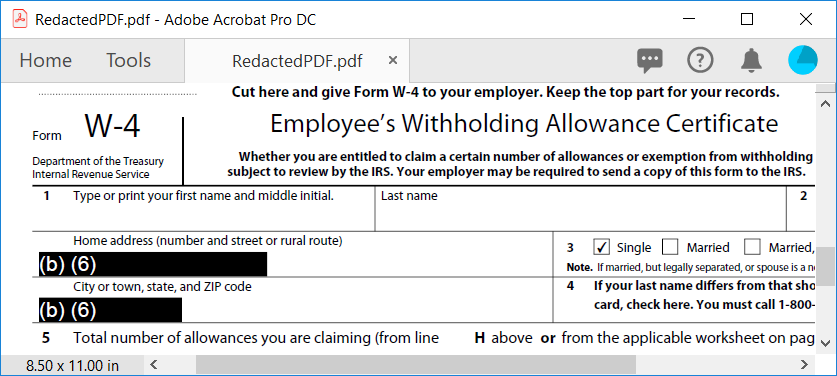
Certain PDF files, such as invoice, government official forms, contains text or images that are positioned at the fixed position in the PDF page. For example, employee addresses in W-4 tax forms will always be in the same place and can be redacted under the exemption code of US FOIA (b) (6).
//Create redaction area for redacting telephone number with code set.
RectangleF redactionBound = new RectangleF(50, 568, 120, 13);

PdfRedaction redaction = new PdfRedaction(redactionBound);
redaction.Appearance.Graphics.DrawRectangle(PdfBrushes.Black, new RectangleF(0, 0, redactionBound.Width, redactionBound.Height));
redaction.Appearance.Graphics.DrawString("(b) (6)", new PdfStandardFont(PdfFontFamily.Helvetica, 11), PdfBrushes.White, new PointF(0, 0));

//Adds the redaction to loaded page
lpage.Redactions.Add(redaction);

//Create redaction area for redacting address with code set.
RectangleF addressRedaction = new RectangleF(50, 592, 75, 13);
redaction = new PdfRedaction(addressRedaction);
redaction.Appearance.Graphics.DrawRectangle(PdfBrushes.Black, new RectangleF(0, 0, addressRedaction.Width, addressRedaction.Height));
redaction.Appearance.Graphics.DrawString("(b) (6)", new PdfStandardFont(PdfFontFamily.Helvetica, 11), PdfBrushes.White, new PointF(0, 0));
lpage.Redactions.Add(redaction);
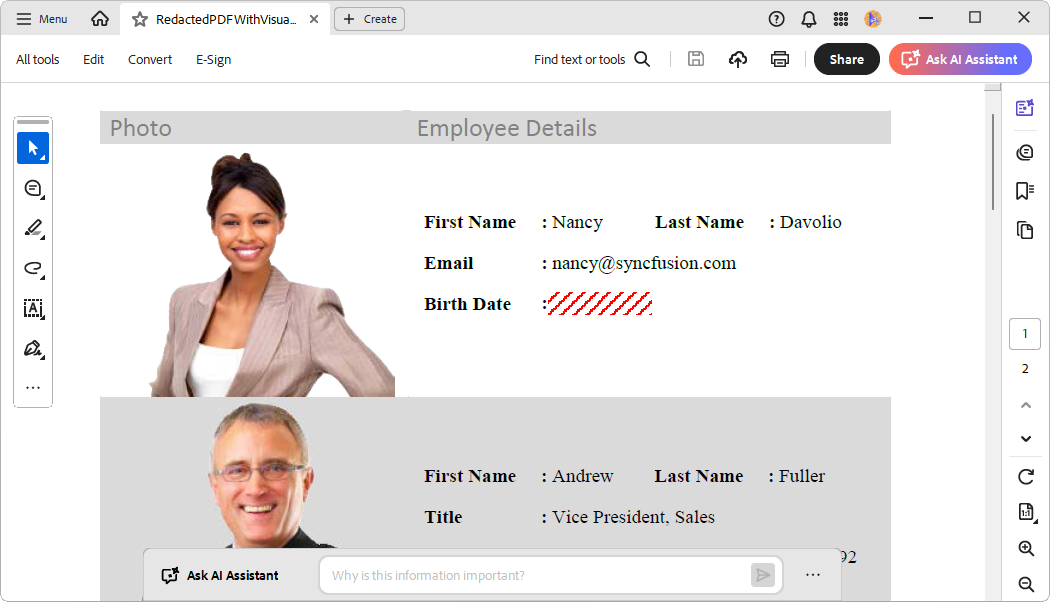
Enhancing redacted areas with visual elements
To improve the visual appeal of redacted sections, you can incorporate images or patterns in place of the standard blackout. This not only maintains privacy but also adds a creative touch to your content. Below is a sample code snippet demonstrating how to implement this enhancement.
//Create a PDF redaction for the page
PdfRedaction redaction = new PdfRedaction(new RectangleF(341, 149, 64, 14));

//Draw the patten on the redaction area
PdfHatchBrush pdfHatchBrush = new PdfHatchBrush(PdfHatchStyle.BackwardDiagonal, Color.Red, Color.Transparent);

redaction.Appearance.Graphics.DrawRectangle(pdfHatchBrush, new RectangleF(0, 0, 64, 14));

//Add the redaction to the loaded page
page.Redactions.Add(redaction);
By executing the code, you will get the following output document.
Redact text only in a PDF document
Sometimes, it’s necessary to hide sensitive text in a PDF file without affecting images or background layouts. Using the Syncfusion .NET PDF library, you can redact only the text while keeping the rest of the document intact. This is ideal for securely sharing documents while protecting confidential information.
//Create a PDF redaction for the page
PdfRedaction redaction = new PdfRedaction(new RectangleF(343, 280, 100, 16));

//Set text only redaction
redaction.TextOnly = true;

//Add the redaction to the loaded page
page.Redactions.Add(redaction);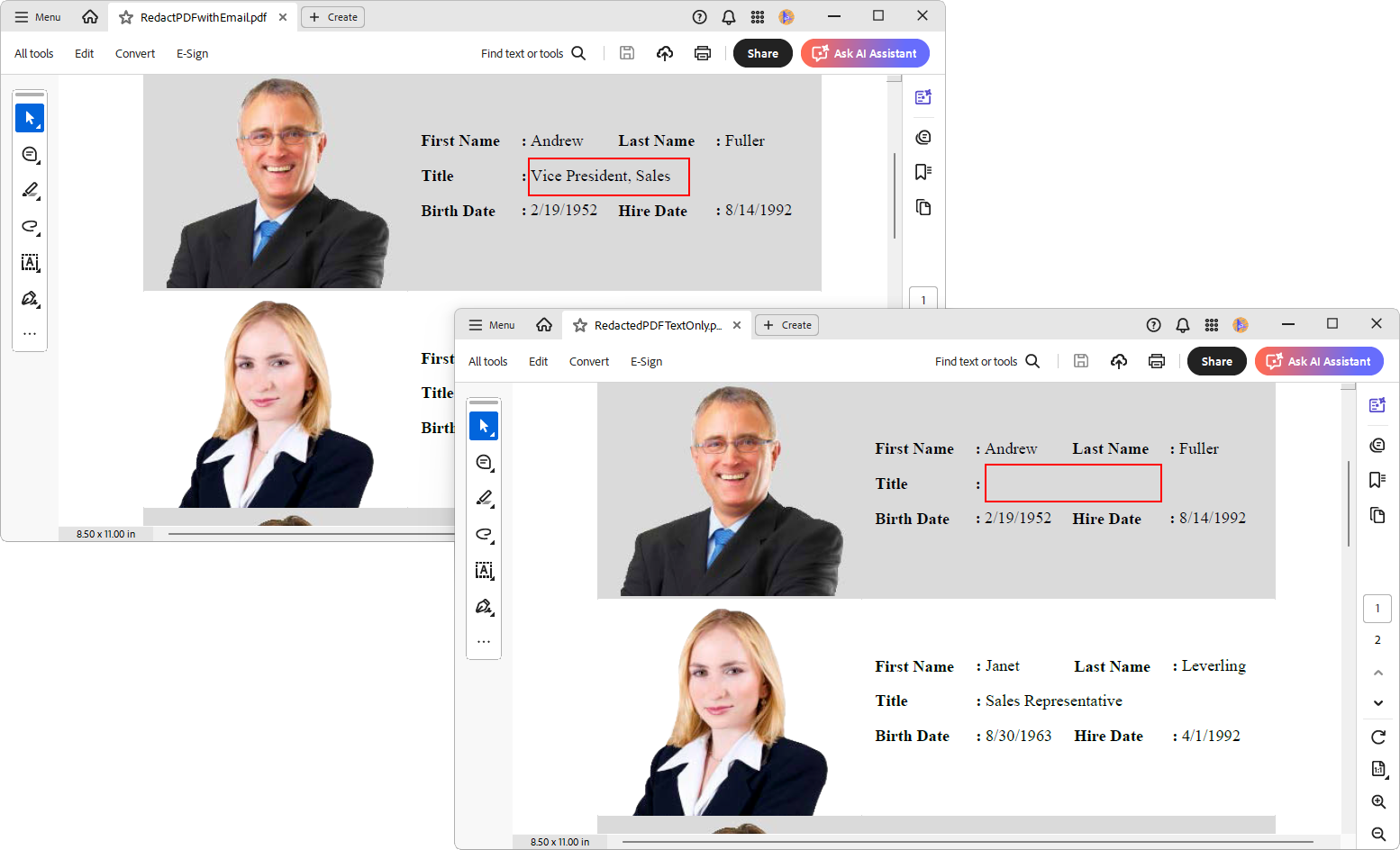
Search and redact text in PDF files with regex
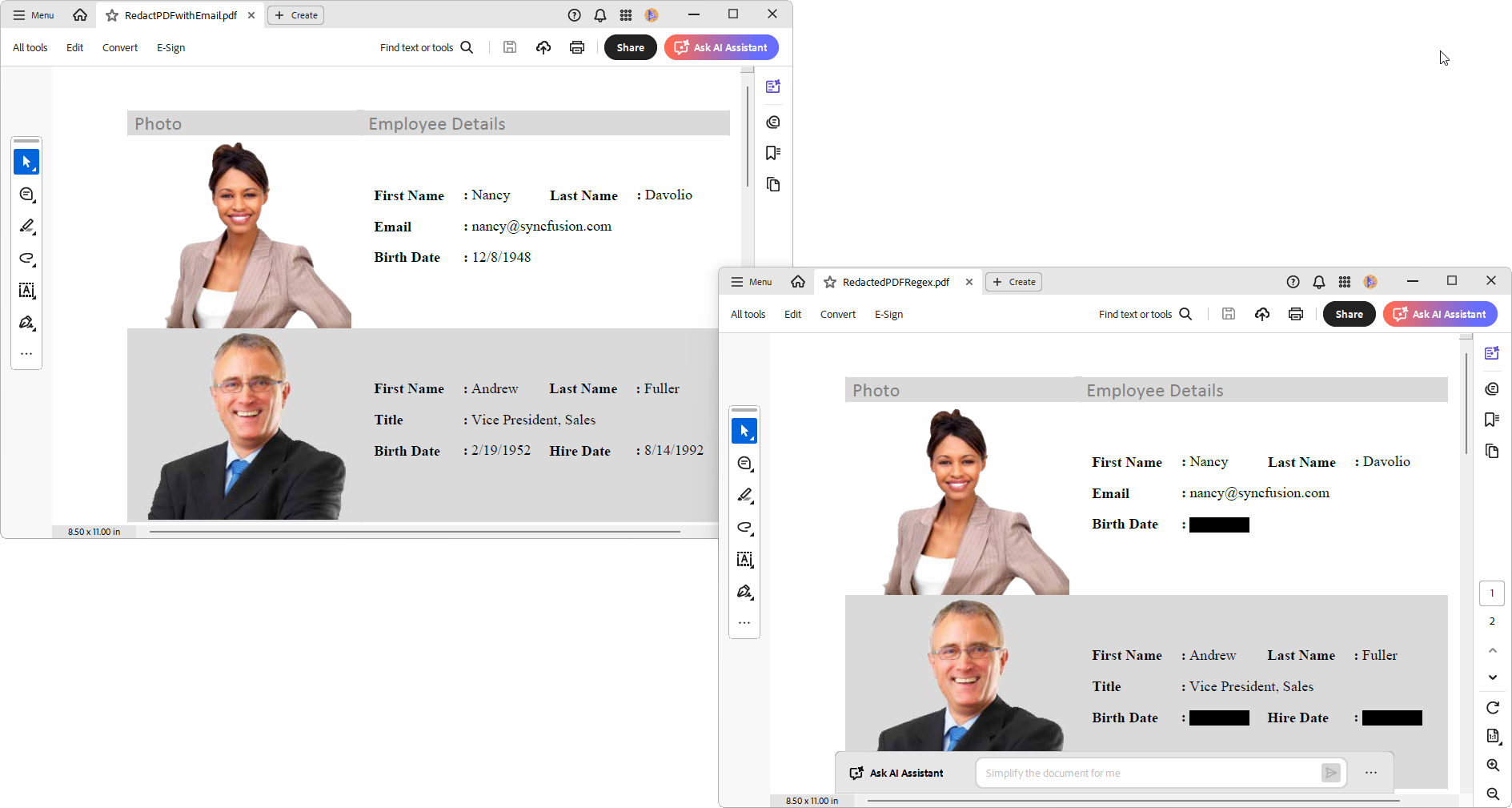
When working with PDFs, you might need to locate and hide specific patterns like email addresses, phone numbers, or IDs. Using the Syncfusion .NET PDF library, you can search for text using regular expressions and automatically redact the matched content, making it easy to protect sensitive information in bulk.
//Get the first page from the document
PdfLoadedPage page = loadedDocument.Pages[0] as PdfLoadedPage;

//Extract text from the page
page.ExtractText(out TextLines textLines);

if (textLines != null && textLines.Count > 0)
{
    //Define regular expression pattern to search for dates in the format MM/DD/YYYY
    string datePattern = @"\b\d{1,2}\/\d{1,2}\/\d{4}\b";

    //Find the text to redact
    foreach (TextLine line in textLines)
    {
        foreach (TextWord word in line.WordCollection)
        {
            //Match the text against the date pattern
            MatchCollection dateMatches = Regex.Matches(word.Text, datePattern);

            //Add redaction if the match found
            foreach (Match dateMatch in dateMatches)
            {
                string textToFindAndRedact = dateMatch.Value;
                if (textToFindAndRedact == word.Text)
                {
                    //Create a redaction object.
                    PdfRedaction redaction = new PdfRedaction(word.Bounds, Color.Black);

                    //Add a redaction object into the redaction collection of loaded page.
                    page.AddRedaction(redaction);
                }
            }
        }

    }
}
Redact image in PDF – OCR
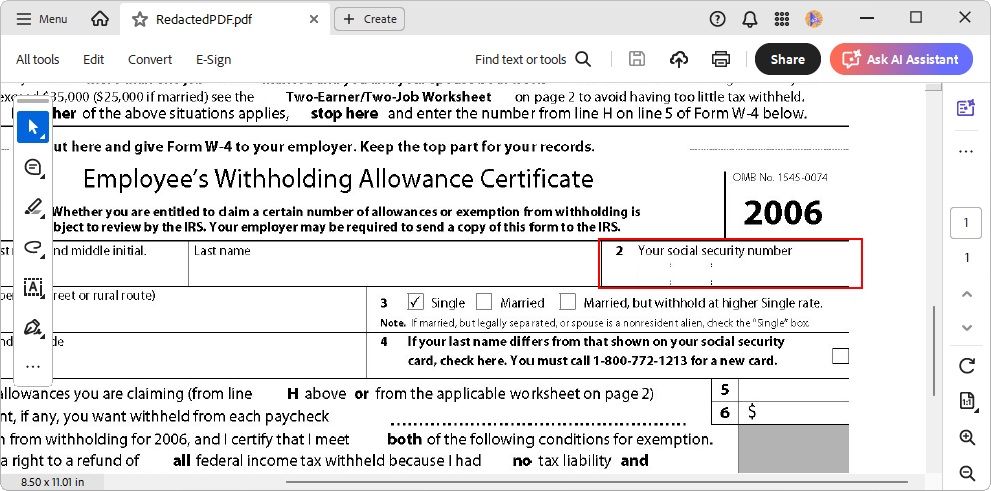
PDF Library provides another great feature— OCR a scanned document image in a PDF and redact PDF content using C#. Sometimes, we may have social security numbers (SSN), employee identification numbers, addresses, email IDs, in a scanned PDF file. In those cases, it is very hard to search manually for a specific pattern to redact it. Syncfusion offers an efficient way to find sensitive information in a PDF image using OCR and redact it from the PDF file.
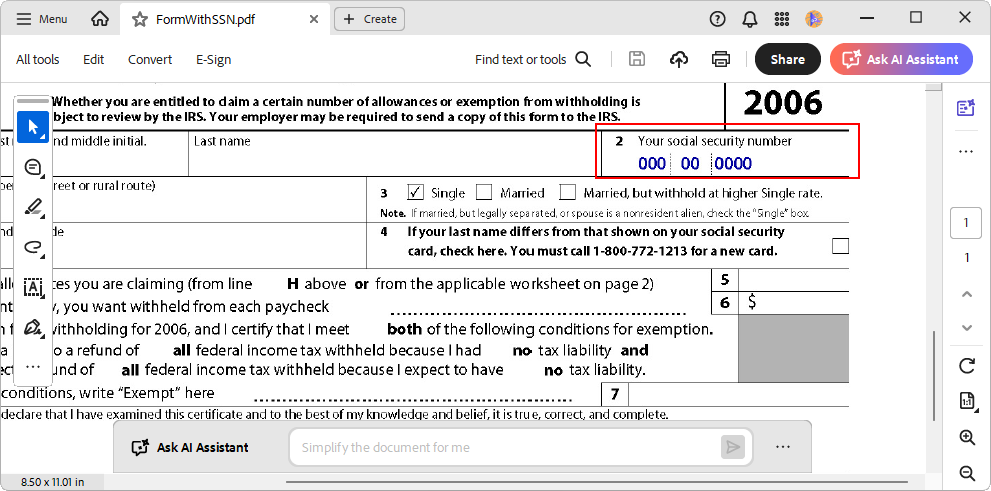
Redact a Social Security Number from the PDF
To do this, install the Syncfusion.PDF.OCR.WPF from NuGet. Copy the Tesseract binaries and language data from the NuGet package location to your application and refer the path to your OCR processor. Add the following namespace and code snippet to your class.
using Syncfusion.OCRProcessor;
using Syncfusion.Pdf.Exporting;

//Initialize the OCR processor
using (OCRProcessor processor = new OCRProcessor(@"../../TesseractBinaries/3.02/"))
{
    //Load the PDF document
    PdfLoadedDocument lDoc = new PdfLoadedDocument(@"../../Input/FormWithSSN.pdf");

    //Load the PDF page
    PdfLoadedPage loadedPage = lDoc.Pages[0] as PdfLoadedPage;
    //Language to process the OCR
    processor.Settings.Language = Languages.English;

    //Extract image and information from the PDF for processing OCR
    PdfImageInfo[] imageInfoCollection = loadedPage.ImagesInfo;

    foreach (PdfImageInfo imgInfo in imageInfoCollection)
    {
        Bitmap ocrImage = imgInfo.Image as Bitmap;
        OCRLayoutResult result = null;
        float scaleX = 0, scaleY = 0;
        if (ocrImage != null)
        {
            //Process OCR by providing loaded PDF document, Data dictionary and language
            string text = processor.PerformOCR(ocrImage, @"../../LanguagePack/", out result);

            //Calculate the scale factor for the image used in the PDF
            scaleX = imgInfo.Bounds.Height / ocrImage.Height;
            scaleY = imgInfo.Bounds.Width / ocrImage.Width;
        }

        //Get the text from page and lines.
        foreach (var page in result.Pages)
        {
            foreach (var line in page.Lines)
            {
                if (line.Text != null)
                {
                    //Regular expression for social security number
                    var ssnMatches = Regex.Matches(line.Text, @"(\d{3})+[ -]*(\d{2})+[ -]*\d{4}", RegexOptions.IgnorePatternWhitespace);
                    if (ssnMatches.Count >= 1)
                    {
                        RectangleF redactionBound = new RectangleF(line.Rectangle.X * scaleX, line.Rectangle.Y * scaleY,
                            (line.Rectangle.Width - line.Rectangle.X) * scaleX, (line.Rectangle.Height - line.Rectangle.Y) * scaleY);

                        //Create PDF redaction for the found SSN location
                        PdfRedaction redaction = new PdfRedaction(redactionBound);

                        //Adds the redaction to loaded page
                        loadedPage.Redactions.Add(redaction);


                    }
                }
            }
        }
    }

    //Save the redacted PDF document in the disk
    lDoc.Save("RedactedPDF.pdf");
    lDoc.Close(true);

    Process.Start("RedactedPDF.pdf");
}
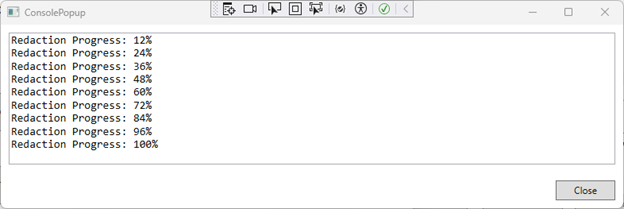
Get redaction progress
When redacting large PDF files, it’s helpful to track the progress of the operation. Using the Syncfusion .NET PDF library, you can monitor the redaction process in real time, ideal for providing user feedback or managing long-running tasks in your application.
//Set the redaction progress handler to track the progress of redaction
loadedDocument.RedactionProgress += (redactSender, args) =>
{
    //Display the progress in the console
    consolePopup.WriteLine($"Redaction Progress: {args.Progress}%");
};

//Iterate through each page in the document
foreach (PdfLoadedPage page in loadedDocument.Pages)
{
    //Create a redaction area for the page
    PdfRedaction redaction = new PdfRedaction(new RectangleF(120, 200, 140, 20));
    redaction.Appearance.Graphics.DrawRectangle(PdfBrushes.Black, new RectangleF(0, 0, 140, 20));

    //Add the redaction to the loaded page
    page.Redactions.Add(redaction);
}
GitHub reference
You can download the sample demonstrating the available redaction options using the Syncfusion PDF library on the GitHub repository.
Wrap up
As you can see, Syncfusion .NET PDF Library provides easy and advanced options to redact PDFs using C#. With Syncfusion PDF Library, you can automate the process to ensure customers’ sensitive information is redacted efficiently without manual work, before sharing with third parties.
To evaluate our PDF redaction using C#, try our online demo. Take a moment to peruse the documentation, where you’ll find other options and features, all with accompanying code examples.
If you have any questions or require clarification about these features, please let us know in the comments below. You can also contact us through our support forum, support portal, or feedback portal. We are happy to assist you!
If you like this post, you may also like:
 No spam, just valuable updates.
Comments (4)
[…] Easy Ways to Redact PDFs Using C# (George Livingston) […]
Your site is very cool, i have bookmarked it.
Syncfusion.Pdf.Redaction this reference i am not able to find. I am working on DotNetCore I have added Syncfusion.Pdf.Net.Core reference for my code. Can you please let me know how to add a reference.
Hi SOMNAT,
Thank you for contacting Syncfusion support.
To redact the content from the existing PDF document in .NET Core, you need to include the Syncfusion.Pdf.Imaging.Portable assembly reference in the .NET Core project. Please refer to the below link for more information,
KB: https://www.syncfusion.com/kb/11981/how-to-redact-content-from-pdf-document-in-asp-net-core
UG: https://help.syncfusion.com/file-formats/pdf/working-with-redaction
NuGet package link for Pdf.Imaging.Portable: https://www.nuget.org/packages/Syncfusion.Pdf.Imaging.Net.Core/
Regards,
Chinnu M