
 Mohan Chandran
TL;DR: Convert XLS to XLSX in C# by creating a .NET Core console app, installing an Excel-compatible NuGet package, and using ExcelEngine, IWorkbook, and SaveAs() methods to automate the .xls to .xlsx file format upgrade without relying on Microsoft Excel.
Looking for a fast and reliable way to convert .xls files to .xlsx using C#? Upgrading legacy Excel files is crucial for ensuring compatibility with modern Excel features, improving data security, and enhancing performance across your applications.
In this guide, you’ll learn how to automate the conversion of Excel 97–2003 format (.xls) to the newer .xlsx format using C#. This process helps streamline workflows and future-proof your systems.
To achieve this, we’ll use a powerful Syncfusion Excel Library that supports reading, writing, and converting Excel files programmatically. This library enables developers to:
- Create Excel files from scratch
- Modify existing workbooks
- Import and export data
- Apply formulas, conditional formatting, and validations
- Work with charts, tables, pivot tables, and more
- Supports multiple Excel formats including .xls, .xlsx, .xlsm, .xlt, .xltx, .csv, and .xml, making format conversion seamless with just a few lines of code.
Let’s walk through the steps to convert an .xls file to .xlsx using C#.
Steps to convert XLS to XLSX format using C#
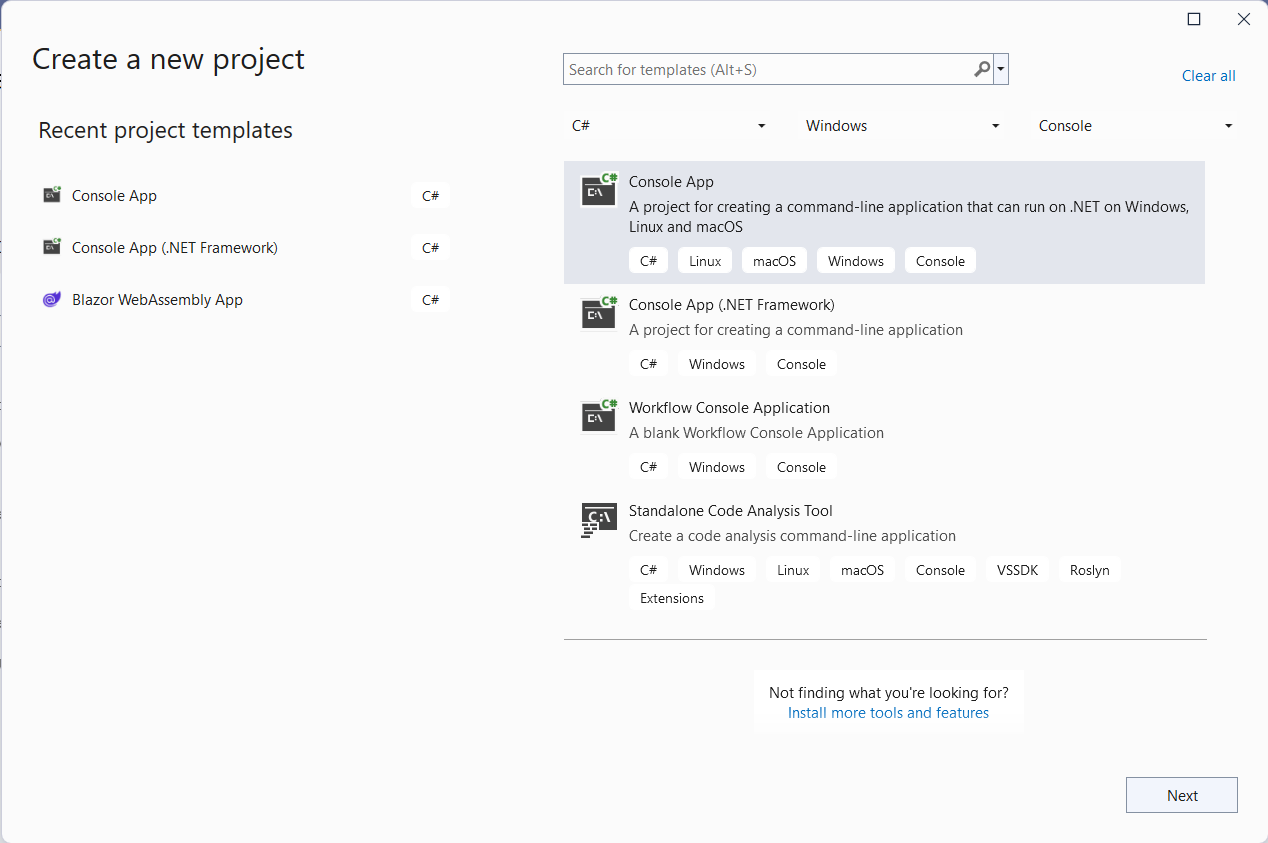
Step 1: Create a new .NET Core console application
First, create a new .NET Core console application in Visual Studio as shown below.

Step 2: Install and configure the Excel Library
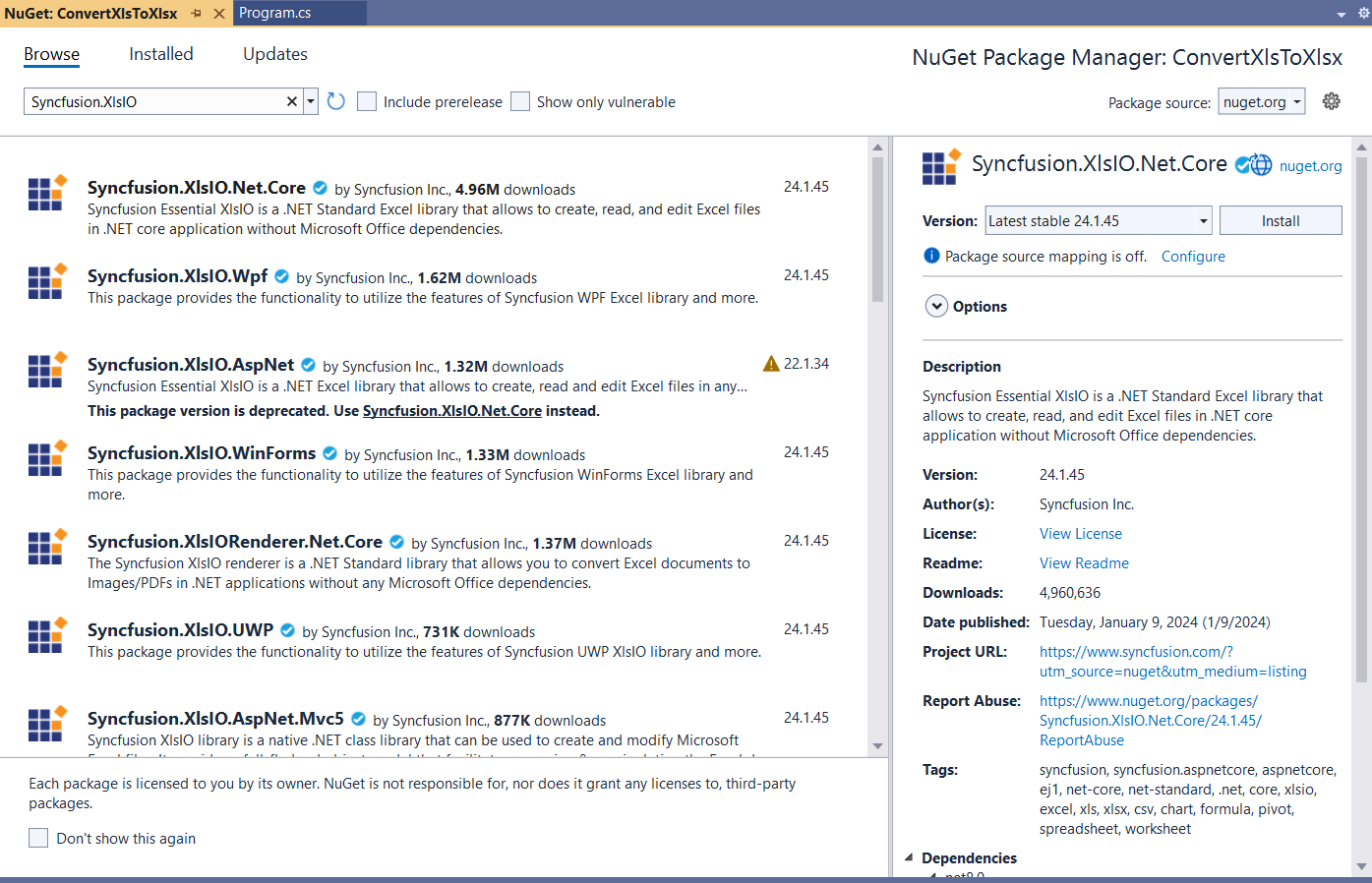
Then, add the Syncfusion.XlsIO.Net.Core NuGet package to your application.
Step 3: Convert XLS to XLSX format
In the Program.cs file, implement the code to convert an XLS file to an XLSX document from a designated folder path.
using Syncfusion.XlsIO;
using System.IO;

namespace ConvertXlsToXlsx
{
    class Program
    {
        private static string inputPath = @"../../../Data/";
        private static string outputPath = @"../../../Output/";

        static void Main(string[] args)
        {
            string fileName = "Report.xls";

            // Convert the Excel document
            ConvertXlsToXLSX(inputPath + fileName);
        }

        /// <summary>
        /// Convert the Excel document from the given path.
        /// </summary>
        /// <param name="filePath">Excel file path</param>
        private static void ConvertXlsToXLSX(string filePath)
        {
            FileStream inputData = new FileStream(filePath, FileMode.Open, FileAccess.ReadWrite);

            using (ExcelEngine excelEngine = new ExcelEngine())
            {
                IApplication application = excelEngine.Excel;
                application.DefaultVersion = ExcelVersion.Xlsx;
                IWorkbook workbook = application.Workbooks.Open(inputData);
                IWorksheets worksheets = workbook.Worksheets;

                workbook.Version = ExcelVersion.Xlsx;

                FileStream fileStream = new FileStream(outputPath + Path.GetFileNameWithoutExtension(filePath) + ".xlsx", FileMode.Create, FileAccess.ReadWrite);
                workbook.SaveAs(fileStream);
                fileStream.Close();
            }
        }
    }
}
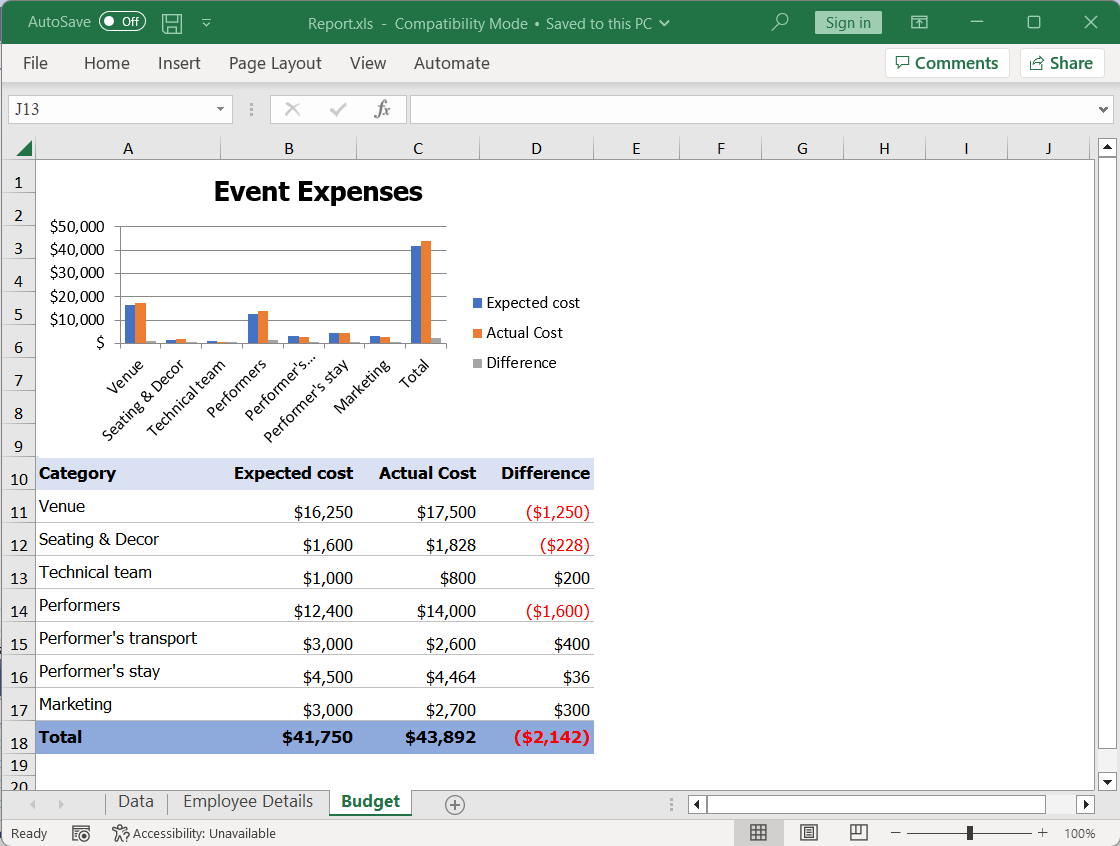
Here’s a snapshot of the input .xls document used in this example.
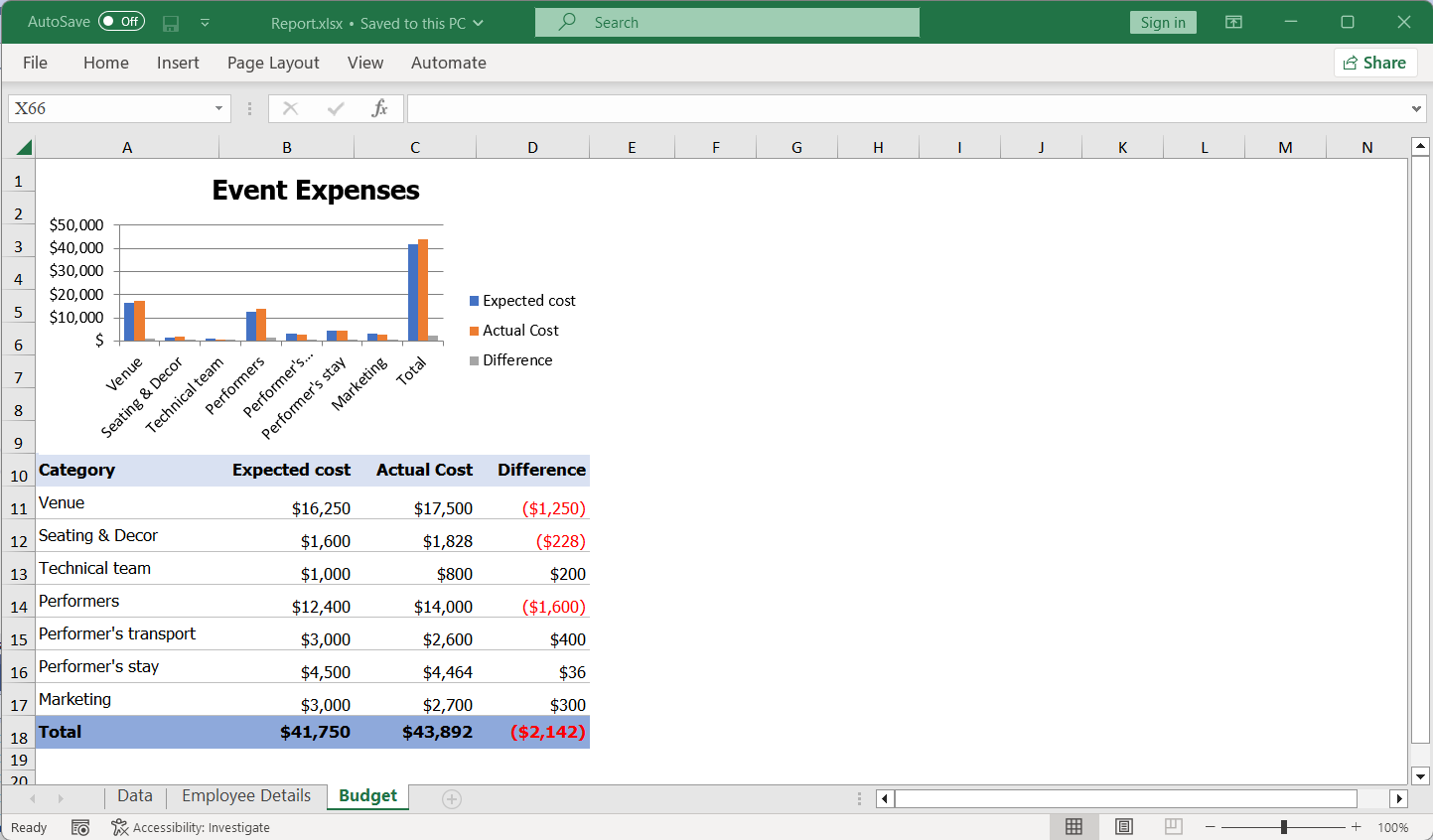
After executing the conversion code, the resulting Excel document will appear as follows:
Note: For more details, explore the XLS features of the Syncfusion Excel Library.
GitHub references
You can download the example demonstrating the conversion of XLS files to XLSX documents in C# on our GitHub demos.
Conclusion
Thanks for reading!
Converting .xls to .xlsx in C# using the Syncfusion Excel Library (Essential XlsIO) is simple and efficient. With just a few lines of code, you can modernize your Excel files and integrate the process into your applications.
You can also export Excel data to PDF, images, data tables, CSV, TSV, HTML, collections of objects, ODS, JSON, and more file formats. This approach is perfect for developers upgrading legacy systems or building data-driven solutions.
Take a moment to peruse the import data documentation, where you’ll discover additional importing options and features such as data tables, collection objects, grid view, data columns, XML, and HTML, all accompanied by code samples.
Feel free to try out these methods and share your feedback in the comments section of this blog post!
If you’re a Syncfusion user, you can download the setup from the license and downloads page. Otherwise, you can download a free 30-day trial.
You can also contact us through our support forum, support portal, or feedback portal for queries. We are always happy to assist you!
 No spam, just valuable updates.