ESSENTIAL STUDIO® 2026 VOLUME 1
What's New in Essential Studio® DOCX Editor SDK
In the 2026 Volume 1 release, dashed and dotted borders are preserved in Word documents, RTL support is improved for Arabic text and tables, and a new VS Code extension delivers ready-to-use Blazor DOCX Editor templates.
What’s New
 What's New in Essential Studio® DOCX Editor SDK
Web DOCX Editor (JavaScript, Angular, React, Vue, ASP.NET Core, and ASP.NET MVC)
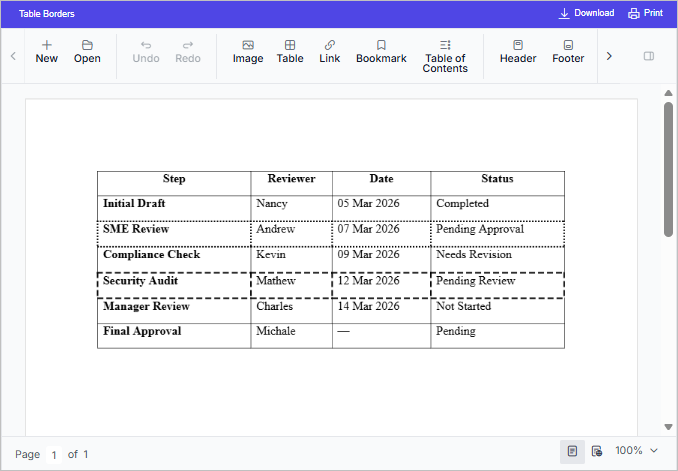
Preserve dashed and dotted borders
The DOCX Editor preserves dashed and dotted borders for paragraphs and tables, ensuring accurate rendering of styled documents and matching original Word layouts. This improves fidelity for business forms, questionnaires, invoices, and compliance documents that rely on precise border styling.
RTL text enhancements
RTL text editing now provides a more natural writing experience, with characters connecting correctly even when mixed formatting is applied. Opening and editing documents containing characters is also more reliable, ensuring consistent and uninterrupted text flow. This improvement makes editing smoother overall.
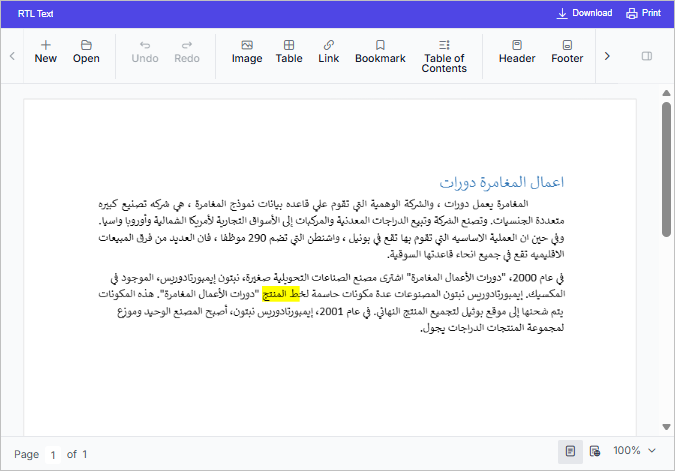
Table enhancements
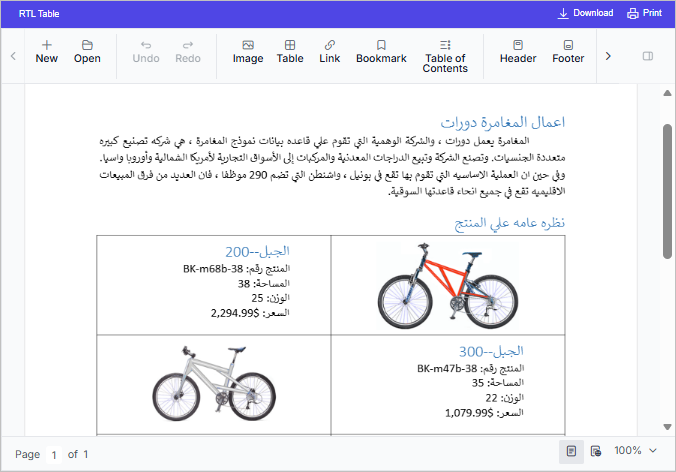
Tables now offer a consistent experience when working with right-to-left layouts. RTL table resizing is precise, making width adjustments smoother and more intuitive. Vertical resizing of merged cells also responds more naturally when structuring detailed layouts such as forms or schedules. Additionally, tables inserted after RTL paragraphs and new rows added within RTL tables are correctly aligned, creating a smoother, more cohesive editing workflow.
Blazor DOCX Editor
Preserve dashed and dotted borders
The DOCX Editor preserves dashed and dotted borders for paragraphs and tables, ensuring accurate rendering of styled documents that match the original Word layouts. This improves fidelity for business forms, questionnaires, invoices, and compliance documents that have precise border styling.
RTL text enhancements
RTL text editing now provides a more natural writing experience, with characters connecting correctly even when mixed formatting is applied. Opening and editing documents containing characters is also more reliable, ensuring consistent and uninterrupted text flow. This improvement makes editing smoother overall.
Table enhancements
Tables now offer a consistent experience when working with right-to-left layouts. RTL table resizing is precise, making width adjustments smoother and more intuitive. Vertical resizing of merged cells also responds more naturally when structuring detailed layouts such as forms or schedules. Additionally, tables inserted after RTL paragraphs and new rows added within RTL tables are correctly aligned, creating a smoother, more cohesive editing workflow.
Visual Studio Code Extension
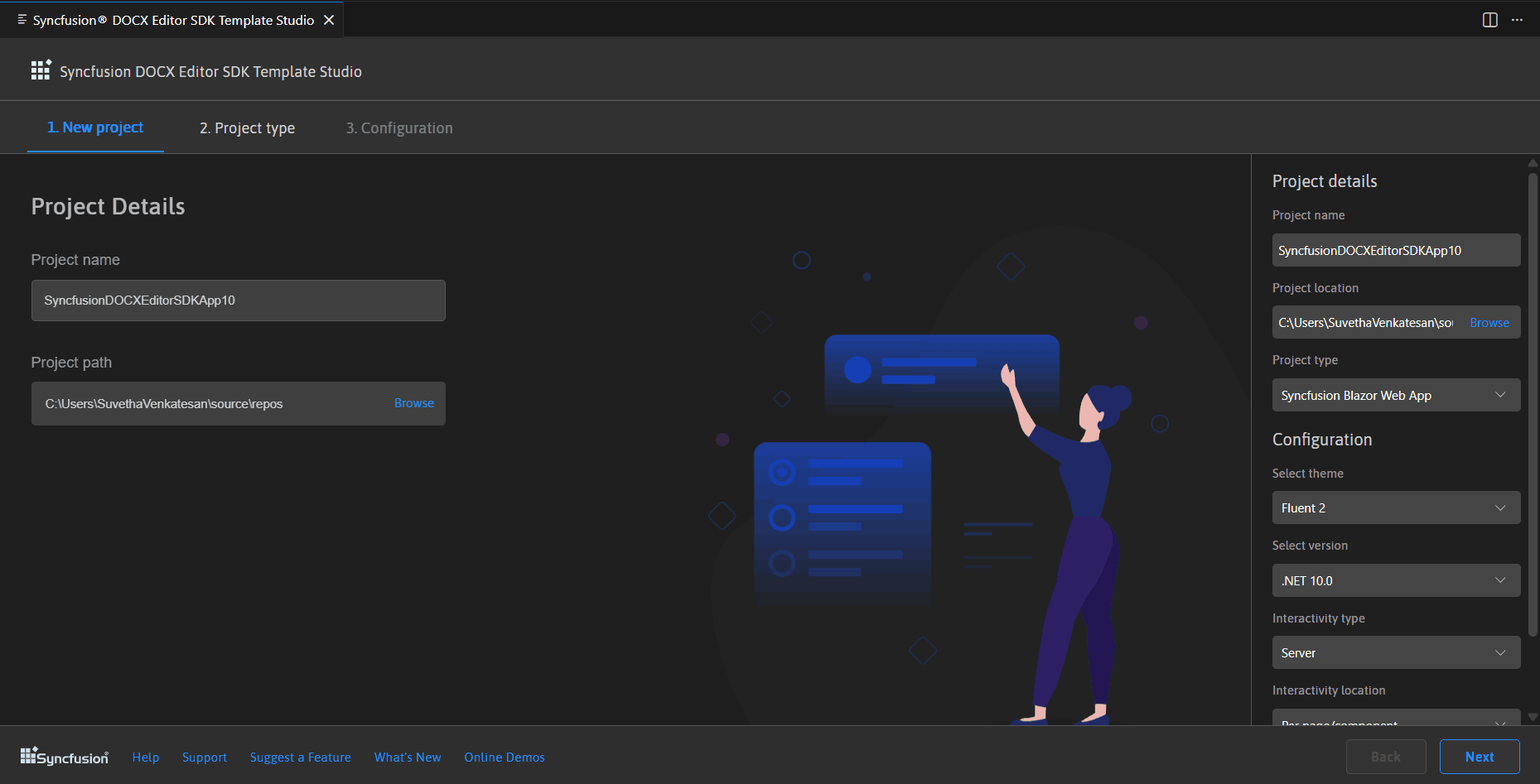
Syncfusion DOCX Editor SDK Extension - Visual Studio Code
Syncfusion’s DOCX Editor SDK Extension for Visual Studio Code lets developers create Blazor apps that generate, edit, and save DOCX files independently—no external tools needed. This speeds up development with efficient workflows and includes ready-made Blazor DOCX Editor code snippets, making it easy for new users to jump in and use pre-built components right away.