



microsoft-logo.svg

Syncfusion Collaborates with Microsoft to Advance .NET MAUI.

Join thousands of developers who rely on the Syncfusion® Word Library to create, edit, and convert Word documents with precision and speed.

No credit card required.

Syncfusion is trusted by the world’s leading companies

4.-Career-Page@2x

The Syncfusion difference

Real-Time colloboration with multiple authors

Syncfusion® Word Processor components enables live colloborative editing with multiple authors in a Word document, it reduces the time taken for drafting and reviewing.

Comprehensive set of components

Syncfusion® provides more than Comprehensive set of components and frameworks for Web platforms. You can get all the components as inclusive under single license.

Styles and performance

Compared to other vendors, Syncfusion® progressing CRG to use specific component's scripts and CSS styles to improve the performance on initial loading.

Unique themes

Personalize your app with our unique set of themes, such as Bootstrap 4 and 5, high contrast, and dark mode.

Independent Packages

Syncfusion® provides individual NuGet & NPM packages for each component that makes development process easy.

Frequent updates

Get minor improvements and bug fixes every week to stay up to date.

Demos and training

A wide range of product demos and training, including video tutorials, documentation, and KBs.

Dedicated support

Truly unlimited dedicated support system via the public forum, feature & feedback page, live chat, and support tickets.

Hassle-free licensing

Simple, straightforward, and no hidden fees. Guaranteed.

No server deployment fee

There are no distribution fees, per-server licensing fees, or royalties, making the Syncfusion component very cost-effective.

Localization

Easily build applications for global audiences with various languages and cultures.

G2 reviews

On G2, more than 600 users have positively reviewed Syncfusion. Other vendors have far fewer reviews.

Real-Time colloboration with multiple authors

Syncfusion® Word Processor components enables live colloborative editing with multiple authors in a Word document, it reduces the time taken for drafting and reviewing.

Comprehensive set of components

Syncfusion® provides more than Comprehensive set of components and frameworks for Web platforms. You can get all the components as inclusive under single license.

Styles and performance

Compared to other vendors, Syncfusion® progressing CRG to use specific component's scripts and CSS styles to improve the performance on initial loading.

Unique themes

Personalize your app with our unique set of themes, such as Bootstrap 4 and 5, high contrast, and dark mode.

Independent Packages

Syncfusion® provides individual NuGet & NPM packages for each component that makes development process easy.

Frequent updates

Get minor improvements and bug fixes every week to stay up to date.

Demos and training

A wide range of product demos and training, including video tutorials, documentation, and KBs.

Dedicated support

Truly unlimited dedicated support system via the public forum, feature & feedback page, live chat, and support tickets.

Hassle-free licensing

Simple, straightforward, and no hidden fees. Guaranteed.

No server deployment fee

There are no distribution fees, per-server licensing fees, or royalties, making the Syncfusion component very cost-effective.

Localization

Easily build applications for global audiences with various languages and cultures.

G2 reviews

On G2, more than 500 users have positively reviewed Syncfusion. Other vendors have far fewer reviews.

Comparison between Syncfusion® Web Word Processor vs Web TxTextControl

HIGHLIGHTS

The Syncfusion® Web Word Processor component is a MS Word inspired WYSIWYG editor with rich user interfaces. Our editor is fast, easy to use, customizable and their documentation contains lots of examples.

Document Processing Features

Features

Syncfusion<sup class="trademark-small">®</sup>

TX Text Control
Real-Time colloboration with multiple authors

Mail merge

Form filling

Track changes

Find and replace

Typing LTR, RTL text

Clipboard

Paste with table options

Spellcheck

Show hide paragraph marks

Compare documents*

Protect Word documents for various edit permissions

Page and Web Layouts

Printing in Client-side

Ruler

Word Conversions
Conversions

Syncfusion<sup class="trademark-small">®</sup>

TX Text Control

Word to PDF

Word to PDF/A

Word to PDF/UA

Word to Image

Word to HTML

HTML to Word

Word to RTF

RTF to Word

Word to Text

Text to Word

Word to ODT

Word to Markdown

Markdown to Word

Document Elements
Elements

Syncfusion<sup class="trademark-small">®</sup>

TX Text Control
Images

Tables

Sections

Hyperlinks

Bookmarks

Table of contents

Fields

Content Controls

Form Fields

Headers and Footers

Footnotes and Endnotes

Comments

Formatting
FeaturesSyncfusionTX Text Control
Text formatting

Paragraph formatting

Bullets and numbering

Table formatting

Page setting

Styles

Supported Formats
File Types

Syncfusion<sup class="trademark-small">®</sup>

TX Text Control
DOC

DOT

DOCX

DOCM

DOTX

RTF

WordML

HTML

ODT

TXT

PDF

Image (PNG, JPEG)

Markdown

Supported Platforms

Platforms

Syncfusion<sup class="trademark-small">®</sup>

TX Text Control
Angular

React

Vue

ASP.NET MVC

ASP.NET Core

Blazor

Java

Windows

Linux

Mac

Docker

Azure

Amazon Web Services (AWS)

Google Cloud Platform (GCP)

Cross Browsers

Compatible Microsoft Word Version
Versions

Syncfusion<sup class="trademark-small">®</sup>

TX Text Control
Microsoft Word 97-2003

Microsoft Word 2007

Microsoft Word 2010

Microsoft Word 2013

Microsoft Word 2016

Microsoft Word 2019

Microsoft 365

EXCLUSIVE FEATURE SETS

Compared to TX Text Control, Syncfusion® Word Processor have many unique features that benefit users.

Unique Features

Syncfusion<sup class="trademark-small">®</sup>

TX Text Control
Real-Time colloboration with multiple authors

Feature-rich Word Processing class library in .NET and Java

Java Backend as an alternate for .NET dependency

Paste with table options

WordML

ODT

Markdown

DOCUMENTATION & LEARNING RESOURCES

Our Word document processor features are thoroughly explained in the documentation with C# code examples, tutorial videos, demos, and screenshots

Resources

Syncfusion<sup class="trademark-small">®</sup>

TX Text Control
Rich set of online demos

Real world examples

Tutorial videos

Complete documentation

Source code tab with preview demo in documentation

EASY DEVELOPMENT

Our Essential Word Processor seamlessly integrates into your application.

Ease of Development

Syncfusion<sup class="trademark-small">®</sup>

TX Text Control
Individual NuGet & NPM packages

Step by step getting started

Ready-made docker image for Web services

* The comparison data is taken from Syncfusion 2024 Volume 4 release.

** If you have questions about the comparison tables, please contact us.

Our Customers Love Us

Having an excellent set of tools and a great support team, Syncfusion® reduces customers’ development time. Here are some of their experiences.

Rated by users across the globe

Capterra-logo
4.5/5
Rated 4.5 out of 5

(800+ Reviews)

G2-logo
4.5/5
Rated 4.5 out of 5

(600+ Reviews)

GetApp-logo
4.5/5
Rated 4.5 out of 5

(800+ Reviews)

Developers
0 M+
Companies
0 K+
Years in Business
0 +
Fortune 500 Companies
0 +

Contact us today to find out how much you can save by switching!

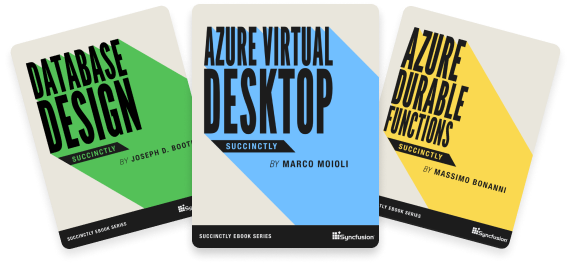
Succinctly® Series On The Go

Explore our 200+ free ebooks to learn about the latest trends in software development.

Awards

Greatness—it’s one thing to say you have it, but it means more when others recognize it. Syncfusion® is proud to hold the following industry awards.