Looking for an alternative
CK Editor Rich Text Editor
suite?

No credit card required.

Trusted by the world's leading companies

The Syncfusion difference

Comprehensive Feature Set

Offers a wide range of text formatting options, including bold, italic, underline, lists, tables, images, links, and more.

Cross-Platform Compatibility

Works seamlessly across major frameworks like React, Angular, Blazor, Vue, and JavaScript.

Ease of Integration

Simple API and flexible configurations make it easy to integrate into any application with minimal effort.

High Performance

Supports large text documents with smooth performance, optimized for low latency rendering.

Customization and Extensibility

Fully customizable UI, toolbar, and plugin-based architecture for enhanced functionality.

Seamless content pasting

Copy and paste from Microsoft Word, Outlook, or other editors or sources while preserving formatting, styles, and structure.

Import Word documents

Convert DOCX files into editable HTML content inside the editor using the Import from Word feature.

One-click Export

Save your document as PDF or Word (DOCX) with just a single click.

@Mentions

Type mailto:[email protected] to see available suggestions and tag users in your content.

Frequent updates

Get minor improvements and bug fixes every week to stay up to date.

Localization and Accessibility

Supports multiple languages, right-to-left (RTL) text direction, and complies with accessibility standards (WCAG 2.1, Section 508).

G2 reviews

On G2, more than 600 users have positively reviewed Syncfusion. Other vendors have far fewer reviews.

Comprehensive Feature Set

Offers a wide range of text formatting options, including bold, italic, underline, lists, tables, images, links, and more.

Cross-Platform Compatibility

Works seamlessly across major frameworks like React, Angular, Blazor, Vue, and JavaScript.

Ease of Integration

Simple API and flexible configurations make it easy to integrate into any application with minimal effort.

High Performance

Supports large text documents with smooth performance, optimized for low latency rendering.

Customization and Extensibility

Fully customizable UI, toolbar, and plugin-based architecture for enhanced functionality.

Seamless content pasting

Copy and paste from Microsoft Word, Outlook, or other editors or sources while preserving formatting, styles, and structure.

Import Word documents

Convert DOCX files into editable HTML content inside the editor using the Import from Word feature.

One-click Export

Save your document as PDF or Word (DOCX) with just a single click.

@Mentions

Type mailto:[email protected] to see available suggestions and tag users in your content.

Frequent updates

Get minor improvements and bug fixes every week to stay up to date.

Localization and Accessibility

Supports multiple languages, right-to-left (RTL) text direction, and complies with accessibility standards (WCAG 2.1, Section 508).

G2 reviews

On G2, more than 600 users have positively reviewed Syncfusion. Other vendors have far fewer reviews.

Comparison between Syncfusion® Rich Text Editor vs CK Editor Rich Text Editor

HIGHLIGHTS

The Syncfusion Rich Text Editor is a powerful and feature-rich WYSIWYG editor designed for modern web applications. It provides a seamless text editing experience with robust formatting capabilities, an intuitive user interface, and a highly customizable feature set.

Basic features

Features

SyncfusionCK Editor
Autosave

Autolink

Basic Text Style

Block Quotes

Code - Inline / Typing around inline code

Emoji Icon support

Font Styles

Format painter

Headings

Horizontal line

HTML Embed

iframe editor

Image Feature

Indentation

Keyboard shortcuts

Links

List support with multi-level support

Media Embed

Mentions

Paste clean up

Placeholder

Slash Commands

Source Editing

Table - Nesting

Table and Cell styling

Table Column Resize

Table Selection

Tables - Insert/Delete columns or Rows

Tables - Merge and Split cells

Text Alignment

Toolbar types

Undo and Redo

Word and character count

Premium features

Features

SyncfusionCK Editor
AI Assistant

* The comparison data is taken from Syncfusion 2025 Volume 1 release.

** If you have questions about the comparison tables, please contact us.

Our Customers Love Us

Having an excellent set of tools and a great support team, Syncfusion® reduces customers’ development time. Here are some of their experiences.

Rated by users across the globe

Capterra-logo
4.5/5
Rated 4.5 out of 5

(800+ Reviews)

G2-logo
4.5/5
Rated 4.5 out of 5

(600+ Reviews)

GetApp-logo
4.5/5
Rated 4.5 out of 5

(800+ Reviews)

Developers
0 M+
Companies
0 K+
Years in Business
0 +
Fortune 500 Companies
0 +

Contact us today to find out how much you can save by switching!

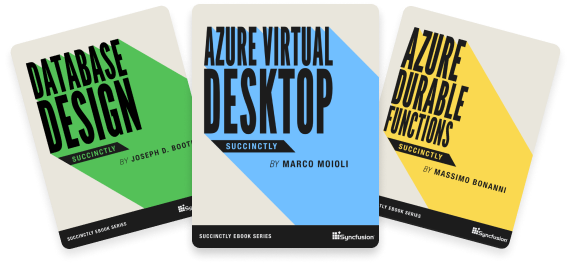
Succinctly® Series On The Go

Explore our 200+ free ebooks to learn about the latest trends in software development.

Awards

Greatness—it’s one thing to say you have it, but it means more when others recognize it. Syncfusion® is proud to hold the following industry awards.