We use cookies to give you the best experience on our website. If you continue to browse, then you agree to our privacy policy and cookie policy.



Syncfusion’s .NET Excel framework has an Excel creation and editing library that allows you to create, read, and edit Microsoft Excel files in any .NET application. It offers Excel-inspired APIs to create, edit, and format Excel documents. Its powerful conversion APIs make it easy to convert Excel files to PDF, images, and more.

There are no distribution fees, per-server licensing fees, or royalties, which makes Excel Library very cost-effective.

It is optimized for usage in a server environment where speed and low memory usage are critical.

All the elements in a typical Excel document such as text, formatting, images, shapes, and tables are accessible through a comprehensive set of APIs.

Over more than 15 years, Syncfusion’s Excel Library has become mature and proven product.

The Syncfusion’s Excel Library comes with extensive documentation, knowledge bases, and samples.

Use a single API across all platforms.
Syncfusion's Excel Library is a high-performance .NET Excel library that allows users to create, read, edit, and protect Excel documents in .NET applications without Microsoft Office or interop dependencies.

Import data from various data sources, collection objects, and HTML tables. Also, export data to data tables, collection objects, and nested classes.

Excel Library supports 80+ charts to visualize data. Similarly, sparklines are supported to visualize data within a cell.

More than 400 Excel functions are supported to evaluate formula cells quickly. Add-in functions, external formulas, and an array of formulas are also supported.

Import data to Excel worksheets like mail merge in a Word document. Customized data importing is also supported.

Use various cell and text formatting options along with advanced conditional formatting features to modify the appearance of the data.

Perform various kinds of data processing such as data validation, sorting, and filtering.

Pivot tables and pivot charts are widely used in the Spreadsheet control due to their ease-of-use in summarizing data. Syncfusion’s Excel Library allows you to create and edit them with a few lines of code.

Encrypt or decrypt password-protected Excel files. Also, protect workbooks, worksheets, and cells from editing. You can make your Excel worksheets accessible to others with restricted access while also preventing unnecessary data loss or modifications using Excel Protected View.

Create and edit various form controls, autoshapes, and comments.
Easily get started with the .NET Excel Library using a few simple lines of C# code example as demonstrated below. Also explore our .NET Excel Library Example that shows you how to render and configure the .NET Excel.
//Create an instance of ExcelEngine
using (ExcelEngine excelEngine = new ExcelEngine())
{
    //Instantiate the Excel application object
    IApplication application = excelEngine.Excel;
    //Set the default application version
    application.DefaultVersion = ExcelVersion.Xlsx;
    //Create a new Excel workbook
    IWorkbook workbook = application.Workbooks.Create();
    //Get the first worksheet in the workbook into IWorksheet
    IWorksheet worksheet = workbook.Worksheets[0];
    //Assign some text in a cell
    worksheet.Range["A3"].Text = "Hello World";
    //Save the document
    workbook.SaveAs("Output.xlsx");
}
//Create an instance of ExcelEngine
Using excelEngine As ExcelEngine = New ExcelEngine()
//Instantiate the Excel application object
Dim application As IApplication = excelEngine.Excel
//Set the default application version
application.DefaultVersion = ExcelVersion.Xlsx
//Create a new Excel workbook
Dim workbook As IWorkbook = application.Workbooks.Create()
//Get the first worksheet in the workbook into IWorksheet
Dim worksheet As IWorksheet = workbook.Worksheets(0)
//Assign some text in a cell
worksheet.Range("A3").Text = "Hello World"
//Save the document
workbook.SaveAs("Output.xlsx")
End UsingUnlock the power of Excel creation and manipulation on any platform with our Excel Framework. It empowers you to easily create, read, and manipulate Excel documents programmatically across various platforms (applications), including .NET, Blazor, .NET MAUI, .NET Core, Flutter, WinUI, Xamarin, and UWP. Explore the platform-wise features of our Excel creation and manipulation library.
The Spreadsheet control provides a Microsoft Excel-like control with major features of Microsoft Excel, including editing, formulas, charting, importing, and exporting.

Open and save large Excel files in less time with minimal memory consumption. Experience smooth scrolling even with many cells in a view.

Import and edit existing Excel files in the Spreadsheet control. Spreadsheets can be exported to XLS, XLSX, CSV, and PDF file formats.

Spreadsheet supports charts and sparklines. Visualize data easily.

More than 400 Excel-compatible functions are supported, such as cross-sheet references, named ranges, and formulas.

The Spreadsheet control provides a variety of text and number formatting options along with conditional formatting to improve the appearance and effectiveness of a spreadsheet.

The Spreadsheet control supports on-demand data loading when bound to data sources. It improves initial loading time by requesting only the visible data from the data source.
Our Excel Framework offers Spreadsheet components tailored for web, desktop applications, providing a comprehensive ecosystem and allowing you to integrate Excel viewing functionality seamlessly. Explore the features of our Spreadsheet components by platform.

Convert an Excel workbook or worksheet to PDF format. Use various customization options like embedding fonts, ignoring empty pages or worksheets, and showing or hiding headers and footers.

Worksheets can be converted to BMP, JPEG, PNG, and other image formats, with content such as data, formatting, charts, tables, and shapes.

Convert spreadsheet data to CSV and TSV formats to generate lightweight reports.
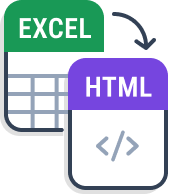
Dynamically render an Excel workbook or worksheet as an HTML file.

Save Excel files in ODS format to use in applications like OpenOffice and Google Sheets.

SpreadsheetML is easy to work with and designed to be human readable and editable. Convert Excel files to SpreadsheetML using Syncfusion’s Excel Library.

Convert an Excel workbook or worksheet to JSON file in schema and non-schema formats.
The Syncfusion .NET Excel Framework is a high-performance library and provides the following features:
No, this is a commercial product and requires a paid license. However, a free community license is also available for companies and individuals whose organizations have less than $1 million USD in annual gross revenue, 5 or fewer developers, and 10 or fewer total employees.
A good place to start would be our comprehensive getting started documentation.
The Syncfusion Excel framework supports platforms for web (Blazor, Flutter, ASP.NET Core, ASP.NET MVC, and ASP.NET Web Forms), mobile (.NET MAUI, Flutter, Xamarin, and UWP), and desktop (Windows Forms, WPF, WinUI, .NET MAUI, Flutter, Xamarin, and UWP).
You can find our Excel Framework demo here.







Greatness—it’s one thing to say you have it, but it means more when others recognize it. Syncfusion is proud to hold the following industry awards.


 Blazor
  .NET MAUI
  .NET Core
  WinUI
WinUI  Xamarin
  UWP
UWP  .NET
.NET  Flutter
  ASP.NET MVC
  JavaScript
  WPF
WPF 









