
PLAN SMARTER. UNBLOCK FASTER
Lead Your Team From Planning Through Production With Fewer Blockers.
Stop managing uncertainty. Keep your team aligned from sprint planning through release. Code Studio gives you visibility into scope, dependencies, and quality at every phase so you can lead proactively instead of reacting to surprises.
-
Clear sprint plans.
-
Quality visibility.
-
Release readiness.


Built by Syncfusion. Trusted by 41,000+ enterprises.
25+ years of developer tools, now reimagined for the agent first era.

Enterprises

UI Components

Years in Business

Fortune 500 Companies
What is Code Studio for Team Leads?
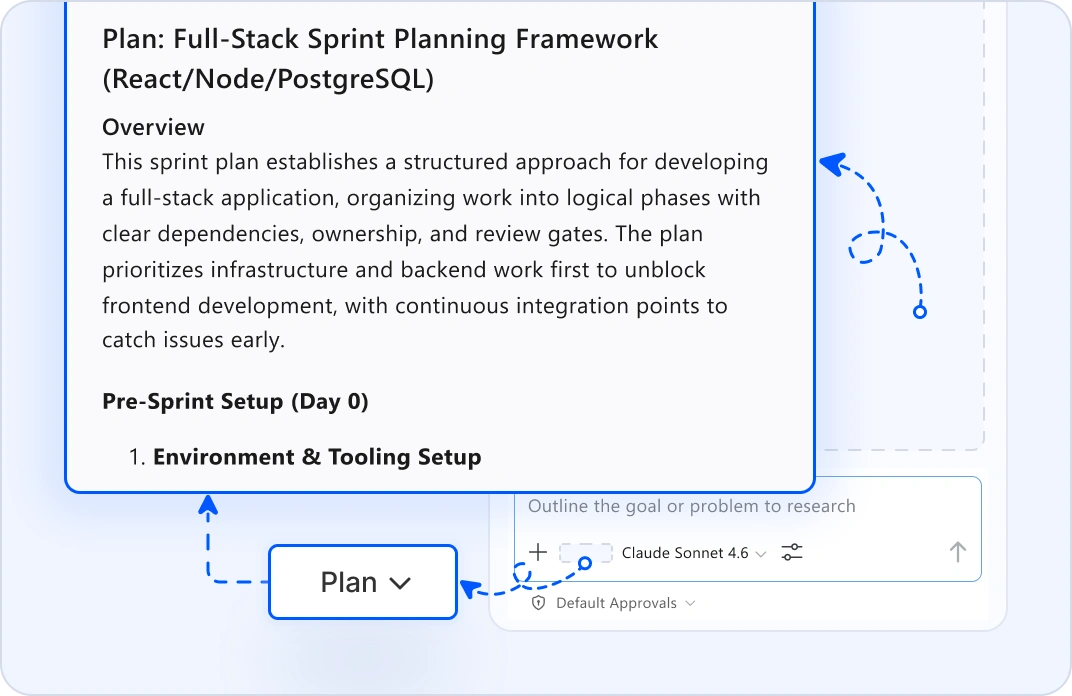
SPRINT PLANNING & SCOPE CLARITY
Map Tasks, Dependencies, and Review Points
Convert sprint goals into a clear technical plan. Plan mode structures the scope, identifies priority order, highlights dependencies, and suggests review checkpoints before team members start coding. Align the team around who does what and when decisions need escalation. No surprises mid-sprint when hidden dependencies surface.
EXECUTION VELOCITY
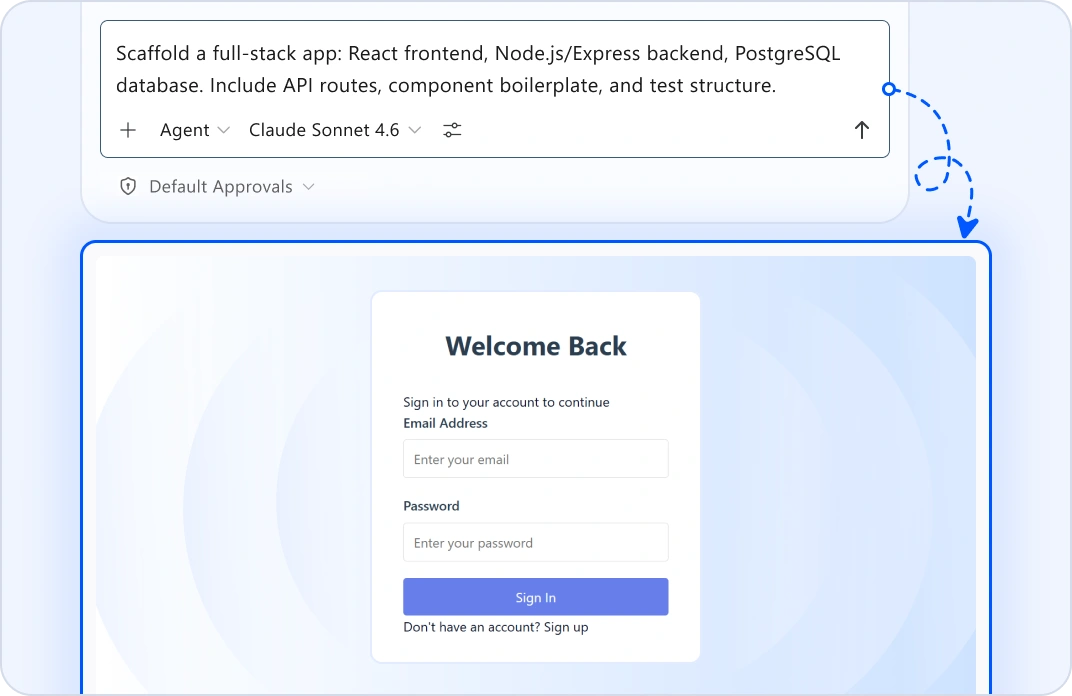
Automate Scaffolding and Repetitive Tasks
Your engineers tell an agent what they need to build. It handles boilerplate: API setup, component scaffolding, data migrations, test structure. Your team focuses on business logic, not repetitive setup. Velocity increases naturally without adding process overhead.
QUALITY VISIBILITY & EARLY DETECTION
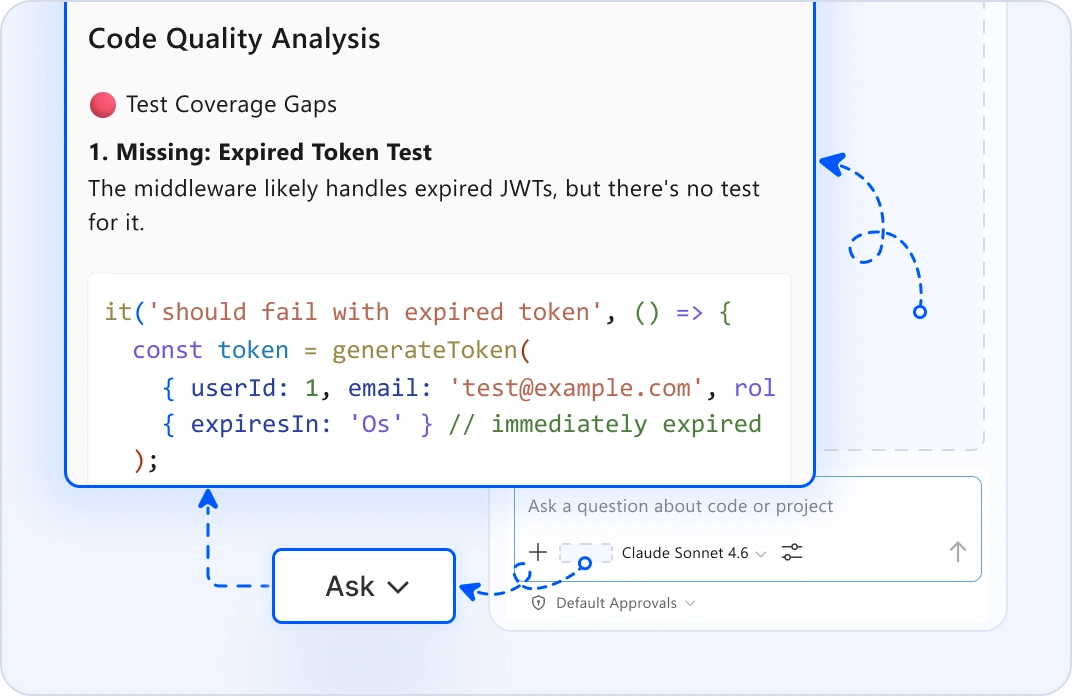
Surface Issues During Development
As developers write code, ask mode flags quality issues, like test coverage gaps, performance warnings, accessibility problems. Edit mode suggests fixes inline. Catch issues when they're cheap to fix, not during final review. Lead proactively instead of reacting to surprises near release.
RELEASE READINESS VALIDATION
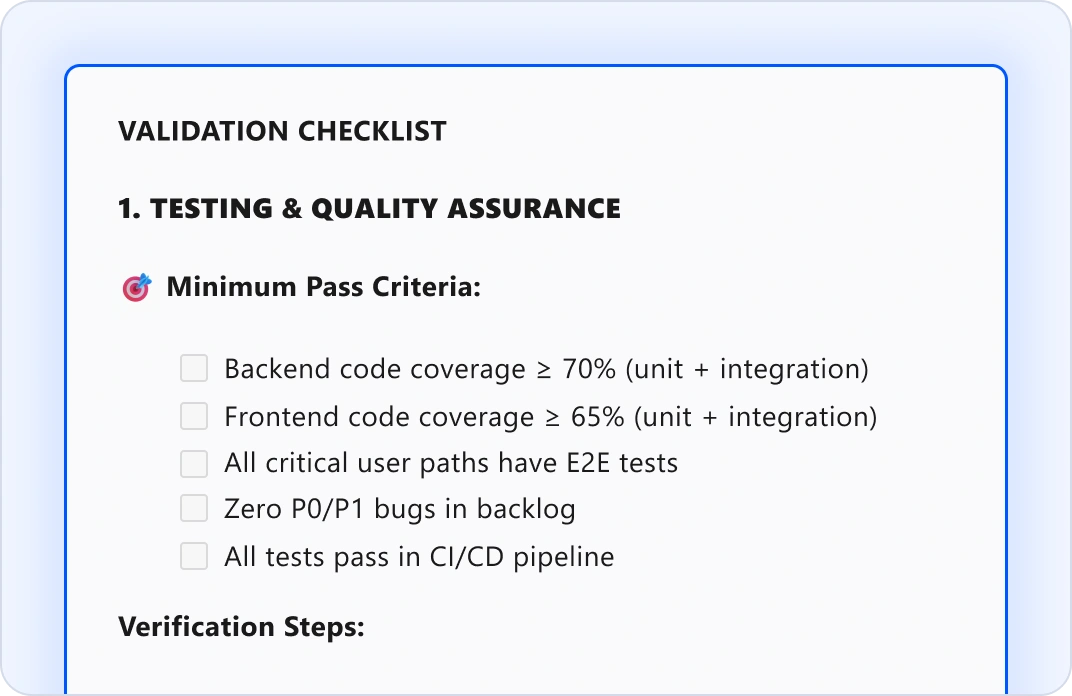
Verify Production Confidence
Before shipping, plan mode creates a release readiness checklist: Are all tests passing? Is documentation complete? Are dependencies resolved? Are rollback strategies in place? Review measurable signals instead of guessing. Ship knowing your team is truly ready.
Why Team Leads Choose Code Studio?
Clear sprint plans
Structure scope and dependencies up front.
Unblock engineers faster
Automate boilerplate so teams stay productive.
Real-time quality visibility
Surface issues during development, not near release.
Measurable release confidence
Replace guessing with data-backed readiness signals.
Lead proactively
Make decisions with clear context instead of reacting to surprises.
Got Questions?
Everything you need to know about Code Studio for team leads.
Plan mode converts product goals into a technical breakdown. It shows task dependencies, priority order, review points, and ownership. Your team starts aligned on scope and sequence, instead of guessing what's realistic.
No, it complements them. Code Studio gives you technical visibility into execution across elements like scope, dependencies, and quality. Your PM tools track schedules and stakeholders. Pairing them with Code Studio empowers you to lead with complete information.
Yes. Re-plan in plan mode to assess the impact of changes and adjust scope based on new dependencies. Use ask mode to determine which work can be deferred safely. Your team resets around new priorities with clarity instead of scrambling.
Absolutely. Plan mode prioritizes fixes by impact. Agent mode executes coordinated changes across files. Ask mode validates that fixes won't create new issues. You respond to incidents faster with confidence.
Agent mode generates code that teams review thoroughly. Ask mode explains why changes were made. Review times drop because suggestions are higher quality. Your team ships faster with better code.
No. Code Studio fits into existing workflows. You keep your sprint cadence, code review process, and deployment pipeline. Code Studio just makes execution clearer and faster.
The Syncfusion team is here for you. Email [email protected] or use the help panel inside Code Studio. We understand delivery pressure and respond fast.
Plan mode creates the execution plan: what needs to change and in what order. No code yet. Review it with your team. Agent mode executes the plan, it makes the actual code changes with your approval at each step.
Lead your team with visibility from planning through production
- Proven
- Scalable
- Enterprise-grade
Stop managing uncertainty today
Lead your team with visibility from planning through production.
-
Proven
-
Scalable
-
Enterprise-grade