









---
title: ASP.NET MVC Diagram | Build Interactive Diagrams | Syncfusion
description: ASP.NET MVC Diagram is used to create, edit, and visualize diagrams. It has built-in support for flowcharts, organizational charts, mind maps, and more.
---

# ASP.NET MVC Diagram - Powerful, Feature-Rich Control

* Visualize, create, and edit interactive diagrams.
* Build flowcharts, BPMN shapes, and mind maps.
* Load a wide range of nodes with optimal performance.
* Auto-arrange nodes on any complex layout.
* Experience seamless interaction and editing capabilities.

![Create a flowchart, org chart, mind map, or BPMN using ASP.NET MVC Diagram control](https://ft.syncfusion.com/featuretour/aspnetmvc-js2/images/diagram/aspnetmvc-diagram-banner.png)

![Diagram preview banner](https://ft.syncfusion.com/featuretour/aspnetmvc-js2/images/diagram/diagram-banner-preview.png)

## Overview

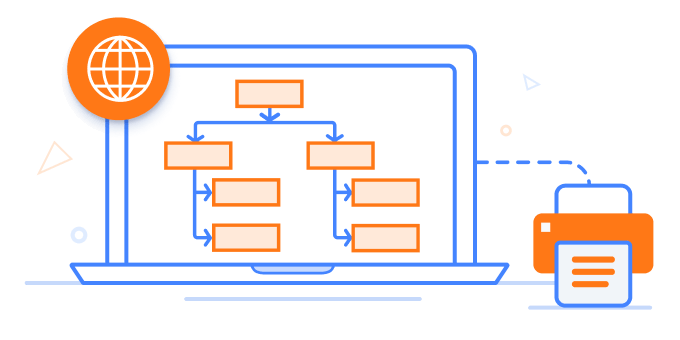
The ASP.NET MVC Diagram is a feature-rich library for visualizing, creating, and editing interactive diagrams. It supports creating flowcharts, organizational charts, mind maps, and BPMN charts either through code or a visual interface.

**Interactive demo:** [Live demo](https://ej2.syncfusion.com/products/angular/diagram/overview/?editable=false)

## Why choose the Syncfusion Essential Studio<sup>&reg;</sup> ASP.NET MVC Diagram?

![ASP.NET MVC Diagram automatic layout.](https://ft.syncfusion.com/featuretour/aspnetmvc-js2/images/diagram/aspnetmvc-diagram-automatic-layout.svg)

### Automatic layout

[Automatically arrange nodes](https://ej2.syncfusion.com/aspnetmvc/documentation/diagram/automatic-layout) based on a predefined layout algorithm.

![ASP.NET MVC Diagram data binding.](https://ft.syncfusion.com/featuretour/aspnetmvc-js2/images/diagram/aspnetmvc-diagram-data-binding.svg)

### Seamless data binding

Populate diagrams with nodes and connectors created and positioned based on [data from data sources](https://ej2.syncfusion.com/aspnetmvc/documentation/diagram/data-binding). Without having to write any code, easily convert, map, and consume data in any format in the Diagram by setting a few properties.

![AI-Assisted development process.](https://ft.syncfusion.com/featuretour/aspnetmvc-js2/images/diagram/syncfusion-ai-assisted-development.svg)

### AI-Assisted Development

Build interactive diagramming experiences faster with the [AI Coding Assistant](https://ej2.syncfusion.com/aspnetmvc/documentation/ai-coding-assistant/overview). Generate flowcharts, node layouts, connectors, and visual workflows with minimal manual effort.

![ASP.NET MVC Adapt to Resolution.](https://ft.syncfusion.com/featuretour/aspnetmvc-js2/images/diagram/aspnetmvc-diagram-adapts-to-any-resolution.svg)

### Adapts to any resolution

Diagram has a highly responsive layout and an optimized design for desktops, tablets, and phones. It works well on all mobile phones that use iOS, Android, or Windows OS.

![ASP.NET MVC reusable symbols.](https://ft.syncfusion.com/featuretour/aspnetmvc-js2/images/diagram/aspnetmvc-diagram-reusable-symbols.svg)

### Gallery of reusable symbols

The [symbol palette](https://ej2.syncfusion.com/aspnetmvc/documentation/diagram/symbol-palette) displays a collection of palettes. A palette displays a set of nodes and connectors that you can drag and drop into the diagram.

![ASP.NET MVC Diagram template shapes.](https://ft.syncfusion.com/featuretour/aspnetmvc-js2/images/diagram/aspnetmvc-diagram-template-shapes.svg)

### Create your own template shapes

[Visualize any graphical object using nodes](https://ej2.syncfusion.com/aspnetmvc/documentation/diagram/nodes) that can be arranged and manipulated on a diagram page at the same time. Diagram allows you to add different kinds of nodes.

![ASP.NET MVC Diagram customizable themes.](https://ft.syncfusion.com/featuretour/aspnetmvc-js2/images/diagram/aspnetmvc-diagram-customizable-themes.svg)

### Attractive, customizable themes

Create cutting-edge design with several built-in themes, such as Fluent, Tailwind CSS, Bootstrap, Material, and Fabric. Utilize the [online Theme Studio tool](https://ej2.syncfusion.com/themestudio/?theme=fluent) to customize Diagram themes easily.

![ASP.NET MVC Diagram globalization and localization.](https://ft.syncfusion.com/featuretour/aspnetmvc-js2/images/diagram/aspnetmvc-diagram-global-local.svg)

### Globalization and localization

Enable users from different locales to use the component by formatting dates, currencies, and numbering to suit preferences.

## ASP.NET MVC Diagram code example

Easily get started with the ASP.NET MVC Diagram using a few simple lines of C# code, as demonstrated below. Also explore this [ASP.NET MVC Diagram example](https://ej2.syncfusion.com/aspnetmvc/diagram/defaultfunctionalities#/bootstrap5), which shows you how to render and configure the control.

using System;
using System.Collections.Generic;
using System.Linq;
using System.Web;
using System.Web.Mvc;
using Syncfusion.EJ2.Diagrams;
using System.Drawing;

namespace EJ2MVCSampleBrowser.Controllers.Diagram
{
 public partial class DiagramController : Controller
 {
 // GET: Nodes
 public ActionResult Nodes()
 {
 List<DiagramNode> nodes = new List<DiagramNode>();
 List<DiagramNodeAnnotation> Node1 = new List<DiagramNodeAnnotation>();
 Node1.Add(new DiagramNodeAnnotation() { Content = "node1", Style = new DiagramTextStyle() { Color = "White", StrokeColor = "None" } });
 nodes.Add(new Node()
 {
 Id = "node1",
 Width = 100,
 Height = 100,
 text = "node1",
 OffsetX = 100,
 OffsetY = 100,
 Annotations = Node1
 });
 ViewBag.nodes = nodes;

 return View();
 }
 }
 public class Node : DiagramNode
 {
 public string text;
 }
}
![Real-time collaboration in ASP.NET MVC Diagram](https://ft.syncfusion.com/featuretour/aspnetmvc-js2/images/diagram/aspnetmvc-diagram-collaborative-editing.webp)

## Real-time collaboration

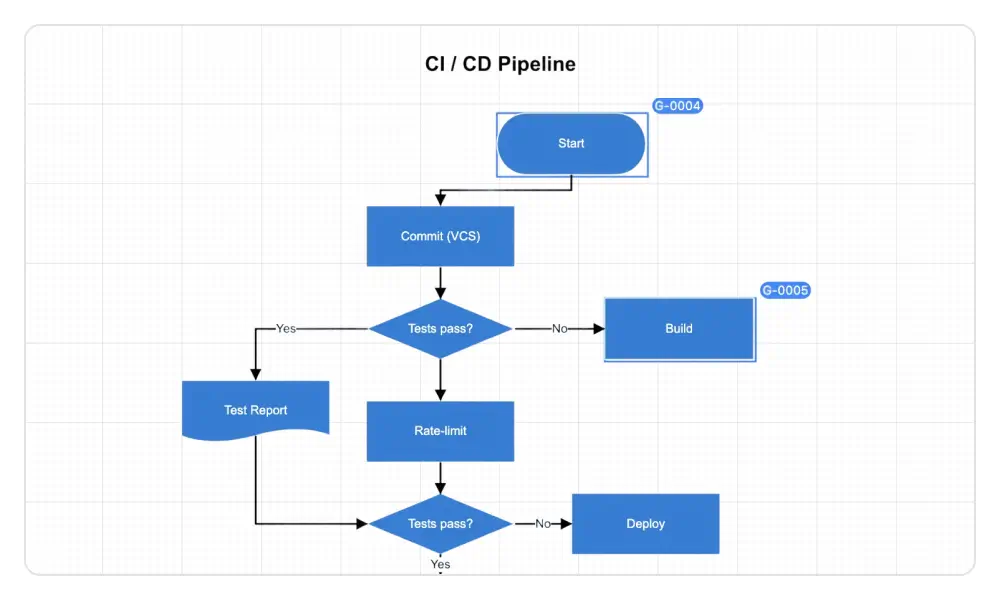
Multiple users can edit the same diagram simultaneously and see live updates, improving teamwork and efficiency.

* User presence highlight: Each element shows who is currently interacting with it.
* Conflict handling: When multiple users edit the same element, the first user’s changes are applied, and the others are notified of the conflict.

* [Real-time collaboration documentation](https://ej2.syncfusion.com/aspnetmvc/documentation/diagram/collaborative-editing/collaborative-editing)

## Flowchart

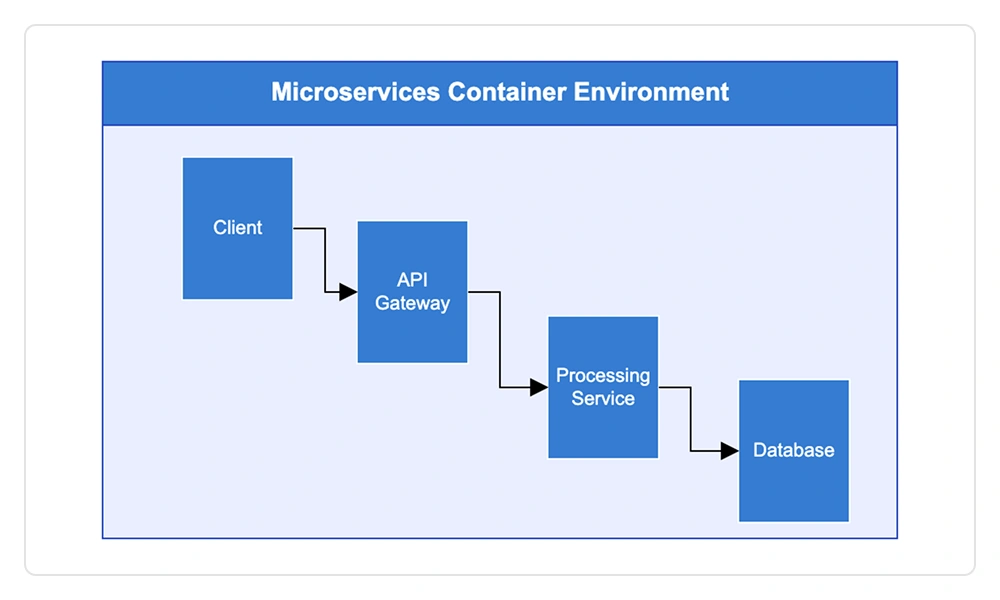
The ASP.NET MVC Diagram provides all the standard flowchart shapes as ready-made objects to build flowcharts, making it is easy to add them to a diagram surface in a single call.
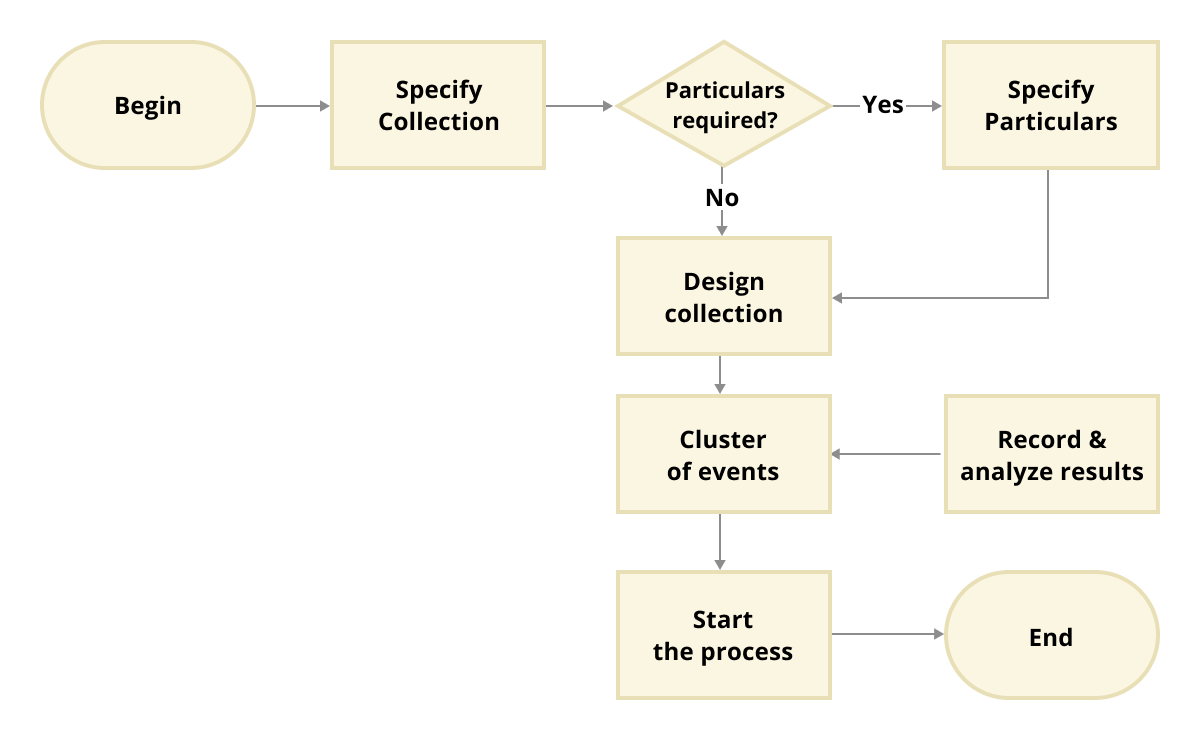
* [Learn more about flowchart diagram features](diagram/flowchart)

![Flowchart diagram created with built-in flowchart shapes available in ASP.NET MVC Diagram control](https://ft.syncfusion.com/featuretour/aspnetmvc-js2/images/diagram/aspnetmvc-diagram-flowchart.png)

![Organizational chart visualization using data binding and automatic layout features in ASP.NET MVC Diagram control](https://ft.syncfusion.com/featuretour/aspnetmvc-js2/images/diagram/aspnetmvc-diagram-organizationalchart.png)

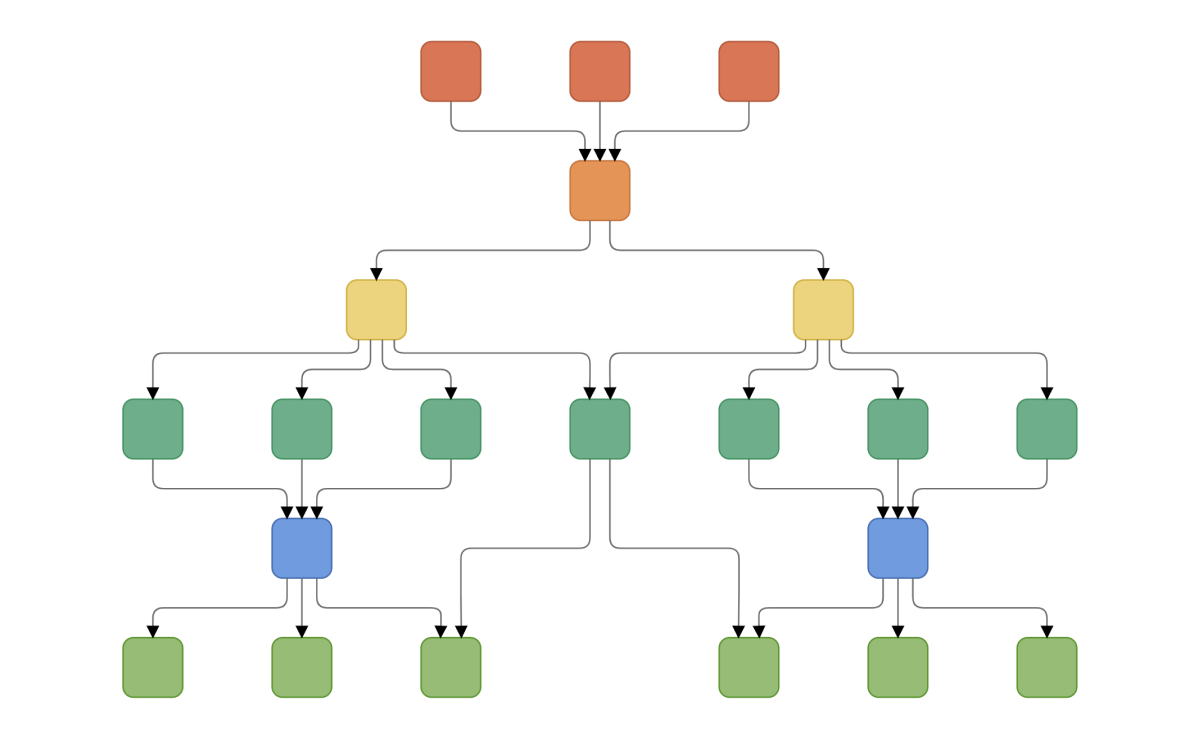
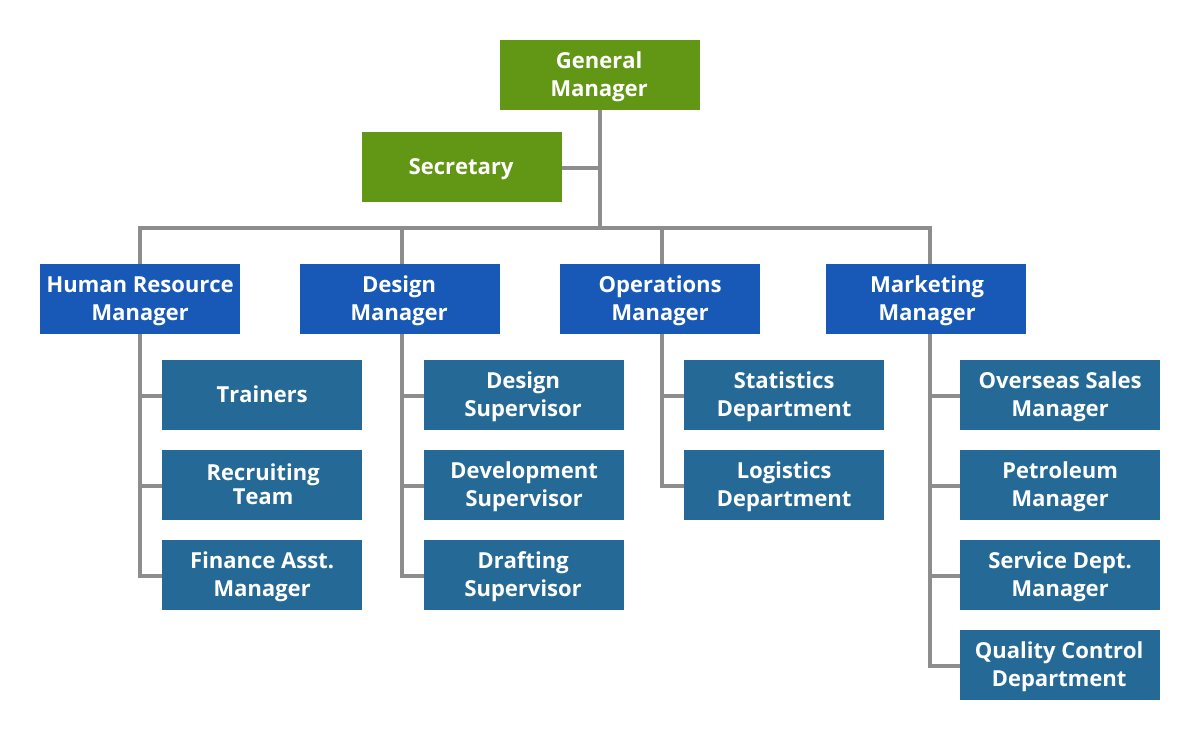
## Organizational charts

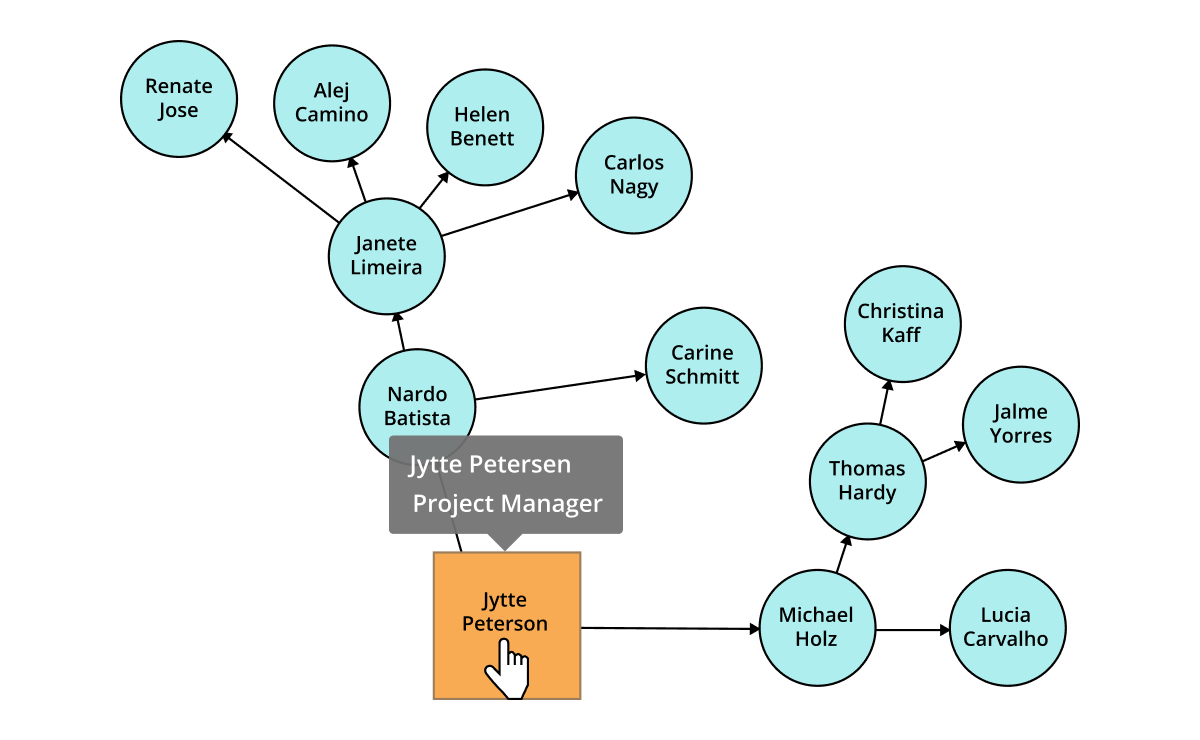
A built-in layout algorithm, specifically made for organizational charts, arranges the parent and child node positions automatically.

* [Learn more about organizational chart features](diagram/organizational-chart)

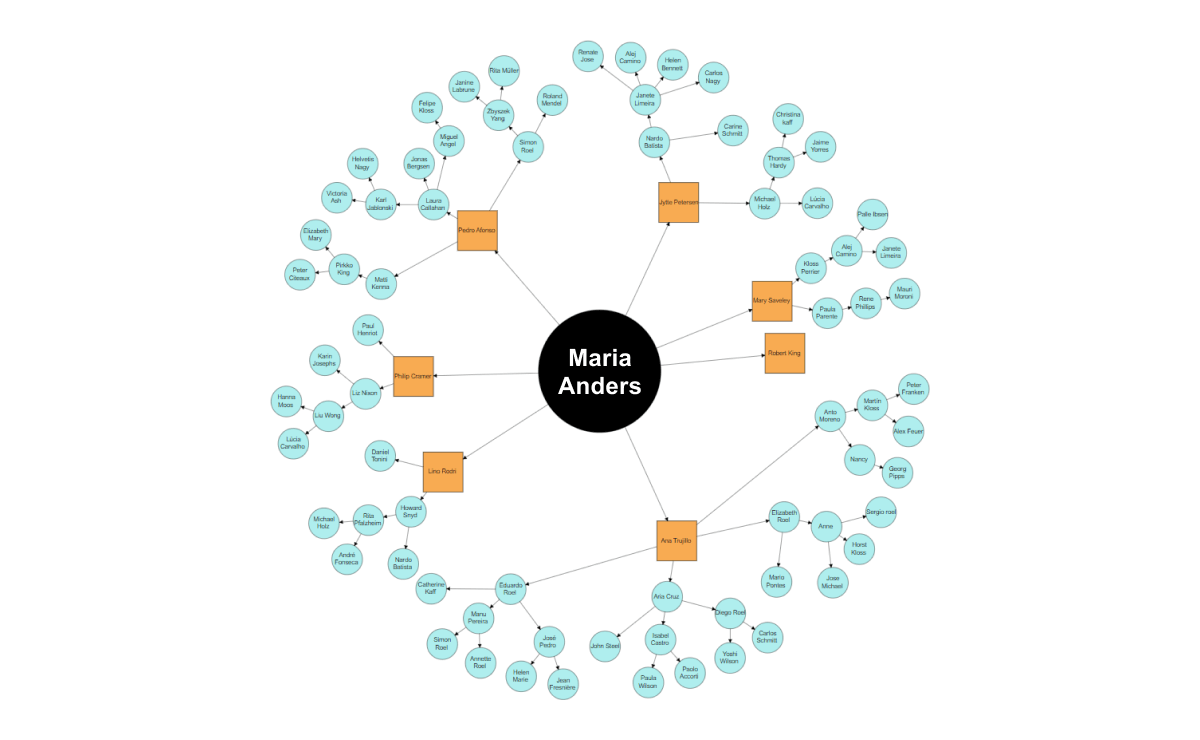
## Mind map

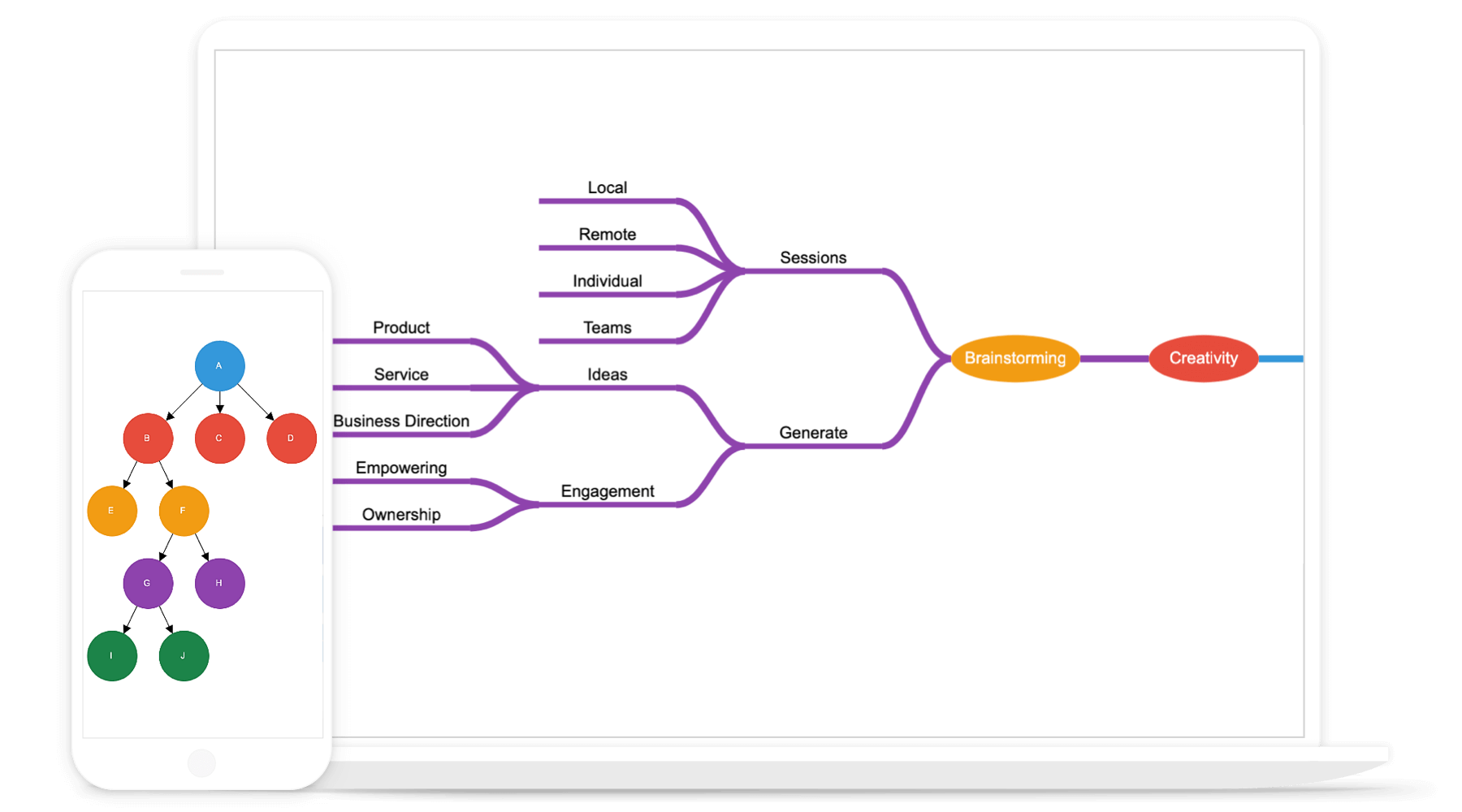
A built-in, automatic layout algorithm is also provided for mind map diagrams. It allows you to define which node should be at the center and which nodes should be placed around it on the diagram surface.
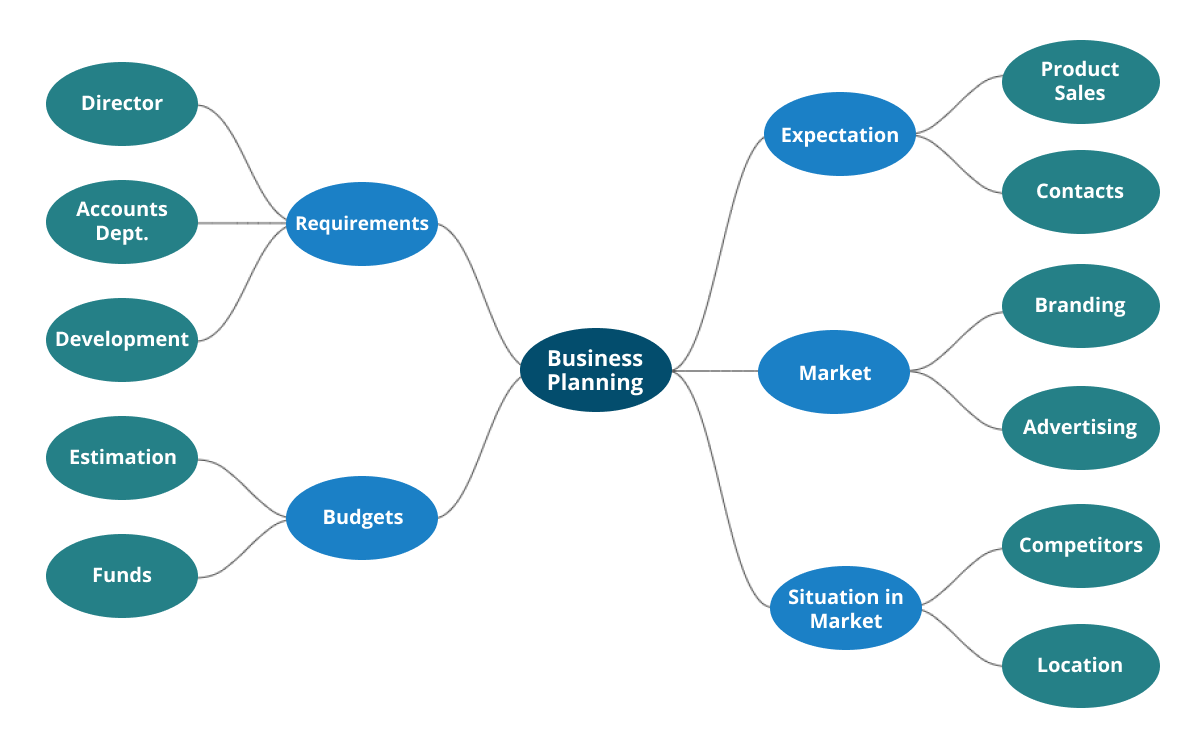
* [Learn more about mind map diagram features](diagram/mind-map)

![Mind map diagram created with data binding and automatic layout features available in ASP.NET MVC Diagram control](https://ft.syncfusion.com/featuretour/aspnetmvc-js2/images/diagram/aspnetmvc-diagram-mindmap.png)

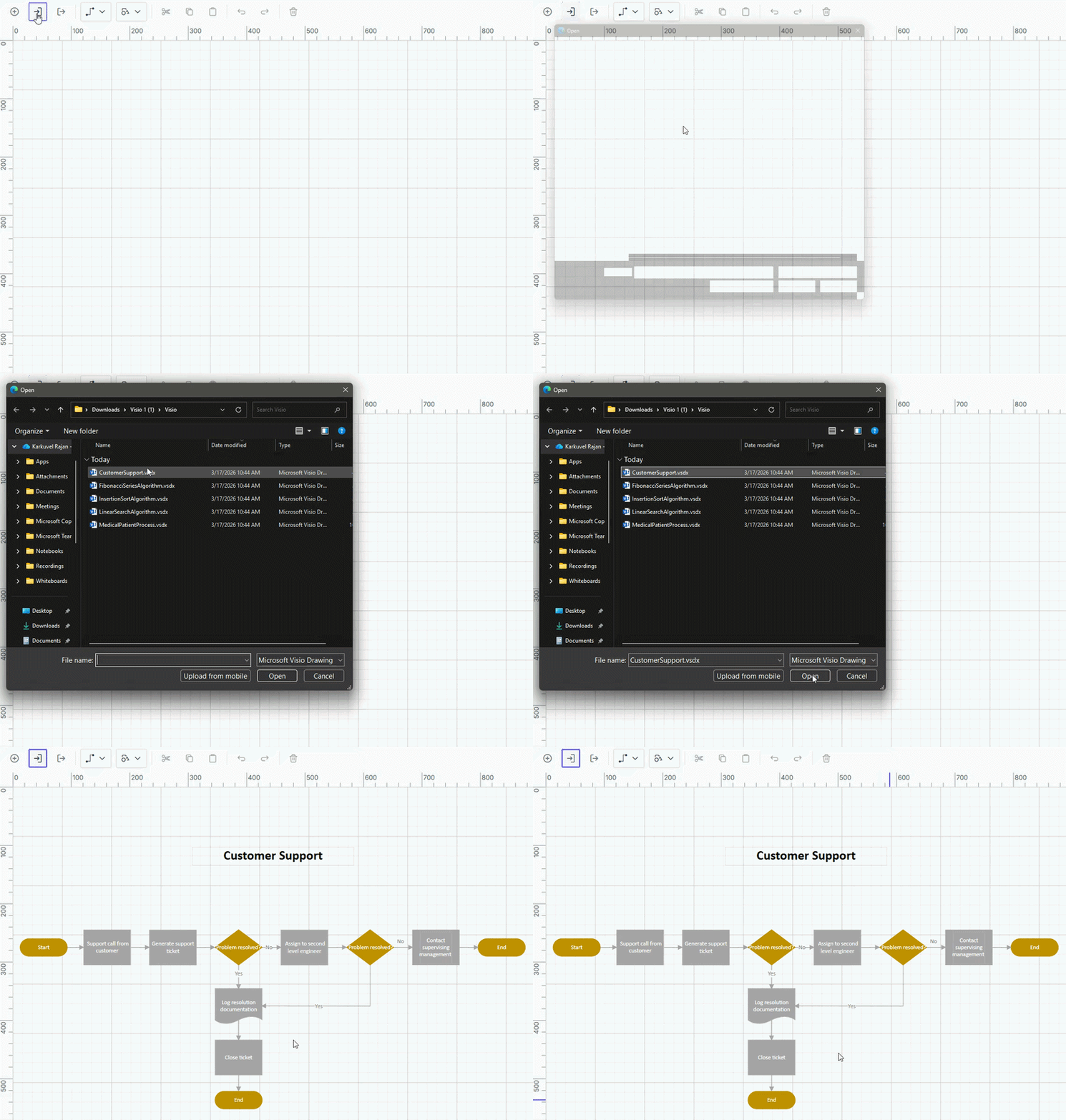
![Visio integration](https://ft.syncfusion.com/featuretour/aspnetmvc-js2/images/diagram/aspnetmvc-diagram-visio-import.gif)

## Seamless Visio integration

Import Microsoft Visio (.vsdx) files into the ASP.NET MVC Diagram and export ASP.NET MVC Diagrams back to Visio format with support for flow shapes, basic shapes, groups, connectors, ports, and annotations.

* [Visio import and export example](https://ej2.syncfusion.com/aspnetmvc/diagram/visioimportexport#/fluent2)
* [Visio import and export documentation](https://ej2.syncfusion.com/aspnetmvc/documentation/diagram/visio)

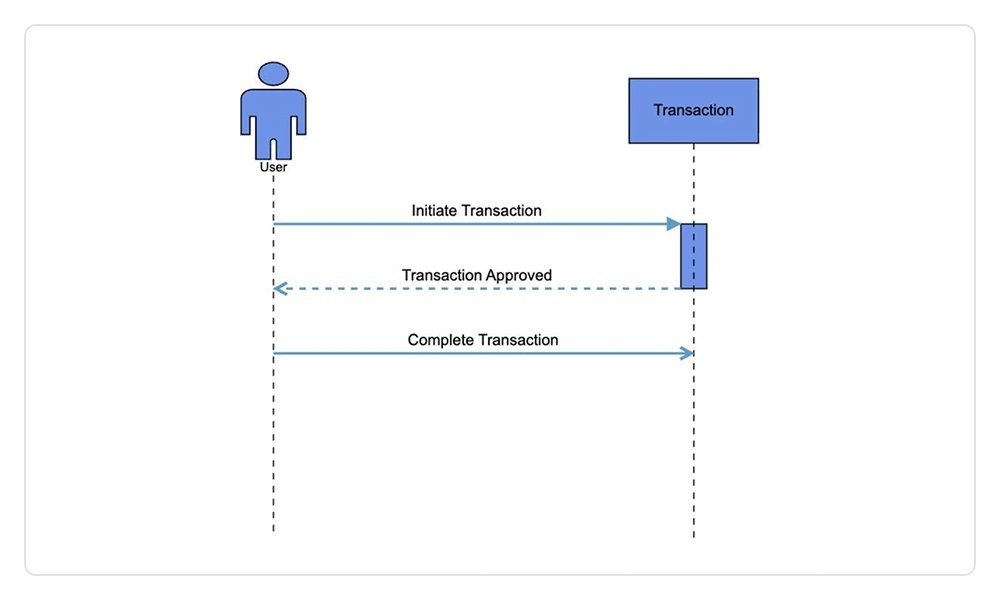
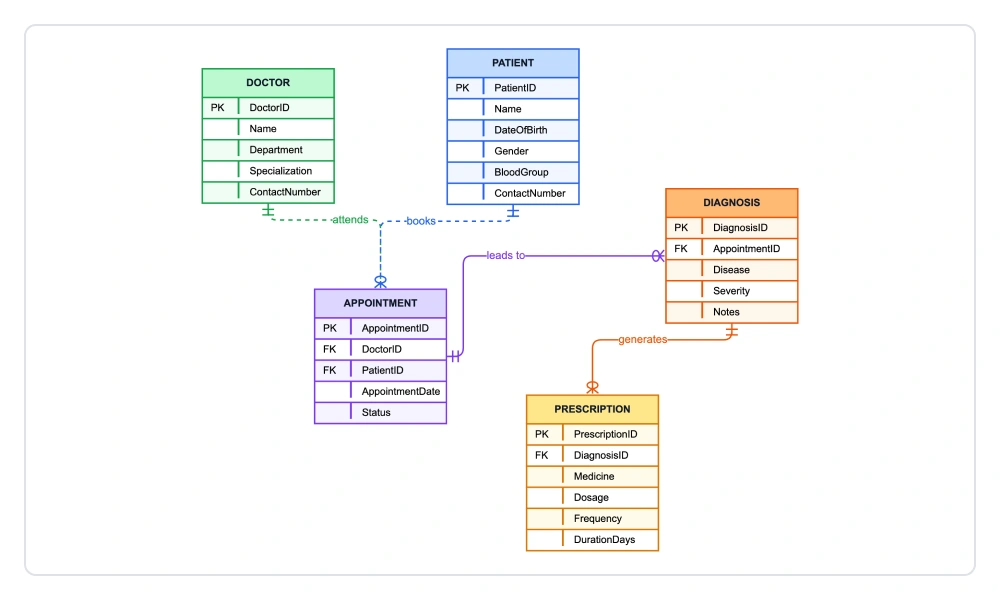
## UML sequence diagram

Visualizes time‑ordered interactions between system participants by modeling lifelines and message exchanges, enabling precise analysis of execution flow, request‑response behavior, and component collaboration.
* [UML sequence diagram example](https://ej2.syncfusion.com/aspnetmvc/diagram/sequencediagram#/fluent2)
* [UML sequence diagram documentation](https://ej2.syncfusion.com/aspnetmvc/documentation/diagram/umlsequencediagram)

![UML sequence Diagram in ASP.NET MVC Diagram Control.](https://ft.syncfusion.com/featuretour/aspnetmvc-js2/images/diagram/aspnetmvc-diagram-uml-sequence.webp)

## Nodes

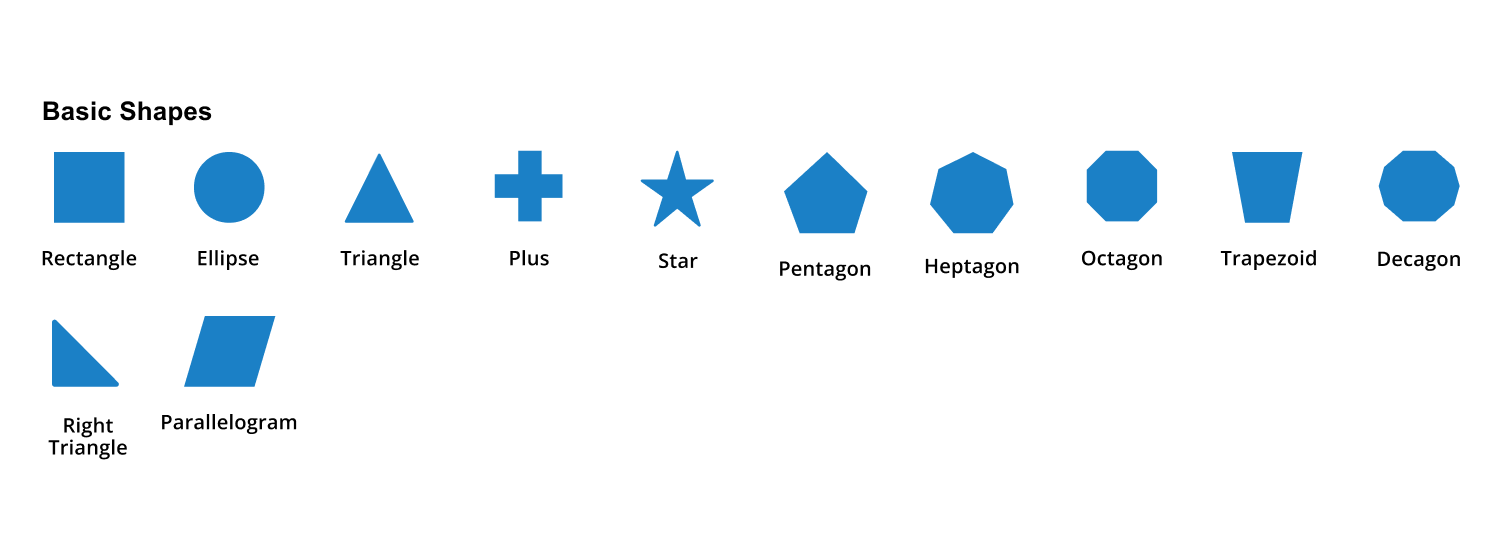
Visualize any graphical object using nodes, which can be arranged and manipulated at the same time on a diagram page. You can:

* Use many predefined standard shapes.
* Create and add custom shapes easily.
* Fully customize the appearance of a node.
* Design a node UI template and reuse it across multiple nodes.

* [Node example](https://ej2.syncfusion.com/aspnetmvc/diagram/nodes#/bootstrap5)
* [Node documentation](https://ej2.syncfusion.com/aspnetmvc/documentation/diagram/nodes)

![Visualize geometric information with basic shapes in ASP.NET MVC Diagram control](https://ft.syncfusion.com/featuretour/aspnetmvc-js2/images/diagram/aspnetmvc-diagram-basicshapes.png)
![Create BPMN diagrams with BPMN shapes in ASP.NET MVC Diagram control](https://ft.syncfusion.com/featuretour/aspnetmvc-js2/images/diagram/aspnetmvc-diagram-bpmnshapes.png)
![Embed images, HTML, or SVG content inside the node using ASP.NET MVC Diagram control](https://ft.syncfusion.com/featuretour/aspnetmvc-js2/images/diagram/aspnetmvc-diagram-customshapes.png)

## Connectors
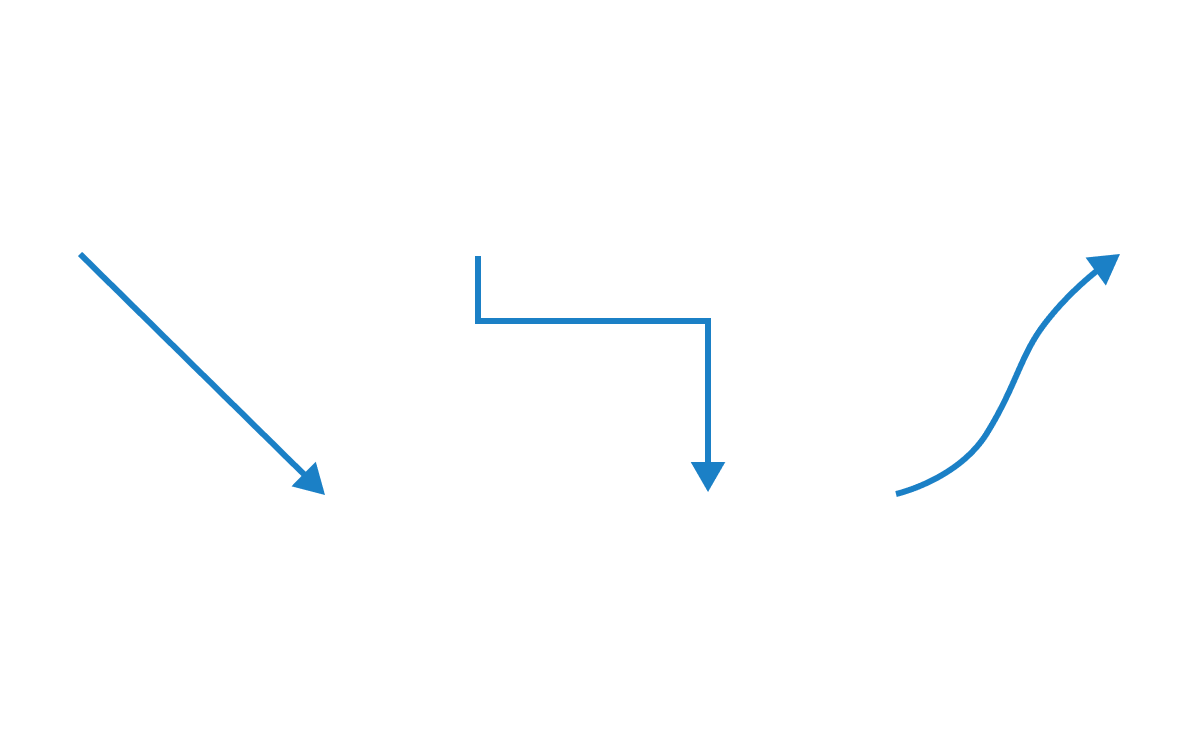
A connector represents a relationship between two nodes. Some of its key features are listed here.
* [Connector example](https://ej2.syncfusion.com/aspnetmvc/diagram/connector#/bootstrap5)

![Different types of connectors available in ASP.NET MVC Diagram control](https://ft.syncfusion.com/featuretour/aspnetmvc-js2/images/diagram/aspnetmvc-diagram-connectors.png)

### Types
The ASP.NET MVC Diagram control provides straight, orthogonal, polyline, and curved connector types.
* [Connector type documentation](https://ej2.syncfusion.com/aspnetmvc/documentation/diagram/connectors#segments)

![Connector line jump behavior in ASP.NET MVC Diagram control](https://ft.syncfusion.com/featuretour/aspnetmvc-js2/images/diagram/aspnetmvc-diagram-bridging.png)
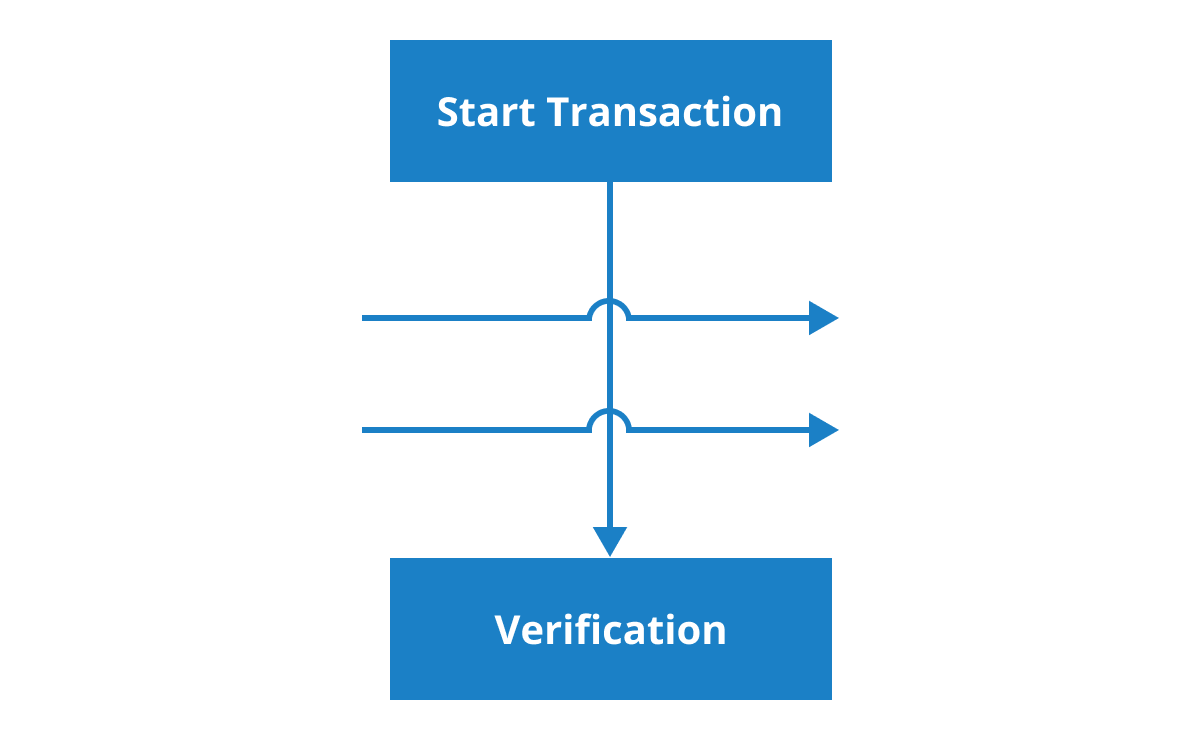
### Bridging (line jumps)

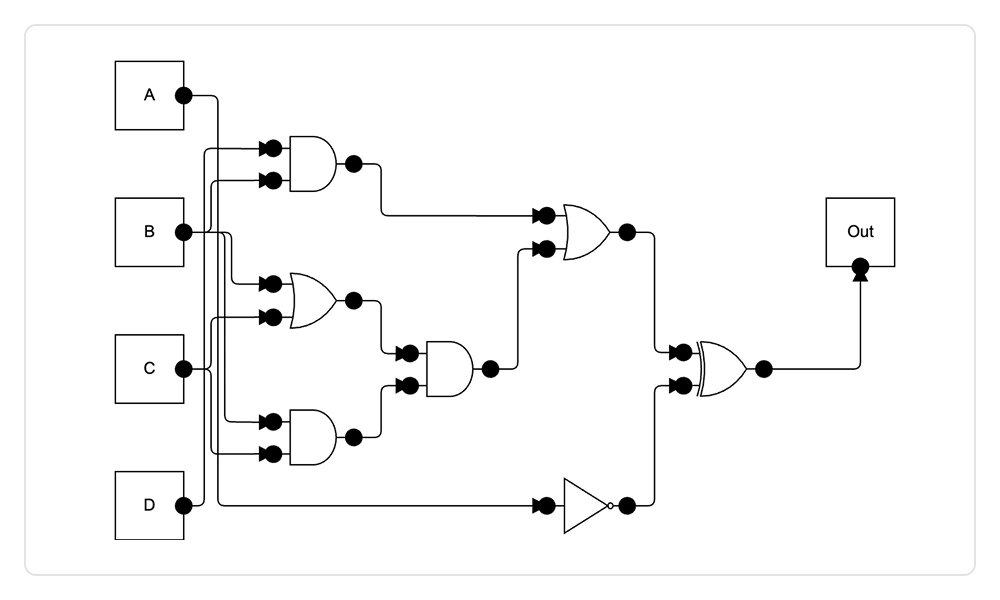
Use bridging (line jumps) to illustrate a connector’s route, making it easy to read where connectors overlap each other in a dense diagram.
* [Bridging documentation](https://ej2.syncfusion.com/aspnetmvc/documentation/diagram/connectors#bridging)

![Predefined arrowheads in ASP.NET MVC Diagram control illustrate flow direction in the diagram](https://ft.syncfusion.com/featuretour/aspnetmvc-js2/images/diagram/aspnetmvc-diagram-decorators.png)
### Arrowheads
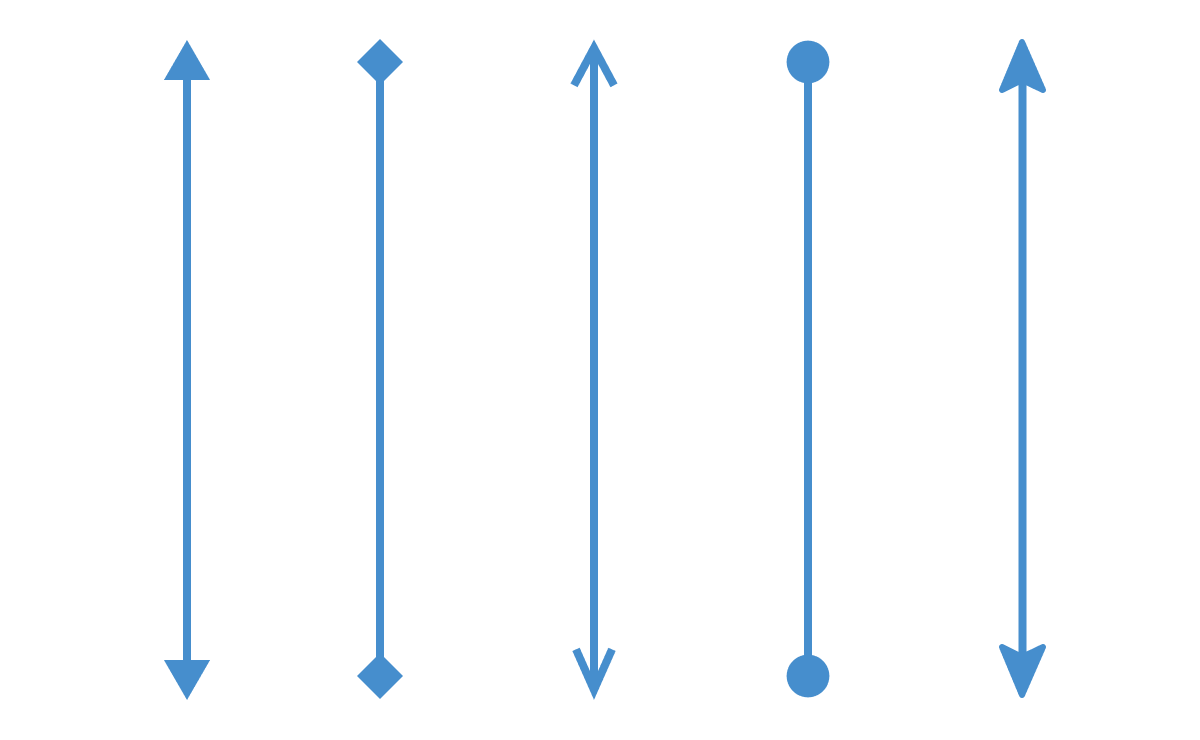
Use different types of predefined arrowheads to illustrate flow direction in flowchart diagrams. You can also build your own custom arrowheads.
* [Arrow heads documentation](https://ej2.syncfusion.com/aspnetmvc/documentation/diagram/connectors#decorator)

![Connector appearance customization in ASP.NET MVC Diagram control](https://ft.syncfusion.com/featuretour/aspnetmvc-js2/images/diagram/aspnetmvc-diagram-appearance.png)
### Appearance
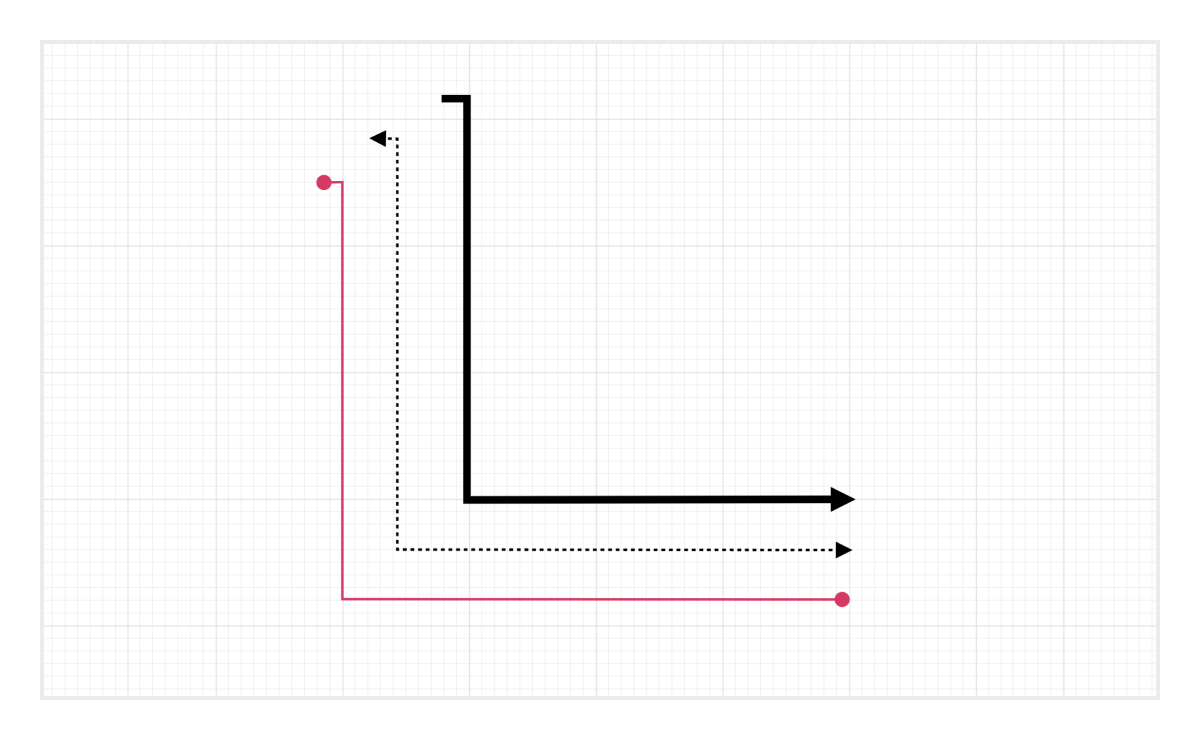
Like nodes, the connector look and feel can also be customized any way you want. The ASP.NET MVC Diagram control provides a rich set of properties through which you can customize connector color, thickness, dash and dot appearance, rounded corners, and decorators.
* [Connector appearance documentation](https://ej2.syncfusion.com/aspnetmvc/documentation/diagram/connectors#appearance)

![Line Routing in ASP.NET MVC Diagram.](https://ft.syncfusion.com/featuretour/aspnetmvc-js2/images/diagram/aspnetmvc-diagram-line-routing.webp)

### Line routing
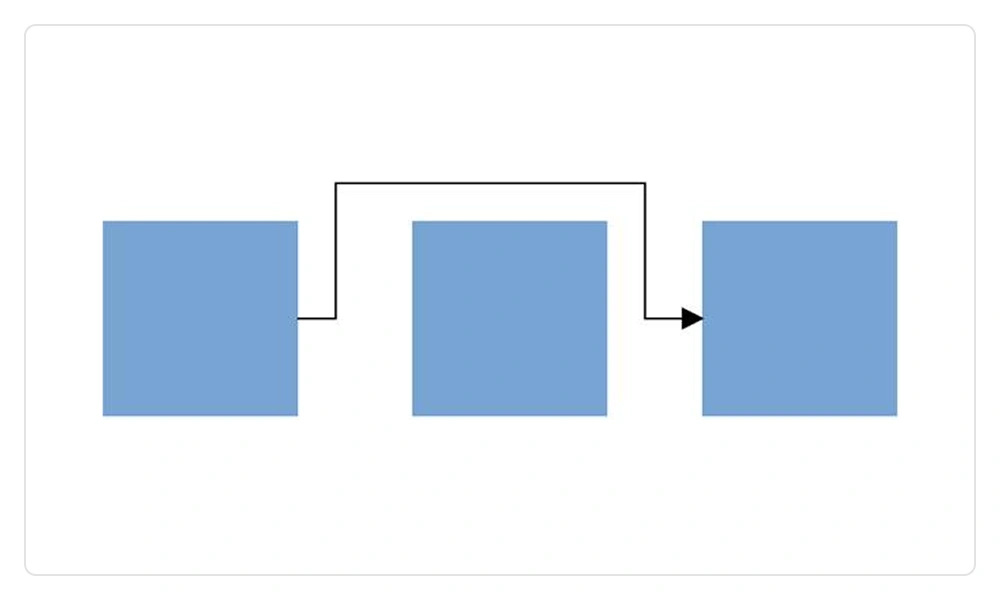
Orthogonal connectors navigate the shortest and most efficient path to prevent overlapping with neighboring nodes.
* [Line routing example](https://ej2.syncfusion.com/aspnetmvc/diagram/linerouting)
* [Line routing documentation](https://ej2.syncfusion.com/aspnetmvc/documentation/diagram/connectors#automatic-line-routing)

![Avoid Connector Overlap in ASP.NET MVC Diagram.](https://ft.syncfusion.com/featuretour/aspnetmvc-js2/images/diagram/aspnetmvc-diagram-avoid-connector-overlap.webp)

### Avoid connector overlap
Automatically adjusts connector paths to prevent visual overlap, ensuring clear, distinct routing in complex diagrams. Enhances readability, reduces clutter, and maintains clean connector separation for improved user understanding.

* [Avoid Connector overlapping documentation](https://ej2.syncfusion.com/aspnetmvc/documentation/diagram/connectors#avoid-overlapping)

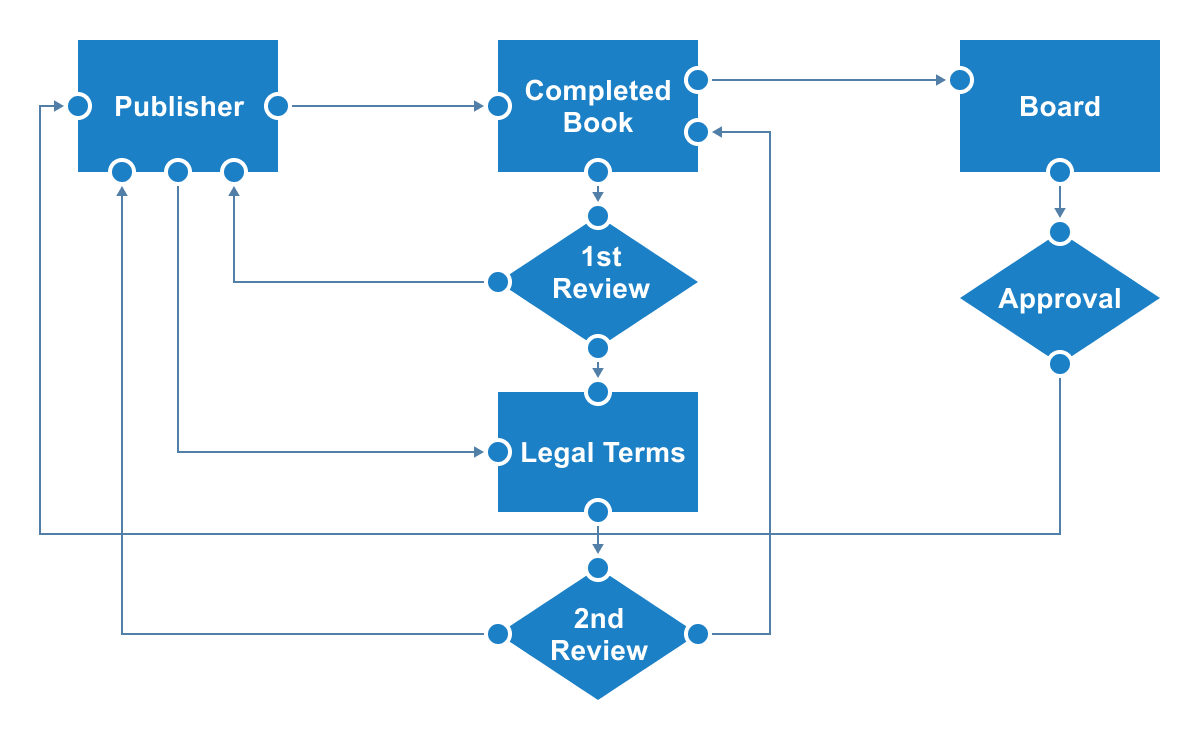
## Ports (connection points)
Attach connectors to specific places on a node through different types of ports or connecting points.
* [Port example](https://ej2.syncfusion.com/aspnetmvc/diagram/port#/bootstrap5)
* [Port documentation](https://ej2.syncfusion.com/aspnetmvc/documentation/diagram/ports)

![Connect to specific places on a node using ports in the ASP.NET MVC Diagram control](https://ft.syncfusion.com/featuretour/aspnetmvc-js2/images/diagram/aspnetmvc-diagram-ports.png)

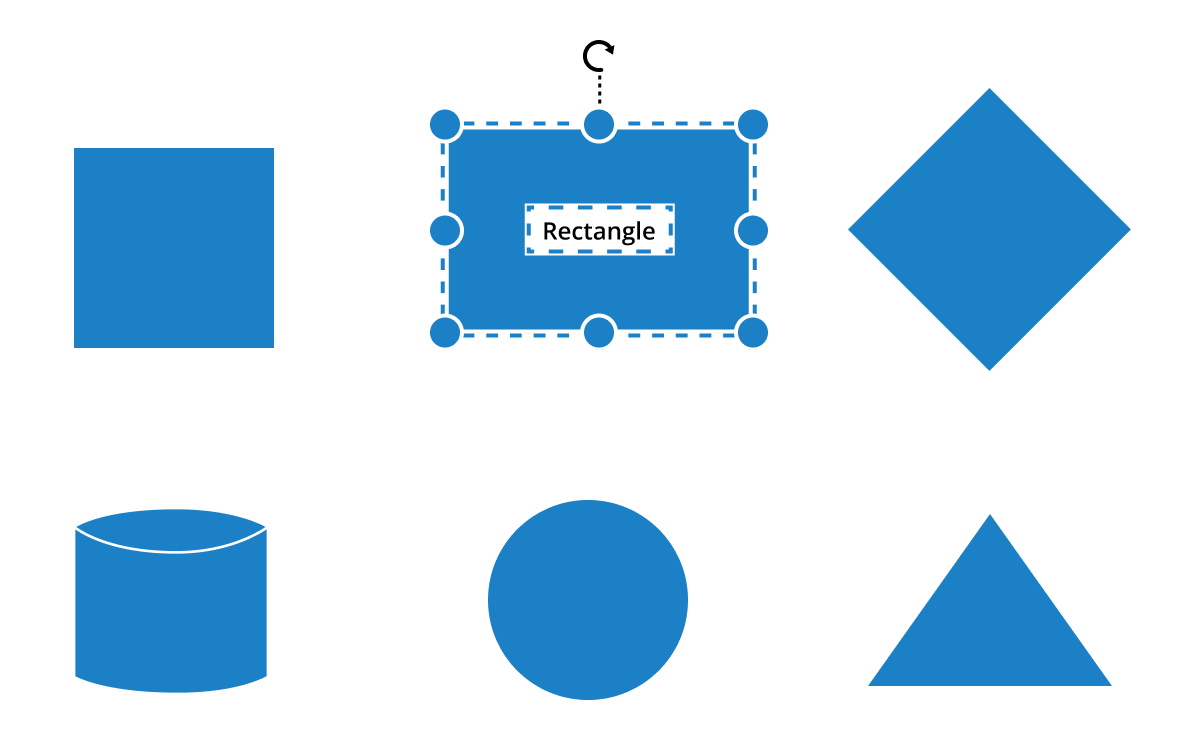
## Labels
Additional information can be shown by adding text or labels on nodes and connectors.
![Additional information can be shown on nodes and connectors using labels in ASP.NET MVC Diagram control](https://ft.syncfusion.com/featuretour/aspnetmvc-js2/images/diagram/aspnetmvc-diagram-editing.png)
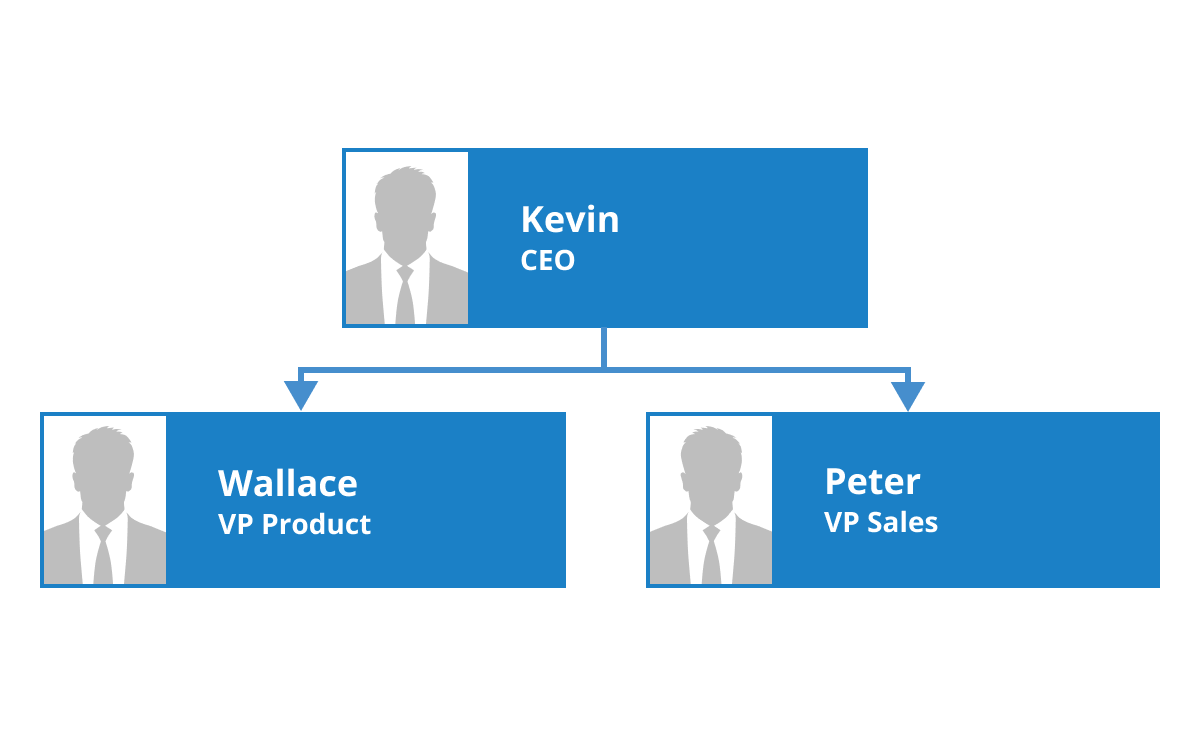
### Edit
You can add and edit text at runtime and mark it read-only if it should not be edited.
* [Label example](https://ej2.syncfusion.com/aspnetmvc/diagram/annotations#/bootstrap5)
* [Label documentation](https://ej2.syncfusion.com/aspnetmvc/documentation/diagram/labels)

![Add multiple labels on nodes and connectors in the ASP.NET MVC Diagram control](https://ft.syncfusion.com/featuretour/aspnetmvc-js2/images/diagram/aspnetmvc-diagram-multiple-annotation.png)
### Multiple labels
Add any number of labels and align them individually.
![Align labels inside or outside a node in ASP.NET MVC Diagram control](https://ft.syncfusion.com/featuretour/aspnetmvc-js2/images/diagram/aspnetmvc-diagram-annotation-alignment.png)
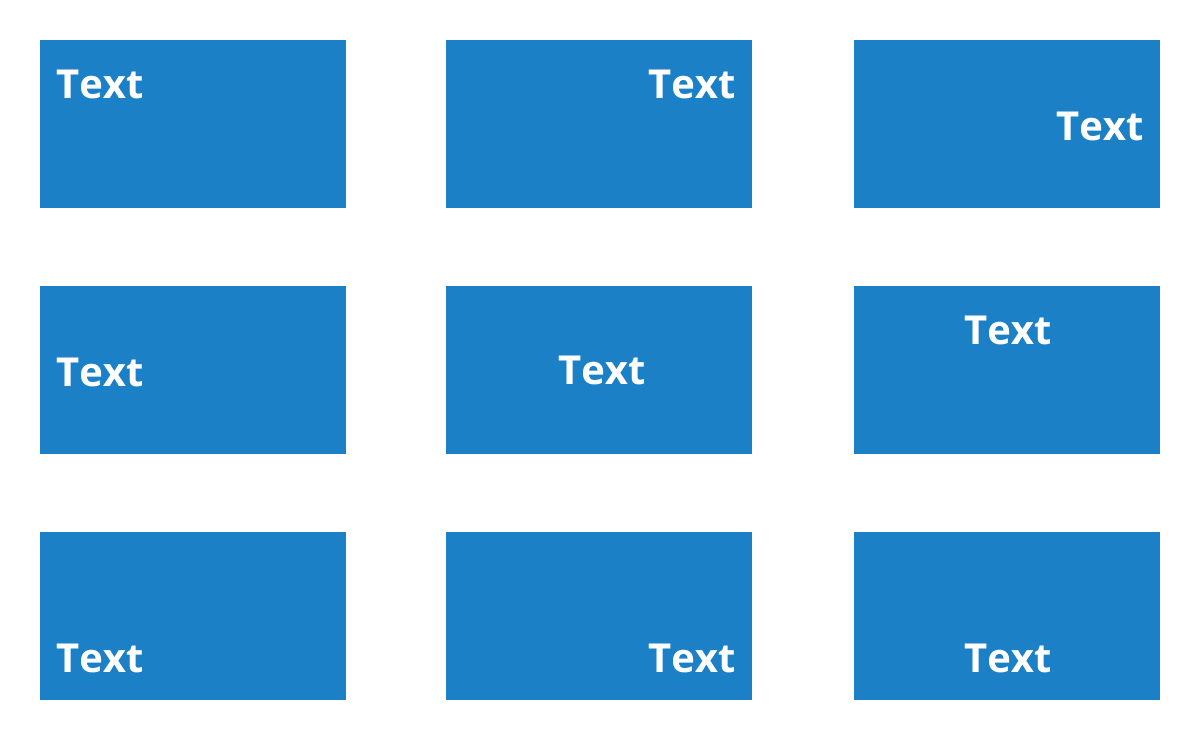
### Alignment

Labels include sophisticated alignment options: place inside or outside a node, or at the source or target end of a connector. Automatically align when a node or connector moves.

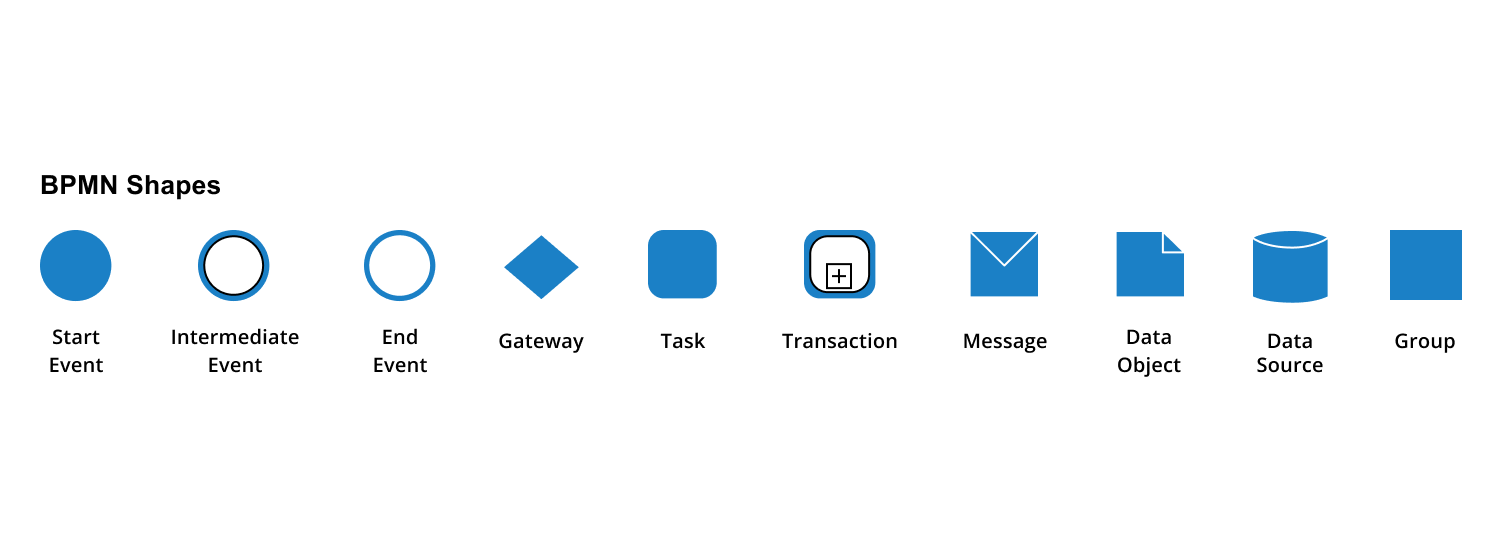
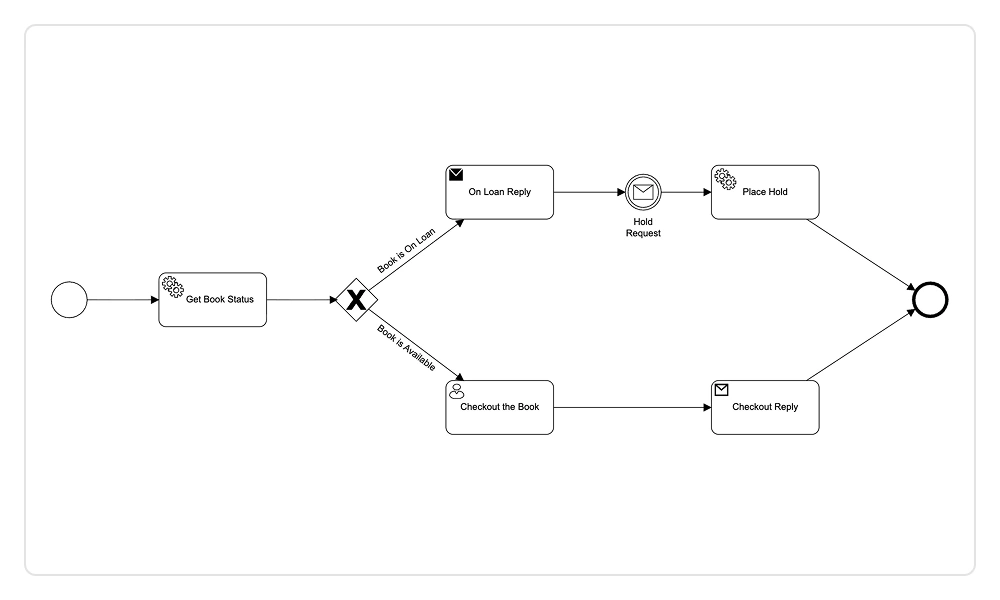
## BPMN editor

The ASP.NET MVC diagram includes all standard BPMN (Business Process Model and Notation) shapes, which are essential graphical elements used to visualize business processes effectively within a BPMN diagram.
* [BPMN example](https://ej2.syncfusion.com/aspnetmvc/diagram/bpmneditor)
* [BPMN documentation](https://ej2.syncfusion.com/aspnetmvc/documentation/diagram/bpmn-shapes)

![BPMN diagram in ASP.NET MVC.](https://ft.syncfusion.com/featuretour/aspnetmvc-js2/images/diagram/aspnetmvc-diagram-bpmn-editor.webp)

![Swimlane in ASP.NET MVC diagram.](https://ft.syncfusion.com/featuretour/aspnetmvc-js2/images/diagram/aspnetmvc-diagram-swimlane.webp)

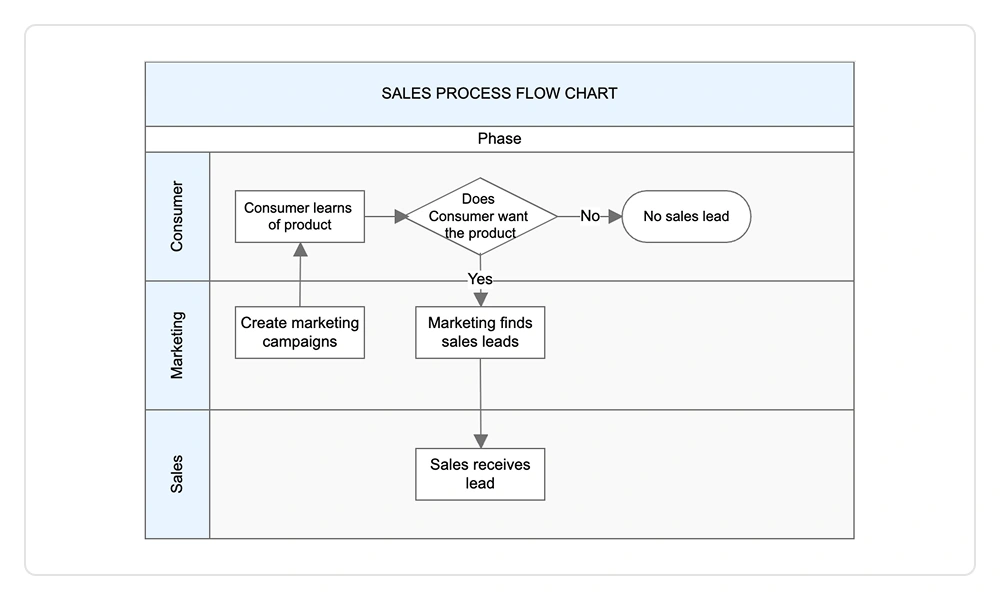
## Swimlane

The ASP.NET MVC diagram supports swimlanes, which are visual elements in a swimlane diagram that represent various components, activities, and responsibilities within a business process.

* [Swimlane example](https://ej2.syncfusion.com/aspnetmvc/diagram/swimlane)
* [Swimlane documentation](https://ej2.syncfusion.com/aspnetmvc/documentation/diagram/swim-lane)

## Containers

Containers organize related elements into clearly defined sections, supporting drag‑and‑drop interaction, flexible layouts, independent styling, and grouped event handling to improve UI clarity, consistency, and overall user experience.

* [Container example](https://ej2.syncfusion.com/aspnetmvc/diagram/container#/fluent2)
* [Container documentation](https://ej2.syncfusion.com/aspnetmvc/documentation/diagram/container)

![Container in ASP.NET MVC Diagram.](https://ft.syncfusion.com/featuretour/aspnetmvc-js2/images/diagram/aspnetmvc-diagram-container.webp)

## Interactive features
Use interactive features to improve the diagram editing experience at runtime. You can easily edit a diagram with mouse, touchscreen, or keyboard interfaces.

![Select and drag the nodes or connectors using handlers in ASP.NET MVC Diagram control](https://ft.syncfusion.com/featuretour/aspnetmvc-js2/images/diagram/aspnetmvc-diagram-selectanddrag.png)
### Select and drag
Select one or more nodes, connectors, or annotations and edit them using thumbs or handlers.

* [Select and drag documentation](https://ej2.syncfusion.com/aspnetmvc/documentation/diagram/interaction/selection)

![Select and resize nodes using handlers in ASP.NET MVC Diagram control](https://ft.syncfusion.com/featuretour/aspnetmvc-js2/images/diagram/aspnetmvc-diagram-resize.png)
### Resize
You can resize a node in eight different directions and lock a node’s aspect ratios to keep its shape. You can also resize multiple objects at the same time.

* [Resize documentation](https://ej2.syncfusion.com/aspnetmvc/documentation/diagram/interaction/drag-resize-rotate#resize)

![Select and rotate nodes using handlers in ASP.NET MVC Diagram control](https://ft.syncfusion.com/featuretour/aspnetmvc-js2/images/diagram/aspnetmvc-diagram-rotate.png)
### Rotate
Rotate selected nodes from 0 to 360 degrees.

* [Rotate documentation](https://ej2.syncfusion.com/aspnetmvc/documentation/diagram/interaction/drag-resize-rotate#rotate)

![Undo and redo the recent changes using the history manager feature in ASP.NET MVC Diagram control](https://ft.syncfusion.com/featuretour/aspnetmvc-js2/images/diagram/aspnetmvc-diagram-undoredo.png)
### Undo and redo
Undo and redo in diagramming tools allow users to reverse or reapply actions such as moving, resizing, and creating/deleting elements, and more.

* [Undo and redo documentation](https://ej2.syncfusion.com/aspnetmvc/documentation/diagram/undo-redo)

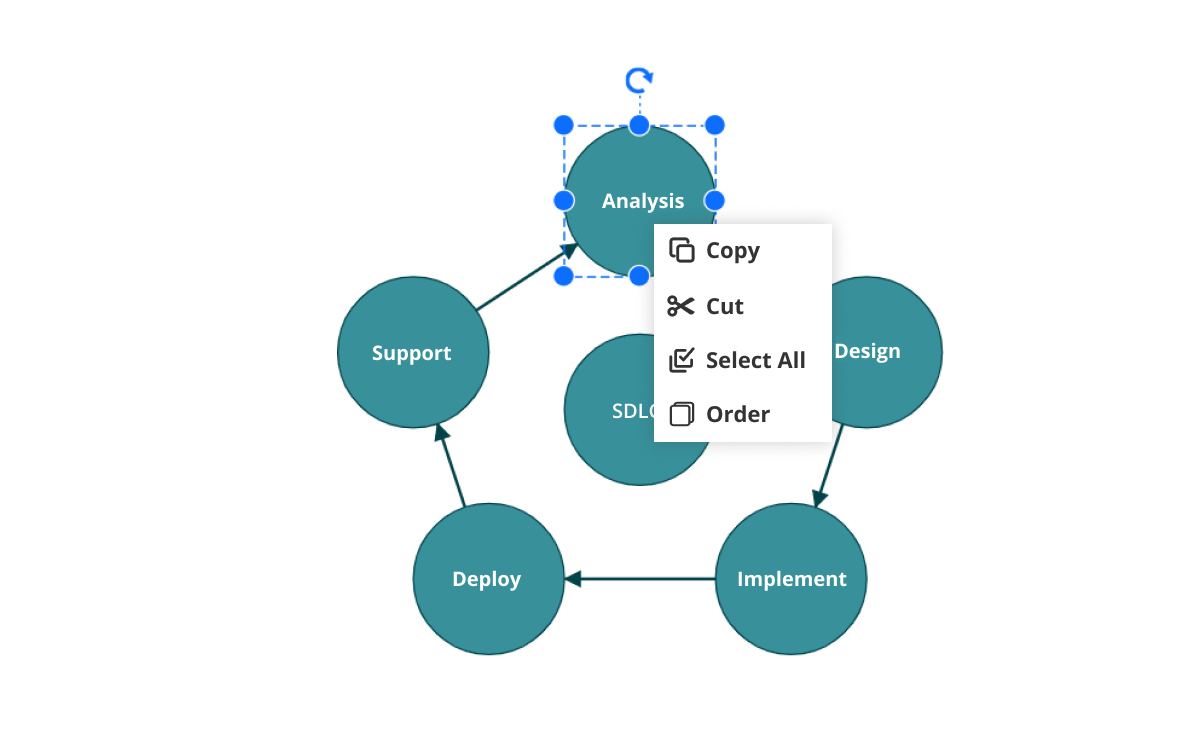
![Cut, copy, and paste selected objects within a diagram using the clipboard feature in ASP.NET MVC Diagram Control](https://ft.syncfusion.com/featuretour/aspnetmvc-js2/images/diagram/aspnetmvc-diagram-clipboard.png)
### Clipboard
Cut, copy, paste, or duplicate selected objects within and across diagrams.

* [Clipboard documentation](https://ej2.syncfusion.com/aspnetmvc/documentation/diagram/commands#clipboard)

![Move objects to the top or bottom of the diagram using the z-order feature in ASP.NET MVC Diagram control](https://ft.syncfusion.com/featuretour/aspnetmvc-js2/images/diagram/aspnetmvc-diagram-z-index.png)
### Z-order
When multiple objects overlap, the z-order controls which object is at the top and which is at the bottom.

* [Z-order documentation](https://ej2.syncfusion.com/aspnetmvc/documentation/diagram/commands#z-order-command)

![Align nodes and connectors with the nearest gridlines or objects in ASP.NET MVC Diagram control](https://ft.syncfusion.com/featuretour/aspnetmvc-js2/images/diagram/aspnetmvc-diagram-snapping.png)
### Snap
Precisely align nodes, connectors, and annotations while dragging just by snapping them to the nearest gridlines or objects.

* [Snapping documentation](https://ej2.syncfusion.com/aspnetmvc/documentation/diagram/grid-lines#snap-to-lines)

![Combine multiple nodes into a group node in ASP.NET MVC Diagram control](https://ft.syncfusion.com/featuretour/aspnetmvc-js2/images/diagram/aspnetmvc-diagram-groups.png)
### Grouping
You can combine multiple nodes into a group and then interact with them as a single object. Nested groups are also possible with the ASP.NET MVC Diagram control.

* [Grouping documentation](https://ej2.syncfusion.com/aspnetmvc/documentation/diagram/commands#grouping)

![Quick commands can be shown as buttons near a selector in ASP.NET MVC Diagram control](https://ft.syncfusion.com/featuretour/aspnetmvc-js2/images/diagram/aspnetmvc-diagram-quickcommands.png)
### Quick commands
Frequently used commands like delete, connect, and duplicate can be shown as buttons near a selector. This makes it easy for users to quickly perform those operations instead of searching for the correct buttons in a toolbox.

* [Quick commands documentation](https://ej2.syncfusion.com/aspnetmvc/documentation/diagram/interaction/endpoint-handles)

## Alignment
Our ASP.NET MVC Diagram control has predefined alignment commands that enable you to align the selected objects' nodes and connectors with respect to the selection boundary.

![Arrange selected objects in equal intervals using spacing commands in ASP.NET MVC Diagram control](https://ft.syncfusion.com/featuretour/aspnetmvc-js2/images/diagram/aspnetmvc-diagram-spacing-commands.svg)
### Spacing commands
Spacing commands enable you to place selected objects on the Diagram at equal intervals from each other.

* [Spacing documentation](https://ej2.syncfusion.com/aspnetmvc/documentation/diagram/commands#distribute)

![Resize selected objects to have equal sizes in ASP.NET MVC Diagram control](https://ft.syncfusion.com/featuretour/aspnetmvc-js2/images/diagram/aspnetmvc-diagram-sizing-command.svg)
### Sizing commands
Use sizing commands to size selected nodes equally with respect to the first selected object.

* [Sizing documentation](https://ej2.syncfusion.com/aspnetmvc/documentation/diagram/commands#sizing)

![Align selected objects horizontally or vertically by using align commands in ASP.NET MVC Diagram control](https://ft.syncfusion.com/featuretour/aspnetmvc-js2/images/diagram/aspnetmvc-diagram-alignment-commands.svg)
### Align commands
All the nodes or connectors in the selection list can be aligned to the left, right, or center horizontally, or aligned to the top, bottom, or middle vertically with respect to the selection boundary.

* [Align documentation](https://ej2.syncfusion.com/aspnetmvc/documentation/diagram/commands#align)

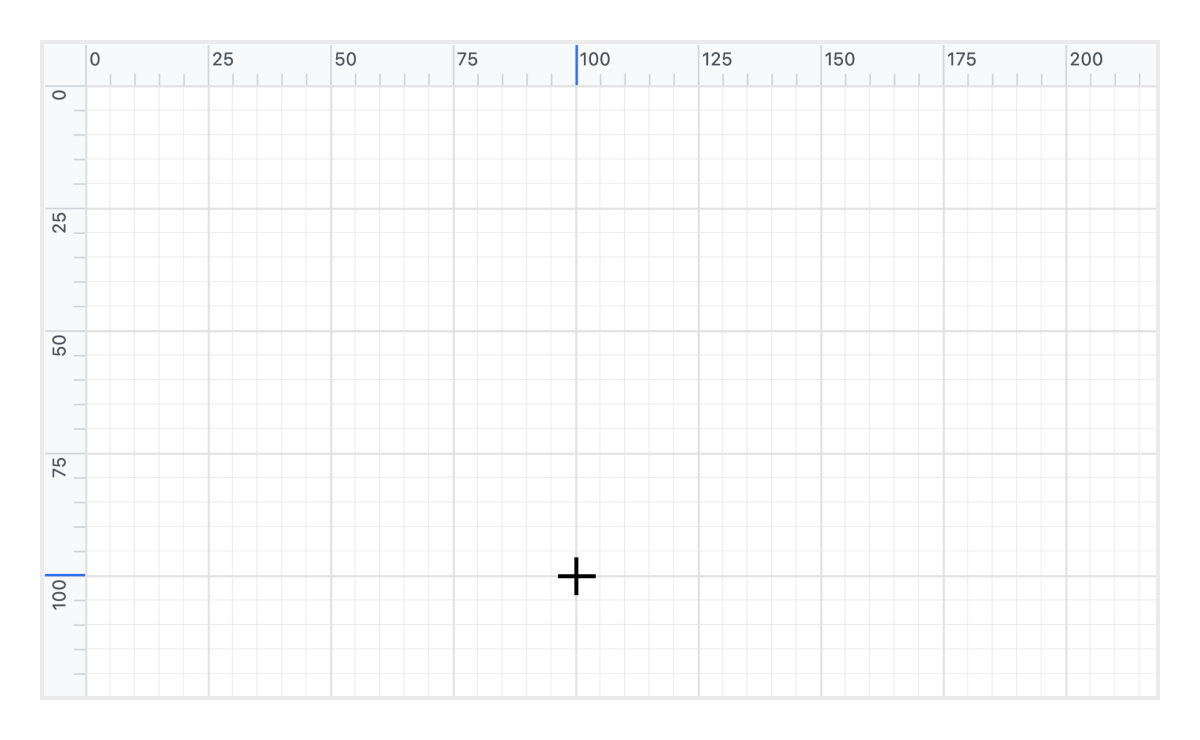
## Automatic layout
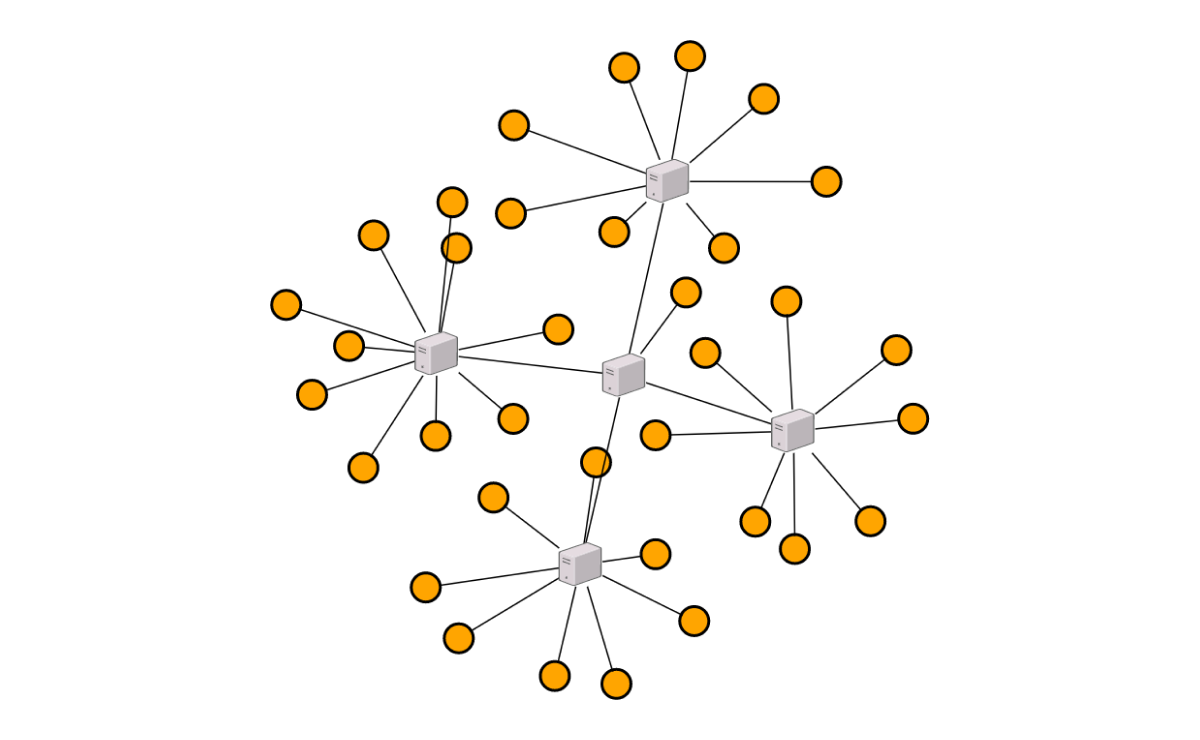
Use automatic layouts to arrange nodes based on a predefined layout algorithm. The control features built-in hierarchical tree, radial tree, and symmetric layouts.
* [Hierarchical layout example](https://ej2.syncfusion.com/aspnetmvc/diagram/hierarchicallayout#/bootstrap5)
* [Radial tree example](https://ej2.syncfusion.com/aspnetmvc/diagram/radialtreelayout#/bootstrap5)
* [Symmetric layout example](https://ej2.syncfusion.com/aspnetmvc/diagram/radialtreelayout#/bootstrap5)
* [Automatic layout documentation](https://ej2.syncfusion.com/aspnetmvc/documentation/diagram/automatic-layout)

![Build a radial tree layout using ASP.NET MVC Diagram control](https://ft.syncfusion.com/featuretour/aspnetmvc-js2/images/diagram/aspnetmvc-diagram-radialtree.png)
![Build a hierarchical tree layout using ASP.NET MVC Diagram control](https://ft.syncfusion.com/featuretour/aspnetmvc-js2/images/diagram/aspnetmvc-diagram-hierarchicallayout.png)
![Build a symmetric layout using ASP.NET MVC Diagram control](https://ft.syncfusion.com/featuretour/aspnetmvc-js2/images/diagram/aspnetmvc-diagram-symmetriclayout.png)

![Measure the distance of nodes from the page origin by using a ruler in ASP.NET MVC Diagram control](https://ft.syncfusion.com/featuretour/aspnetmvc-js2/images/diagram/aspnetmvc-diagram-rulers.png)

## Ruler
Rulers allow you to measure the distance of nodes or connectors from the origin of the page. This is especially useful in creating scale models.

* [Ruler example](https://ej2.syncfusion.com/aspnetmvc/diagram/drawingtools#/bootstrap5)

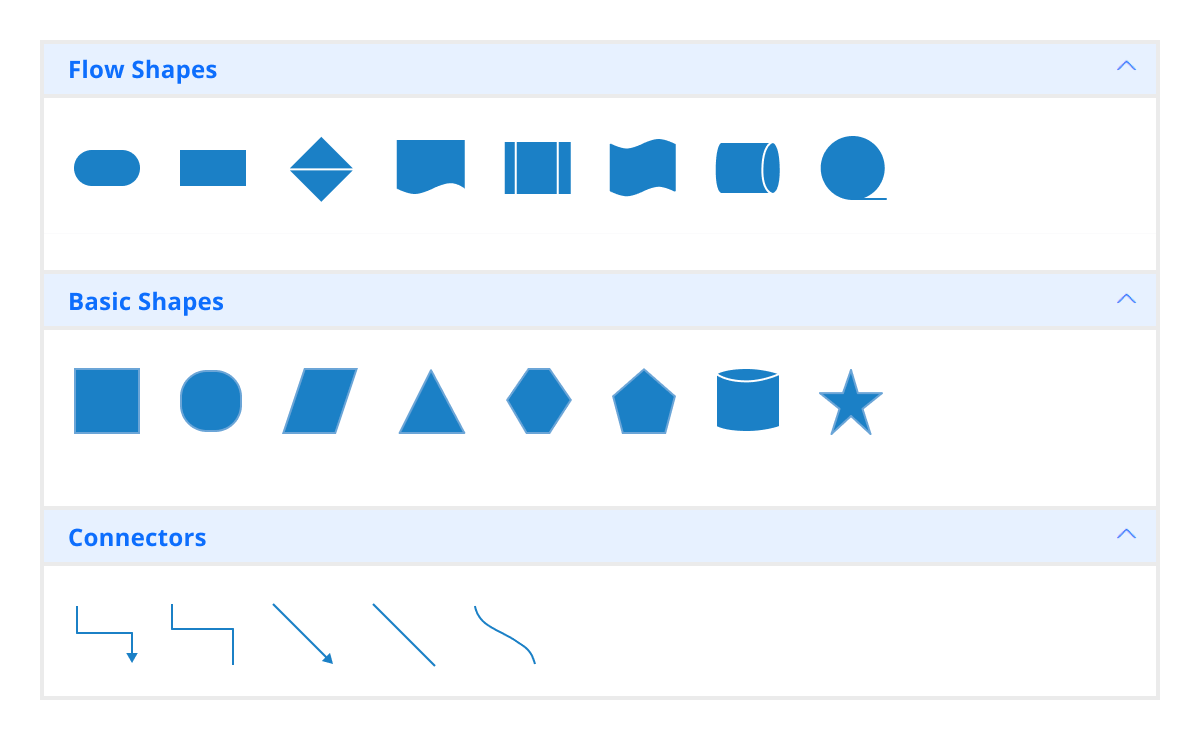
## Symbol palette
The symbol palette includes a gallery of stencils, reusable symbols, and nodes that can be dragged onto the surface of a diagram.
* [Symbol palette example](https://ej2.syncfusion.com/aspnetmvc/diagram/symbolpalette#/bootstrap5)
* [Symbol palette documentation](https://ej2.syncfusion.com/aspnetmvc/documentation/diagram/symbol-palette)

![Host reusable nodes inside the symbol palette in ASP.NET MVC Diagram control](https://ft.syncfusion.com/featuretour/aspnetmvc-js2/images/diagram/aspnetmvc-diagram-symbolpalatte.png)

![Improve the navigation experience with larger diagrams by using the overview panel in ASP.NET MVC Diagram control](https://ft.syncfusion.com/featuretour/aspnetmvc-js2/images/diagram/aspnetmvc-diagram-overview.svg)

## Overview panel
The overview panel allows you to improve the navigation experience when exploring large diagrams. It displays a small preview of the full diagram page that allows users to zoom and pan within it.

* [Overview panel example](https://ej2.syncfusion.com/aspnetmvc/diagram/overview#/bootstrap5)

## Drawing tools
Draw all kinds of built-in nodes and connect them with connectors by just clicking and dragging on the drawing area.
* [Drawing tools example](https://ej2.syncfusion.com/aspnetmvc/diagram/drawingtools#/bootstrap5)
* [Drawing tools documentation](https://ej2.syncfusion.com/aspnetmvc/documentation/diagram/tools#drawing-tools)

![Draw nodes and connectors interactively using ASP.NET MVC Diagram control](https://ft.syncfusion.com/featuretour/aspnetmvc-js2/images/diagram/aspnetmvc-diagram-drawingtools.png)

![View a large diagram closely or farther away by zooming in and out in ASP.NET MVC Diagram control](https://ft.syncfusion.com/featuretour/aspnetmvc-js2/images/diagram/aspnetmvc-diagram-zoompan.png)

## Zoom and pan tools
View a large diagram closely or assume a wider view by zooming in and out. Navigate from one region of a diagram to another by panning across the diagram.

* [Zoom and pan tool documentation](https://ej2.syncfusion.com/aspnetmvc/documentation/diagram/interaction/zoompan)

## Exporting
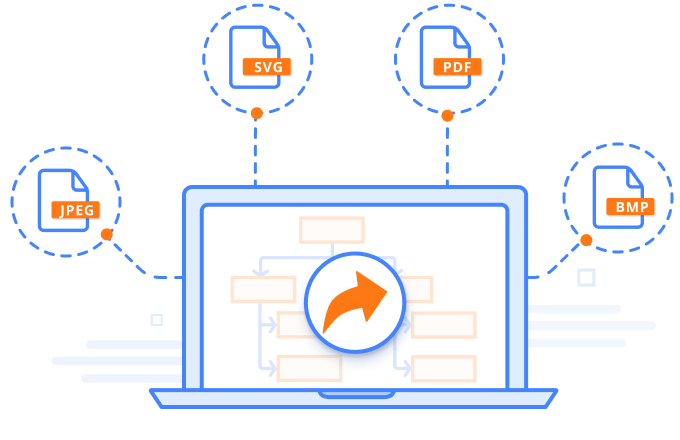
You can export the Diagram to different image formats: PNG, JPEG, BMP, and SVG.
* [Exporting example](https://ej2.syncfusion.com/aspnetmvc/diagram/printandexport#/bootstrap5)
* [Exporting documentation](https://ej2.syncfusion.com/aspnetmvc/documentation/diagram/export#exporting-options)

![Export the ASP.NET MVC Diagram to different image formats](https://ft.syncfusion.com/featuretour/aspnetmvc-js2/images/diagram/aspnetmvc-diagram-exporting.png)

![Print ASP.NET MVC Diagrams from the browser](https://ft.syncfusion.com/featuretour/aspnetmvc-js2/images/diagram/aspnetmvc-diagram-printing.png)

## Printing
Print diagrams from the browser. You can also customize the page size, orientation, and page margin, and fit a diagram to a single page.

* [Printing documentation](https://ej2.syncfusion.com/aspnetmvc/documentation/diagram/export#print)

## Serialization
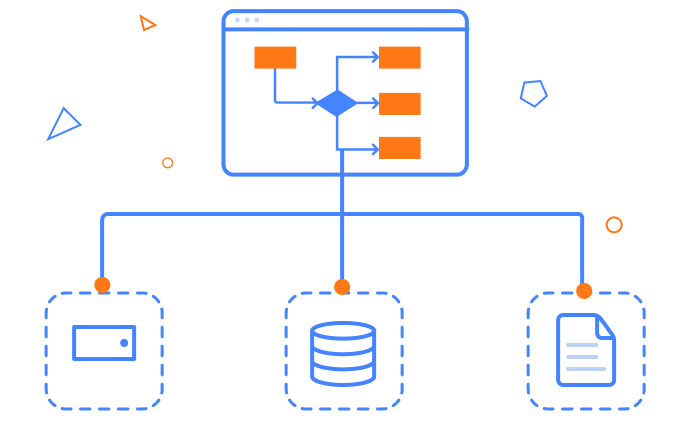
You can save your diagram state in JSON format and load it back later for further editing using the serializer.
* [Serialization example](https://ej2.syncfusion.com/aspnetmvc/diagram/serialization#/bootstrap5)
* [Serialization documentation](https://ej2.syncfusion.com/aspnetmvc/documentation/diagram/serialization)

![Save and load a diagram by serializing it to JSON format using ASP.NET MVC Diagram control](https://ft.syncfusion.com/featuretour/aspnetmvc-js2/images/diagram/aspnetmvc-diagram-serialization.png)

![Virtualization in ASP.NET MVC Diagram.](https://ft.syncfusion.com/featuretour/aspnetmvc-js2/images/diagram/aspnetmvc-diagram-high-performance.webp)

## Virtualization
Quickly load large diagrams using UI-virtualization techniques, which selectively loads the objects that lie within the viewport area. Smooth scrolling performance is achieved using a built-in spatial search algorithm that builds an index based on the element position.

* [Virtualization documentation](https://ej2.syncfusion.com/aspnetmvc/documentation/diagram/virtualization)

## Miscellaneous
In addition to all the features listed thus far, there many more that enhance the diagramming experience.
![Align objects using gridlines in ASP.NET MVC Diagram control](https://ft.syncfusion.com/featuretour/aspnetmvc-js2/images/diagram/aspnetmvc-diagram-gridlines.png)
### Gridlines
Gridlines provide guidance when trying to align objects.

* [Gridlines documentation](https://ej2.syncfusion.com/aspnetmvc/documentation/diagram/grid-lines)

![Define a page-like appearance on the drawing surface of the ASP.NET MVC Diagram control](https://ft.syncfusion.com/featuretour/aspnetmvc-js2/images/diagram/aspnetmvc-diagram-pagelayout.png)
### Page layout
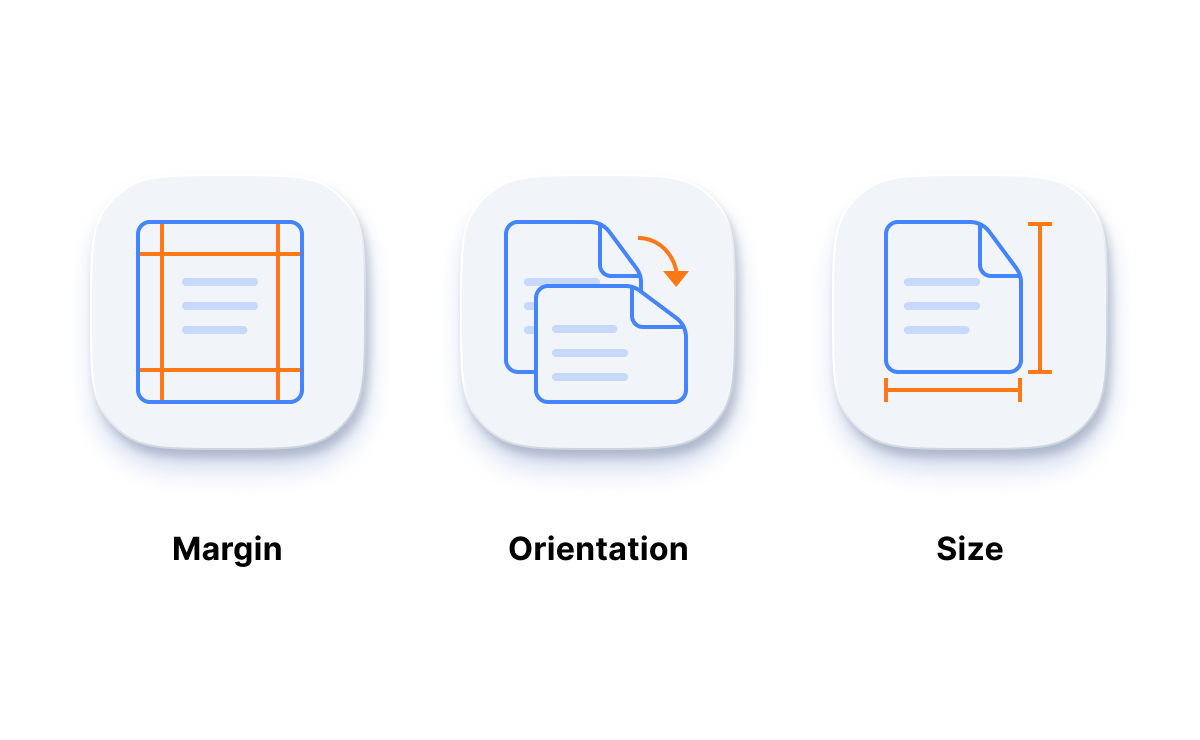
Give a page-like appearance to the drawing surface using page size, orientation, and margins.

* [Page-settings documentation](https://ej2.syncfusion.com/aspnetmvc/documentation/diagram/page-settings)

![Additional information about a node can be viewed by using tooltips in ASP.NET MVC Diagram control](https://ft.syncfusion.com/featuretour/aspnetmvc-js2/images/diagram/aspnetmvc-diagram-tooltip.png)
### Tooltips
Use tooltips to provide additional information about a node.

* [Tooltip documentation](https://ej2.syncfusion.com/aspnetmvc/documentation/diagram/tooltip)

![Use a context menu to map frequently used commands in ASP.NET MVC Diagram](https://ft.syncfusion.com/featuretour/aspnetmvc-js2/images/diagram/aspnetmvc-diagram-contextmenu.png)
### Context menu
Easily map frequently used commands to the context menu.

* [Context menu documentation](https://ej2.syncfusion.com/aspnetmvc/documentation/diagram/context-menu)

## Additional features

![Keyboard navigation in ASP.NET MVC Diagram.](https://ft.syncfusion.com/featuretour/aspnetmvc-js2/images/diagram/aspnetmvc-diagram-keyboard.png)

### Keyboard navigation

The ASP.NET MVC Diagram control ensures that every cell is accessible using the keyboard. Major features like sort, select, and edit can be performed using keyboard commands alone; no mouse interaction is required. This helps in creating highly accessible applications using this control.

* [Keyboard navigation documentation](https://ej2.syncfusion.com/aspnetmvc/documentation/diagram/accessibility#keyboard-navigation)

![ASP.NET MVC Diagram developer-friendly APIs](https://ft.syncfusion.com/featuretour/aspnetmvc-js2/images/diagram/aspnetmvc-diagram-developer-friendly-api.png)

### Developer-friendly APIs
Developers have full control over the UI and behavior of the Diagram through its built-in, developer-friendly APIs. It allows you to customize even the complex Diagram functionalities with ease.

* [Diagram APIs documentation](https://help.syncfusion.com/cr/aspnetmvc-js2/Syncfusion.EJ2.Diagrams.html)

## Other supported frameworks

The Diagram component is also available for the Blazor, Angular, React, Vue, and JavaScript frameworks. Check out its platform-specific options from the links:

* ![Blazor Diagram.](https://ft.syncfusion.com/featuretour/aspnetmvc-js2/images/diagram/blazor-diagram.webp) [Blazor Diagram](https://www.syncfusion.com/blazor-components/blazor-diagram)
* ![Angular Diagram.](https://ft.syncfusion.com/featuretour/aspnetmvc-js2/images/diagram/angular-diagram.webp) [Angular Diagram](https://www.syncfusion.com/angular-components/angular-diagram)
* ![React Diagram.](https://ft.syncfusion.com/featuretour/aspnetmvc-js2/images/diagram/react-diagram.webp) [React Diagram](https://www.syncfusion.com/react-components/react-diagram)
* ![JavaScript Diagram.](https://ft.syncfusion.com/featuretour/aspnetmvc-js2/images/diagram/javascript-diagram.webp) [JavaScript Diagram](https://www.syncfusion.com/javascript-ui-controls/js-diagram)
* ![Vue Diagram.](https://ft.syncfusion.com/featuretour/aspnetmvc-js2/images/diagram/vue-diagram.webp) [Vue Diagram](https://www.syncfusion.com/vue-components/vue-diagram)

## Supported browsers

The ASP.NET MVC Diagram works well with all modern web browsers such as Chrome, Firefox, Microsoft Edge, Safari, and Opera.
![Supported browsers in ASP.NET MVC Diagram.](https://ft.syncfusion.com/featuretour/aspnetmvc-js2/images/diagram/aspnetmvc-diagram-supported-browsers.webp)

## Not sure how to create your first ASP.NET MVC Diagram? Our documentation can help.

* [I’d love to read it now](https://ej2.syncfusion.com/aspnetmvc/documentation/diagram/getting-started)

## Frequently asked questions

### Why should you choose the Syncfusion Essential Studio<sup>&reg;</sup> ASP.NET MVC Diagram?

- Visualize, create, and edit interactive diagrams.
- Utilize its blazing-fast load times, rich UI [interactions](https://ej2.syncfusion.com/aspnetmvc/documentation/diagram/interaction/bezier-segment) and [keyboard](https://ej2.syncfusion.com/aspnetmvc/documentation/diagram/interaction/keyboard) navigation.
- Load a wide range of [nodes](https://ej2.syncfusion.com/aspnetmvc/documentation/diagram/nodes) with optimum performance.
- Create a[flowchart diagram](https://www.syncfusion.com/aspnet-mvc-ui-controls/diagram/flowchart) with many [built-in shapes](https://ej2.syncfusion.com/aspnetmvc/documentation/diagram/shapes) and flexible [data binding](https://ej2.syncfusion.com/aspnetmvc/documentation/diagram/data-binding).
- Easily arrange diagram components in layout such as [organization chart](https://ej2.syncfusion.com/aspnetmvc/documentation/diagram/automatic-layout#organizational-chart), [mind map](https://ej2.syncfusion.com/aspnetmvc/documentation/diagram/automatic-layout#mind-map-layout), [radial tree](https://ej2.syncfusion.com/aspnetmvc/documentation/diagram/automatic-layout#radial-tree-layout), and [hierarchical tree](https://ej2.syncfusion.com/aspnetmvc/documentation/diagram/automatic-layout#complex-hierarchical-tree).
- Seamless [export and printing](https://ej2.syncfusion.com/aspnetmvc/documentation/diagram/export) capabilities.
- Enjoy simple configuration and APIs.
- Use in all modern browsers.
- Build a touch-friendly and responsive UI.
- Take advantage of expansive learning resources such as [demos](https://ej2.syncfusion.com/aspnetmvc/diagram/defaultfunctionalities#/bootstrap5) and [documentation](https://ej2.syncfusion.com/aspnetmvc/documentation/diagram/getting-started) to get started quickly with the control.

### Can I purchase the Syncfusion ASP.NET MVC Diagram control separately?

No, our 1,600+ components and frameworks for web, mobile, and desktop, including our [platform component], are not sold individually. However, we have competitively priced the product, so it only costs a little bit more than what some other vendors charge for their [component] component alone. We have also found that, in our experience, our customers usually start off using one of our products and then expand to several products quickly, so we felt it was best to offer all 1,600+ components and frameworks for a subscription fee. Additionally, we might be able to offer discounts based on currently active promotions. Please contact our [product specialists](https://www.syncfusion.com/company/contact-us) to see if you qualify for any additional discounts.

### What is the price for the Syncfusion ASP.NET MVC Diagram?

We do not sell the ASP.NET MVC Diagram separately. It is only available for purchase as part of the [Syncfusion team license](https://www.syncfusion.com/sales/teamlicense). This contains over 1,600 components and frameworks, including the []. It includes support and updates until the subscription expires. In addition, we might offer discounts based on currently active promotions. Please contact our [product specialists](https://www.syncfusion.com/company/contact-us) for a quote for your situation and to check for any additional discounts.

### Can I download and utilize the Syncfusion ASP.NET MVC Diagram for free?

No, this is a commercial product and requires a paid license. However, a [free community license](https://www.syncfusion.com/products/communitylicense) is also available for companies and individuals whose organizations have less than $1 million USD in annual gross revenue, 5 or fewer developers, and 10 or fewer total employees.

### Where can I find the Syncfusion ASP.NET MVC Diagram demo?

You can find our [ASP.NET MVC Diagram demo here](https://ej2.syncfusion.com/aspnetmvc/diagram/defaultfunctionalities#/bootstrap5).

### How do I get started with the Syncfusion ASP.NET MVC Diagram?

A good place to start would be our comprehensive [getting started documentation](https://ej2.syncfusion.com/aspnetmvc/documentation/diagram/getting-started).

## It has more tools and support than its competitors.

HALİT A.

Software Developer

Small Business

Syncfusion Essential Studio samples are really helpful. Docking Manager, Diagram, Undo-Redo, Mapping, Themes.

https://cdn.syncfusion.com/content/g2review/customer-images/Halit-A.webp

https://cdn.syncfusion.com/content/images/user-reviews/users-reward-rating5.png

## Nice suite of components

John A.

C# Developer (Contract)

Small Business

A very complete set of components, that has an edge on other major vendors which offer components. A lot less code required to use and code samples for more complete components. Integrates well with other 3rd party components.

https://cdn.syncfusion.com/content/g2review/customer-images/John-A.webp

https://cdn.syncfusion.com/content/images/user-reviews/users-reward-rating5.png