

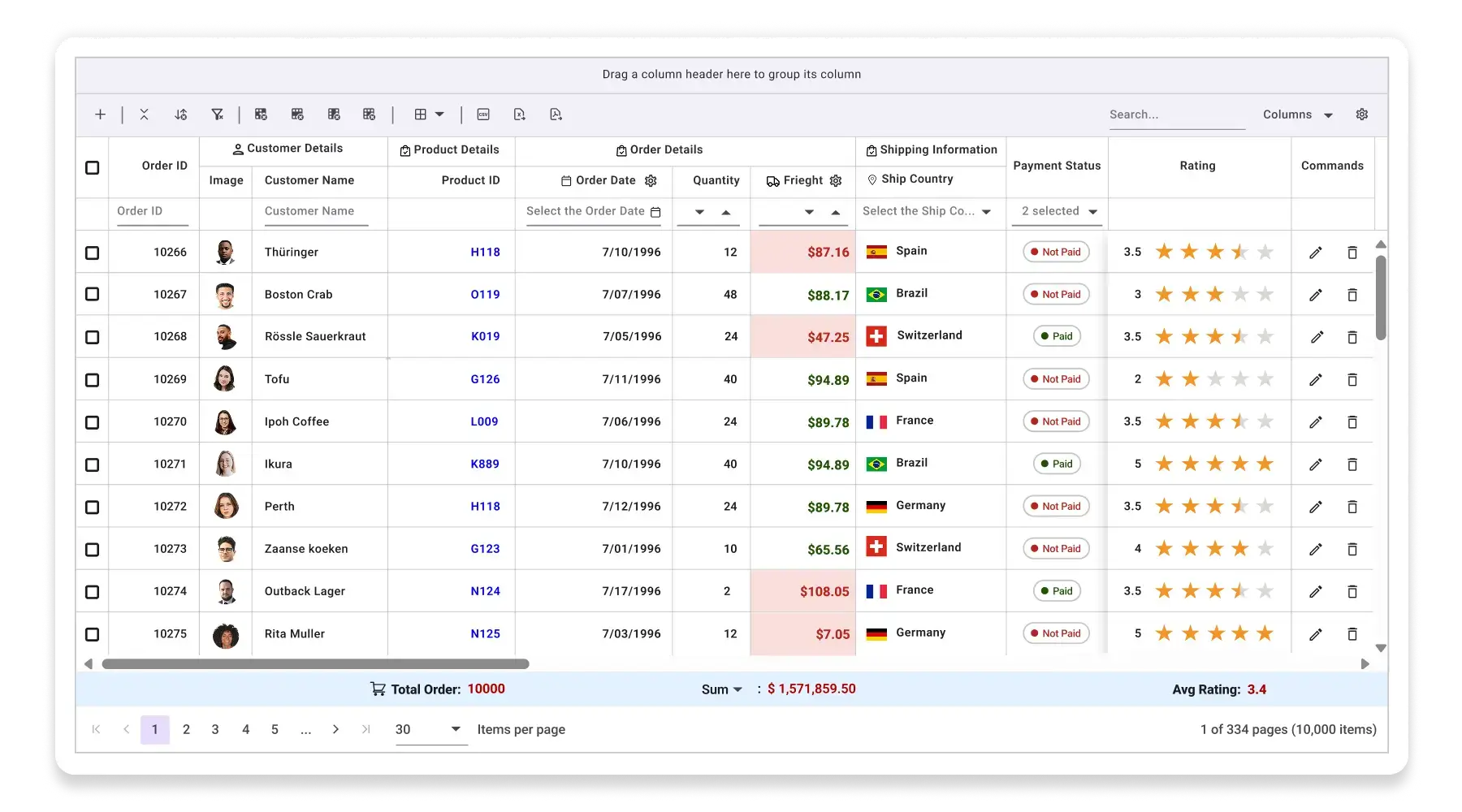

High-performance React Data Grid
The React Data Grid is a high-performance data table UI component for displaying, editing, and managing large datasets in tabular form. Syncfusion’s React Data Grid includes sorting, filtering, virtualization, editing, and flexible data binding for enterprise-scale applications.
React Data Grid code example
Easily get started with the React Data Grid using a few simple lines of TSX code, as demonstrated below.
import * as ReactDOM from 'react-dom';
import * as React from 'react';
import { GridComponent, ColumnsDirective, ColumnDirective } from '@syncfusion/ej2-react-grids';
import { orderDetails } from './data';
import { SampleBase } from '../common/sample-base';

export class Default extends SampleBase<{}, {}> {

  render() {
    return (
      <div className='control-pane'>
        <div className='control-section'>
          <GridComponent dataSource={orderDetails} height='350'>
            <ColumnsDirective>
              <ColumnDirective field='OrderID' width='120' textAlign='Right'></ColumnDirective>
              <ColumnDirective field='CustomerName' width='150'></ColumnDirective>
              <ColumnDirective field='OrderDate' width='130' format='yMd' textAlign='Right' />
              <ColumnDirective field='Freight' width='120' format='C2' textAlign='Right' />
              <ColumnDirective field='ShippedDate' width='130' format='yMd'></ColumnDirective>
              <ColumnDirective field='ShipCountry' width='150'></ColumnDirective>
            </ColumnsDirective>
          </GridComponent>
        </div>
      </div>
    )
  }
}
Fast virtual scrolling grid
Experience smooth, lightning-fast scrolling through massive datasets with Syncfusion’s virtual scrolling feature. It renders only the rows visible in the viewport, dynamically loading data as you scroll, reducing DOM operations and memory usage. Perfect for data-heavy applications; it ensures a seamless user experience without performance bottlenecks, even with millions of records.
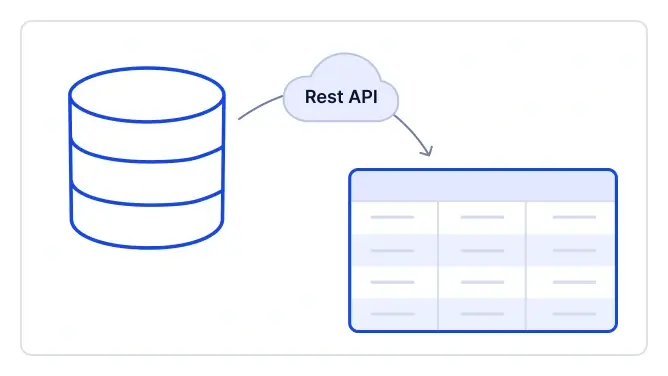
Connect to REST/GraphQL APIs
Easily bind the React Data Grid to REST or GraphQL services using the built-in DataManager and its powerful adaptors. For REST APIs, the grid leverages the DataManager with RESTAdaptor to enable CRUD operations, paging, sorting, and filtering through simple endpoint configuration. For GraphQL, the GraphQLAdaptor ensures efficient queries and mutations for smooth data interaction. This integration provides fast, flexible, and modern data connectivity for any application.
Fully customizable React Grid
Design your grid exactly the way you want. Customize columns, headers, footers, and cell templates to fit your application’s branding and workflow. Apply themes, conditional styling, and responsive layouts to achieve a polished and professional look.
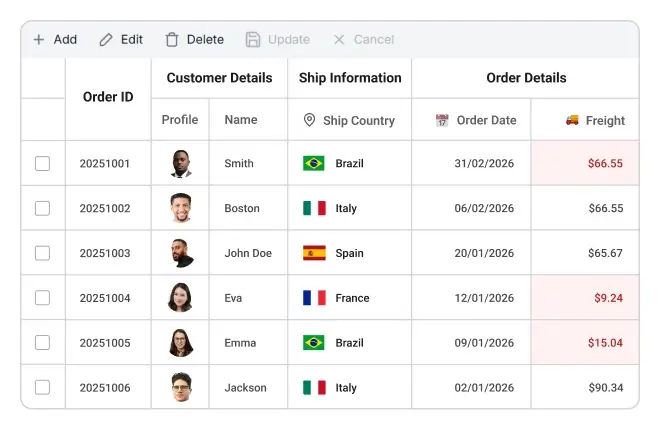
Advanced Sort, Filter, Group
Empower users to organize data effortlessly with multi-column sorting, rich filtering options, and intuitive grouping. Combine these features to create dynamic views that simplify and enhance the efficiency of analyzing large datasets.

Sorting
Click headers to sort rows, hold the Ctrl key to sort multiple columns, and apply custom sorting logic for your app.

Filtering
Filter records using Excel-like options, custom logic, flexible UI customization, and diacritic character support.

Grouping
Group rows hierarchically with drag-and-drop column grouping, enabling sorted, expandable, and collapsible views.

Editable React Grid (CRUD)
Manage data directly within the grid using built-in editing modes like inline, dialog, or batch editing. Validate inputs, handle complex data relationships, and perform create, read, update, and delete operations seamlessly.
Export to Excel, PDF, & CSV
Generate professional reports by exporting grid data to Excel, PDF, and CSV formats. Preserve styles, formatting, and structure for accurate and visually appealing outputs that are ready for sharing or printing.


Drag & drop row reordering
Reorder rows interactively with simple drag-and-drop functionality. This feature is perfect for prioritizing tasks, customizing display order, or creating user-driven layouts without requiring additional coding.
Freeze or pin rows & columns
Keep headers, key columns, or summary rows visible while scrolling through large datasets. This ensures critical information stays in view, improving usability and data comprehension.

Paging built for large data
Handle millions of records efficiently with optimized paging. Load data in chunks to reduce rendering time and memory usage, ensuring smooth navigation and fast performance.
AI-ready Data Grid for faster insights
Our Data Grid comes AI-ready out of the box. Easily extend it with semantic search, anomaly detection, or any other AI operation you need. Get fast answers and smarter data exploration, all in one grid.
-
Semantic search: Plug in your preferred NLP model to let users query with natural phrases, no exact keywords required.
-
Anomaly detection: Connect an ML service to find unusual trends or errors quickly and keep business on track.
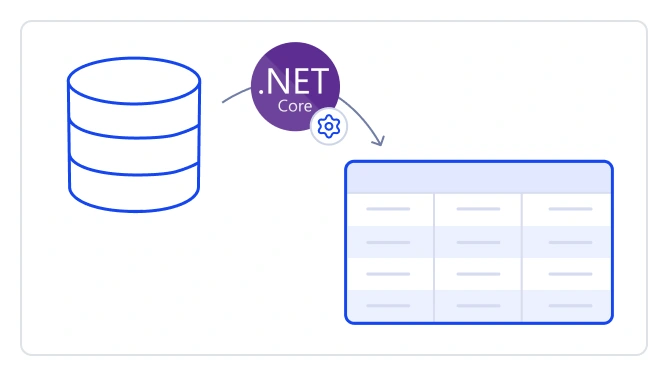
Works with ASP.NET Core APIs
Integrate effortlessly with ASP.NET Core backends using built-in DataManager and adaptors. Enable secure CRUD operations along with server-side paging, sorting, filtering, and grouping for scalable, real-time data handling without complex configurations.
Mobile-optimized Data Grid
Deliver a responsive, touch-friendly experience on any device. Adaptive layouts and gesture support ensure smooth interaction for mobile users without sacrificing performance.
Accessibility
Keyboard navigation
React Data Grid ensures access to every cell through the keyboard. Core actions such as sorting, selecting, and editing work through keyboard commands alone. No mouse interaction is required. This supports the creation of highly accessible applications with this component.
Screen reader and WAI-ARIA support
The React Data Grid view provides full WAI-ARIA accessibility support. The UI includes high-contrast visual elements to support users with visual impairments. Valid UI descriptions remain available through assistive technologies such as screen readers.
Right-to-left (RTL) display
Right-to-left rendering displays Data Grid text and layout from right to left. This improves usability and accessibility for RTL languages.
Enterprise-Grade Support with Guaranteed SLAs
Premium support with assured response times
Syncfusion delivers enterprise-grade support with guaranteed SLAs to keep your development on track. Access priority assistance through ticketing and live chat with assured response times.
AI-Powered developer assistance
Get instant, code-centric guidance through the AI-Powered Helpbot, without searching through documentation. The Syncfusion AI Coding Assistant speeds up development with intelligent, context-aware code suggestions aligned with our components.

Frequently Asked Questions
Why should you choose Syncfusion React DataGrid?
The Syncfusion React DataGrid offers the following features:
- Load millions of records in just a second.
- Mobile-first design that adapts to any resolution.
- Flexible data binding with support to use local and remote data sources such as JSON, RESTful services, OData services, and WCF services.
- Flexible editing and intuitive record selection modes.
- Out-of-the-box Excel-like filtering and grouping options.
- Countless column customizations and data summaries.
- Seamless data exporting options like PDF, CSV, and Excel.
- One of the best React DataGrid in the market that offers feature-rich UI to interact with the software.
- Simple configuration and API.
- Supports all modern browsers.
- Expansive learning resources such as demos, documentation, and videos to learn quickly and get started with React DataGrid.
What is a React Data Grid?
A React Data Grid is a UI component that allows users to display and manipulate tabular data with functionalities such as sorting, filtering, pagination, and editing. It efficiently handles large datasets and provides options for exporting and printing.
How do you handle large datasets in a React Data Grid?
The Grid can handle large data sets by using the paging, virtual scrolling, and infinite scrolling features.
What are the types of Data Grid available in React?
Syncfusion’s React Data Grid supports basic grid, virtual grid, hierarchical grid, and Excel‑like grid, each optimized for high performance, scalability, and customization.
What is the use of a Data Grid in React?
The Syncfusion React Data Grid is used to display, manage, and interact with large datasets efficiently, offering features such as sorting, filtering, editing, and more for building rich, data‑driven React applications.
How do I get started with Syncfusion React DataGrid?
A good place to start would be our comprehensive getting started documentation.
How do you add sorting to a React Data Grid?
To enable sorting in the Syncfusion React Grid, follow these steps:1. Ensure that the Sort module is imported and injected into your Grid component.2. Set the allowSorting property to true to activate sorting. 3. Use the sortSettings property to define initial sorting configurations or customize sorting behavior.
How do I configure server-side pagination in React Data Grid?
The Grid handles server-side pagination by enabling the Syncfusion inbuilt data adaptor or using custom data binding concepts.
What is an Excel‑like grid in React?
The Syncfusion React Data Grid offers an Excel‑like grid experience with features such as cell editing, formulas, copy‑paste, keyboard navigation, and more, closely mimicking Excel - style interactions within React applications.
Where can I find the Syncfusion React Data Grid demo?
You can find our React Data Grid demo, which demonstrates how to render and configure the Data Grid.
How to enable filtering in React Data Grid?
To use the filtering feature, inject the Filter module into the grid. To enable filtering in the Syncfusion React Grid, set the allowFiltering property to true. This renders a filter bar beneath the column headers, allowing users to input filter criteria. The Grid offers multiple filtering modes, which are configurable via the filterSettings.type property.
How do you implement inline editing in React Data Grid?
To enable the editing functionality directly within the grid, you need to set the allowEditing, allowAdding, and allowDeleting properties within the editSettings to true. Editing requires a primary key column for CRUD operations. To define the primary key, set isPrimaryKey to true in a particular column.
What is the difference between a table and a Data Grid?
A table displays static data, while a Data Grid provides advanced features such as sorting, filtering, paging, editing, and virtualization—making it suitable for dynamic, interactive data handling in modern React applications.
Can I download and utilize the Syncfusion React DataGrid for free?
No, this is a commercial product and requires a paid license. However, a free community license is also available for companies and individuals whose organizations have less than $1 million USD in annual gross revenue, 5 or fewer developers, and 10 or fewer total employees.
What are the features of a React Data Grid?
React Grid offers features like sorting, filtering, pagination, editing, aggregates, grouping, exporting to Excel/PDF, column resizing, and virtualization.
Can React Data Grid handle real-time data?
The Syncfusion React Grid handles real-time data through integration with WebSockets and SignalR, enabling dynamic updates and seamless user experiences.
How do I add a Data Grid in React?
Install the Syncfusion React Data Grid package using npm, then import the component and configure it within your React application.
Is the Syncfusion React Grid responsive?
Yes. The Syncfusion React Data Grid is fully responsive by default, adapting to various screen sizes and supporting mobile - friendly layouts.
Our Customers Love Us




Rated by users across the globe



Awards
Greatness—it’s one thing to say you have it, but it means more when others recognize it. Syncfusion® is proud to hold the following industry awards.









