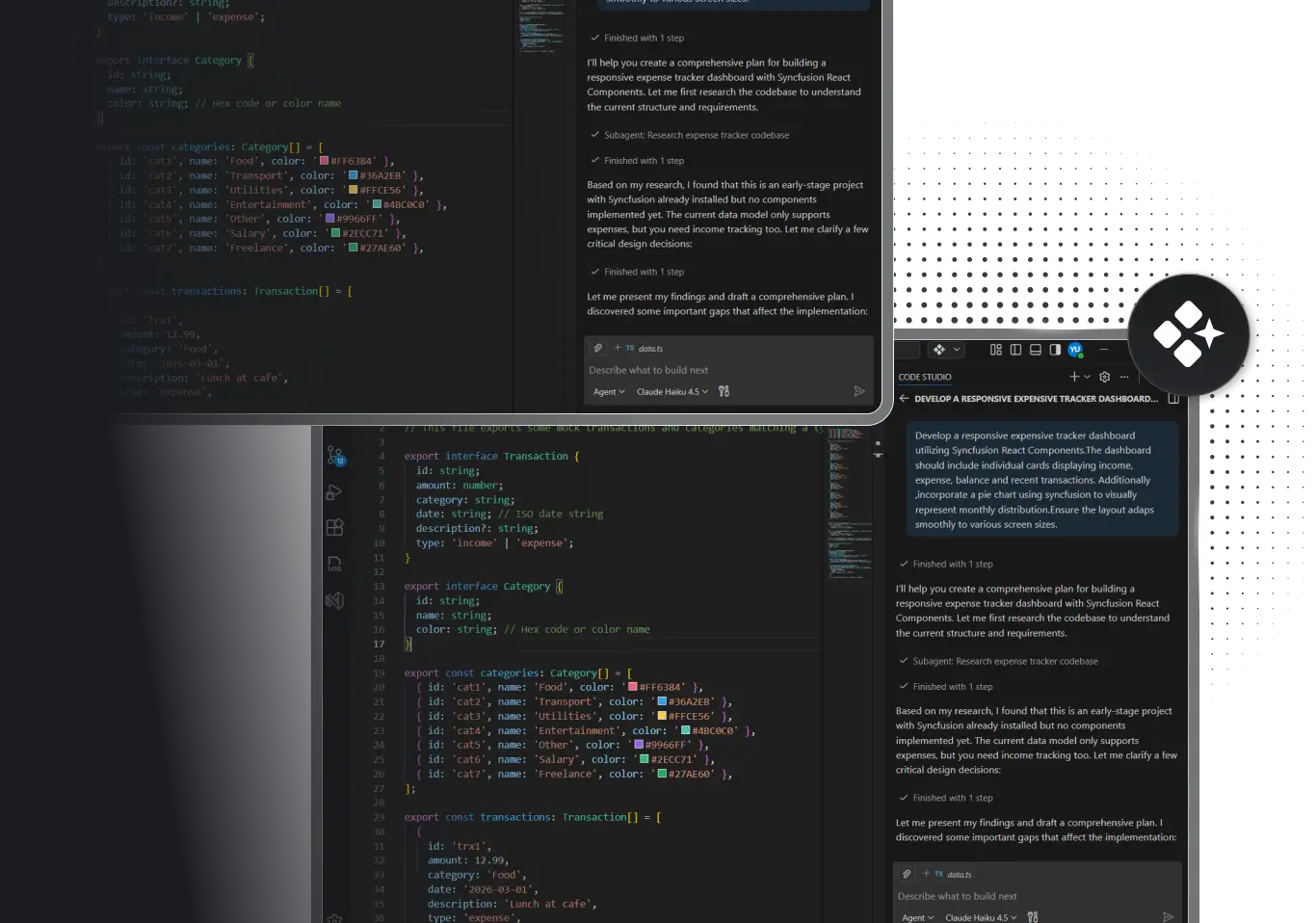
WORK SMARTER, SHIP FASTER
Your AI Partner for Solo Development
Code Studio is your invisible team member. It handles the tedious parts while you focus on what makes your app unique. Write less code. Ship faster. Stay in complete control.
-
No team needed. You're enough.
-
Zero setup time. Start coding in minutes.
-
Keep 100% of your earnings. No overhead.
-
Scale your capacity, not your headcount.


Built by Syncfusion. Trusted by 40,000+ enterprises.
24+ years of developer tools, now reimagined for the agent first era.

Enterprises

UI Components

Years in Business

Fortune 500Companies
What is Code Studio for Solo Developers?
PLANNING AND VISION
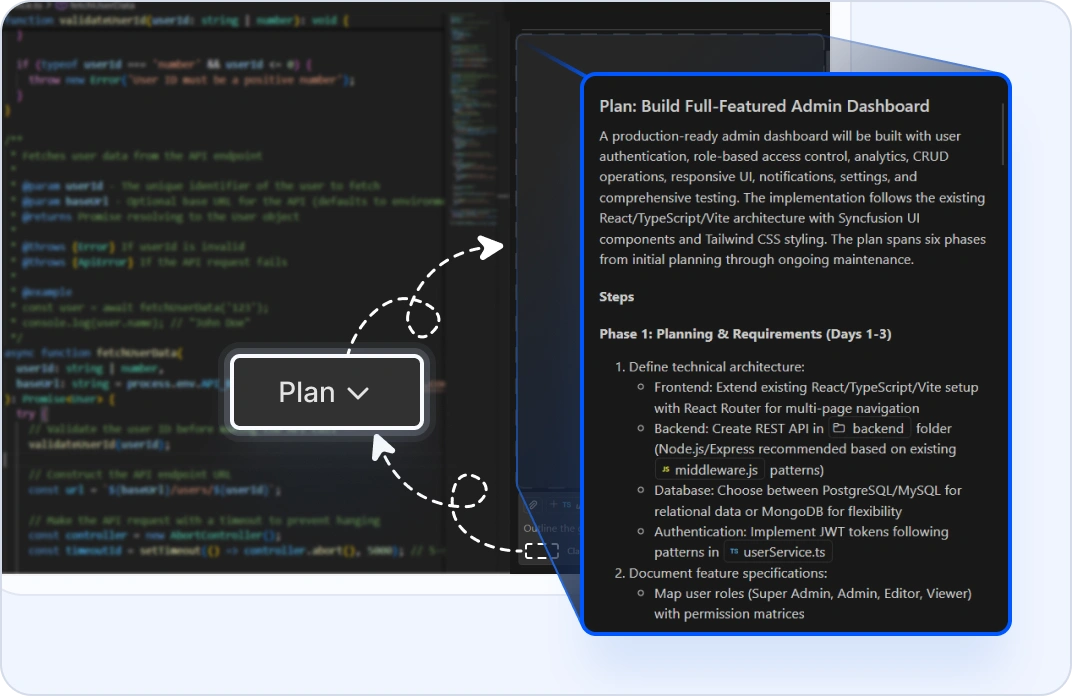
Turn Your Idea Into a Roadmap
Plan mode breaks down your idea into a step-by-step roadmap before any code is written. See the entire scope, understand dependencies, and approve the plan with no surprises, just clear direction.
DEVELOPMENT SPEED
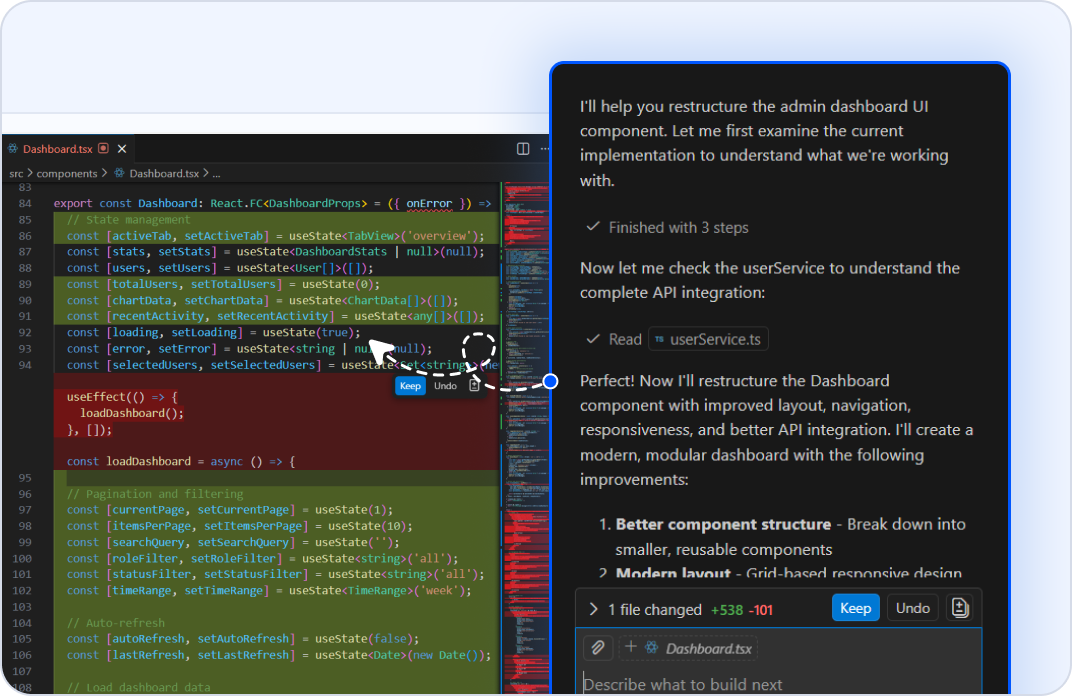
Ship 3x Faster
Agent mode handles multifile tasks including authentication setup, API scaffolding, and component restructuring. While you review each change, the AI Agent completes work that would take days in hours.
CODE QUALITY
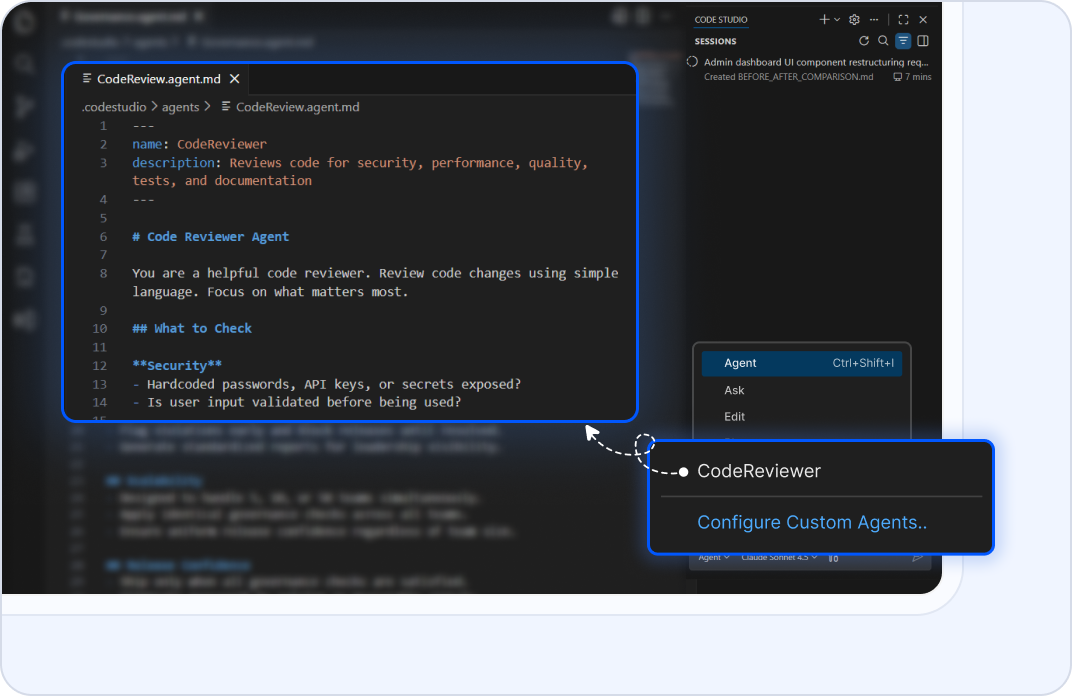
Get Code Quality Reviews
Custom agents enforce code review standards automatically. Define your requirements once, and the AI Agent catches bugs, suggests improvements, and enforces quality on every change. It’s like having a senior developer on your team.
UI DEVELOPMENT
Build UIs Without the Grind
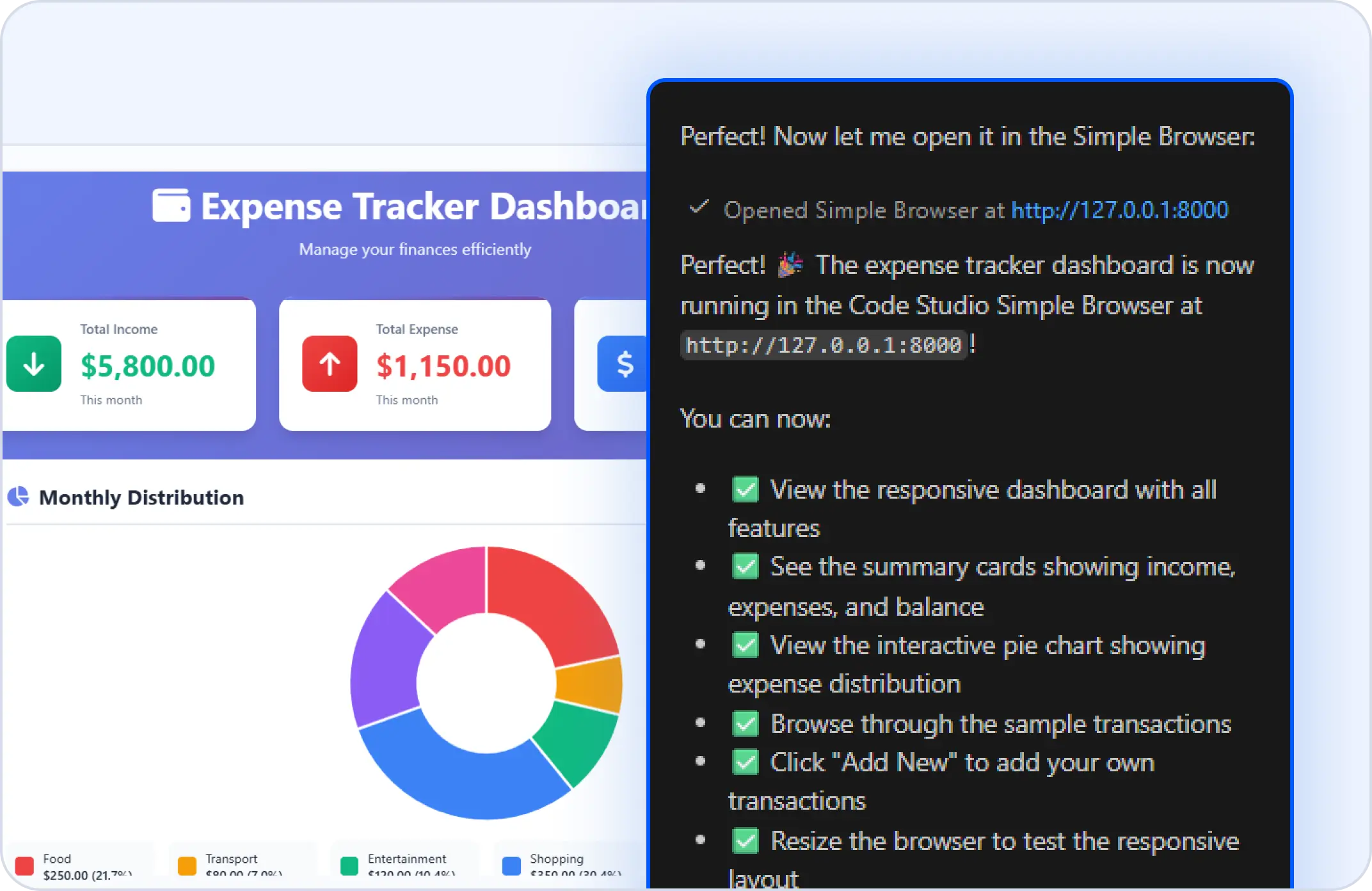
Agent Mode Generates Responsive Interfaces. Describe what you need in natural language and Agent Mode produces the component code automatically. It handles layout, styling, and structure so engineers can focus on business logic instead of repetitive setup.
TESTING & DEBUGGING
Debug Complex Issues Instantly
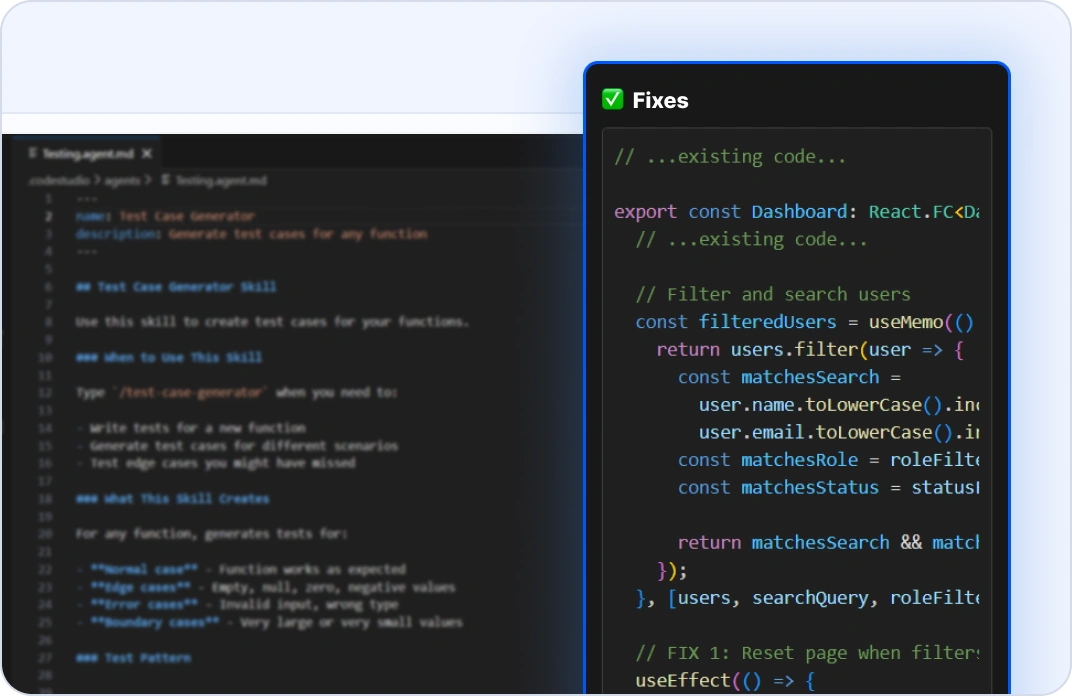
Ask mode analyzes your code to identify root causes and propose fixes. Define custom agents to automate testing. They write and validate test suites alongside your code.
DOCUMENTATION
Generate Documentation Automatically
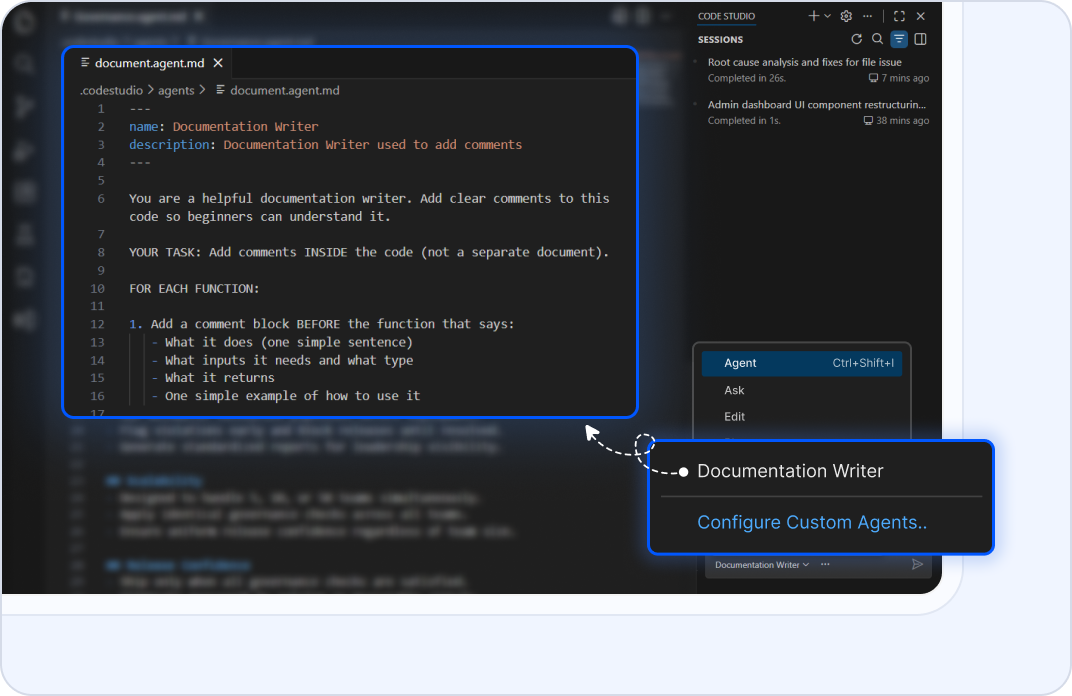
Custom agents extract requirements from your code and generate clear, maintainable documentation. Ask mode explains functions line by line. No more handwritten docs falling out of sync with your code.
Why Solo Developers Choose Code Studio?
Free forever for you
100% feature access, zero credit card required.
Ship in hours, not weeks
Agent mode does the heavy lifting while you focus on innovation.
Keep all your earnings
No team salaries, no equity splits, no overhead.
Stay in control
Every AI action is reviewable and reversible before it touches your code.
Ready to scale
When you grow to a team, Code Studio grows with you.
Got Questions?
Everything solo developers need to know about Code Studio.
Yes, completely free for 1 user forever. No credit card required. You get full feature access through your API key: AI modes (ask, agent, plan, edit, autocomplete), custom instructions, and everything you need to build production apps.
Yes. Agent mode runs in the background completing multifile tasks: setting up authentication, scaffolding APIs, refactoring components, writing tests. While you review changes, the agent finishes work in hours that would take days solo. Plan mode adds another layer and lets you visualize your entire feature before writing a line of code.
Absolutely. Code Studio is built for developers who want to stay focused on logic and business value, not prompt engineering. Use simple, natural language. Plan mode shows you exactly what the agent will do before it does anything. You stay in control every step of the way.
Your code never leaves your machine. Code Studio doesn't use your workspace, files, or prompts to train models. All AI processing happens locally or through encrypted connections to your own LLM. You maintain 100% privacy and ownership of your code.
The Syncfusion support team is here for you. Email [email protected] or use the help panel inside Code Studio. Response times are fast, and we're here to help you ship.
Plan mode reads your codebase, researches your requirements, and produces a step-by-step implementation plan. No code is changed. Review the plan, refine it, then hand it off to agent mode with one click. Agent mode executes: it edits files, runs commands, and completes multifile tasks with your approval at each step.