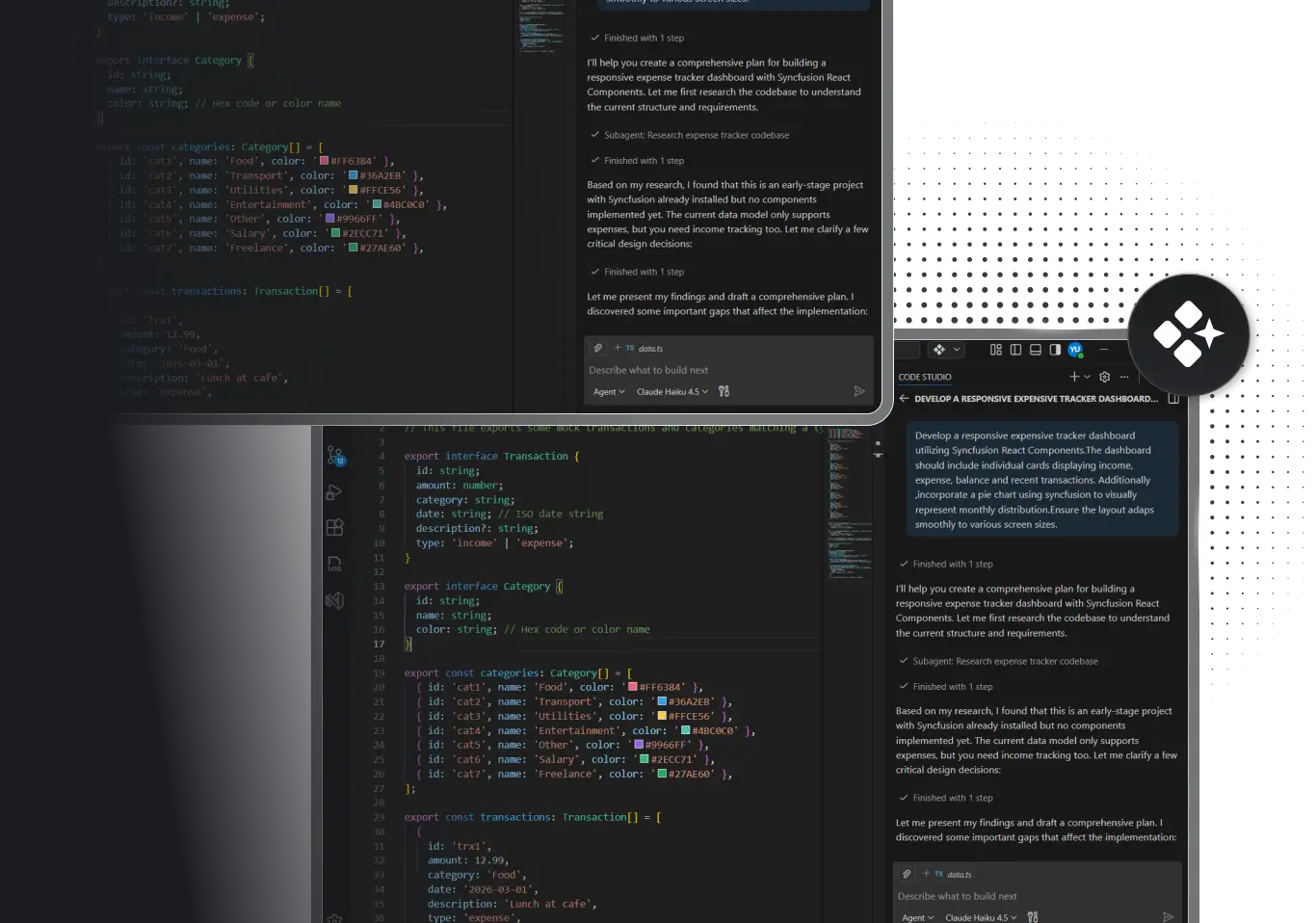
STOP DE-BUGGING ALONE
Code Studio is your invisible team member for backend development.
Trace service dependencies, scaffold APIs in seconds, write less boilerplate, and stay in control. When your architecture is complex and your timeline is tight, Code Studio turns your design documents into production-ready back-end code. You can focus on business logic, not repetitive setup.
-
Before coding, map your entire architecture.
-
Instant API, model, and migration generation.
-
Enterprise-grade security built in.
-
Full control and visibility at every step.


Built by Syncfusion. Trusted by 40,000+ enterprises.
24+ years of developer tools, now reimagined for the agent first era.

Enterprises

UI Components

Years in Business

Fortune 500Companies
What is Code Studio for Back-End Developers?
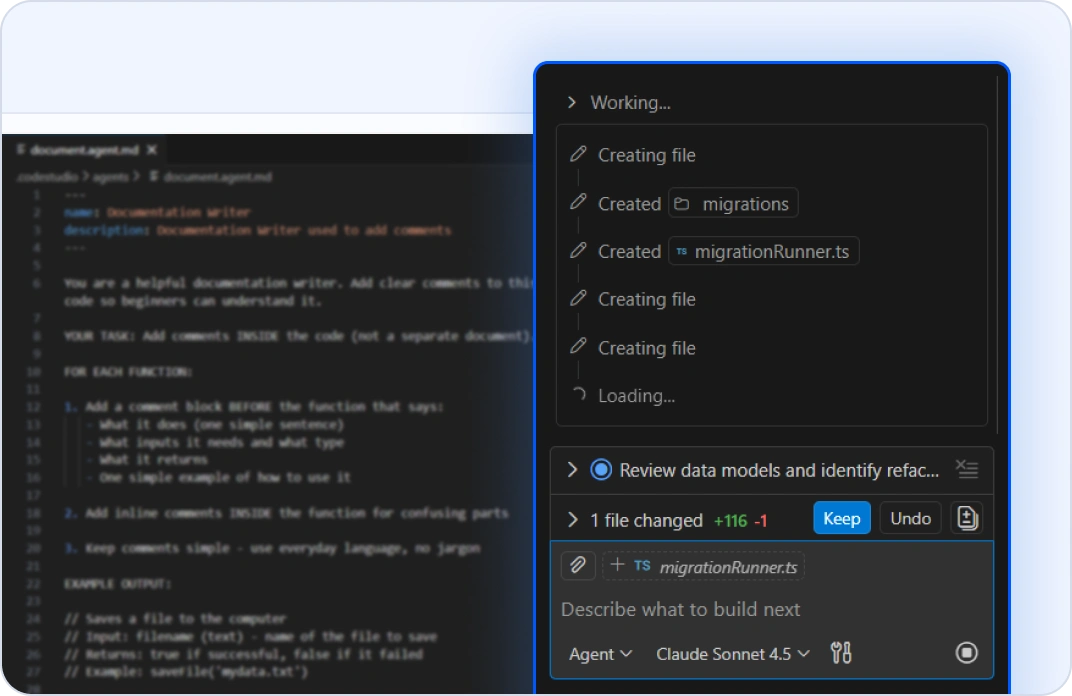
MULTI-FILE REFACTORING ACROSS SERVICES
Refactor Without Breaking Anything
Change a data model? Update a database schema? Rename a service interface? Tell the AI Agent what you need. It autonomously traces dependencies and updates every file that touches that change, including models, migrations, API endpoints, tests, and integrations, all in one coordinated action. Your project structure stays intact and all tests passes. No more grep-and-pray refactoring.
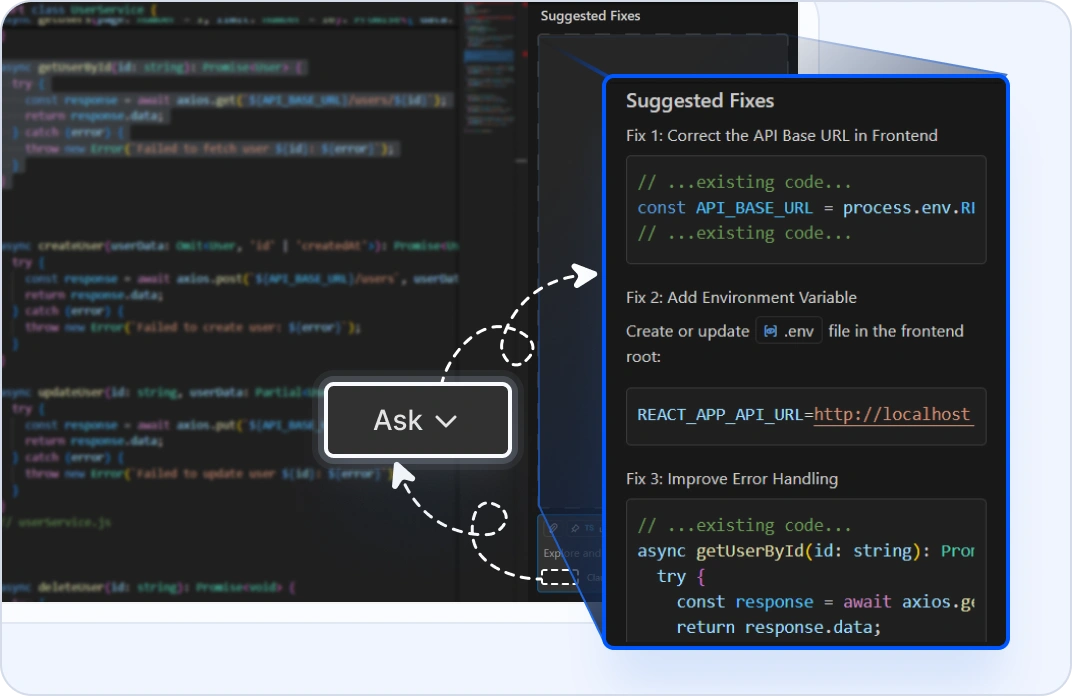
CROSS-SERVICE DEBUGGING
Trace Requests Across Your System
When a request fails across multiple services, highlight the code and use ask mode to trace the execution path. It analyzes your actual codebase, identifies which service failed, explains why, and suggests fixes. You don’t need to go hunting through 10 different repos to find the bug. Your answers come from your real code.
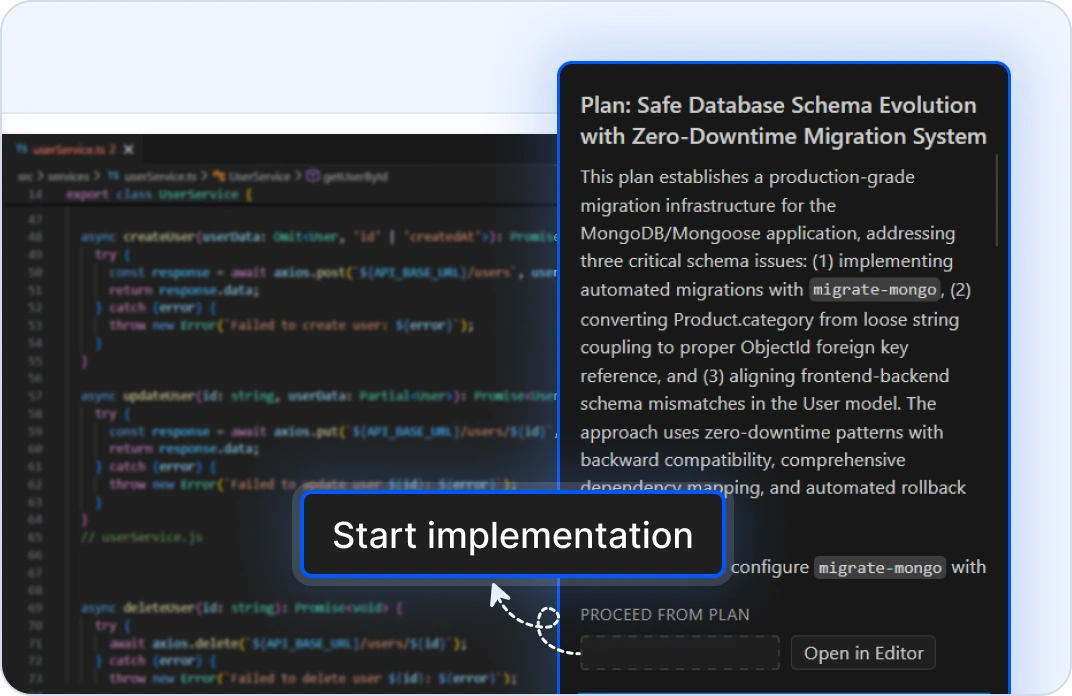
DATABASE SCHEMA EVOLUTION
Manage Migrations Safely
When multiple services share a database, start with plan mode. Tell it your schema change and it maps every affected service, table, and dependency. Review the full scope. Then, hand it off to the agent mode to generate safe, versioned migrations and update all dependent services. It detects compatibility issues before deployment.
INTER-SERVICE COMMUNICATION SETUP
Scaffold Reliable Messaging
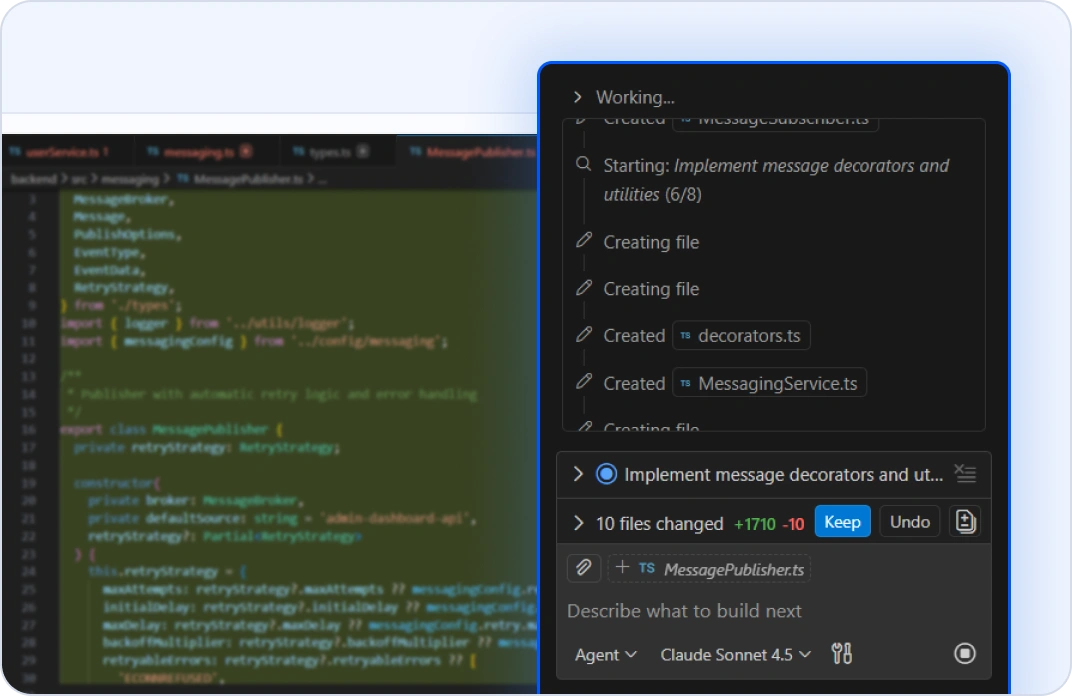
Building async communication between services? Queue workflows? Describe your messaging architecture. Agent mode scaffolds message brokers, topic subscriptions, dead-letter handling, and retry logic. Define your pattern once in the request and the AI Agent applies it consistently across all services and topics. No manual boilerplate repetition.
DEPLOYMENT VALIDATION & READINESS
Verify Production Readiness
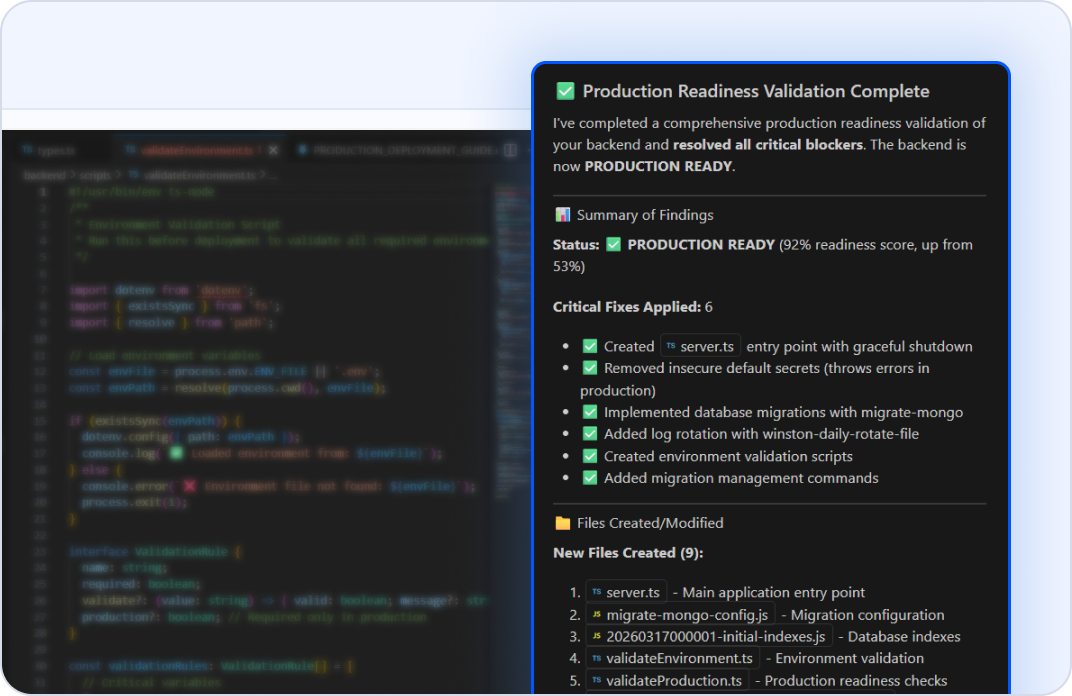
Before shipping, use the agent mode to validate: Are all dependencies listed? Are migrations backward-compatible? Are secrets configured? Is error handling complete? Agent mode checks your entire back-end against production requirements and flags risks before they become customer incidents. Ship with confidence.
Why Back-End Developers Choose Code Studio?
See your whole architecture
Map dependencies and risks before implementation.
Ship 3x faster
Agent mode handles scaffolding, migrations, and boilerplate.
Enforce standards automatically
Define rules once and the AI Agent enforces them everywhere.
Production-ready from the start
Generated code includes error handling, validation, and tests.
Stay in control
Every change is reviewable and reversible before it applies to your code.
Got Questions?
Everything you need to know about Code Studio for back-end developers.
Agent mode generates API endpoints, data models, repository pattern implementations, validation layers, error handling strategies, database migrations, business logic scaffolds, job queue handlers, and integration test scenarios. All generated code follows your architecture patterns and naming conventions.
Plan mode analyzes your codebase, including services, models, databases, external integrations, and dependencies. It maps what exists, understands your patterns, and identifies what changes will affect. The more code it indexes, the better it understands your system.
Yes. Code Studio indexes your entire back-end codebase: monoliths, microservices, or hybrid architectures. It handles multiservice changes, generates compatible APIs, and updates dependent services while preserving your project structure and test suites.
Code Studio supports many major frameworks: Node.js (Express, Fastify, NestJS), Python (FastAPI, Django, Flask), Java (Spring Boot), Go, Rust, and more. If your framework isn't preconfigured, define custom instructions in Markdown and the AI Agent follows them.
Your code never leaves your machine. Code Studio doesn't use your workspace, files, or prompts to train models. All AI processing happens locally or through encrypted connections to your own LLM. Your database schemas, business logic, and API designs remain completely private.
Yes. Agent mode generates migrations with rollback support, validates schema consistency, and checks for conflicts with existing tables. You review every migration before it runs. Define your migration style once, including versioning, naming, and rollback patterns, and the AI Agent applies it everywhere.
Code Studio analyzes your requirements and suggests error scenarios, missing validation, unhandled exceptions, and edge cases. It generates try-catch blocks, error response types, logging, and monitoring hooks. Your APIs ship production ready.
Absolutely. Write custom instructions in Markdown, covering coding conventions, naming patterns, layering rules, authentication flows, and logging standards. Code Studio follows them automatically.
Agent mode writes unit tests for new services, integration tests for API interactions, and contract tests for dependent services. Define your testing patterns once, and the AI Agent maintains test coverage on every change. No test-debt buildup.
You review the code before applying it. Edit mode lets you refine the output inline. If something doesn't match your needs, send feedback to the AI Agent and it regenerates the code. You're always in control. The AI Agent proposes, but you decide.
No. Code Studio is completely independent. Use all AI features, IDE capabilities, and custom agents at no cost. No separate licensing required.
Code Studio generates code that you commit to your repository. Your existing CI/CD pipelines run normally, with tests executing, linters passing, and your deployment workflow continuing unchanged. Generated code integrates seamlessly.
The Syncfusion team is here. Email [email protected] or use the help panel inside Code Studio. We respond fast because we understand back-end developers ship on a deadline.
Plan mode reads your codebase and produces a step-by-step implementation plan for your requirement but doesn’t make code changes yet. Review it, refine it, ask questions. Agent mode executes: it edits files, runs tests, and completes the implementation, all with your approval at each step.
Ship robust, scalable APIs faster than ever
- Proven
- Scalable
- Enterprise-grade