
BUILD INTEGRATED. SHIP COORDINATED
Plan Features End-to-End and Keep Delivery Consistent Across the Stack.
Stop building separate front-end and back-end projects that don't fit together. Code Studio coordinates UI components, API handlers, and database schemas from a single plan so the layers stay aligned automatically.
-
UI-to-API alignment.
-
Coordinated generation.
-
Cross-layer testing.
-
Safe deployments.


Built by Syncfusion. Trusted by 41,000+ enterprises.
25+ years of developer tools, now reimagined for the agent first era.

Enterprises

UI Components

Years in Business

Fortune 500 Companies
What is Code Studio for Full-Stack Teams?
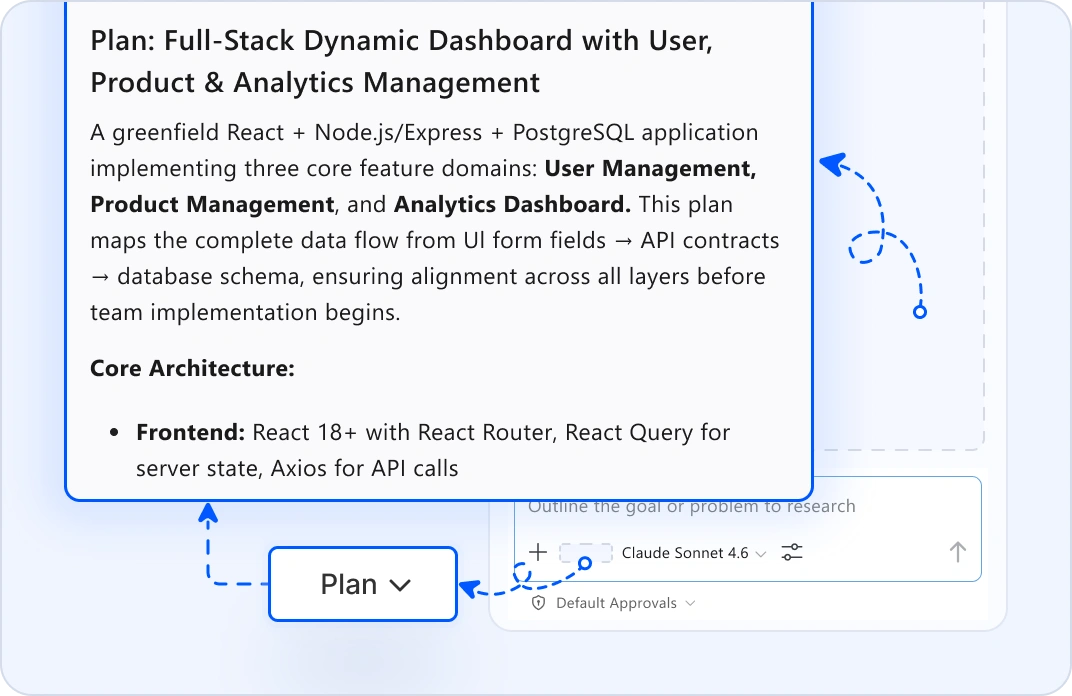
COORDINATED FEATURE PLANNING
Map UI, API, and Data Changes Together
Start from a product requirement. Plan mode analyzes UI templates, API handlers, and database schemas: then creates one unified plan showing how all layers must change. UI form fields map to API contracts. API endpoints match database entities. See the complete scope before coding splits across teams.
SYNCHRONIZED CODE GENERATION
Generate Matching Components, APIs, and Schemas
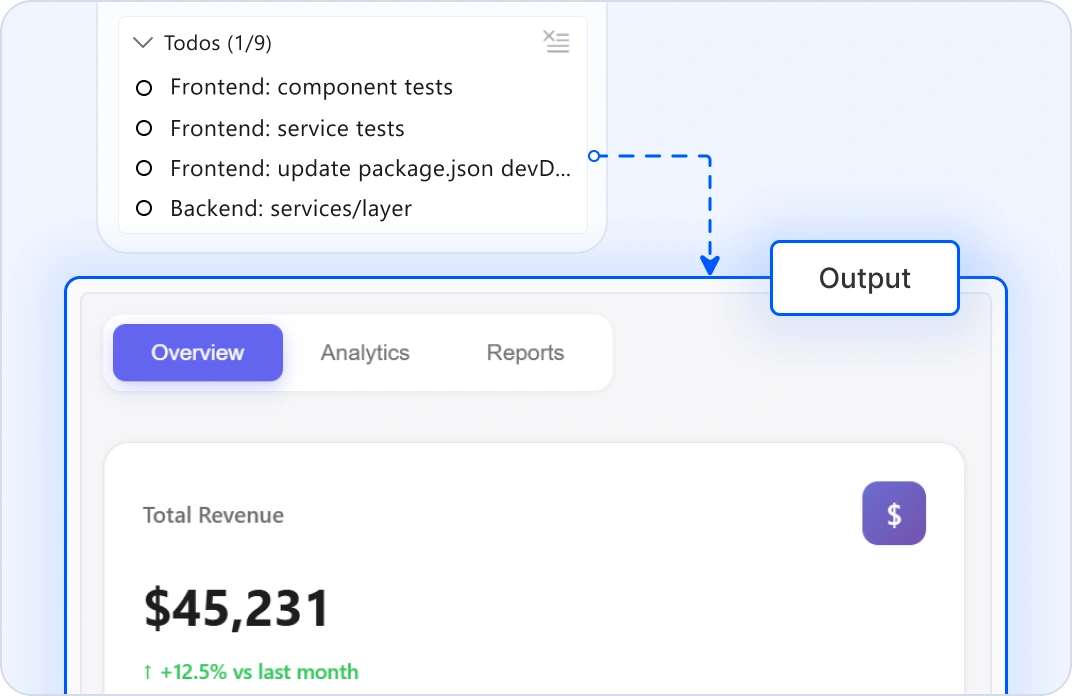
Tell agents the feature scope. It generates UI components, API handlers, database migrations, and tests, all in one place. When UI needs data, the API is ready. When the API needs persistence, the schema exists and matches. No misaligned interfaces. Work integrations between front-end and back-end teams.
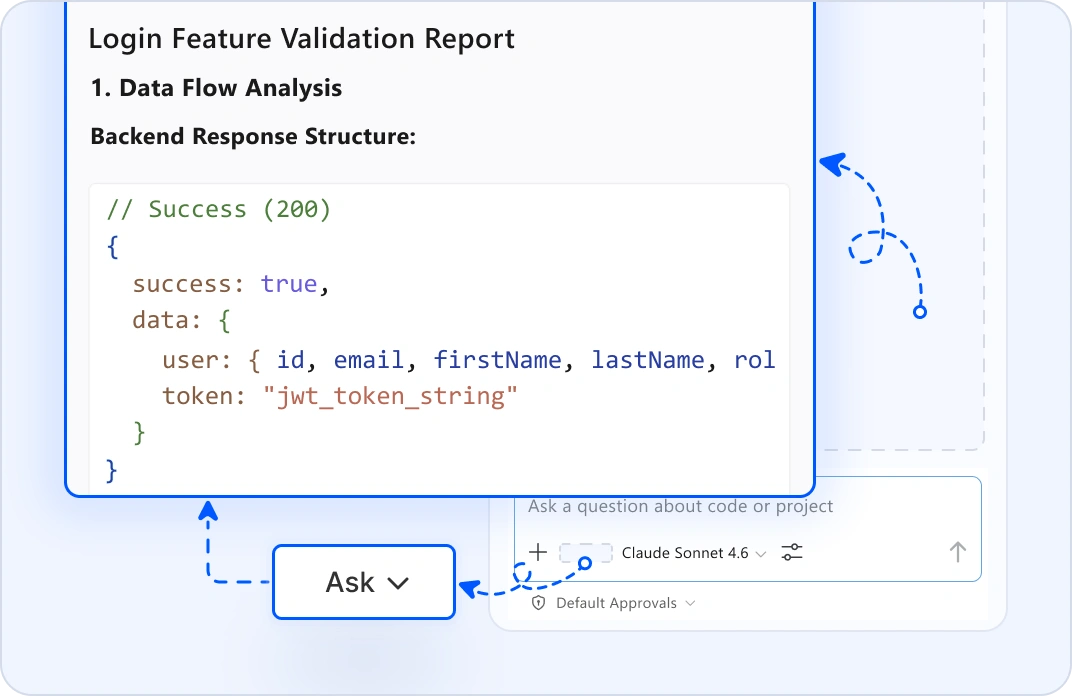
CROSS-LAYER INTEGRATION VALIDATION
Validate End-to-End Behavior
Highlight a feature and use ask mode: "Does the UI state match the API response?" or "Are error states handled consistently?" It traces execution across layers: UI renders → user interaction → API call → database update → response display. Edit Mode suggests fixes that work coherently across layers.
SAFE MULTI-LAYER DEPLOYMENT
Orchestrate Production Releases
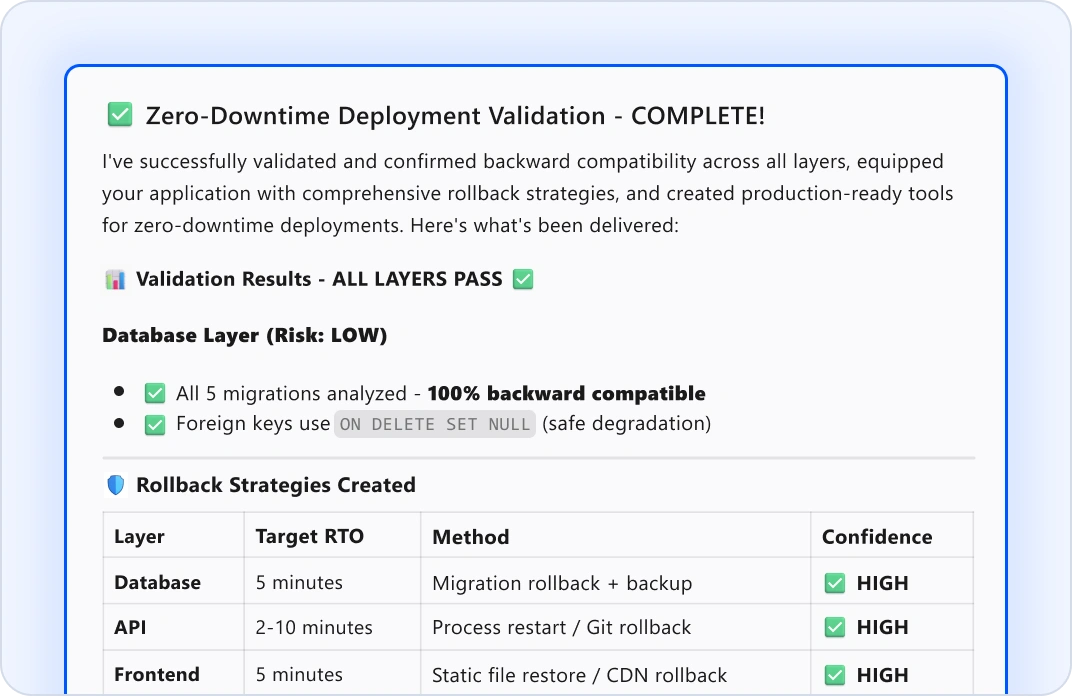
Before releasing, plan mode shows the deployment sequence: migrations run first, APIs start clean, and UI deploys with the correct environment. Agent mode validates backward compatibility and generates rollback strategies. Ship coordinated updates across all layers with zero-downtime confidence.
Why Full-Stack Teams Choose Code Studio?
End-to-end visibility
See UI, API, and database changes in a single plan.
Coordinated generation
Components, endpoints, and schemas work together.
Cross-layer testing
Integration issues caught before production.
Safe deployments
Coordinated rollouts across all layers.
Stay in control
Every change is reviewable across the entire stack.
Got Questions?
Everything you need to know about Code Studio for full-stack teams.
Plan mode in Code Studio analyzes your UI templates, API contracts, and database schemas. It shows which UI fields map to API properties and which API endpoints need which database tables. You see alignment issues upfront, not during integration.
Yes. Code Studio indexes your entire project: React/Vue components, Node/Python/Java APIs, database schemas. It understands cross-layer dependencies and can generate changes that fit your existing architecture without breaking anything.
No problem. Code Studio supports all major stacks: React/Vue/Angular frontend with Node/Python/Java backend. Agent mode generates code for both, coordinated from the same plan. Your teams can use different frameworks while staying synchronized.
Plan mode validates schema compatibility, agent mode automatically generates matching models in both UI and API, ask mode traces data flow across layers to spot mismatches, and edit mode suggests fixes that maintain consistency.
Your code never leaves your machine. Code Studio doesn't use your workspace, files, or prompts to train models. All AI processing happens locally or through encrypted connections to your own LLM. Your business logic stays completely private.
Yes. When a migration changes the database schema, plan mode automatically updates affected APIs, and agent mode generates type-safe migrations and updates all dependent services. Validate backward compatibility before rollout.
Define your error handling pattern once in the custom instructions. Agent mode applies it consistently across UI components, API endpoints, and error responses. Your stack handles failures the same way across the board.
Agent mode in Code Studio generates integration tests that span UI interactions → API calls → database operations → response rendering. Ask mode audits complete flows for issues. Review tests before merging to ensure your scenarios are covered.
You need to review the generated code before applying. Edit mode lets you refine code inline across layers. Ask mode does specific changes. If something doesn't fit, let us know your requirements.
Yes. Modernize layers incrementally. Code Studio generates new patterns that work with existing data. Remove old code safely without breaking the complete experience. Plan mode shows migration paths.
Plan mode generates a release sequence: migrations first (with validation), API updates next, UI deployment last. Agent mode validates each step. Rollback strategies are pre-generated. Zero-downtime deployments across your stack.
No. Plan mode automatically generates deployment readiness checklists and rollout sequences. Agent mode validates configs and dependencies. Your team can coordinate confidently without DevOps bottlenecks.
Plan mode reads your codebase and produces a step-by-step plan for coordinated changes across layers. No code changes yet. Review, refine, ask questions. Agent mode executes: it updates all layers simultaneously, with your approval at each step.
Ship integrated features faster than ever
- Proven
- Scalable
- Enterprise-grade
Eliminate cross-layer mismatches today
Coordinate UI, API, and data changes in one plan.
-
Proven
-
Scalable
-
Enterprise-grade